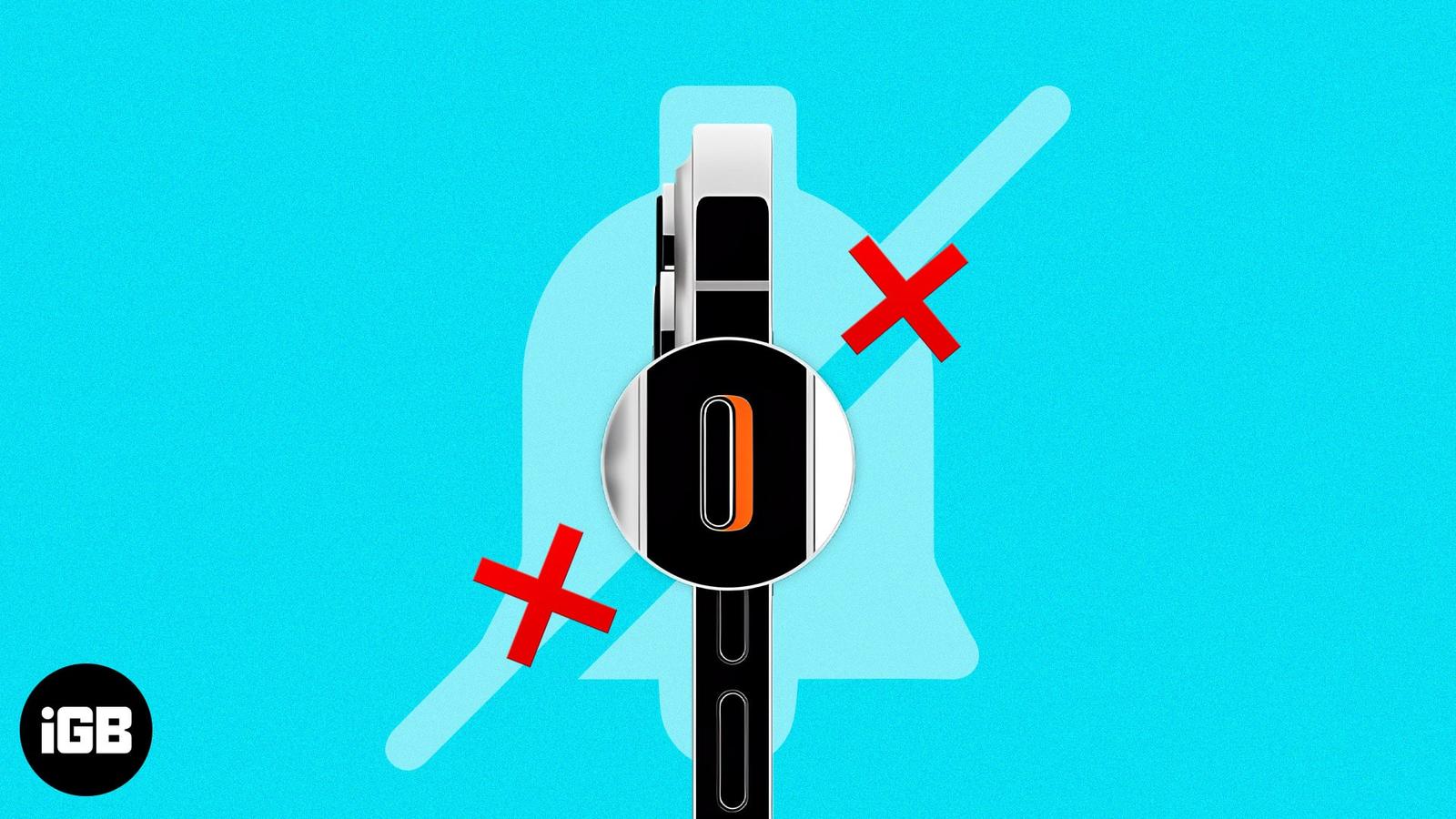
You can be in a meeting, studying, or looking for some ‘me’ time. So, putting your iPhone on Silent mode is most likely your first to-do. For this, all you need to do is to slide up or down the Mute/Ringer Switch placed on the side of the iPhone. Sounds easy, isn’t it?
But what if the Ringer Switch gets broken? Don’t worry! Here I will share how to turn on or off silent mode on your iPhone without the Mute Switch. So, you can keep things under your control.
1. Mute iPhone using AssistiveTouch
- Go to Settings → Accessibility.
- Tap Touch → AssistiveTouch.
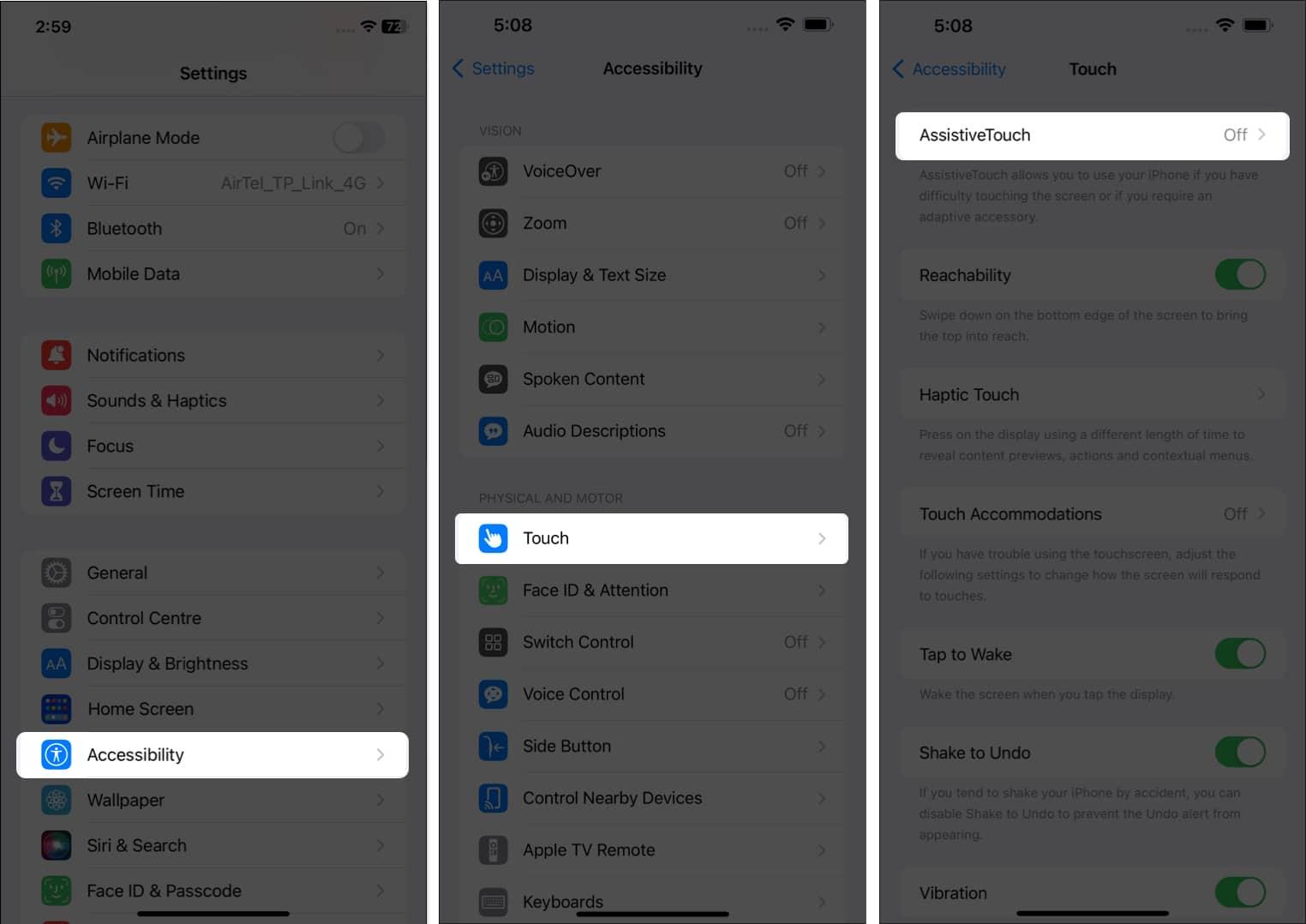
- Toggle on AssistiveTouch.
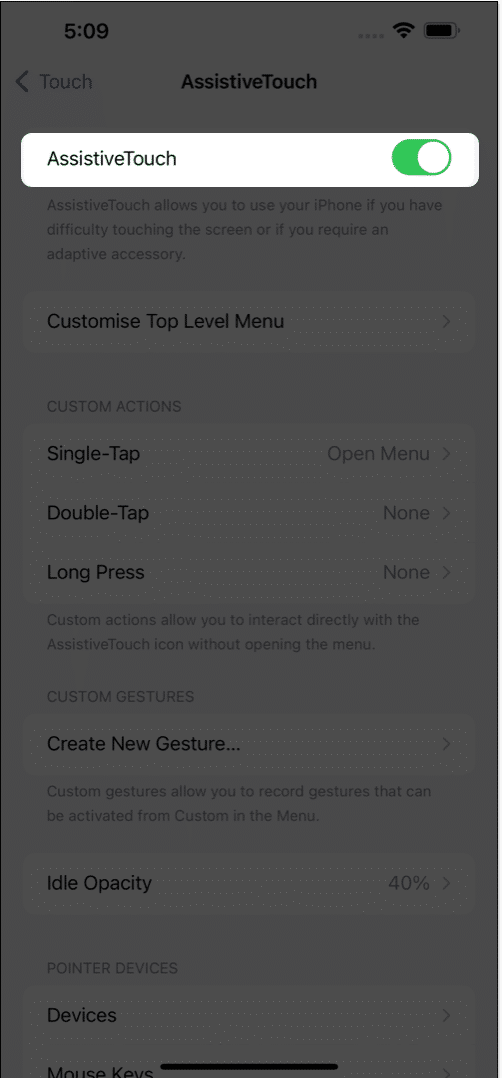
- You can choose from either of the two options:
- Select Customize Top Level Menu → Custom → Tap Mute → Done.
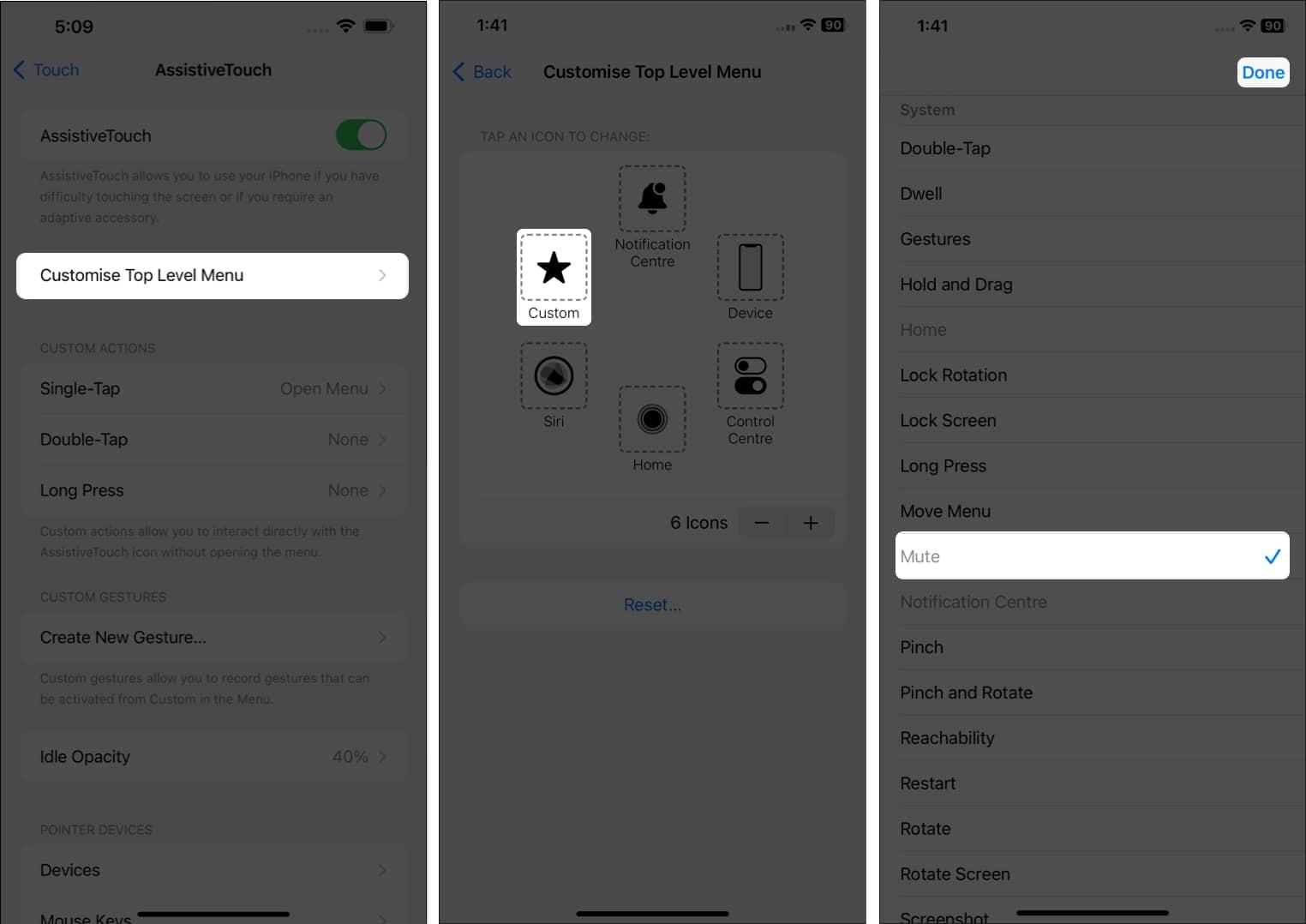
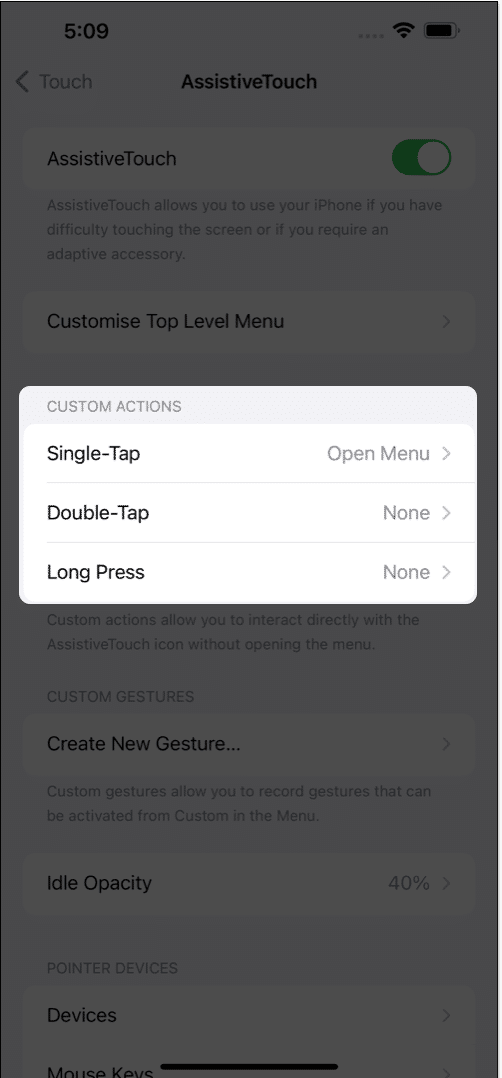
- Under the Custom Actions head, pick Single-Tap/ Double-Tap/ Long Press.
- Tap Mute → Done.
- Select Customize Top Level Menu → Custom → Tap Mute → Done.
This will let you enable/disable AssistiveTouch simply with a single, double, or triple tap of the power button on your iPhone.
How to show or hide AssistiveTouch
There are two ways through which you can hide or unhide AssistiveTouch on your iPhone:
- Through Siri: Siri can easily aid you in enabling or disabling AssistiveTouch with a straightforward command. For this, say “Hey Siri” and command it to turn on/off AssistiveTouch.
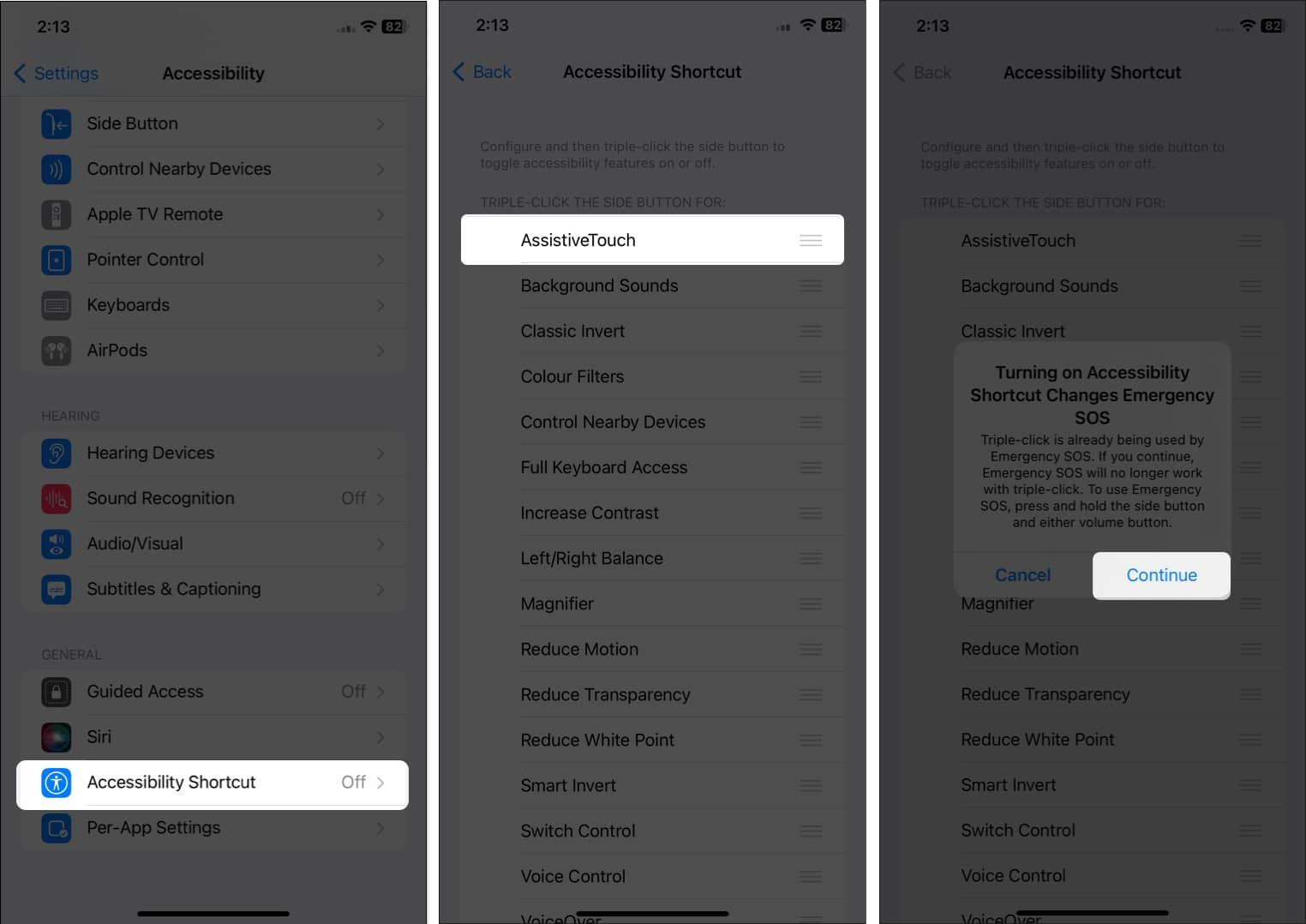
- Using Accessibility Shortcut: You can hide or unhide AssistiveTouch by triple-pressing the side button on an iPhone. Go to Settings → Accessibility → Accessibility Shortcut → Choose AssistiveTouch → If prompted, tap Continue.
2. Using Back Tap to put iPhone on silent mode
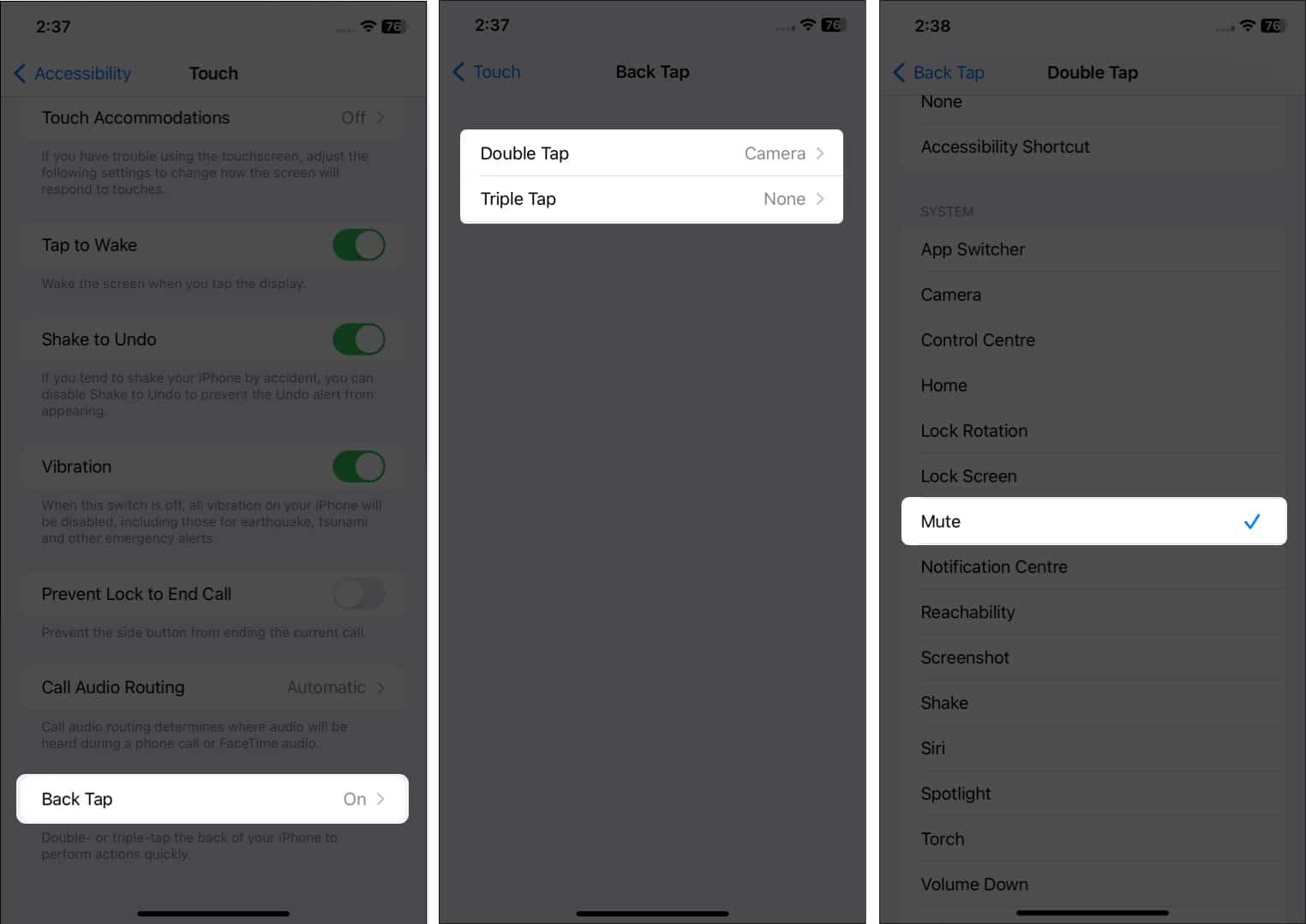
Apple introduced the Back Tap feature with iOS 14 to ensure smooth functioning on iPhone. You can use Back Tap to mute your iPhone without using Switch. This facility is only available for iPhone 8 or later versions.
- Open Settings → Accessibility → Touch.
- Select Back Tap.
- Based on your preference, choose either Double Tap or Triple Tap.
- Tap Mute.
Note:
ly, you can employ Back Tap to:
- Trigger Accessibility Shortcut
- Turn on/off the iPhone ringer via AssistiveTouch.
3. Use Focus to mute iPhone without Switch
You can activate a mute-alike mode using custom Focus. Though Focus does not leverage users with iPhone silent mode, it silences notifications on the device.
This will stop all push notifications, so beware before using this function on your iPhone. To find out how it’s here is our complete guide on how to set up Focus Mode on iPhone.
Wrapping up…
Apple prefers to make the work experience simple and convenient for its users. This is why it offers multiple ways for every function available on an iPhone. I have informed you about some simple steps to turn off silent mode on iPhone without Switch. You can choose any of the options mentioned here and ease your work without relying much on a button or a switch which can leave you on a loose end without notice.
Explore more…