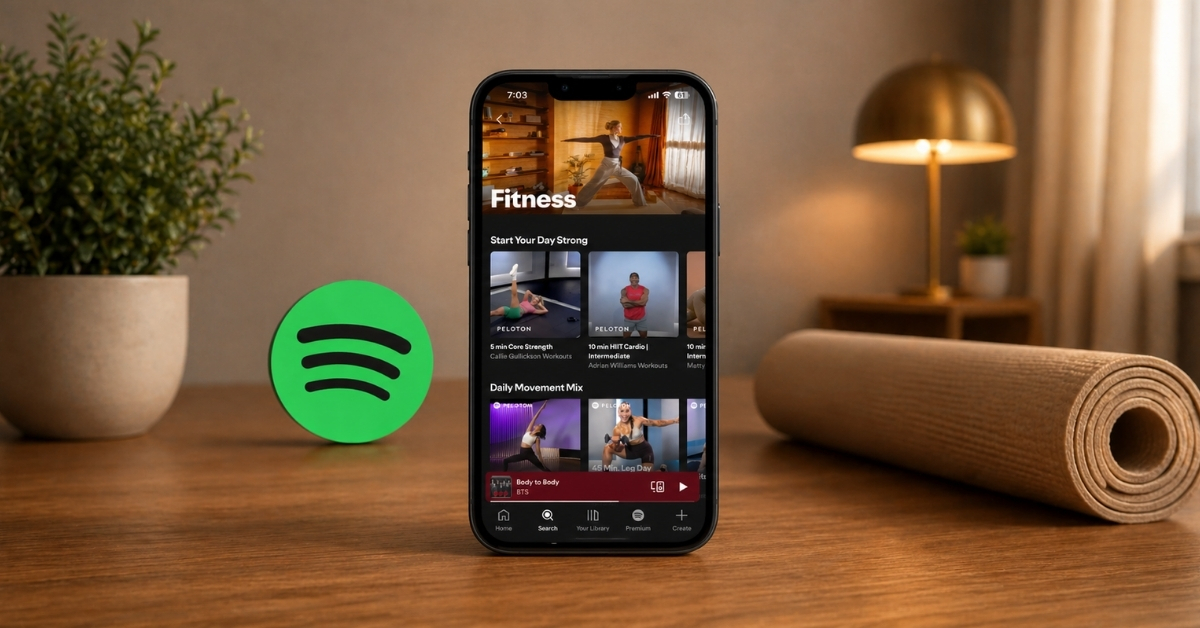
Spotify just made one of its biggest moves outside music by officially announcing a new Fitness category. Now, you can access guided exercises, creator-led programs, and more than 1,400 classes from Peloton directly in the app. No app-switching or setup friction. Just press play and start working out.
Another thing actually stood out to me when I tried it: Spotify is trying to become a daily wellness companion where your workouts, music, podcasts, audiobooks, and videos all live together. Here’s everything you need to know about the new Spotify fitness feature and how to use the Peloton workout classes.
Spotify partnered with Peloton to build a fitness hub
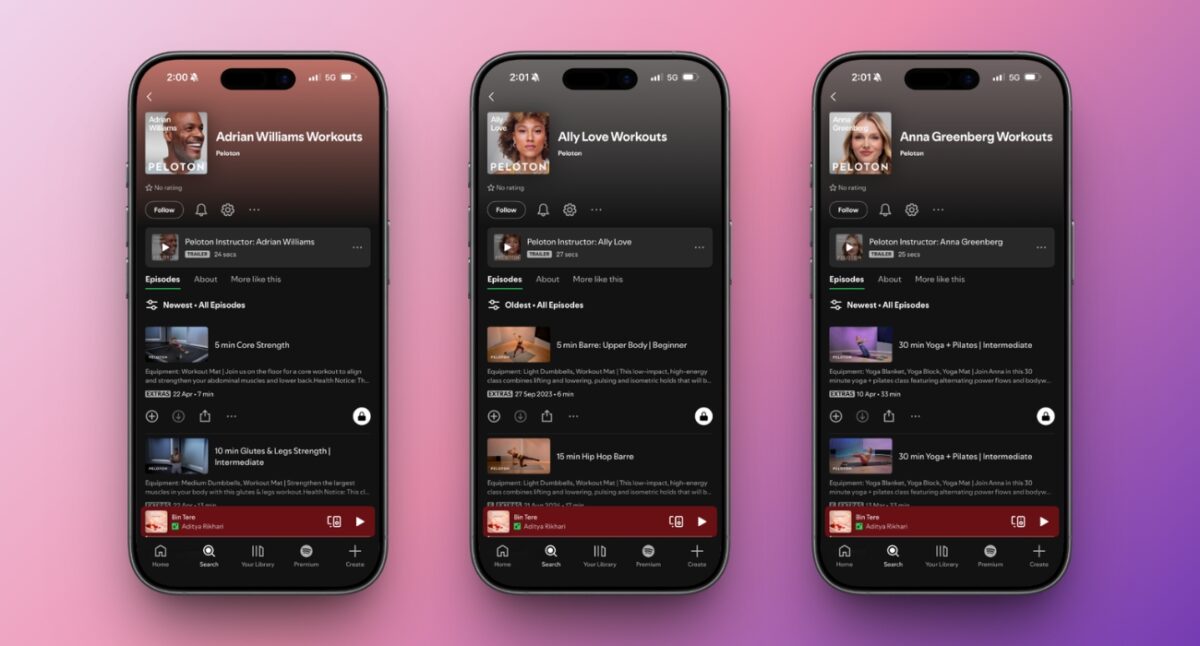
This entire experience is powered by a deep integration with Peloton, and it shows. You will get the following with this update.
1. A new Fitness section
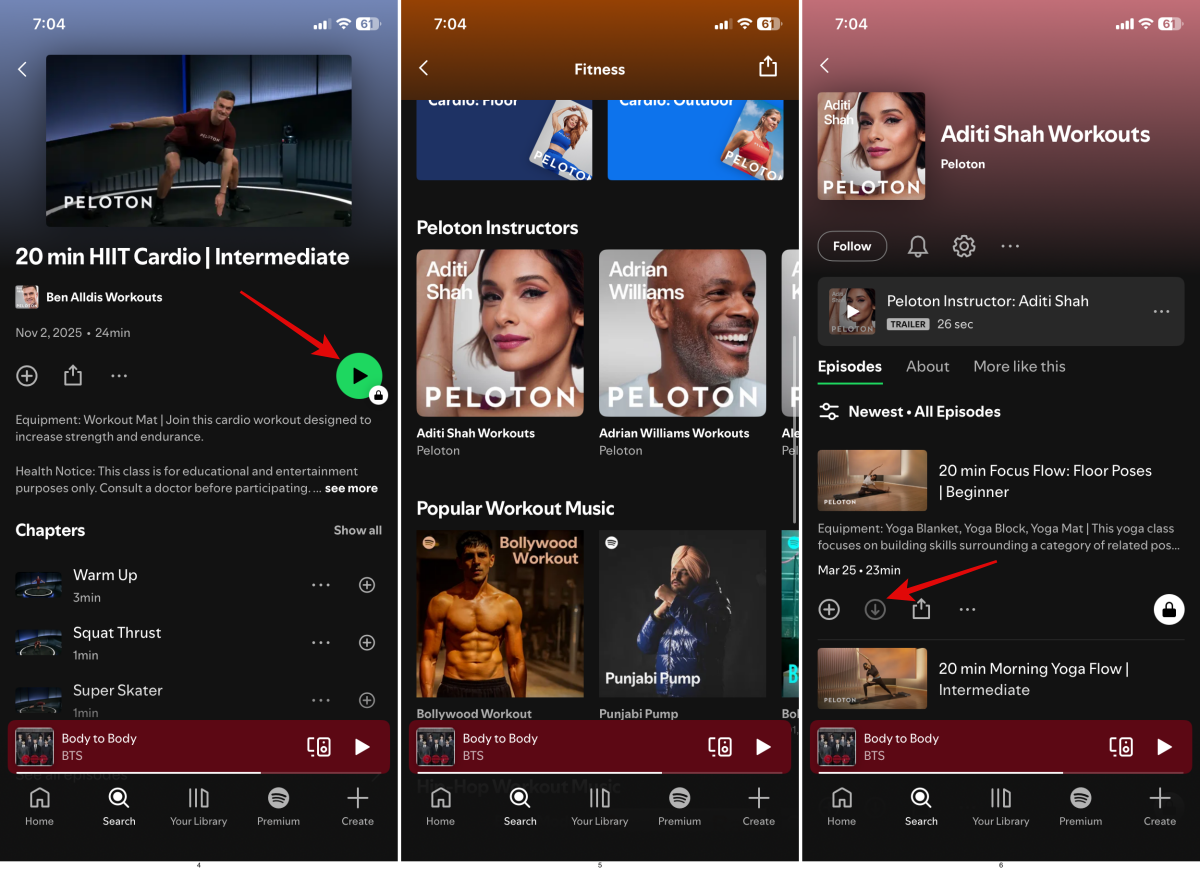
The first thing I noticed was how invisible the change is. Some users came across a Get Started prompt with questions like what kind of movement they want to do, their experience, etc. But mostly, you just need to search “fitness” inside Spotify, and you’re inside a new genre section.
It feels like a natural extension of Spotify with a mix of workout playlist hub, guided sessions, creator content library, and a lightweight fitness app. I chose one of the 20-minute HIIT classes, and instead of switching apps or watching ads, it just started.
But the key difference? It’s structured. This isn’t just gym music. It’s intent-driven content.
2. 1,400+ Peloton classes
Spotify now gives you access to 1,400+ ad-free on-demand classes from Peloton, covering:
- Strength
- Cardio
- Yoga
- Pilates & Barre
- Stretching
- Meditation
So, you can enjoy from outdoor runs to a structured indoor mat class from fan-favorite instructors like Rebecca Kennedy, Ally Love, and Rad Lopez. The best part is you don’t need to buy any equipment, like a bike or treadmill, or get a Peloton membership, to follow the sessions.
All classes are included in your existing Spotify Premium. I tried a few sessions expecting them to feel watered down, but they didn’t. The production quality, pacing, and coaching felt identical to what you’d expect inside Peloton’s own app.
3. Video & audio workouts
Here things get interesting. Spotify lets you move between different content formats.
You can start a video workout session on your TV and continue it on your speaker in audio mode only. No restart or syncing issues. It just picked up where I left off.
And honestly, this flexibility changes how you approach workouts. It gets rid of the setup hurdle, which is a problem in starting off.
4. Creator-led fitness content
Spotify is not putting all its eggs in the Peloton basket.
Alongside it, I found sessions from established wellness creators like Chloe Ting, Caitlin K’eil, Jordan Yeoh, etc. It’s like a creator-driven fitness ecosystem inside Spotify.
Think YouTube fitness, but curated, structured, and integrated with music.
5. Music and workout integration
This is Spotify’s unfair advantage. In most fitness apps, music is either generic, repetitive, or something you have to manage separately.
Here, it is all native. I noticed Spotify workout playlists have beats matching intensity during intervals and smooth transitions without any awkward silence between sets. It felt like the workout was built around the music I’d actually listen to.
How to access Spotify fitness features
Getting started is surprisingly simple. There’s no need to download the Peloton app or sign up separately.
Here’s exactly how I accessed it:
- Open Spotify.
- Go to the Search tab.
- Type fitness and tap into the Fitness hub.
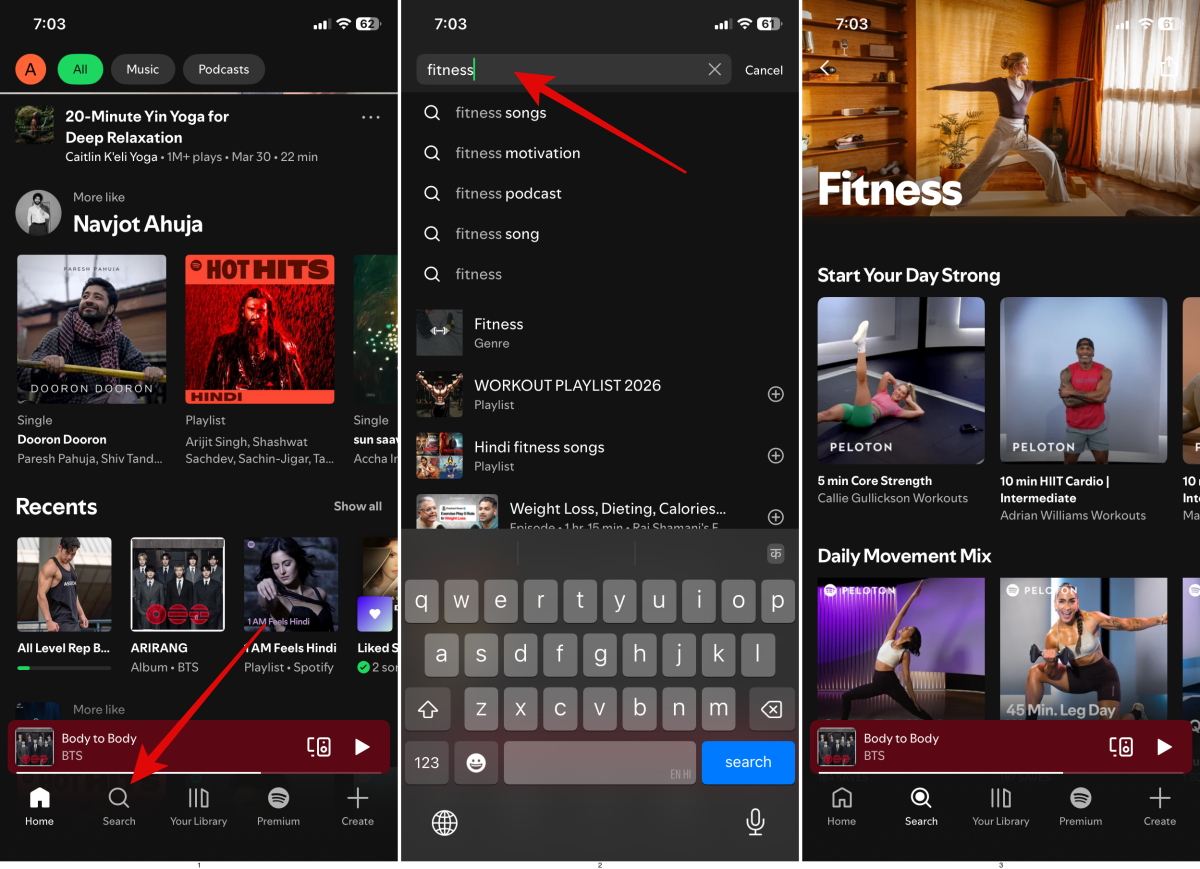
- Choose a workout (video or audio).
- Hit the play button and start.
- Also, you may select your favorite Peloton instructor to see their entire series and follow them.
- If you liked a session, tap the download button to save it for offline access.
Note:
that you may see a lock icon on the play button for Peloton classes, as it requires a Premium subscription for full access. Also, the guided sessions are available in specific regions in English, Spanish, and German language options.
Spotify vs Apple Fitness+ vs YouTube: Which is the better deal?
After using it, I realized Spotify isn’t competing on features; it’s focusing on convenience.
Take Apple Fitness+. It’s powerful, offers structured programs, Apple Watch metrics and real progression. But it demands commitment. You need to plan workouts. There are also YouTube workout videos, which offer unlimited choices, but they are quite confusing and are filled with ads. I’ve wasted more time choosing a video than actually exercising.
Spotify sits in between, and that’s the trick. It removes decision fatigue and setup friction. However, you won’t get any integrated stats and performance tracking. Also, structured programs are compared to full fitness apps, and discovery is still basic. It looks like Spotify is trying to be the easiest fitness app to start.
You get workouts and Peloton classes into your existing $13/month Spotify music subscription, whereas you need to buy a $10/month Fitness+ alone, and another $11/month Apple Music subscription to enjoy music and workout classes. So, Spotify is cheaper if you don’t need advanced tracking.
Who should use the Spotify fitness hub?
If you’re someone who thrives on data, structured programs, and performance tracking, this will feel limited. There’s no deep analytics, long-term progression system or advanced metrics. So, it’s ideal for advanced athletes and people following strict training plans.
But if you’re like most people, busy, inconsistent, and already listening to music while working out, this feels almost tailor-made.
Spotify Fitness is perfect for:
- People who don’t want fitness to feel like a separate task
- Beginners who don’t want complexity
- Anyone tired of switching between apps
Must read: How Spotify verifies real (human) artists
Final thoughts
I went into this expecting a feature. What I found was a shift. Spotify is no longer just where you listen to music; it’s becoming a part of your daily life. Fitness just happens to be the next step. You don’t need to switch apps, plan sessions, and convince yourself to begin. Just press play, and you’re already moving.
It’s not perfect and can’t replace serious fitness apps for everyone. But for most people, it lowers the barrier enough to actually stay consistent, and that’s what really matters.
So here’s the real question: If your workout could start as easily as playing a song, would you still open a separate fitness app?
FAQs
Partially. Full Peloton class access requires a Spotify Premium subscription.
No. All content is included inside Spotify.
Yes, you can download Peloton workouts for offline.