
How to use Focus on Apple Watch
I’m sure you’d agree that the utility the Apple Watch provides is unmatched, but it is a tool of distraction in numerous instances. Apple offered a solution to this with the introduction of Focus; a feature similar to DND with more features and customization. Here’s how you can set up Focus on your Apple Watch and focus more on your life.
How to create a Focus on Apple Watch (custom Focus)
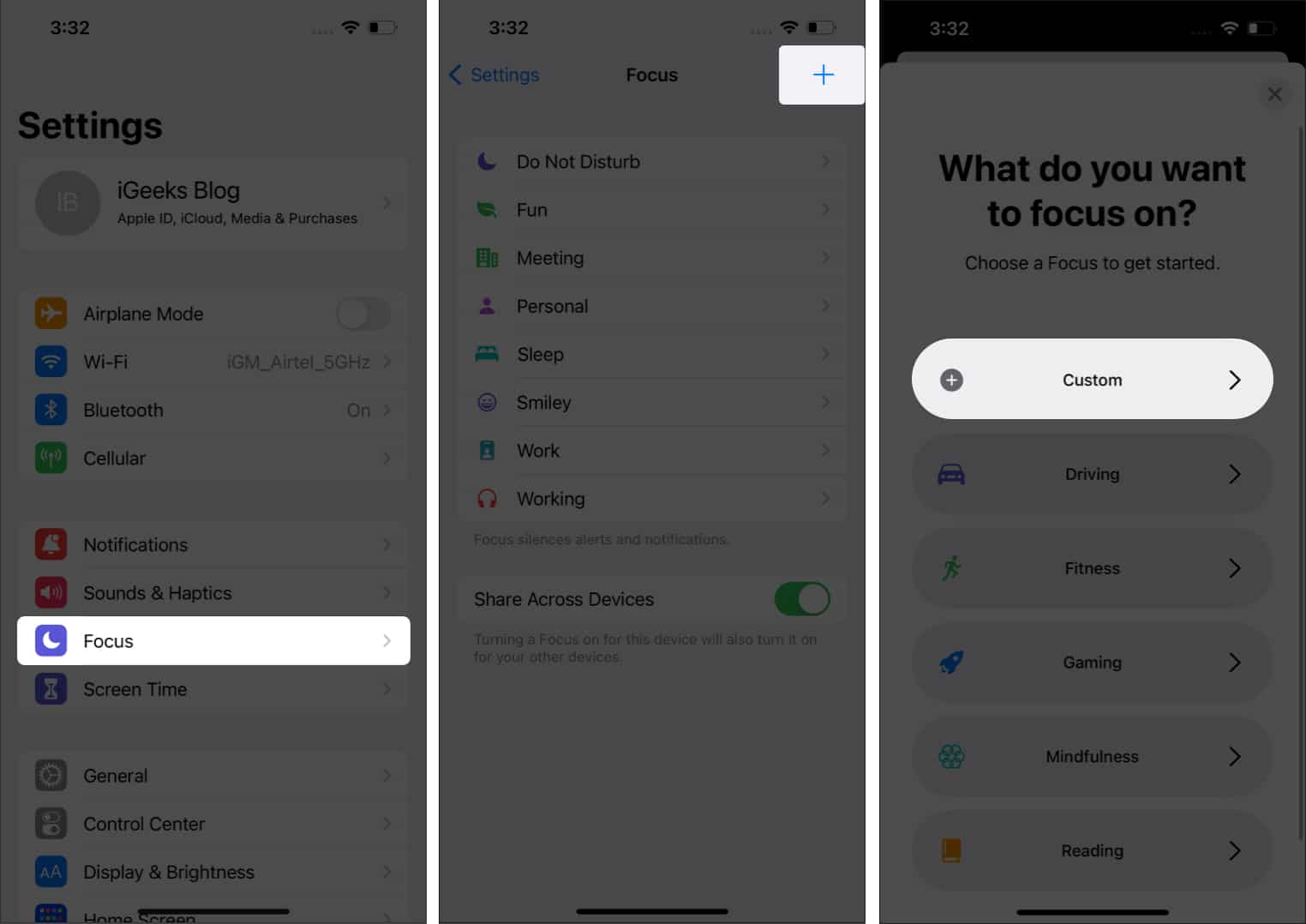
You can create a custom Focus for your Apple Watch. However, you need to do so on your iPhone. Once you’ve created a custom Focus the same will be reflected on your Apple Watch. Here’s how to go about it:
- Open iPhone Settings.
- Tap Focus.
- Select the + icon at the top right.
- Tap Custom to create a custom Focus.
- Now, follow the on-screen instructions to complete the setup.
How to turn on Focus on Apple Watch
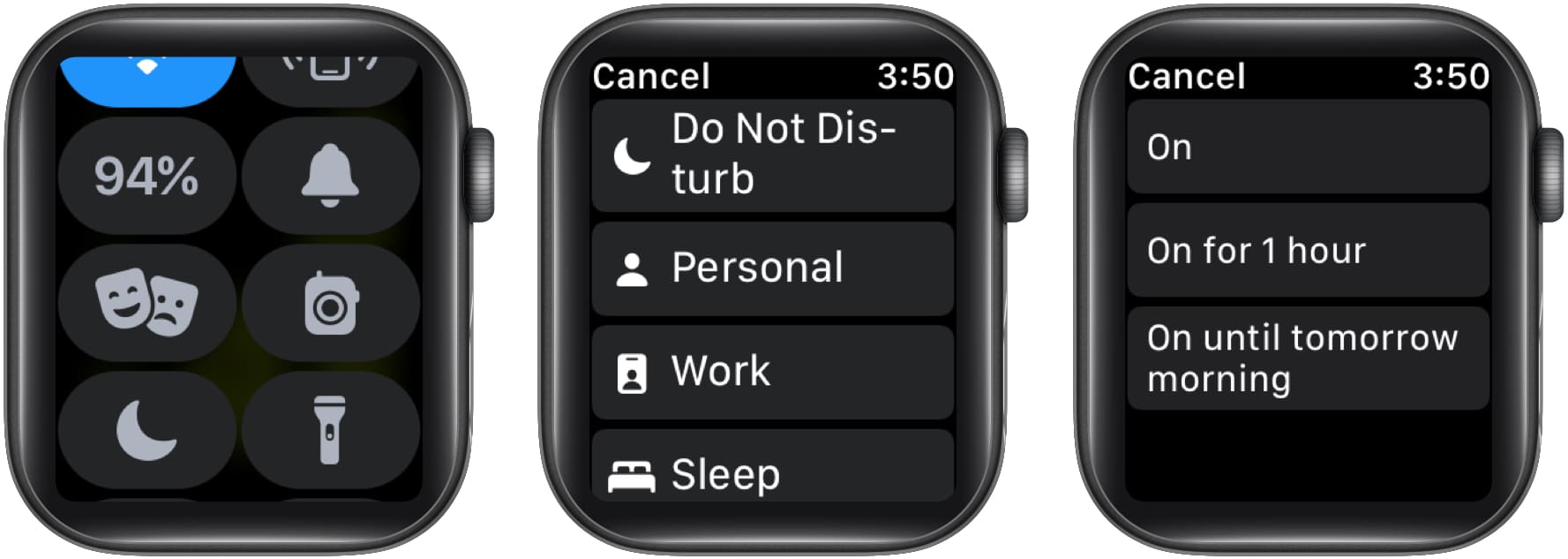
- Swipe up from the screen’s bottom to launch Control Center.
- Touch and hold the crescent moon icon.
- Select a Focus mode.
- Choose from On, On for 1 hour, or On until tomorrow morning to turn on Focus.
Turn off Focus on Apple Watch
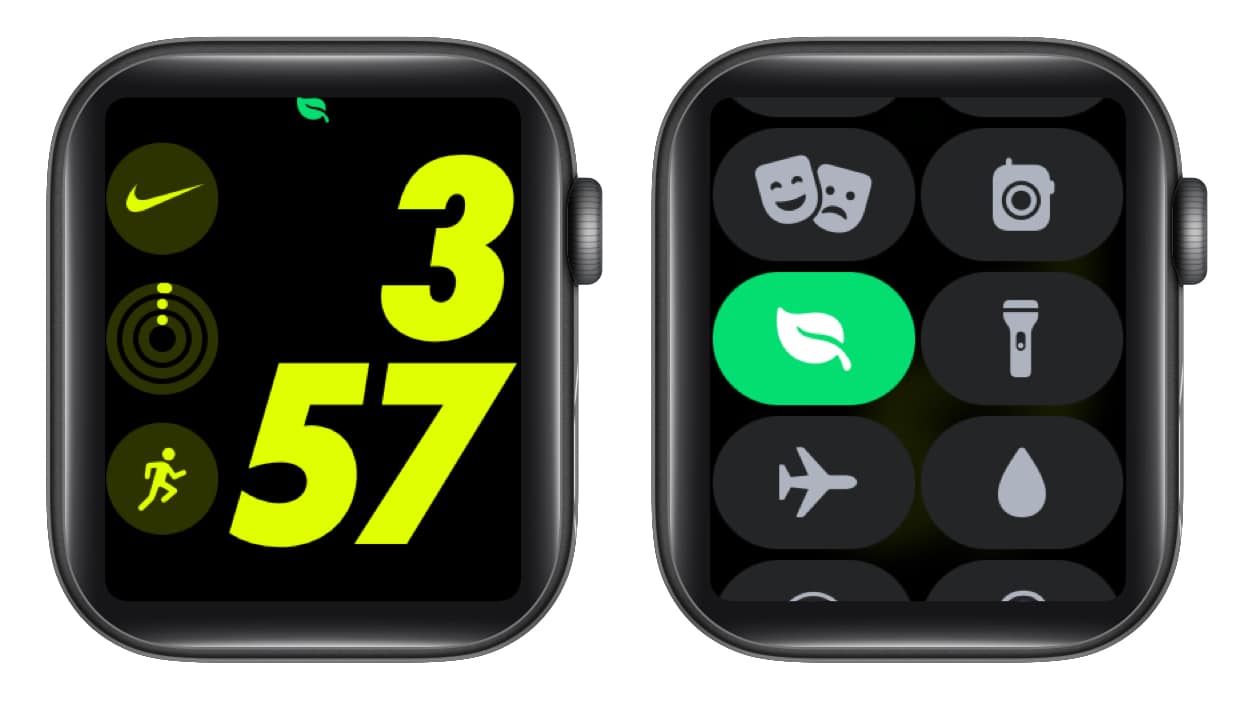
If a Focus is turned on, its icon will be displayed on your Apple Watch Face. To turn it off,
- Launch Control Center on Apple Watch.
- Tap the Focus mode icon.
- Now, tap the enabled Focus mode icon to turn it off.
Create a Focus schedule on Apple Watch
Many of us follow a daily schedule. Say you visit the gym every morning from 6am to 7am and go to work from 9am to 5pm on weekdays, you can schedule different Focus modes to automatically turn on at their designated time frames. Here’s how:
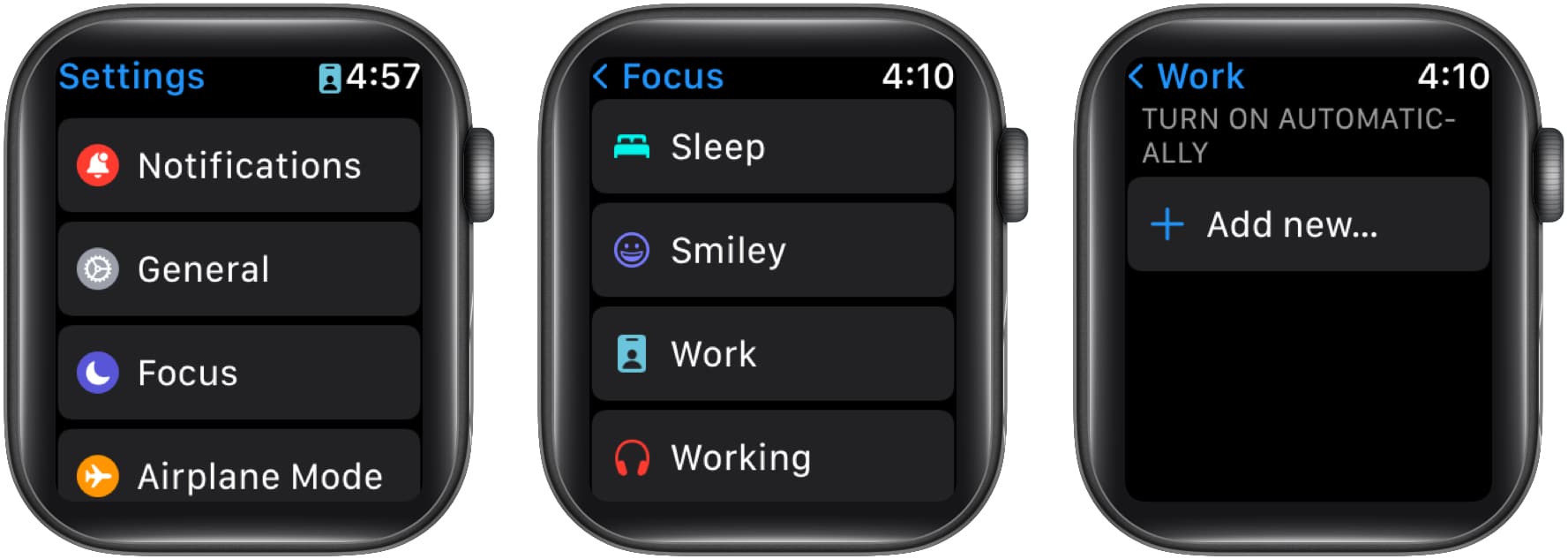
- Open Settings.
- Tap Focus.
- Select a Focus.
I took Work as an example here. - Tap the “Add new…” option.
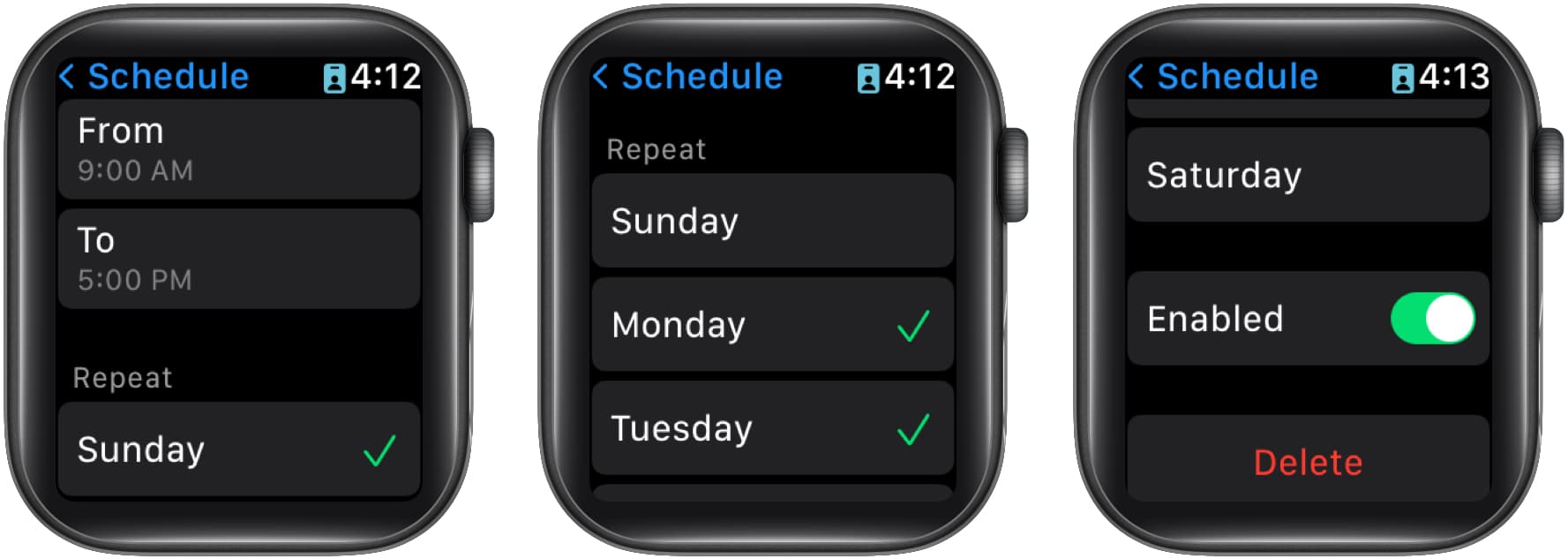
- Set the time you want it to turn on and off.
- Under Repeat, select the days you want it to turn on.
How to delete or disable a Focus schedule on Apple Watch
- Open Settings → tap Focus.
- Select the Focus you want to delete or disable.
- On the next screen, tap the schedule you want to delete or disable.
- Now, scroll down and toggle off the Focus.
You can also delete the Focus by tapping the Delete button.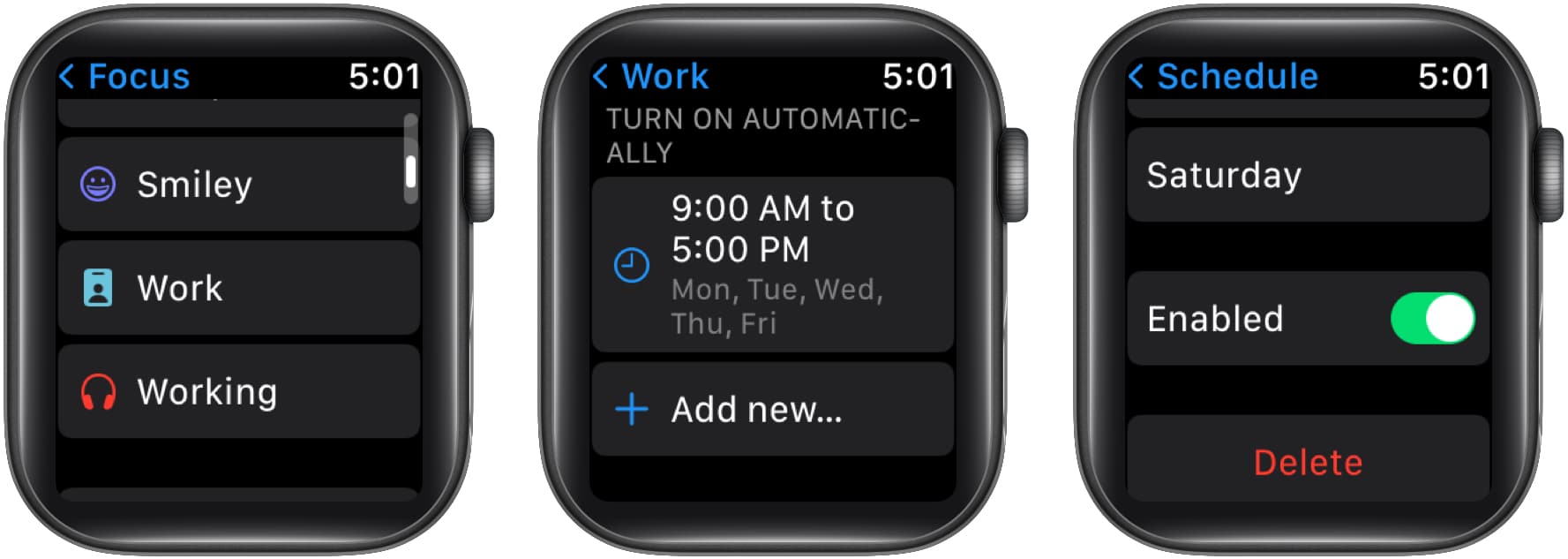
Sync a Focus across your devices
- Open Settings → tap Focus.
- Scroll down and toggle on Mirror my iPhone.
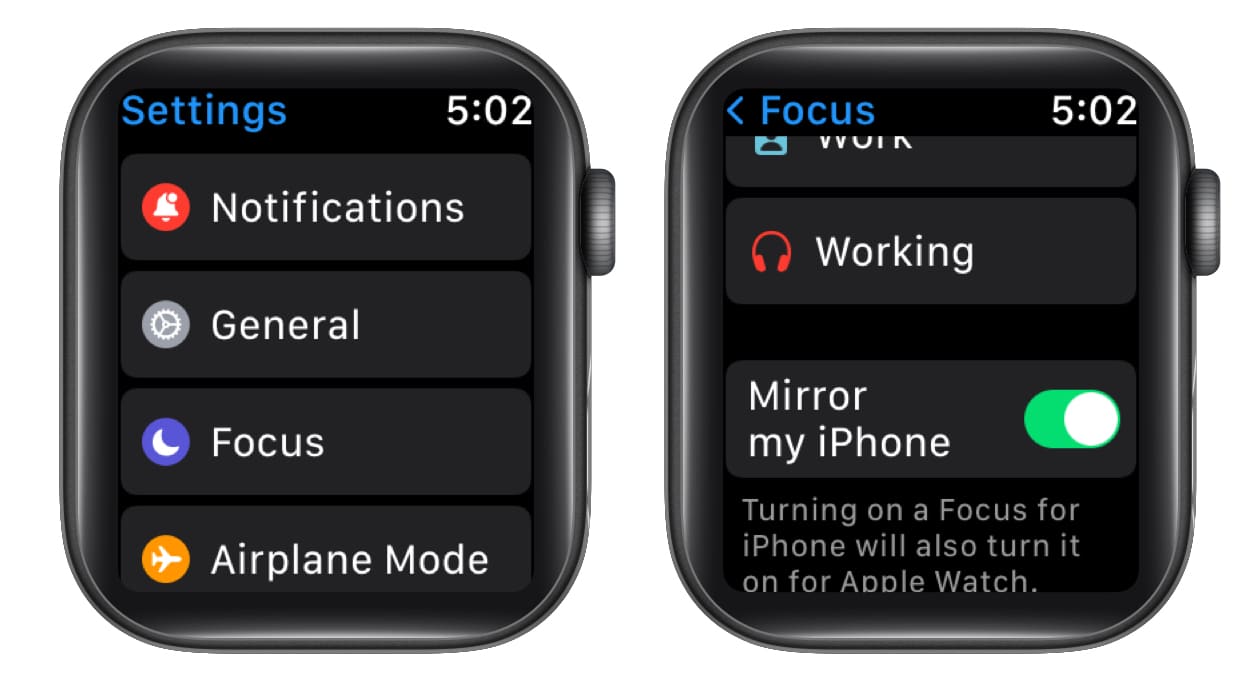
From now, if you turn on Focus on your Apple Watch, it’ll also turn on your iPhone!
I hope this guide helped you enable Focus on Apple Watch. If you have any other doubts, let me know in the comments below and I’ll try my best to help you resolve them.
Frequently Asked Questions

Written by
Darryl DsouzaConsumer Technology and Motorcycles are the two things that excite Darryl the most. Why? Because Tech helps better people's lives, and solving people's problems related to tech is something he enjoys. And what about bikes, you ask? Well, drop a gear and disappear.
View all posts →More from Apple Watch
Apple Watch Not Responding? 8 Fixes That Actually Work
Is your Apple Watch unresponsive or stuck on a black screen? Here are 8 proven fixes to help you unfreeze it and get it working again quickly.
 VikhyatMarch 3, 2026
How to Mirror Your Apple Watch on Your iPhone: A Simple Guide
Want to control your Apple Watch using your iPhone? This guide explains how to turn on Apple Watch Mirroring, use it easily, and fix common issues.
 Arshmeet KaurFebruary 27, 2026
How to Restore Apple Watch From a Backup
Need to reset or switch iPhones? Here’s how to restore your Apple Watch from a backup, what data comes back, and how to make sure everything syncs properly.
VikhyatFebruary 23, 2026