
How to Download Your Instagram Data: Messages, Photos and Activity
Download your Instagram data in minutes. Simple steps to save your photos, messages, and activity history.
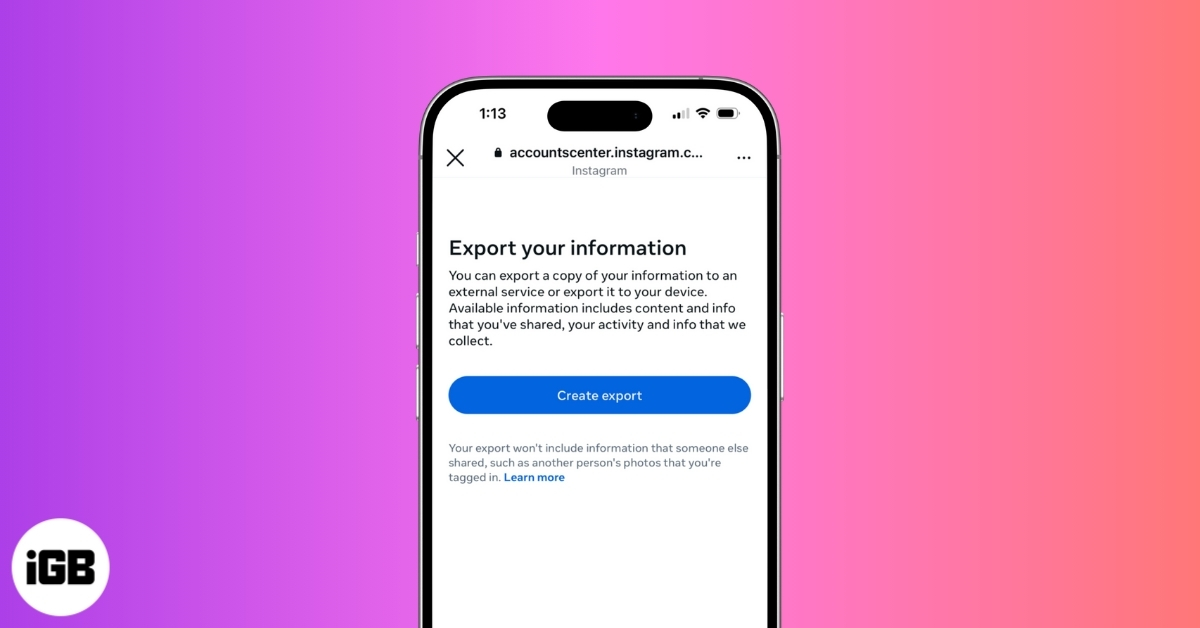
If you’ve been using Instagram for years, the platform knows far more about your activity than you might realize. Beyond the photos and Reels you post publicly, Instagram quietly stores private messages, search history, interaction patterns, account settings, and detailed activity logs tied to your profile. Over time, this information builds into a complete digital record of how you use the app.
So, if you are curious about what Instagram stores about your account or want a personal backup of your content, downloading your Instagram data is the only way to access it. Read on to find out how to download your Instagram data and what you’ll get.
Why Download Your Instagram Data
Downloading your Instagram data allows you to view the platform beyond the feed. It gives you access to the full record of your account, including content you posted years ago, private conversations, searches, and behind-the-scenes activity that is not visible in the app.
It also serves as a reliable backup. Accounts can be restricted, compromised, or removed without warning, and once that happens, recovering years of photos, videos, and messages becomes difficult or impossible.
For privacy-conscious users, the download offers clarity. It shows exactly what information Instagram retains about you, helping you better understand and manage your digital footprint.
Finally, if you plan to archive your content or move away from Instagram, downloading your data ensures you retain full control rather than leaving it locked within the platform.
What Does Instagram Data Download Include
When you request a copy of your Instagram data, the social media platform prepares an archive of all the information associated with your account. This includes:
- All uploaded content, such as photos, videos, Stories, and Reels, along with captions and timestamps
- Direct messages, comments, likes, saved posts, and account information, like profile details and settings
- Followers and following data, including close friends, blocked accounts, pending follow requests, recent follow requests, recently unfollowed profiles, and removal suggestions.
Beyond visible content, the download also includes:
- Your activity data, such as your search history, login information, device details, and interaction logs.
- Metadata like location tags, upload dates, and engagement records.
Some advertising-related insights and inferred interests may be limited or summarized rather than fully detailed.
How to Download Your Instagram Data
The steps to download your Instagram Data are almost identical on both the mobile app and the web version.
On the Mobile App
- Open the Instagram app and head to your profile.
- Tap the hamburger icon in the top-right corner.
- Tap Accounts Center.
- Tap Your information and permissions.
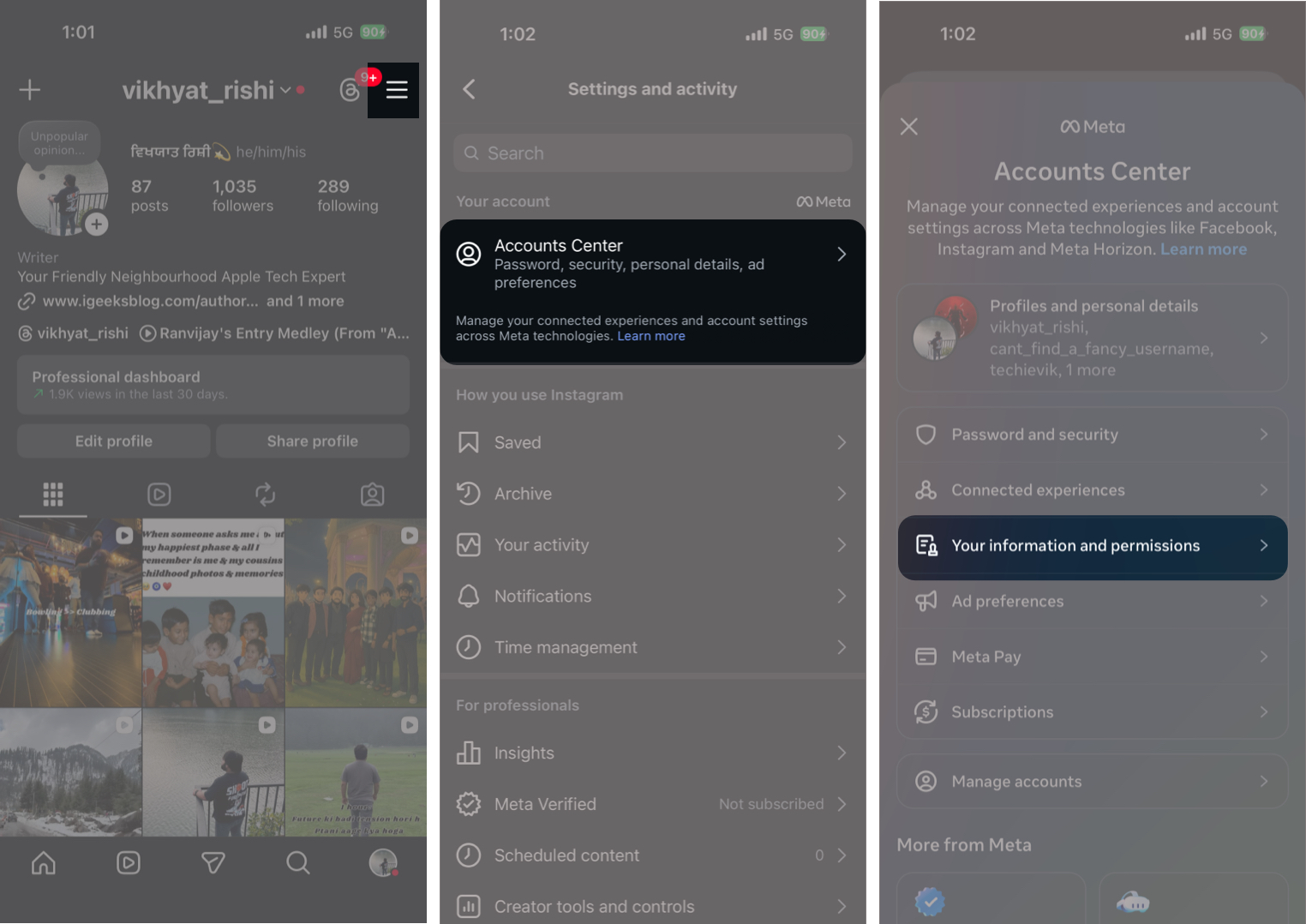
- Now, tap Export your information.
- Next, tap the Create Export button.
- Select the profile you’d like to export information from.
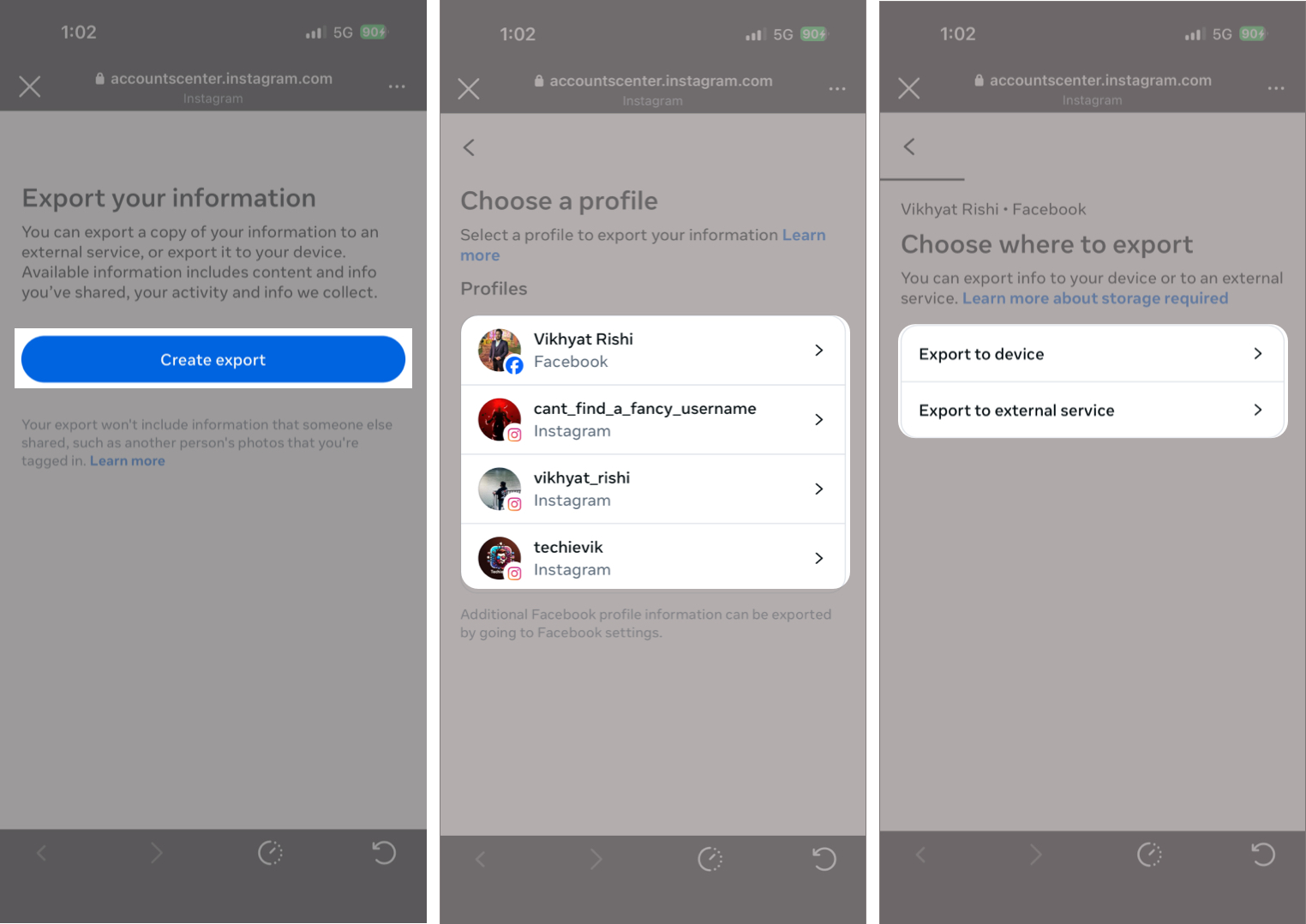
- Choose whether to export the information to your device or to an external service.
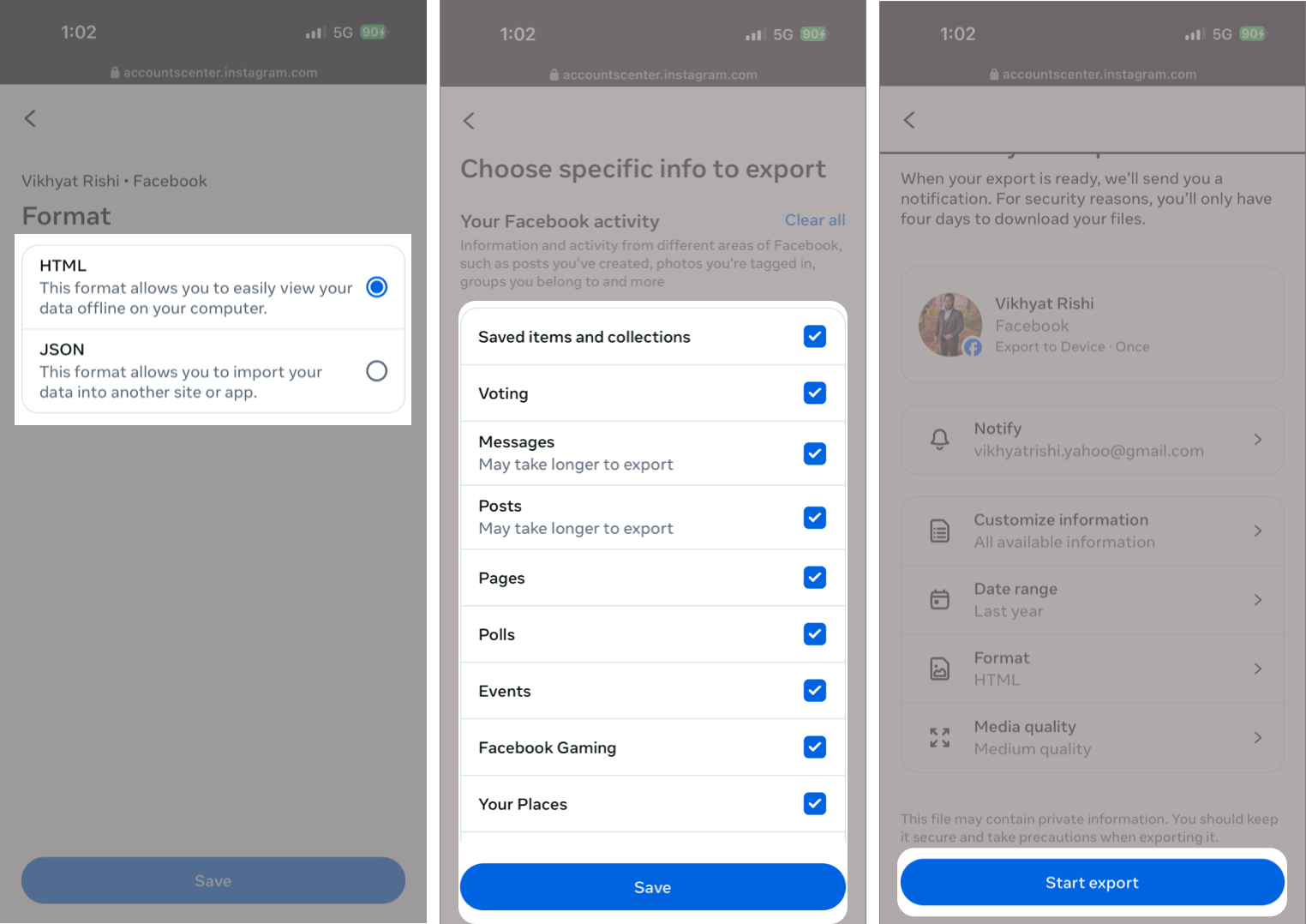
- Here, you can:
- Choose the information you want to export
- Select a date range,
- Choose your preferred file format
- Select the email address for delivery
- Once done, tap the Start Export button.
- Enter your account’s password when asked.
On the Web
- Visit Instagram.com and sign in to your account.
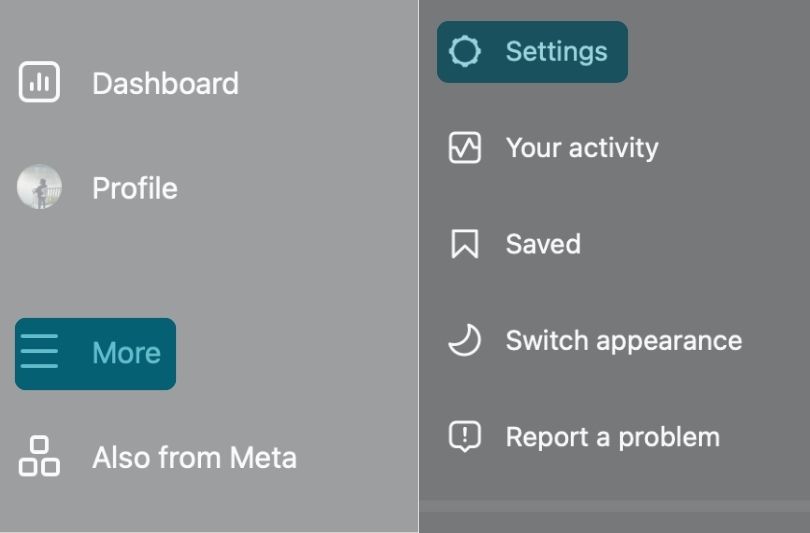
- Click the More button in the sidebar.
- Select Settings from the pop-up menu.
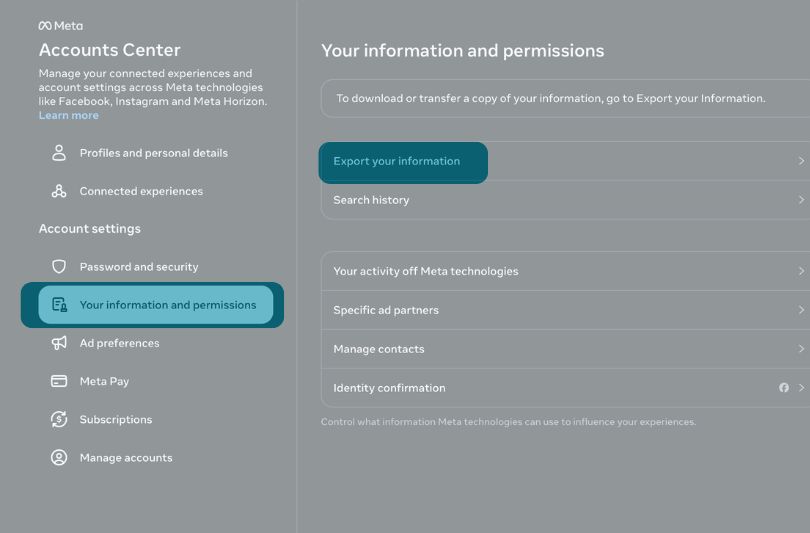
- Click Accounts Center.
- Select the Your information and permissions option in the sidebar, then click Export your Information on the right.
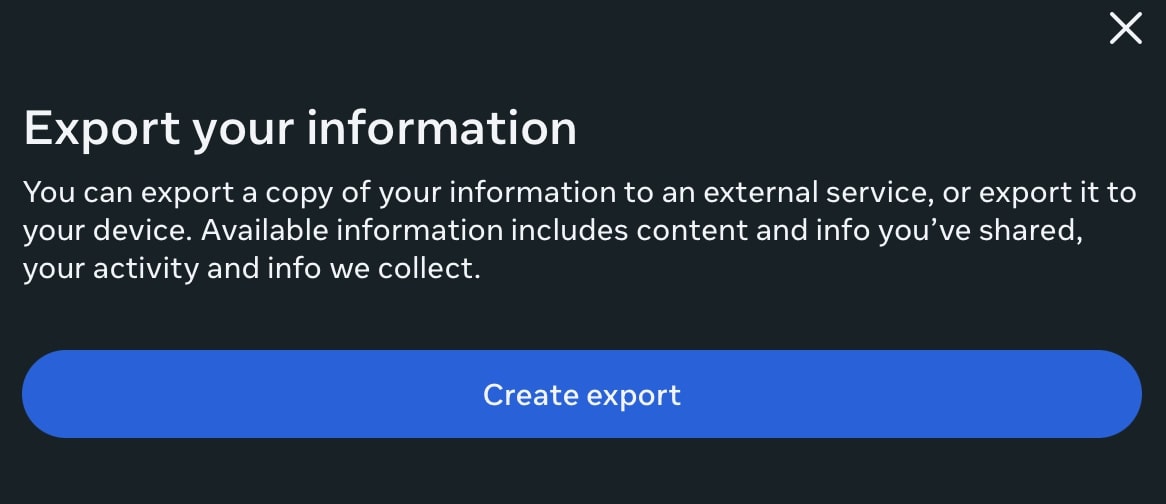
- Click the Create Export button.
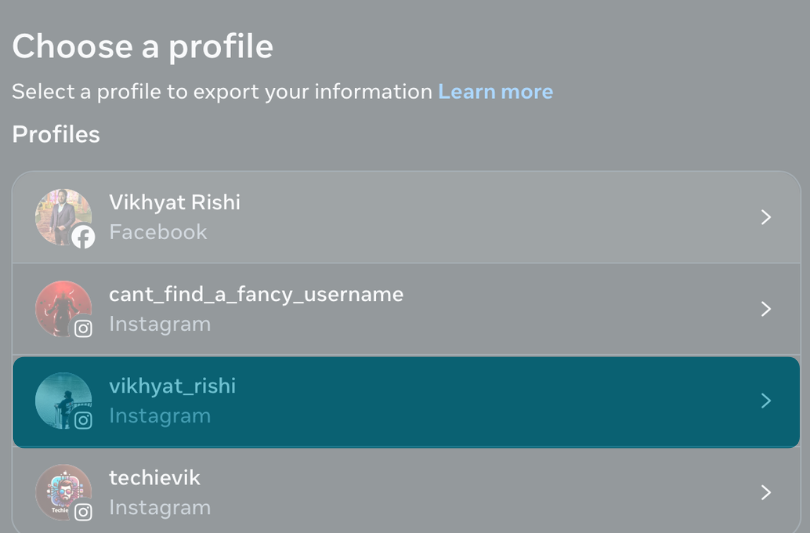
- Select your Instagram profile.
- Now, choose whether to export the information to your device or to an external service.
- Here, you can customize your export, select your notification email, and choose your preferred format.
- Once done, click the Start Export button.
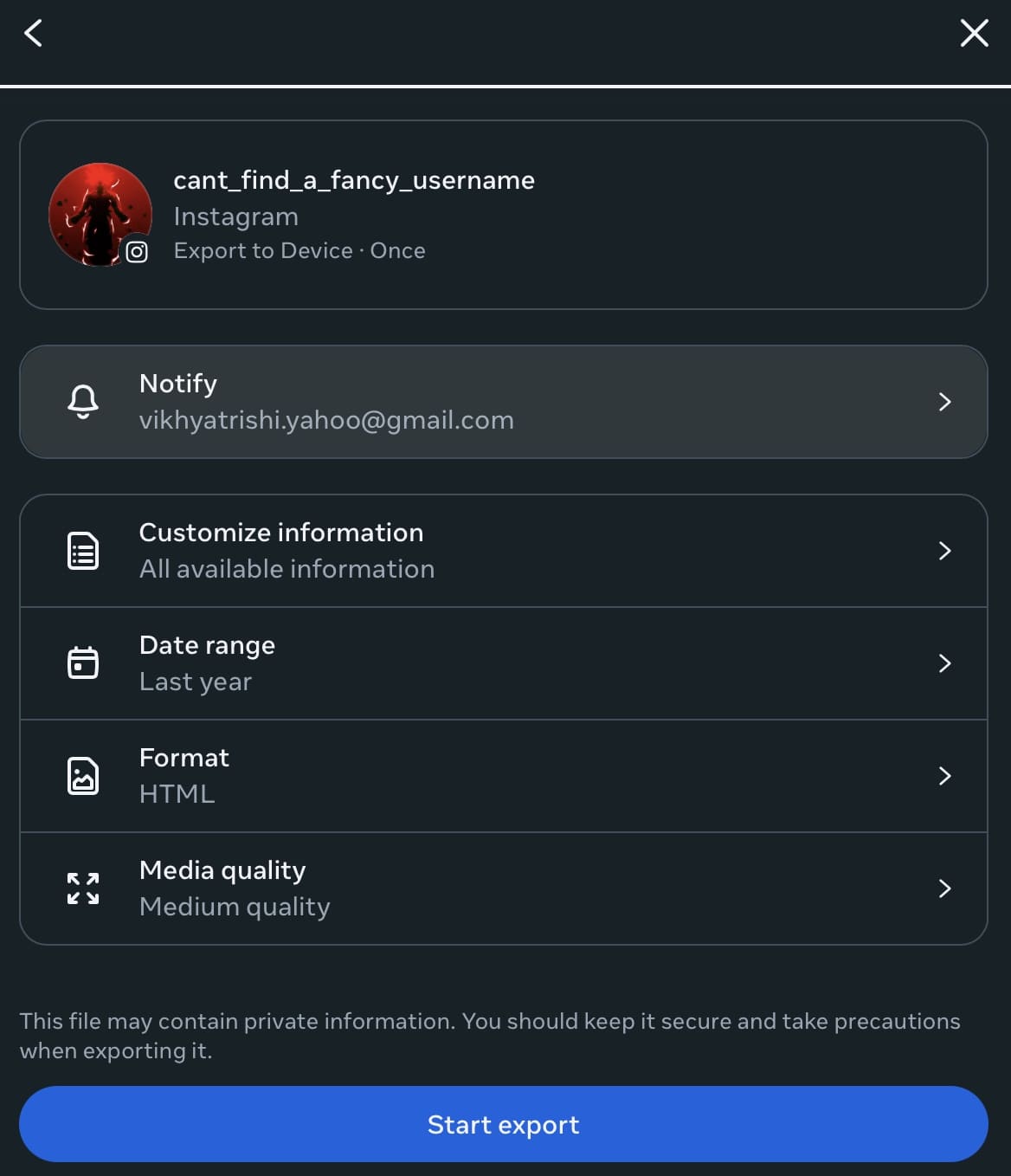
- Enter your account’s password when asked
Accessing and managing your downloaded Instagram data
When your Instagram data export is ready, you’ll receive an email stating “Your Meta information download is ready.”
You can either click the link in the email or manually go to the Export Your Information page in Meta’s Accounts Center. Once there, you’ll find your Instagram data archive under Available downloads.
From the moment you receive the email, you’ll have four days to download the file. If you miss this window, the export expires, and you will need to submit a new request.
When you tap the Download button, Instagram will ask you to verify your identity by entering your account password.
This extra step ensures that only the account owner can access and download the exported data. Once the password is confirmed, the download begins.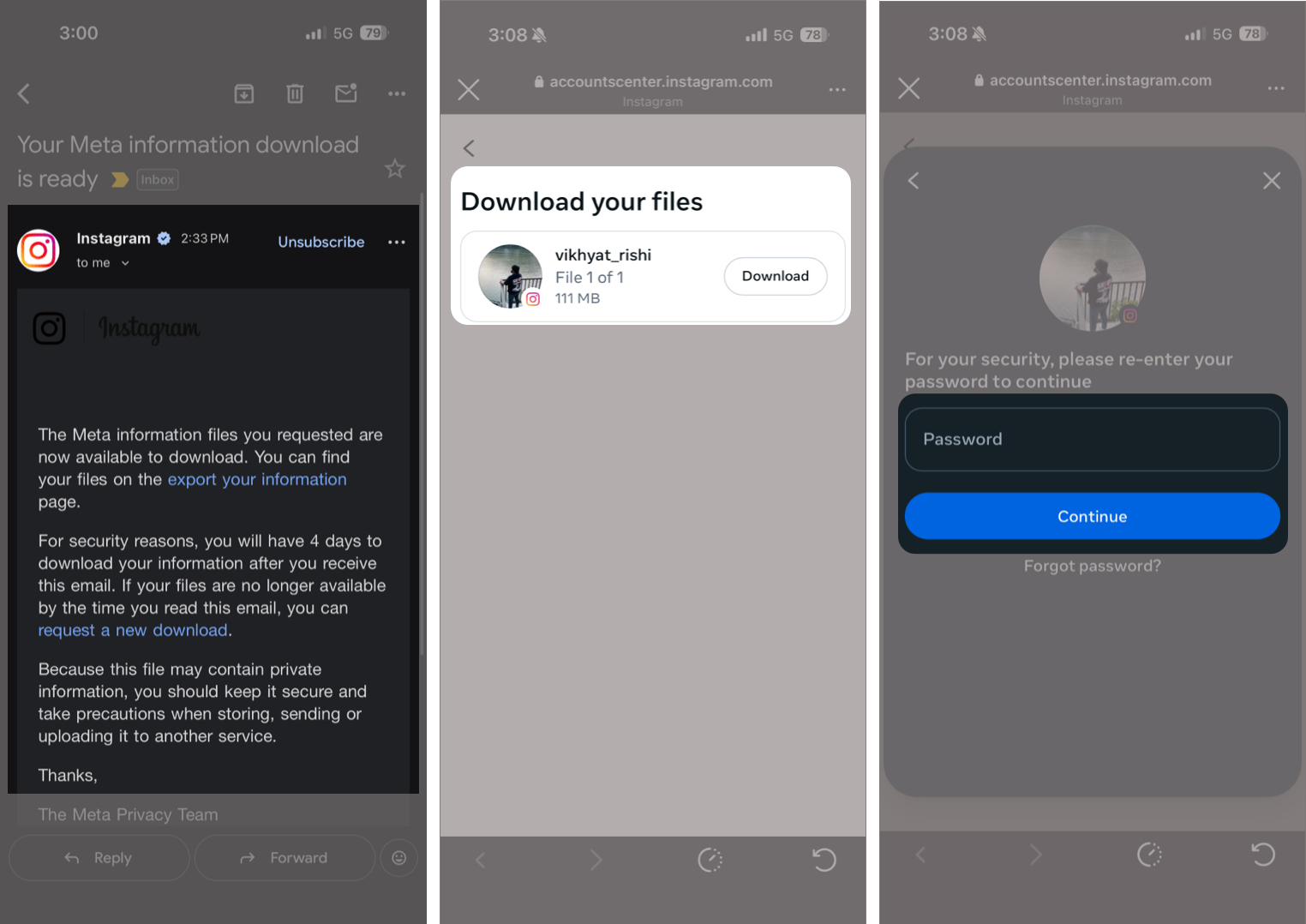
After the download completes, you can unzip the file in the Files app on your device and access the exported folders within.
If you choose to export your information directly to an external service or device, Instagram will notify you in two ways.
- An email confirmation.
- An in-app notification once the transfer is complete.
Note:
Taking Control of Your Instagram Data…
Downloading your Instagram data gives you full control over your content and insight into how your account has been used over time. It is also useful for backups if you’re preparing to leave the platform entirely. So, if you’ve ever wondered how much of your digital life lives inside Instagram, this post answers that question completely.
Have you ever downloaded your Instagram data, or are you planning to do it now? Share your experience or questions in the comments below.
Frequently Asked Questions
Here are some more tips and tricks about Instagram:
Topics

Written by
Dhvanesh AdhiyaThe founder of iGeeksBlog, Dhvanesh, is an Apple aficionado, who cannot stand even a slight innuendo about Apple products. He dons the cap of editor-in-chief to make sure that articles match the quality standard before they are published.
View all posts →More from How-to

Snapchat Parental Controls: How to Set Up Family Center and Keep Your Teen Safe
Snapchat’s Family Center lets parents monitor their teen’s friend activity and screen time without reading private messages. Here’s how to set it up and what to expect.
 VikhyatMarch 3, 2026
How to Block and Unblock Someone on Instagram
Instagram lets you block or unblock someone in seconds. Follow these simple steps to take full control of your privacy and online peace.
 Ava BiswasMarch 2, 2026
Apple Watch Not Responding? 8 Fixes That Actually Work
Is your Apple Watch unresponsive or stuck on a black screen? Here are 8 proven fixes to help you unfreeze it and get it working again quickly.
VikhyatMarch 3, 2026