Those who play live-service games like Roblox are often a prime target of hackers and scammers. That’s because the presence of microtransactions in such games ensures that bad actors have a chance to orchestrate elaborate shams to trick users into sharing their account’s sensitive details by falsely offering in-game currency.
Similar incidents in the past have resulted in Roblox players losing access to their accounts. While sometimes these scammers use free Robux as bait, other instances have seen players get locked out of their accounts simply for following poor account security practices. The following tips will help you navigate any potential risks and upgrade the security of your Roblox account.
Tips to protect your Roblox account from hackers
1. Add your email to Roblox
If you haven’t yet, I strongly suggest you take the easiest first step towards securing your Roblox account by linking your personal email ID. Ensure the ID you give is your primary one because the game will use it for crucial account security and account recovery actions, such as 2-step verification setup and password reset, respectively.
Here are the steps to connect your email with your Roblox account:
- Go to roblox.com, log in to your account and click on the gear icon at the top-right corner.
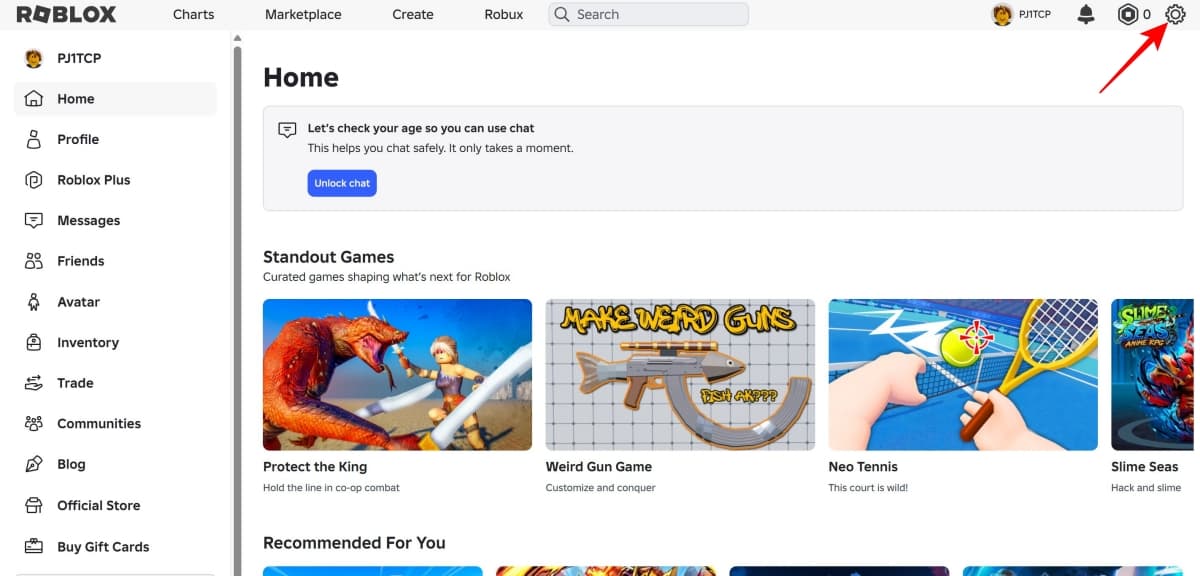
- Alternatively, if you’re using the Roblox app, log in and click on “More” (three-dots button) near the left edge of the screen.
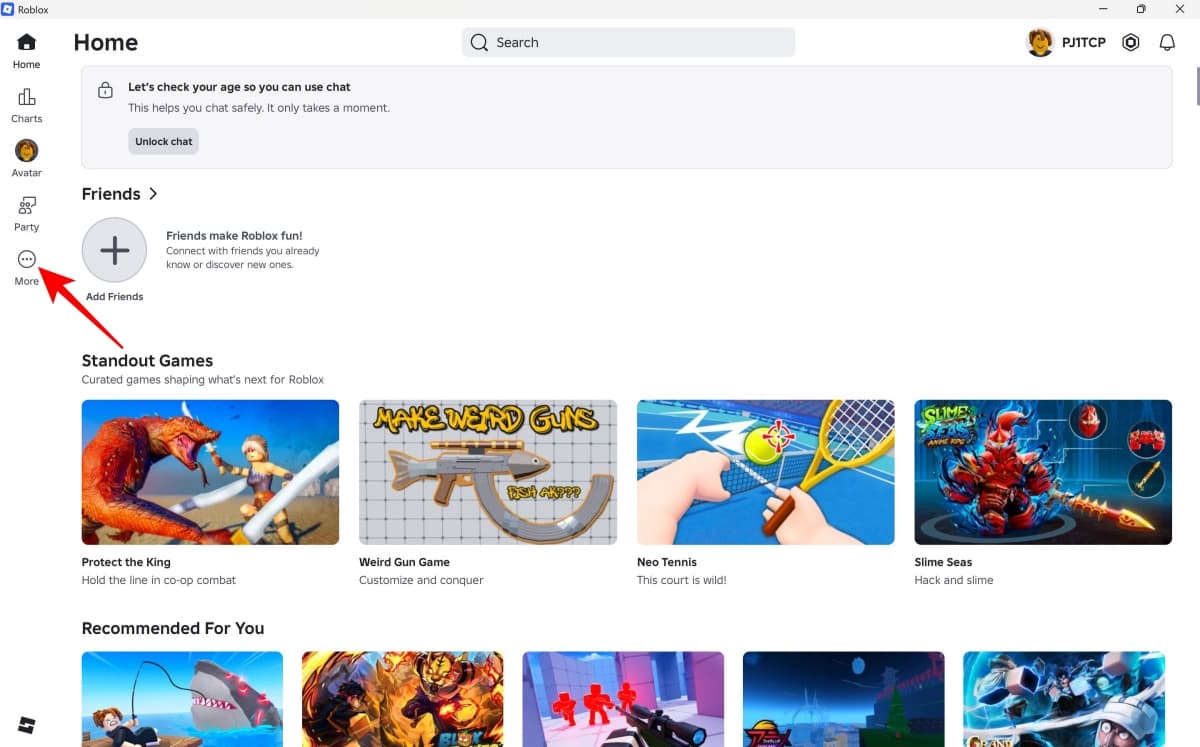
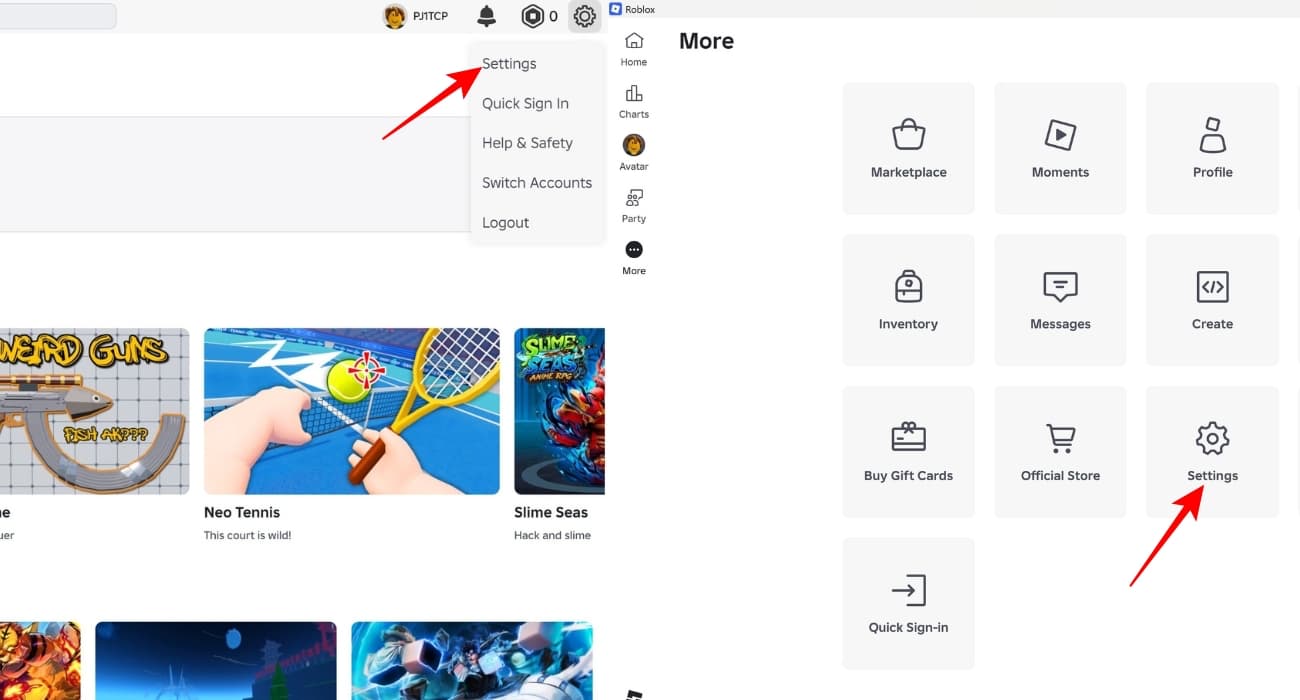
- From the menu that appears, select ‘Settings’.
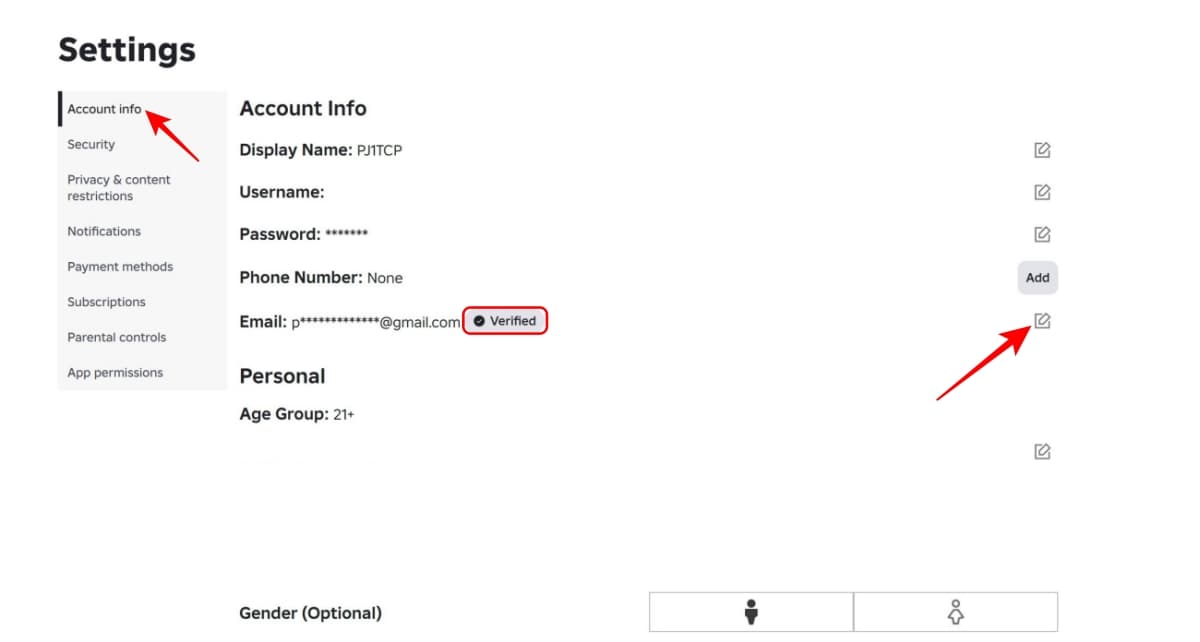
- In the ‘Account Info’ tab, look for the ‘Email Address‘ section and click on ‘Add‘. If your account has an existing linked email, an edit button will show instead, using which you can link a different email ID in case you want to.
- Check your email inbox for Roblox’s verification mail and follow the instructions mentioned therein.
2. Only click on official Roblox links
Speaking of emails, you may receive some from Roblox occasionally, depending on your notification settings. However, there may also be spam emails containing malicious links disguised as Roblox. To tell these two apart, check the email and verify the sender’s address ends in “@roblox.com.”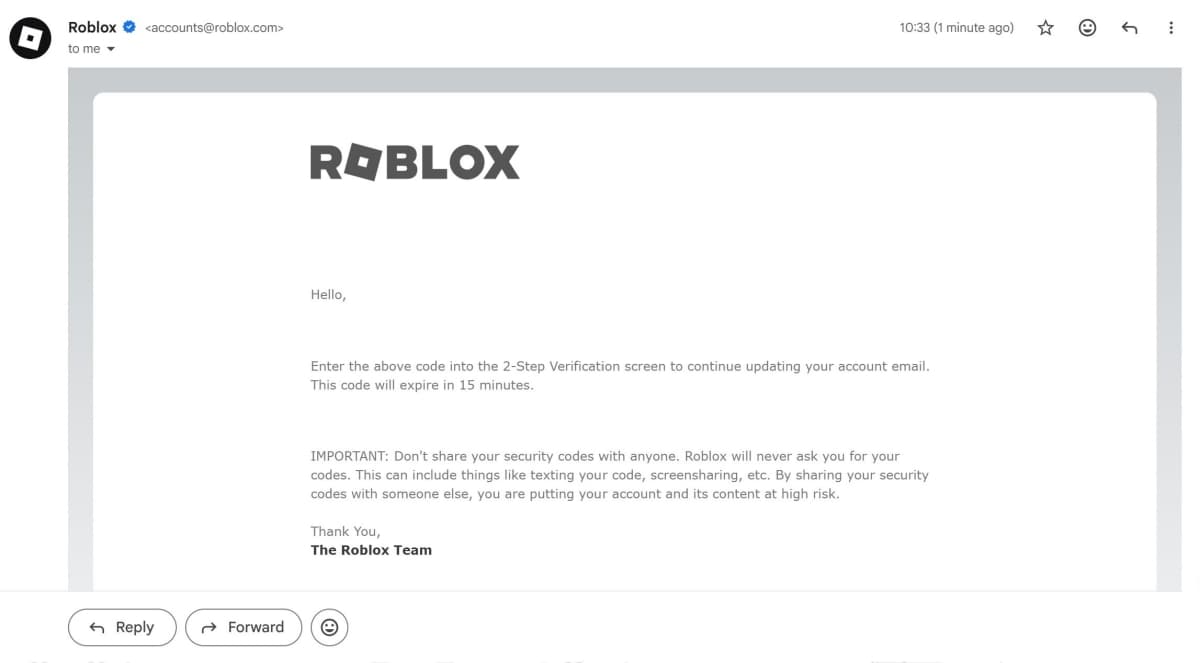
To verify the authenticity of the links and clickable parts in such emails, repeat the same process and check that the website domain starts with “https://www.roblox.com/”. In some cases, the website destination of those clickable parts in the email may only appear near the bottom edge of the screen when you hover the mouse cursor over it.
3. Enable 2SV for better security
In this day and age, 2-Step Verification (2SV) is increasingly becoming a must for safeguarding your online accounts, be it Roblox or anything else. This security measure involves two steps to verify ownership of an account before any major changes, such as a change of linked email, can happen. In Roblox’s case, you can either use your email or an authenticator app or a combination of both for 2SV.
For enabling 2SV, a verified linked email is a prerequisite. Once that’s taken care of, you may follow the steps below.
- Open your Roblox, click on the gear icon or the “More” button and select “Settings.”
- Select the “Security” section and choose your desired option for 2SV. In this example, we will choose email.
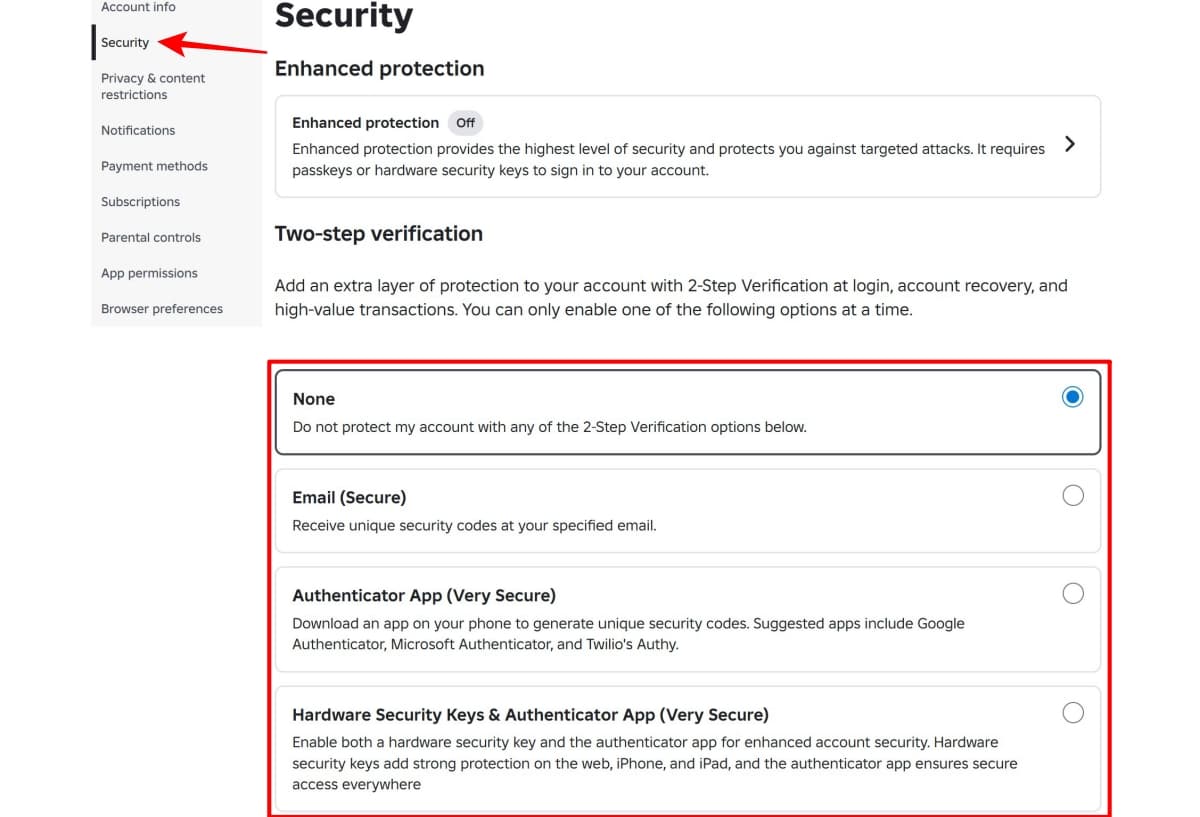
- After you click on your preferred 2SV method, a pop-up will appear in which you have to enter the code sent to your linked email. Once entered, click on “Verify” to complete the setup.
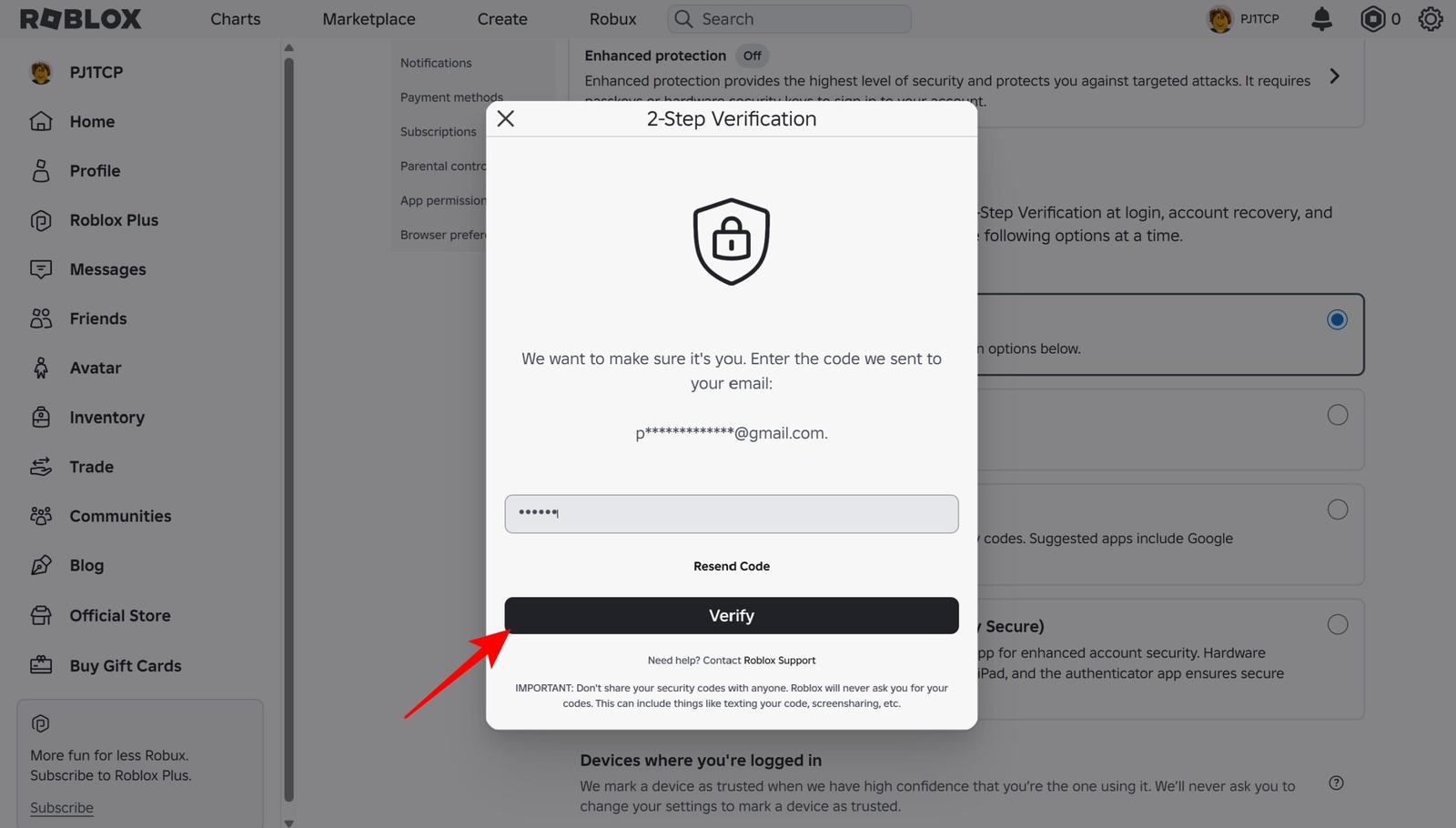
- Post this, you will also receive a confirmation email in your inbox.
4. Don’t fall for Robux scams
As is common with most games that have some sort of in-game currency or microtransactions involved, you will possibly stumble upon offers of free Robux in exchange for personal details. But it’s worth remembering that Roblox doesn’t allow third-party vendors to provide Robux on its behalf. So, in virtually all cases, ads promoting free Robux are scams that often steal your personal information via surveys and forms.
There are only very few exceptions to this rule—one being Microsoft Rewards, which in certain regions, gives players 100 Robux for free. Another official way to get free Robux is by paying for certain Roblox Plus subscription bundles, which credit up to 2000 Robux to your balance every month. However, these bundles have only recently been announced in April and are not out yet.
5. Beware of shady games within Roblox
It is important to keep in mind that your username and password is only required on the Roblox website or its app and nowhere else. You should strictly avoid entering the same in any kind of other webpage or form even if it appears to closely resemble the official site.
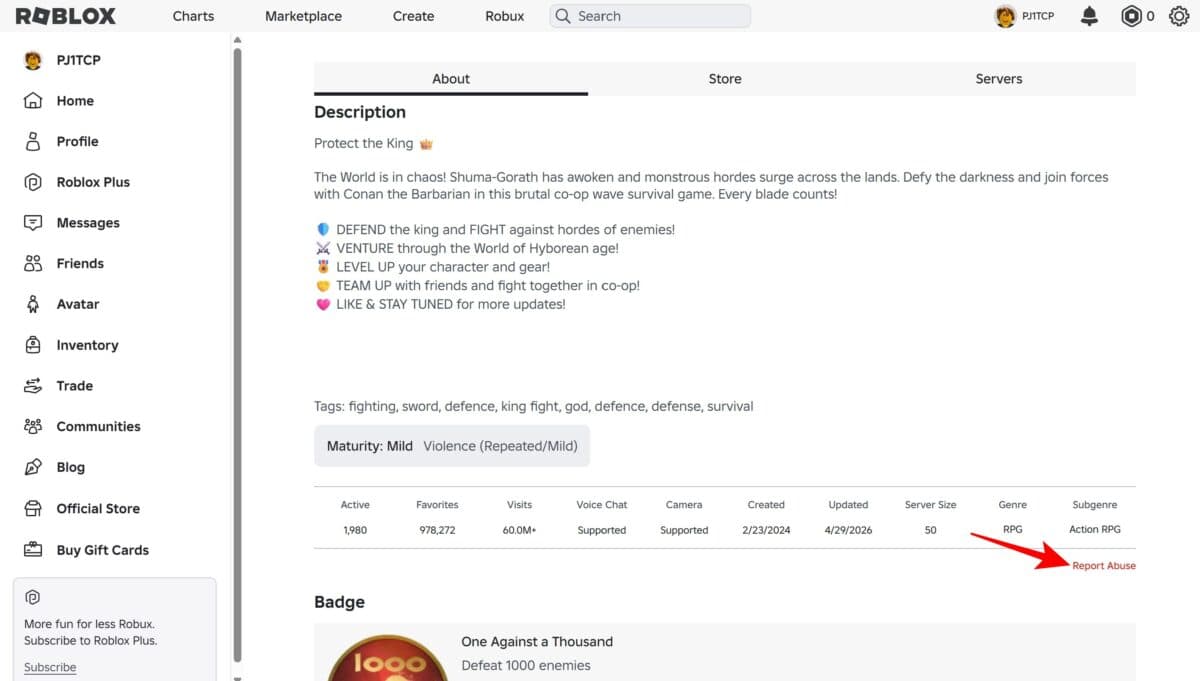
Roblox itself warns players that, in the off-chance that a game or experience within the platform asks to submit passwords, they should not proceed further and should flag that particular Roblox experience using the “Report Abuse” option under the description (as shown in the image below).
6. Be careful with browser extensions made for Roblox
Although Roblox doesn’t have an official browser extension, there are several from third parties that provide certain quality-of-life features for players, such as custom themes and an FPS counter. I, too, admit these community creations can be useful at times. But in some cases, hackers may also use these extensions to carry on malicious practices.
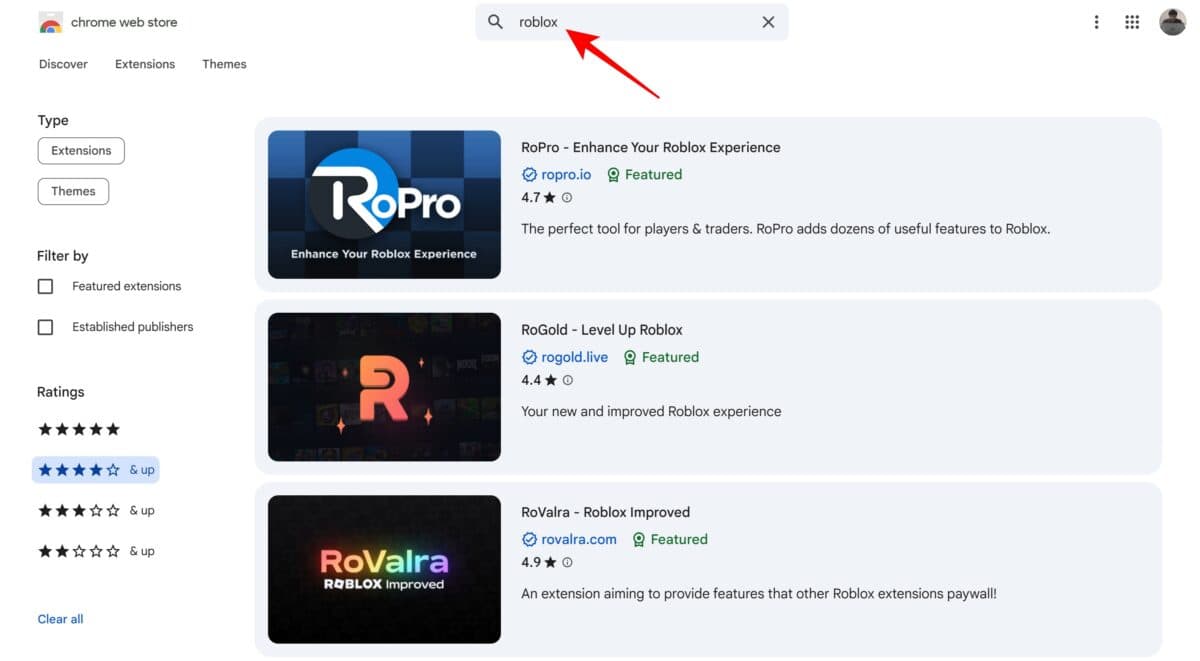
For that reason, always make sure that you download Roblox-oriented browser extensions from legitimate stores, such as the Google Chrome Store and Safari Extensions. Even then, you’d be safer sticking to only those extensions that are rated highly and have received a large number of reviews. I’d reckon not considering extensions rated below 4 out of 5 and having fewer than a thousand user review scores. For that, you may use store filters to show only those results that meet your criteria.
Wrapping up
The aforementioned guidelines are the least that you can do to consolidate your Roblox account’s security. Apart from these tips, it goes without saying that you must also follow other obvious rules for safe internet usage, such as avoiding suspicious downloads and websites with expired security certificates.
In case you detect anything suspicious with your account, reporting it to Roblox’s support team, via the official website form, should be a priority. Prompt reporting is especially crucial when account access is at risk, in order to maximize the chances of successful recovery.
Must read: All Roblox Icons and Symbols Mean…