Roblox gives you two names, and they are not the same thing. Your display name is the name most players see first, and you can change it for free. Your username is your unique account name, and changing it requires Robux.
If you only want a fresh name in games and on your profile, change the display name first. Save the username change for when you really want to replace your account handle.
| Display name | Free | Once every 7 days | Yes |
| Username | Requires Robux | No free cooldown listed | No |
How to change your Roblox display name
Use this option if you want a new visible name without changing your login identity. Roblox may show this field as Display Name or just Name for some users.
- Log in to your Roblox account.
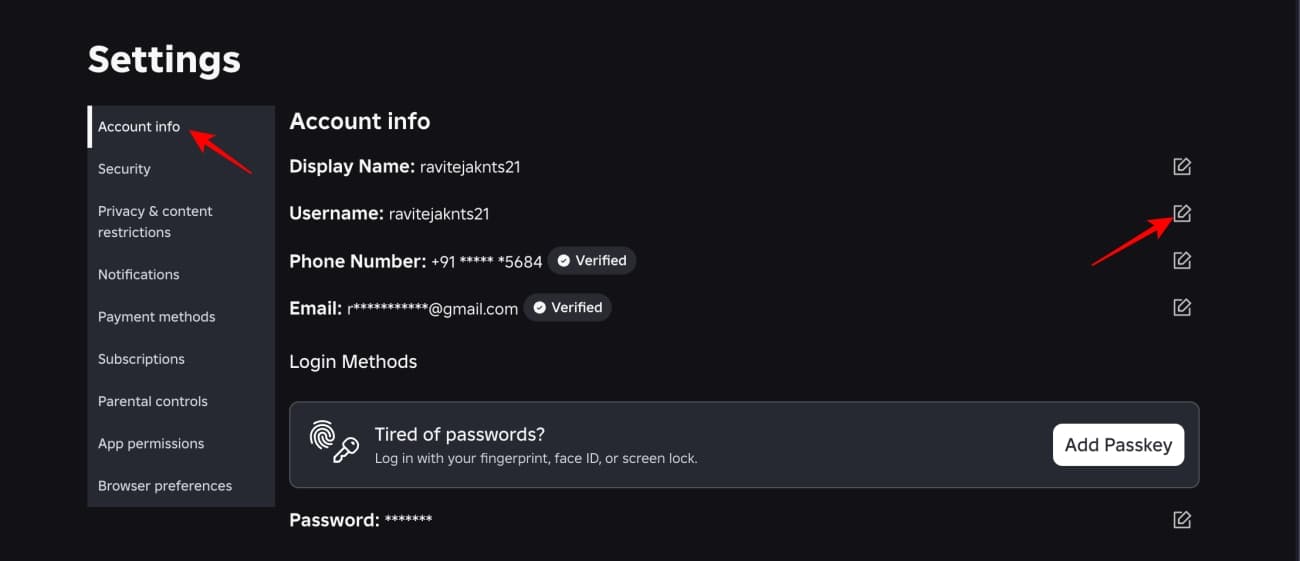
- Open Settings.
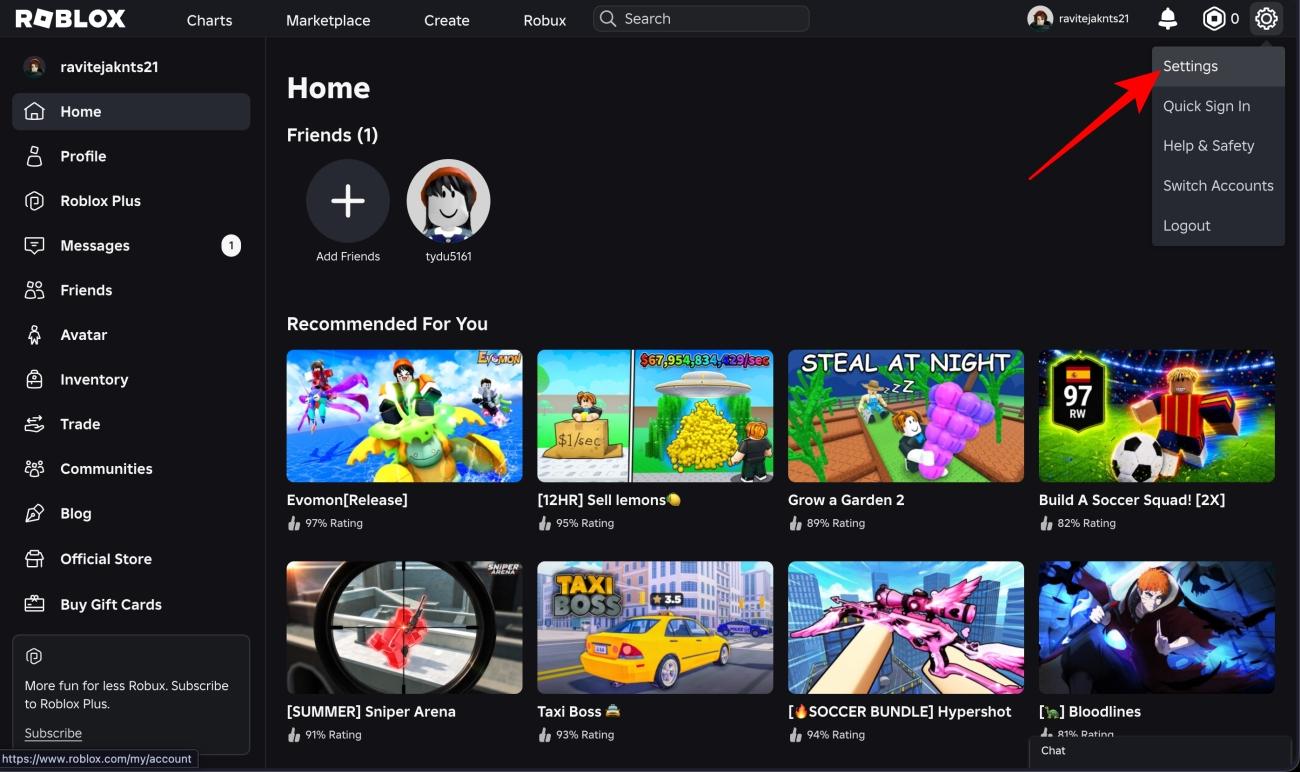
- Select Account Info.
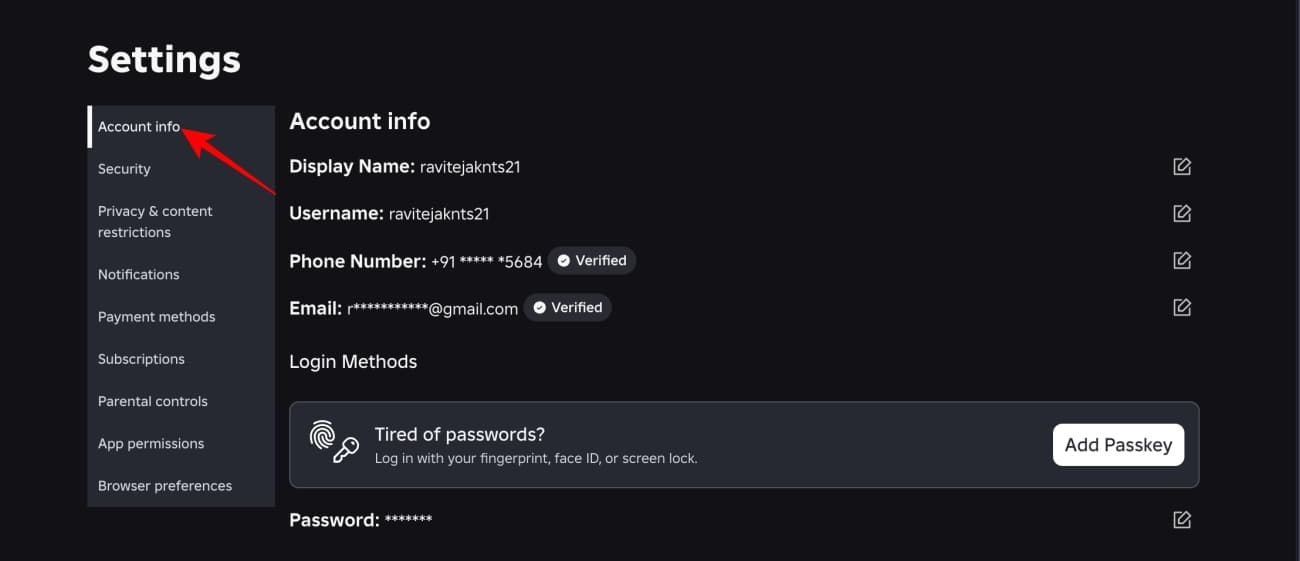
- Choose the Change Display Name pencil icon.
- Enter your new display name.
- Click Save.
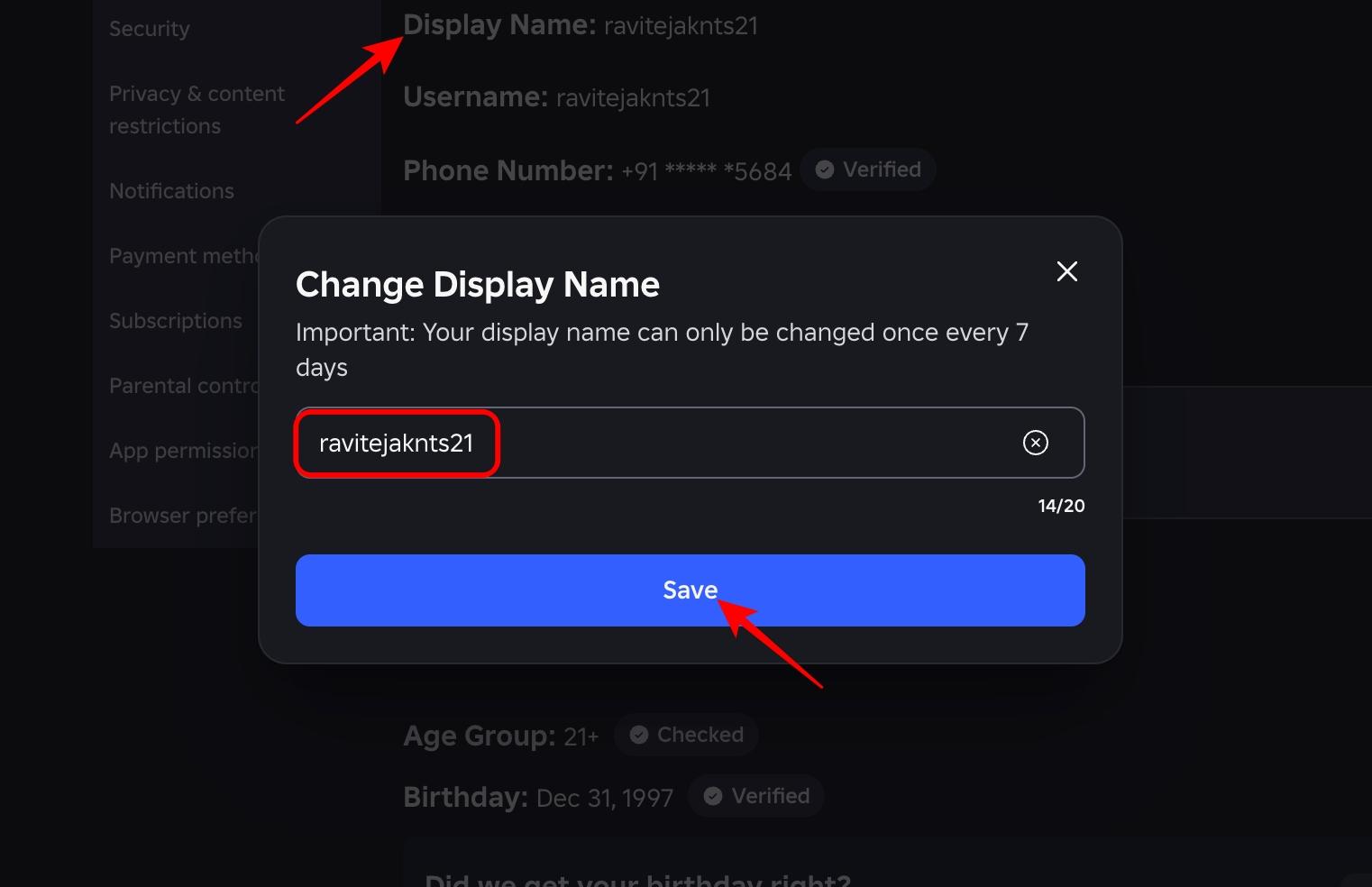
- Refresh Roblox to check if the new name appears.
On the web, you can find Settings from the gear icon in the upper-right corner. On the Roblox mobile app, open the More menu with the three dots icon, then go to Settings.
You can change your display name only once every seven days. It must also follow Roblox rules, or Roblox may reset it back to your username.
How to change your Roblox username
Change your username only if you are fine spending Robux. Roblox does not treat this like a free profile edit, and even switching back to an old username requires Robux.
- Log in to your Roblox account.
- Open Settings.
- Select Account Info.
- Click the Change Username pencil icon.
- Enter your new username.
- Enter your current Roblox password.
- Select Buy to confirm the change.
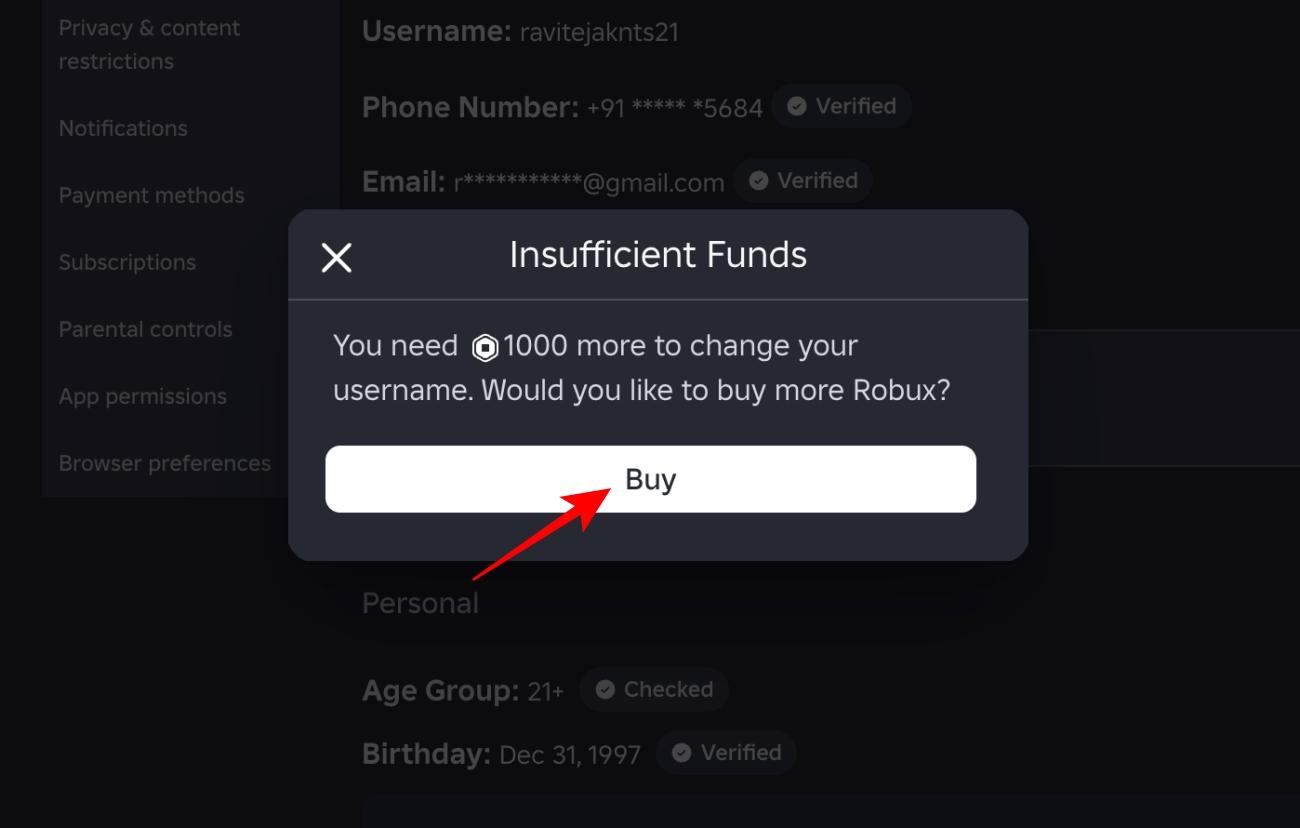
After the change, you can sign in with the new username and your current password. Before you hit Buy, check the Robux cost shown on the confirmation screen so you know exactly what you are paying.
What to know before changing either name
Your display name is more flexible, but it is not private or unique. Other players can use the same display name, and both your display name and username can appear across Roblox and its experiences.
Your username is stricter. You cannot take a username already used by another account, and you cannot swap usernames with an alt account. Roblox also says simple edits, such as only changing capitalization, do not get a discount.
One more important catch: past usernames can still be visible through Settings, your profile, and People search. If you are changing names because of account safety or suspicious activity, secure the account first and follow these Roblox hacking prevention tips before spending Robux on a new name.
Why the name change option is missing or not working
If Roblox will not save the new name, check these first:
- You changed your display name recently: Wait until the seven-day limit ends.
- The name is taken: Usernames must be unique, so try a different one.
- The name breaks Roblox rules: Avoid personal info, impersonation, offensive words, and anything Roblox may filter.
- You are in the wrong menu: Go to Settings > Account Info, not Avatar or Profile editing.
- You do not have enough Robux: Username changes need Robux, so the purchase will not complete without enough balance.
For most players, changing the display name is the smarter first move. It is free, quick, and easy to undo after a week. Spend Robux on a username change only when the old handle itself is the problem.
If you are staying in Roblox mode, you can also check the latest Roblox game codes for free rewards across popular experiences.
You might also like: