
Best Wallpaper Apps for iPhone and Android You Should Try in 2026
iGeeksBlog is supported by its readers. When you buy through links on our site, we may earn an affiliate commission. This doesn't affect our editorial independence.
Refresh your phone’s look with the best wallpaper apps. I tested top apps for iPhone and Android with 4K, live, and AI-powered wallpapers.
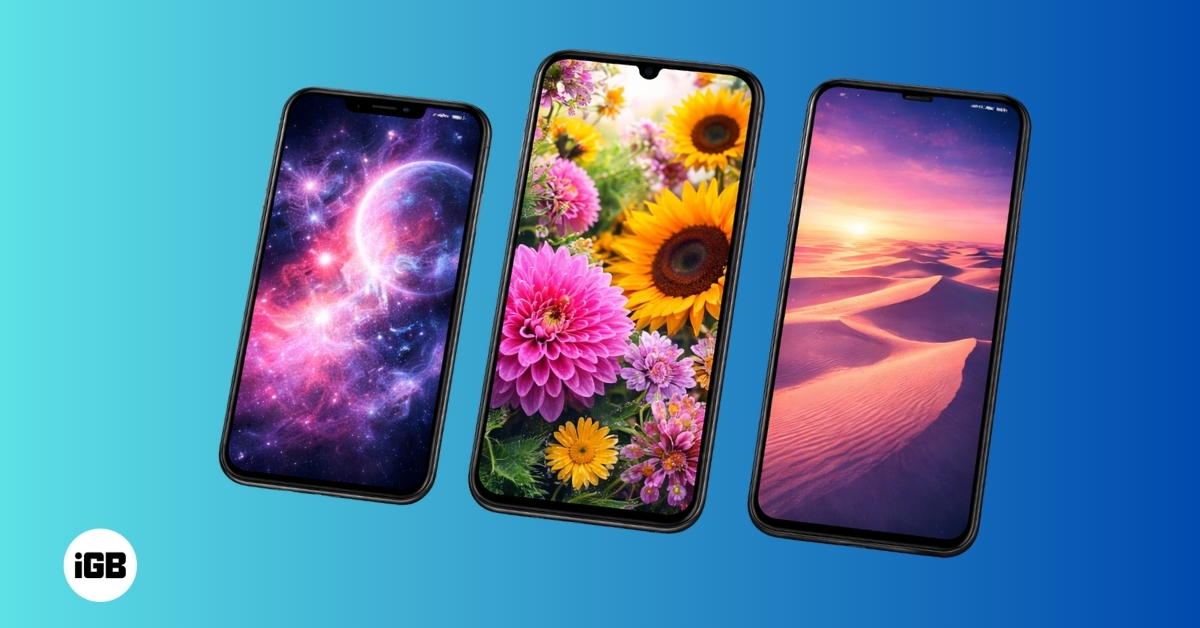
Your phone is something you look at hundreds of times a day. Why not make it look different and interesting? A good wallpaper is what it takes to instantly change the look of your phone and make it feel more personal. In 2026, many wallpaper apps are available, offering 4K resolution, live animations, and even AI-generated backgrounds.
In this guide, we’ll explore the best wallpaper apps for iPhone and Android, helping you find the perfect app to customize your screen and keep it looking fresh every day. Whether you prefer minimal designs, artistic illustrations, or dynamic live wallpapers, you will find the perfect one below.
What to Look for in a Wallpaper App
Before downloading a wallpaper app, it’s helpful to understand what separates a great app from an average one. Modern wallpaper apps focus on quality, customization, and ease of use.
- High-resolution wallpapers: Most modern phones have high-resolution displays, so wallpapers should support Full HD, 4K, or even 8K resolution. They look great on OLED screens and can even help save battery.
- Live or animated wallpapers included: These wallpapers add subtle movement or visual effects to your home screen, making your phone feel more dynamic.
- AI wallpaper generation: This allows you to type a short description and instantly generate a unique wallpaper based on your idea.
- Easy navigation and well-organized categories: Browsing should be simple, and downloading wallpapers should take just a few taps.
- Auto-change wallpaper feature: It’s also useful because they automatically refresh your wallpaper daily or hourly.
- Too many ads or locked features: Some apps are free but filled with ads, while others offer a cleaner experience through premium plans.
5 Best Wallpaper Apps for iOS and Android
Below are some of the most popular wallpaper apps available for both iPhone and Android users.
1. ZEDGE™ Wallpapers & Ringtones
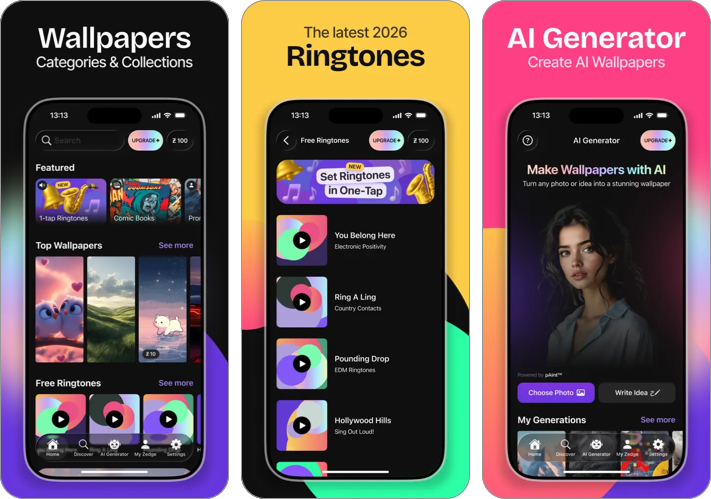
ZEDGE is one of the most popular customization apps available. It has been around for years and continues to evolve with new features like AI wallpaper generation and a massive community library.
The app offers thousands of wallpapers across categories such as urban artwork, Sci-Fi, space themes, anime, abstract, and minimal designs. You can also set live photos as wallpapers to get video effects on the Lock Screen.
Simply browse trending wallpapers, save favorites, and apply backgrounds with just a few taps. What makes Zedge stand out is that it also includes ringtones, notification sounds, alarm tones, and custom app icons, making it a complete phone personalization tool.
Key Features
- Huge wallpaper and ringtone library
- AI wallpaper generator
- Live wallpapers and animated backgrounds
- Personalized recommendations
- Easy download and apply options
- Very large collection of wallpapers
- Available on both Android and iPhone
- Regular updates and trending content
- Ads in the free version
- Some content requires premium credits
Pricing: Free version available, with ads. Premium version available starting at $0.99.
Best For: Users who want one app for wallpapers, ringtones, and overall phone customization.
2. Wallcraft – Wallpapers, live
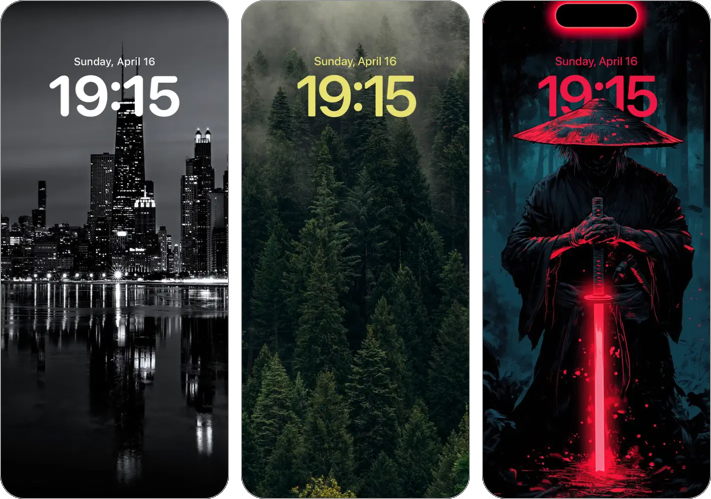
Wallcraft is known for its extremely high-quality wallpapers. The app focuses on 4K and ultra-HD backgrounds that look great on modern smartphone displays. The wallpapers are carefully optimized for different screen sizes so they fit perfectly without losing quality.
You can explore several categories, such as AI arts, quotes, minimalist, texture, music, etc. and backgrounds designed for Dynamic Island. Wallcraft also offers parallax wallpapers, which create a subtle 3D effect when you move your phone.
Key Features
- 4K and ultra-HD wallpapers
- AMOLED optimized backgrounds
- Live wallpapers and parallax effects
- Categories for different styles
- Daily wallpaper updates
- Excellent image quality
- Clean and modern interface
- Large variety of categories
- Too many ads
Pricing: Free with ads. Wallcraft PRO starts at $0.99/month.
Best For: Ultra-high-resolution wallpapers that look sharp on modern displays.
3. Backdrops – Wallpapers
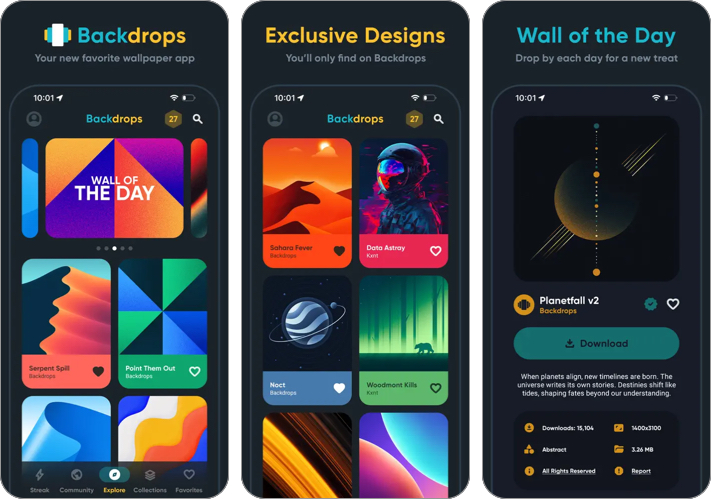
Backdrops app is popular with users who love clean, artistic, and minimalistic wallpapers. Unlike other wallpaper apps that offer only internet-found wallpapers, this app provides exclusive wallpapers designed by its team. This gives users unique wallpapers not found anywhere else.
Its collection includes niche categories such as polar void, power tower, glowform, etc. The app also has a strong community where you can upload and share your own creations. You will get a new Wall of the Day for a refresh. What I liked is the gamified Daily Streak, which lets you collect coins to unlock premium wallpapers.
Key Features
- Exclusive wallpapers designed by the Backdrops team
- Community wallpaper uploads
- Simple and fast browsing experience
- Daily wallpaper collections
- Favorites and collections system
- Unique wallpapers not available in other apps
- Clean and user-friendly interface
- Great for minimalist setups
- Not as many wallpaper options available
- More free content available than the pro version
Pricing: Free version available. You can buy premium collections starting at $1.99.
Best For: Users who enjoy minimalist, artistic, and unique wallpapers.
4. Wave AI Live Wallpapers
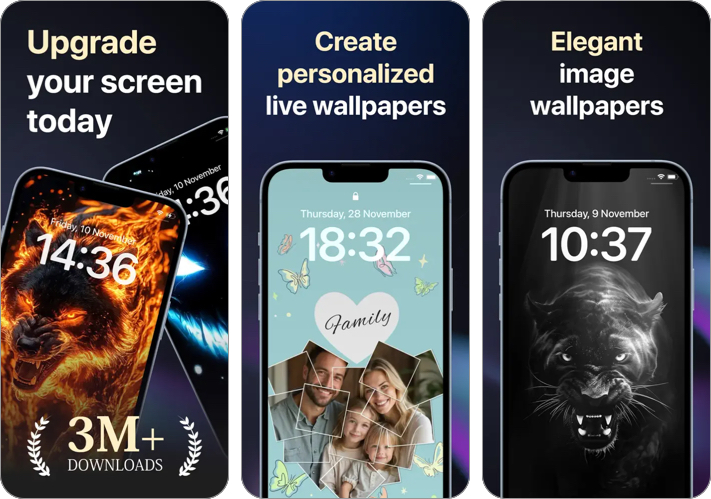
Wave AI Live Wallpapers Maker specializes in providing animated and interactive wallpapers. This app has a wide variety of 3D live wallpapers, animated lock screens, and AI-powered backgrounds, all updated every week.
The animations react to touch or movement, which creates a more immersive phone experience. Moreover, you get tools to create your own live wallpapers so your screen is fully personalized.
Key Features
- 3D animated live wallpapers
- AI wallpaper generator
- Interactive motion effects
- Custom live wallpaper creator
- Lock screen animations
- Large collection of animated wallpapers
- Unique interactive designs
- Frequent updates
- Live wallpapers may consume more battery power
- Frequent glitches caused by ad loading
Pricing: The app is free with ads. You may purchase credits for $1.99.
Best For: If you prefer dynamic, animated wallpapers over static backgrounds.
5. Walli: Cool Wallpapers HD, 4K
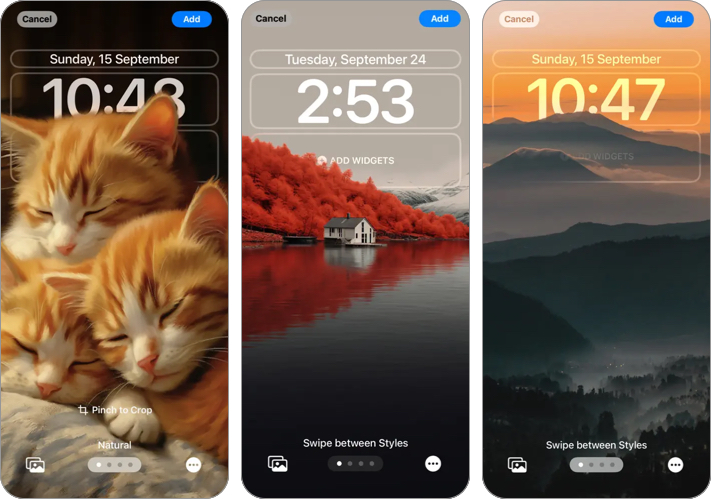
Walli is different from most wallpaper apps because it focuses on artist-created wallpapers. The platform is for artists to display their wallpapers for recognition and support. This means you can enjoy exclusive wallpapers.
Its collection often features unique illustrations and original designs you won’t find in traditional wallpaper libraries. Additionally, you get 4D live wallpapers and backgrounds optimized for iOS Depth Effect. Walli’s AI wallpaper generator has multiple art styles and themes for creativity.
Key Features
- Artist-created wallpapers
- High-resolution HD and 4K images for AMOLED
- Curated wallpaper collections
- Support for independent artists
- Auto-resolution optimization
- 20+ language support
- Unique artwork and illustrations
- High-quality wallpapers
- Creative and artistic designs
- Smaller selection compared to large apps
- The library is not frequently updated
Pricing: Free with ads. Premium subscription starts at $4.99.
Best For: Creative digital art and unique wallpapers made by artists.
Free vs Premium Wallpaper Apps: What’s the Difference?
Most wallpaper apps offer both free and premium versions. The free versions usually provide access to basic wallpapers but include advertisements or limited downloads.
Premium versions remove ads and unlock exclusive wallpapers, live animations, and advanced customization tools. Some apps also add AI features or allow higher-resolution downloads with a paid subscription.
If you only change wallpapers occasionally, the free version is usually enough. But if you enjoy frequently updating your phone’s look or want the best designs, upgrading to premium can be worth it.
Tips for Choosing the Right Wallpaper App
With so many wallpaper apps available, choosing the right one depends on your preferences.
- First, consider what style of wallpaper you like. Some apps focus on minimal designs, while others specialize in photography, abstract art, or animated wallpapers.
- Next, check the image resolution. If you have a high-resolution display, choose apps that offer 4K or AMOLED wallpapers to get the best visual quality.
- You should also consider performance and battery life. Live wallpapers may be eye-catching, but they can also drain the battery more quickly than static wallpapers.
- Another helpful feature is automatic wallpaper rotation. Some apps let you change your wallpaper daily, keeping your phone looking fresh without any effort.
It is recommended that you try a few applications before selecting the best one for you. Different apps offer different styles and browsing experiences.
Final Thoughts: Which Wallpaper App Should You Choose?
The best wallpaper app ultimately depends on what type of customization you want.
- If you want the largest library and extra features like ringtones, Zedge is a strong choice.
- If your priority is high-resolution and AMOLED wallpapers, Wallcraft offers some of the best image quality.
- For minimal and exclusive designs, Backdrops is an excellent option.
- If you enjoy animated and interactive backgrounds, Wave AI Live Wallpapers Maker is worth trying.
- And if you prefer artistic wallpapers created by designers, Walli is a great platform.
The good news is that these apps offer a free trial, so you can try a few and find the one that suits your taste the most. A great wallpaper can make your phone feel new again, and with these apps, you will always have a fresh one at your disposal.
You might also like:
Topics

Written by
Mehak SiddiquiMehak has a master’s degree in communication and over ten years of writing experience. Her passion for technology and Apple products led her to iGeeksBlog, where she specializes in writing product roundups and app recommendations for fellow Apple users. When not typing away on her MacBook Pro, she loves being lost in a book or out exploring the world.
View all posts →
Reviewed by
Ava BiswasAva is a die-hard Apple aficionado and seasoned writer with a knack for breaking down complex tech concepts into easily digestible content. Having honed her writing and editing skills over 4 years at renowned media houses like TechBurner, Ava crafts informative and engaging articles including troubleshooting guides, product reviews, editorials at iGeeksBlog. When not typing, you can find her exploring the latest Apple releases or pondering the future of tech innovation.
View all posts →More from Apps

Best Reminder Apps to Manage Tasks and Stay Organized
Stay organized with these best reminder apps for iPhone and Android that help track tasks and reminders easily.
Ava BiswasMarch 17, 2026
Best Photo Collage Apps for iPhone and Android (2026)
Looking for the best photo collage apps? This guide features top apps for iPhone and Android that help you combine photos and create beautiful collages.
 VikhyatMarch 17, 2026
Today’s Apps Gone Free on The App Store
Snag top paid apps now FREE on the App Store: Games, tools, and more! Hurry before the deals disappear!
 Dhvanesh AdhiyaMarch 12, 2026