
Best Keyboard Apps for iPhone and Android in 2026
iGeeksBlog is supported by its readers. When you buy through links on our site, we may earn an affiliate commission. This doesn't affect our editorial independence.
Looking for a faster, smarter mobile keyboard? This guide covers the best keyboard apps for iPhone and Android, highlighting AI features, themes, accuracy, and usability.
Let’s be honest. Your phone keyboard is the one app you use all day without realizing it, yet it is rarely treated like the power tool it is. Every DM, email, caption, and search begins there. Still, while we swap launchers, change wallpapers, and obsess over camera apps, we often stick with the pre-installed keyboard, even when it slows us down.
Having a better keyboard app installed can improve speed, autocorrect, predictions, and multilingual typing, making everyday typing smoother and more accurate. That’s why choosing the right keyboard app matters more than most people realize.
With that in mind, here are the five best keyboard apps for iPhone and Android that genuinely improve your typing experience.
How I Evaluated the Best Keyboard Apps
There are thousands of third-party keyboard apps available on the App Store and Play Store. So, it is easy to feel overwhelmed. To help you choose the best options, I evaluated each keyboard the way most people actually use it.
- Typing accuracy and predictions: How often autocorrect messed up, and how naturally suggestions matched my typing style.
- Swipe and voice typing: Swipe speed and accuracy, plus how well voice typing worked in noisy places.
- Multilingual support: How smoothly the keyboard handled switching between languages without breaking the flow.
- Customization: Themes, layouts, font options, and how much you can tweak the look and feel.
- Productivity tools: Clipboard history, shortcuts, and cursor control that actually help save time.
- Privacy and permissions: What permissions it asks for and how transparent it is about data use.
- Performance: Any lag, stutters, or battery drain over longer periods of use.
- iPhone vs Android differences: How much the experience changes due to iOS restrictions vs Android freedom.
5 Best Keyboard Apps for iOS and Android
After trying out several popular options, these are the best keyboard apps for iPhone and Android that actually improve day-to-day typing.
1. Gboard (Google Keyboard)
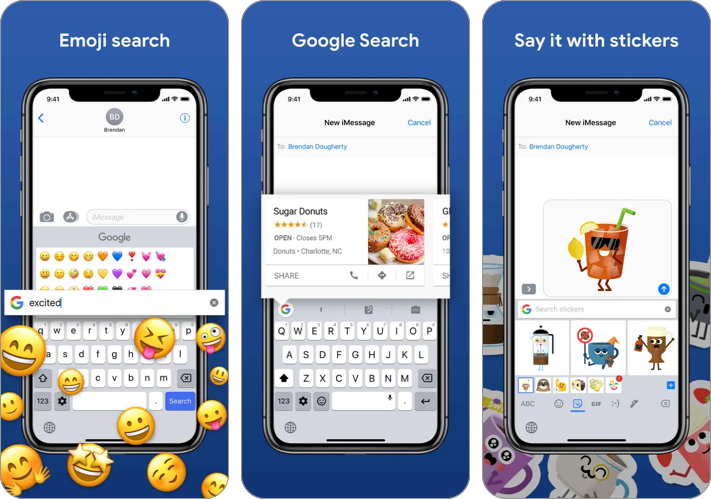
If you want a keyboard with no learning curve, I recommend Gboard. In my experience, it’s the most balanced keyboard across both iPhone and Android.
What I like most is how accurate it feels without being aggressive. Predictions are on point, swipe typing is smooth, and voice typing is easily one of the best parts of the app. If I had to pick one keyboard for any phone, it would be this.
- Reliable autocorrect and predictions
- Excellent voice typing
- Smooth swipe typing
- Not the most customizable option
2. Microsoft SwiftKey
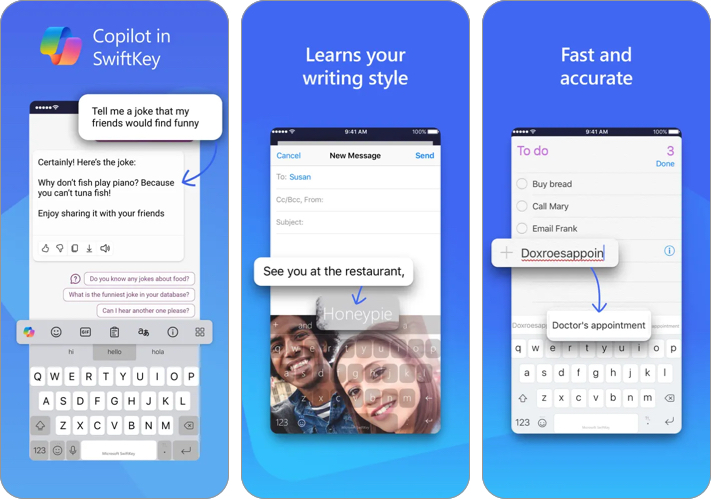
SwiftKey is the keyboard I use when I want typing to feel effortless. It has the best mind-reading style predictions after Gboard, and in some cases, I would say it even beats Gboard for casual chatting.
This keyboard app adapts to your tone and vocabulary over time, helping you type fewer words manually as you go. Another thing I genuinely like is the clipboard feature. When I’m repeatedly pasting one-time passcodes, addresses, or links, SwiftKey speeds up that workflow. It is the keyboard I pick when I’m in peak messaging mode.
- Excellent predictions that improve with time
- Clipboard tools are genuinely useful
- Great for bilingual users
- The interface can feel slightly busy
3. Grammarly Keyboard
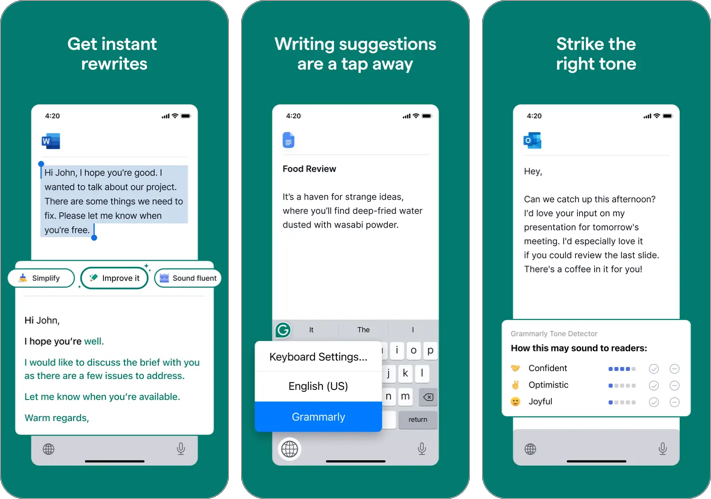
First things first, the Grammarly Keyboard is not for everyone. It is extremely useful when writing something public facing, such as an email, Instagram caption, or professional message.
Unlike regular keyboards that only fix spelling, Grammarly catches grammar slips, punctuation issues, and awkward phrasing as you type. You can think of it as the closest thing to having an editor running in the background.
- Improves writing quality instantly
- Great for emails and long-form typing
- Helps with tone and clarity
- Not necessary for casual chat users
- Some suggestions require a premium
4. Typewise
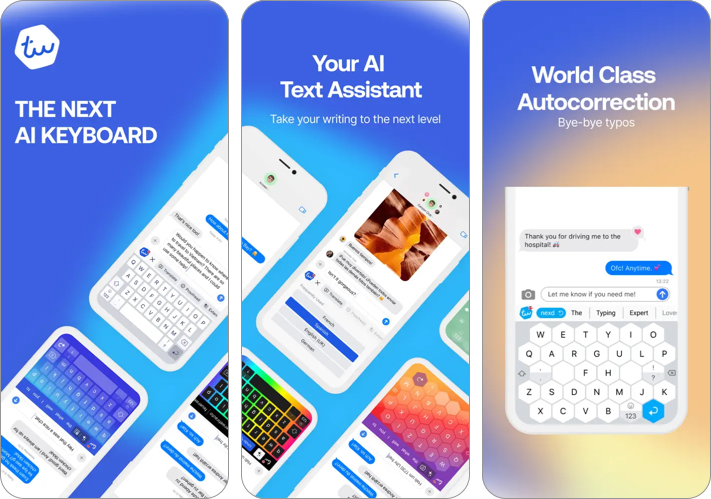
If you want a cleaner, more privacy-first option, the Typewise keyboard is one you must check out. In my testing, it feels less “data-hungry” than many feature-packed keyboards, and it focuses more on typing accuracy than flashy extras.
What’s interesting is its Hexagon layout, designed to reduce typos. While it does take a little adjustment, it’s surprisingly effective once you get used to it. Even if you don’t use the hexagon layout, Typewise still feels like a solid keyboard that’s built for people who want control.
- Privacy-first approach
- Reduced typing mistakes over time
- Clean and minimal interface
- The hexagon layout takes time to adapt to
5. Bitmoji Keyboard
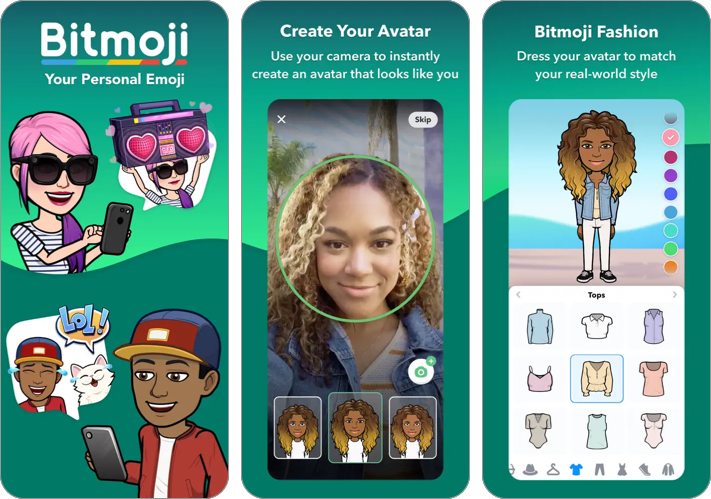
Unlike other keyboard apps on this list, the Bitmoji Keyboard is not a productivity keyboard. It is a fun add-on I use when I want conversations to feel more expressive. Instead of jumping between apps to find stickers, I can drop Bitmojis right from the keyboard, which works especially well on WhatsApp, Instagram DMs, iMessage, and Snapchat.
If you like reacting with stickers instead of typing full replies, Bitmoji is honestly one of the quickest ways to do that.
- Makes conversations more expressive
- Works well across popular messaging apps
- Quick sticker access without switching apps
- Not ideal as a full-time keyboard replacement
- Requires Bitmoji setup
Key Features to Look for in a Keyboard App
Before you download any keyboard, it helps to know what actually matters.
- Predictive text and autocorrect: The best keyboards predict your next word and fix mistakes without turning your sentence into something else.
- Swipe and voice typing: Swipe typing should be fast and accurate. Voice typing should work well even when you are outdoors or multitasking.
- Emoji, GIFs, and stickers: A good keyboard makes it easy to express emotion quickly without digging through multiple menus.
- Clipboard and text shortcuts: If you paste OTPs, addresses, links, or repeated text often, clipboard history and shortcuts can save time every single day.
- Accessibility features: Look for adjustable key size, haptic feedback, and easy cursor movement. These features make typing more comfortable in the long term.
- Privacy controls: Always check which permissions the keyboard requests, especially on iPhone, where “Full Access” changes what the keyboard can do.
Choose the Right Keyboard App…
These are the best keyboards you can use on iPhone and Android phones, as determined by rigorous testing. But if you are still confused about which keyboard on this list suits your needs, let me make it easy for you.
- If you want the simplest recommendation, Gboard is the best overall keyboard for most people.
- If you want smarter predictions and faster chat replies, SwiftKey is excellent.
- If you write formal content and care about clean writing, keep the Grammarly Keyboard installed.
- If privacy matters most, Typewise is the strongest choice.
- If your focus is expressive texting, Bitmoji Keyboard is the most fun add-on.
Remember that no matter which keyboard you choose, it can access what you type. Therefore, always review permissions and avoid suspicious apps with unclear privacy policies.
Which keyboard do you use on your phone right now, and what do you wish it did better? Drop your thoughts in the comments.
Frequently Asked Questions
Missed This? Check It Out
Topics

Written by
VikhyatVikhyat has a bachelor's degree in Electronic and Communication Engineering and over five years of writing experience. His passion for technology and Apple products led him to the tech writing space, where he specializes in writing App features, How-to guides, and troubleshooting guides for fellow Apple users. When not typing away on his MacBook Pro, he loves exploring the real world.
View all posts →More from Apps
Today’s Apps Gone Free on The App Store
Snag top paid apps now FREE on the App Store: Games, tools, and more! Hurry before the deals disappear!
 Dhvanesh AdhiyaFebruary 27, 2026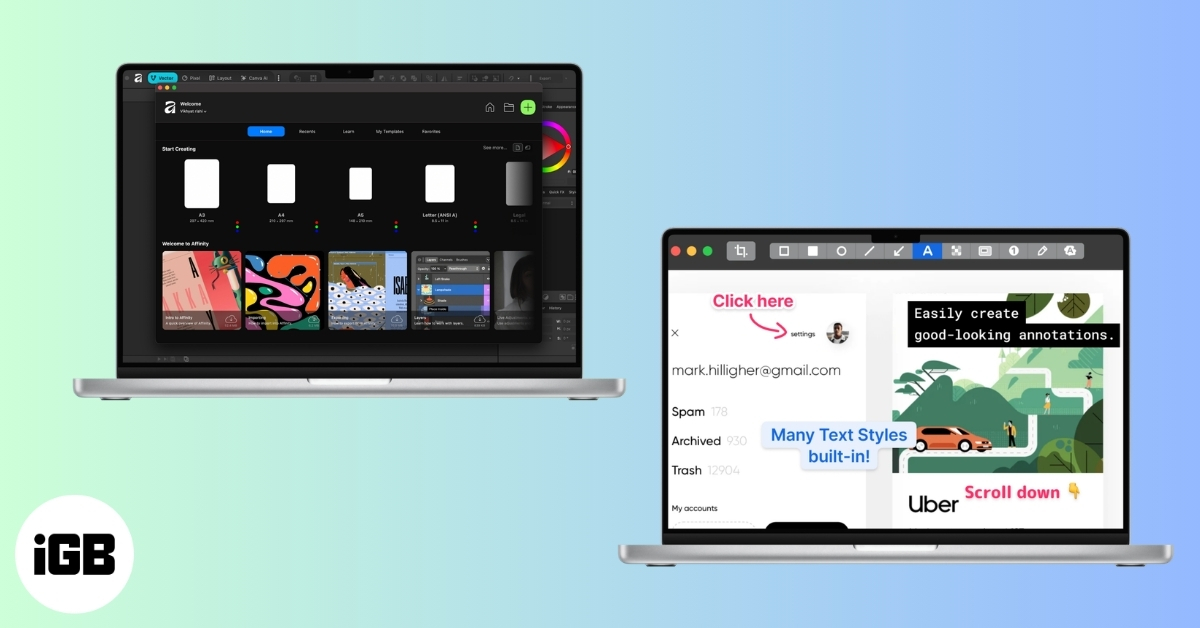
Best Mac Apps You Should Install in 2026
Upgrade your macOS experience with the best Mac apps. Explore our top picks for productivity, organization, and creativity. Enhance your workflow now!
VikhyatFebruary 27, 2026
Best Snapchat Filters and Lenses to Make Your Snaps Stand Out
From trending AR lenses to timeless face filters, these Snapchat effects will help your snaps grab attention and stand out in any chat or Story.
VikhyatFebruary 27, 2026