Since 2017, the videos from channels you follow have been one tap away at the bottom of YouTube’s mobile app. That’s about to change. YouTube is removing the Subscriptions tab from the bottom bar on Android and iOS. The tab is being renamed "Subs" and moved to a new row of feeds at the top of the Home tab.
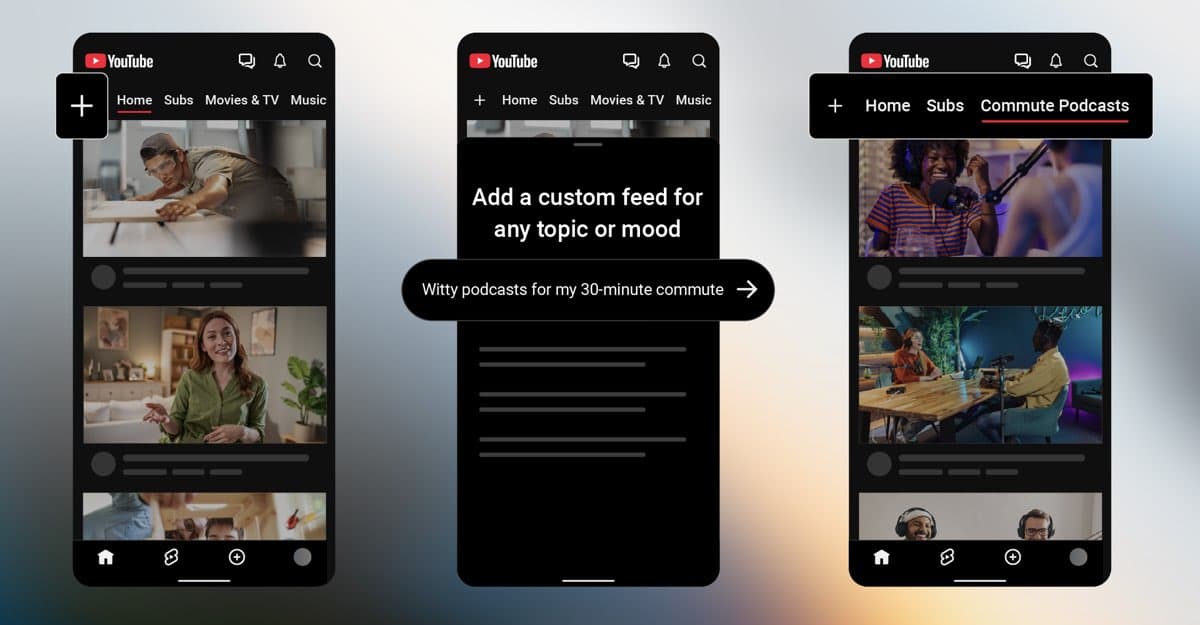
Subscriptions used to be the fourth item in the bottom bar. Without it, the bar has four items: Home, Shorts, Create, and You. In the new layout, Subs is second in Home’s top bar, right after Home, with a red underline when you select it. The feed itself still shows uploads from the channels you follow. Getting to it now takes two steps: open Home, then reach up to the top of the screen.
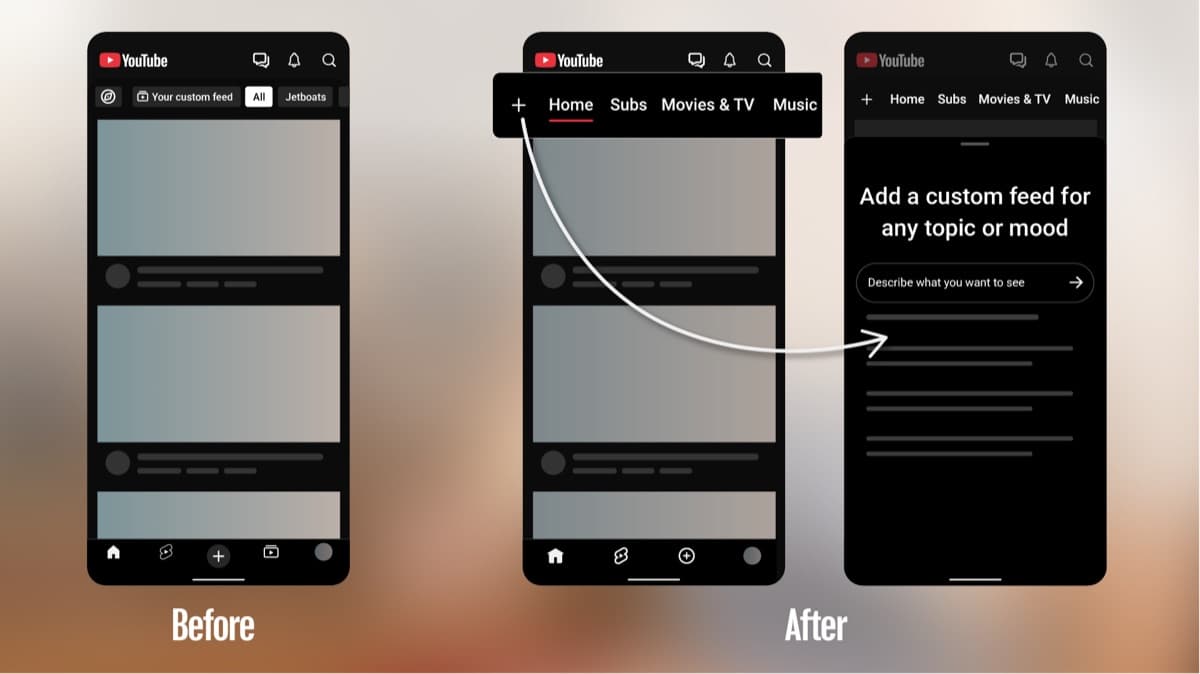
That’s a step backward. On a tall phone, the top of the screen is the hardest spot to reach with one hand. The bottom bar is where an app puts the places you go most, and for a lot of people, that’s Subscriptions. It was also the one feed that showed only what you chose to follow. Now it sits in a row with feeds YouTube picks for you.
YouTube has been working toward this for months. In May, it tested a version that moved Subscriptions to a menu at the top of the screen and called it an experiment. That test is now the default design.
Subs now shares the top bar with Live, Music, and feeds you describe
After Subs, the top bar has feeds for Live and Music. A Movies & TV feed shows up only if you pay for something like Primetime Channels. The redesign also gets rid of the app’s slide-out navigation menu.
Custom feeds are launching at the same time. Tap the "+" at the top of Home and describe what you want to watch: a topic, a type of video, or a mood. YouTube then builds a feed that keeps filling with new videos. Each custom feed gets its own tab after Home and Subs. Free users can keep three at a time, and Premium members can keep eight. Your feeds sync between mobile and desktop, only you can see them, and they expire after 30 days if you don’t use them. Videos you watch in a custom feed count toward your regular watch history, so they can change what shows up on your main Home feed too.
Custom feeds are rolling out first in the US. You need to be signed in, be 13 or older, use YouTube in English, and have watch and search history turned on. YouTube says more countries will follow, and it calls these changes the start of "a series of updates to shape a more seamless Home experience." It hasn’t said when the new bottom bar will reach everyone.