
WhatsApp Introduces New ‘You’ Profile Tab on iPhone
WhatsApp is rolling out a new “You” profile tab on iPhone, replacing the Settings section and making it easier to manage your account and privacy settings in one place.
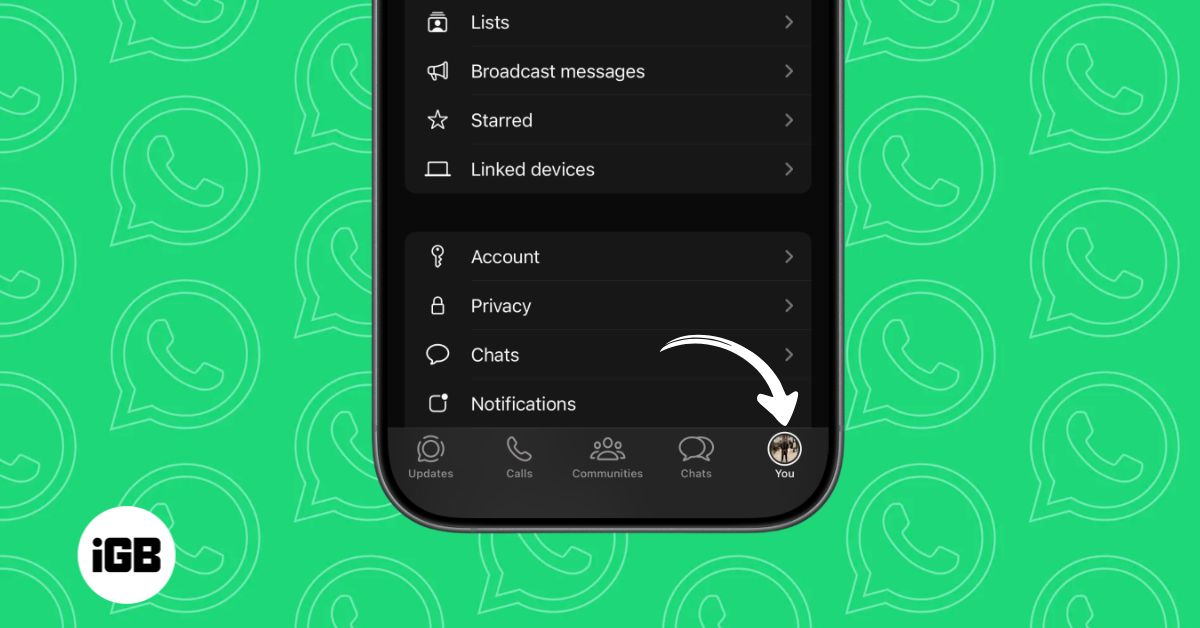
WhatsApp has started rolling out a redesigned profile tab for iPhone users that replaces the traditional Settings tab with a new section called “You.” The update appears in the latest iOS release and aims to make account management more personal and easier to navigate.
New Profile-Focused Tab Appears in the Bottom Bar
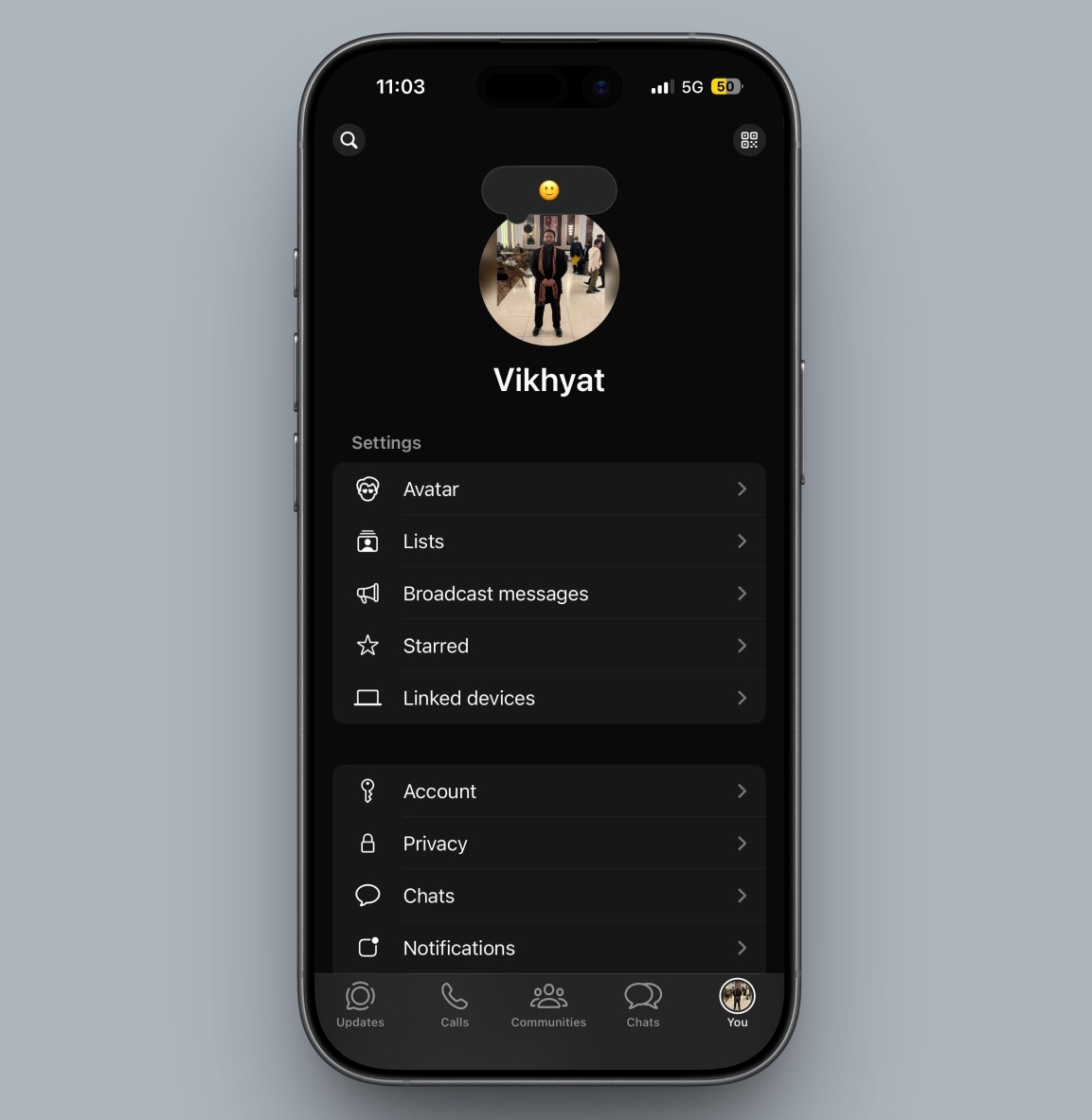
In earlier versions of WhatsApp on iOS, the bottom navigation bar included a Settings tab represented by a gear icon. With the latest update, that section has been replaced by a You tab that uses the user’s profile photo as its icon.
The change was first noticed in TestFlight beta builds reported by WABetaInfo. The redesigned page opens a profile-centric dashboard that lets users manage account information, privacy settings, and other personal controls.
According to the App Store release notes for version 16.5.10.73, the new tab allows users to manage their accounts, customize identity details, and access profile-related settings in one place.
Designed with Multi-Account Support in Mind
Beyond visual changes, the redesign also hints at future functionality. The profile photo icon makes it easier to see which account is active, a design decision that aligns with Meta’s upcoming multi-account support, which is currently in testing.
This interface approach resembles how Instagram and Threads display profile icons when users manage multiple accounts on a single device.
Profile Page Receives a Visual Refresh
The update also introduces subtle design tweaks to the profile page itself. Some users now see a large header area with a default cover image at the top of the profile screen.
At the moment, users cannot change the cover image. The addition appears to be an early version of a feature that could enable profile customization in a future update.
Feature Still Rolling Out Gradually
Even though the update is listed in the App Store release notes, access to the new interface remains limited. Many users have yet to see the redesigned tab.
WhatsApp typically rolls out interface changes in phases, so it may take some time before the You tab becomes visible to all iPhone users.
Do you see the new You tab in WhatsApp on your iPhone yet? Let us know in the comments.
Topics

Written by
VikhyatVikhyat has a bachelor's degree in Electronic and Communication Engineering and over five years of writing experience. His passion for technology and Apple products led him to the tech writing space, where he specializes in writing App features, How-to guides, and troubleshooting guides for fellow Apple users. When not typing away on his MacBook Pro, he loves exploring the real world.
View all posts →More from News

Apple Releases Security Updates to Fix WebKit Bug in iOS 26, iPadOS 26, and macOS Tahoe
Apple has rolled out its first Background Security Improvements updates across iOS 26, iPadOS 26, and macOS Tahoe, addressing a critical WebKit vulnerability with faster security patch delivery.
 Ravi Teja KNTSMarch 18, 2026
Apple AI Model Reconstructs 3D Objects With Realistic Lighting From a Single Image
Apple researchers have introduced LiTo, an AI model that generates full 3D objects from a single image while maintaining realistic lighting and reflections across different viewing angles.
Ravi Teja KNTSMarch 17, 2026
Apple Announces AirPods Max 2 with H2 Chip and Better ANC
Apple has unveiled AirPods Max 2 with the H2 chip, offering improved noise cancellation, live translation, and support for lossless audio.
VikhyatMarch 18, 2026