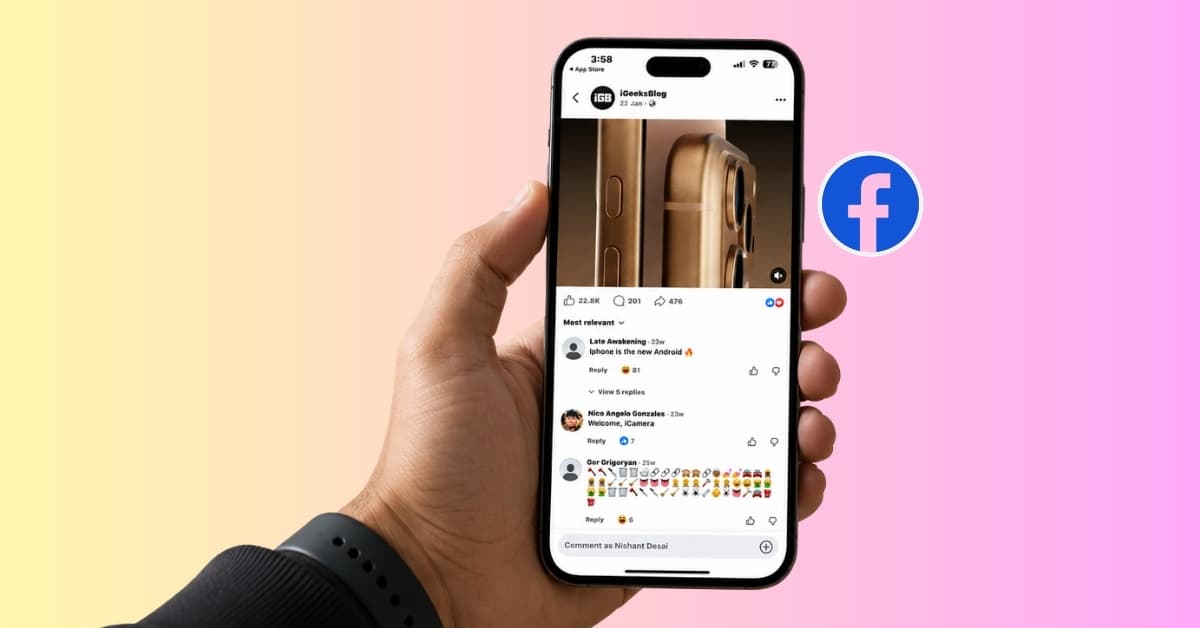
One of my Facebook posts suddenly started getting more likes and comments than usual. Friends were tagging each other, new people were reacting, and the reach kept climbing. And, obviously, the first question for me was: who shared my Facebook post?
I assumed Facebook would show a neat list of everyone who clicked the Share button. It didn’t. If you’ve been wondering whether you can see who shared your Facebook post, here’s exactly what Facebook shows, and what it doesn’t.
Can you see who shared your Facebook post?
Yes, but only sometimes.
You can see who shared your Facebook post only if the share is public or visible to you.
You cannot see locked profile shares, shares made with custom audiences, or shares inside private Facebook groups where you aren’t a member.
That limitation isn’t a bug. It’s how Facebook’s privacy system is designed.
How to see who has shared your Facebook post
The steps are quite tricky. Here’s what you need to do:
On Android:
- Open Facebook on your mobile and tap your profile picture.
- Go to the post you need to see the sharer for.
- Tap the Comment icon. It will open the comment box and show the number of shares at the top right corner.
- Now, tap the share number to see who actually reposted your Facebook post.
- You will get a list of sharers.
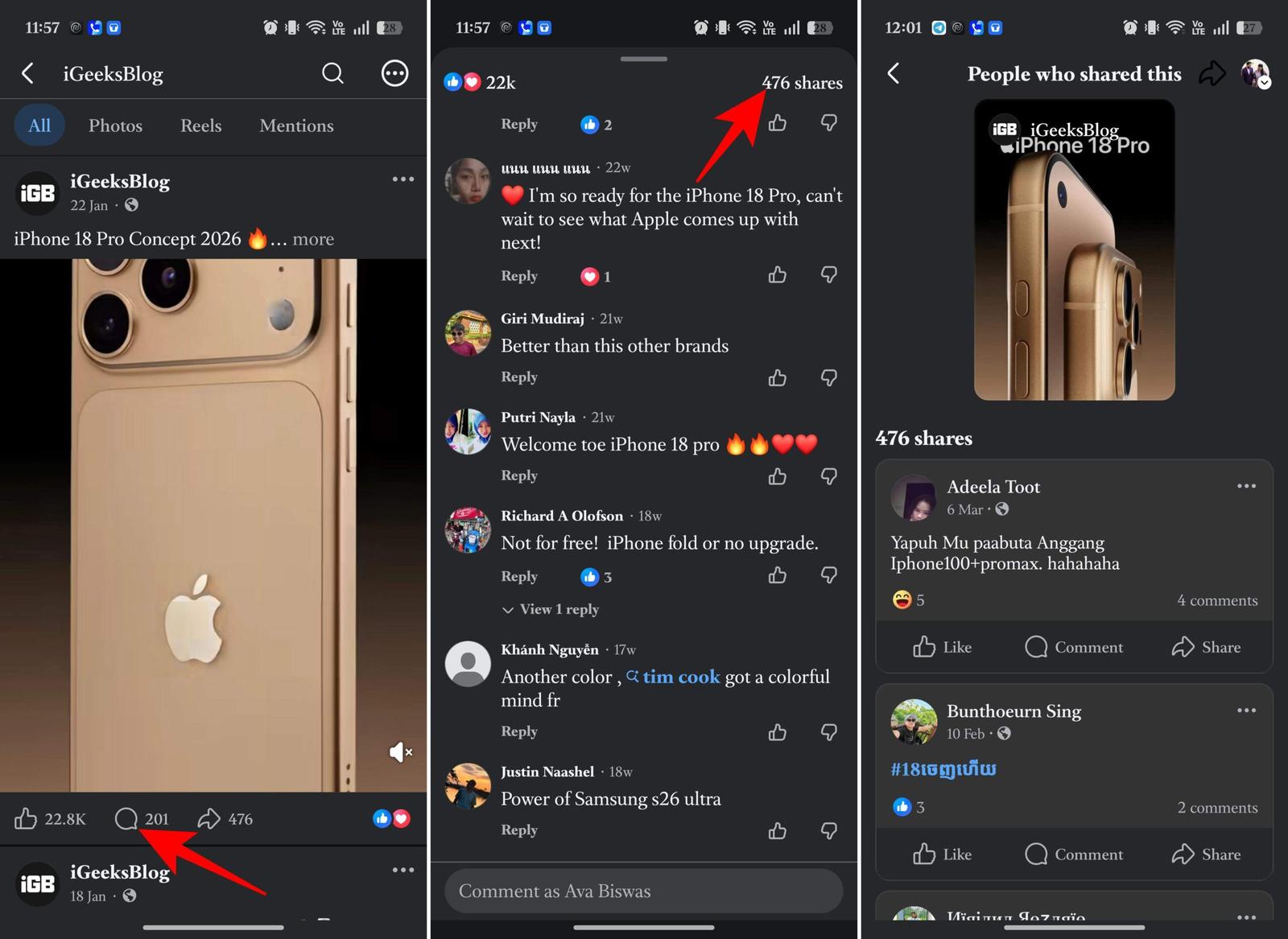
You can use this method for any post on your news feed.
On iPhone:
- Go to the post on your Facebook profile and open the comment box.
- You will see the Share count. Tap on it to see all the reposts with the sharers’ captions and the reactions on their posts.
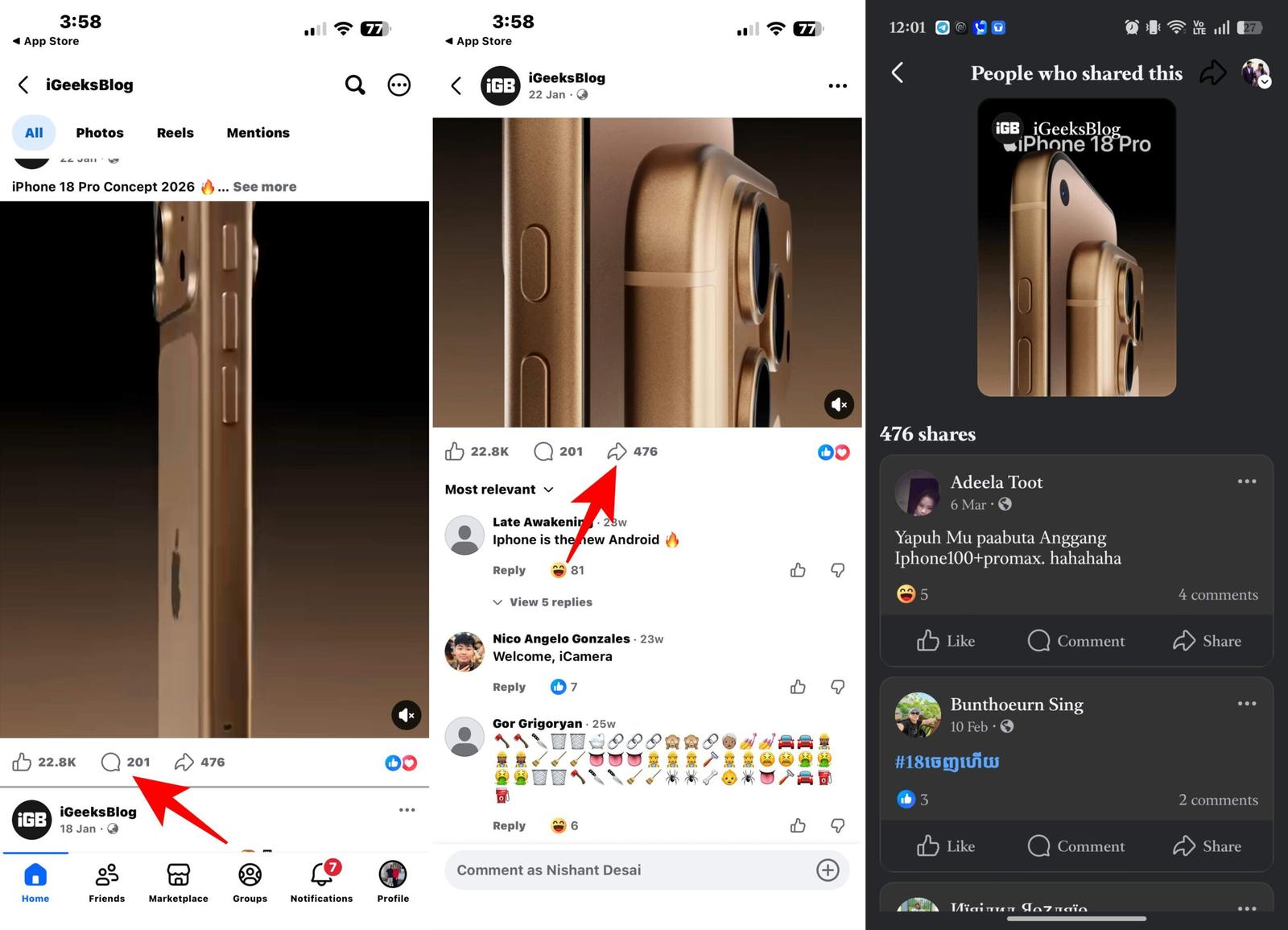
If you have a professional account, you will see an eye icon with the viewer count under every post. Tap it to see the post’s performance analytics. Scroll down and select Shares. It will show you who has shared your post.
Note:
I tested it on desktop, and surprisingly, it only shows who has reacted to the post unless they have hidden the likes. There was no way to open the sharer count list.
What happened when I checked my Facebook post
I opened one of my public posts that had already received a few shares. I clicked the Share count beneath the post, assuming it would reveal the people who had reposted it. Instead, Facebook showed the share sheet to repost it. Then research led me to the actual steps.
In my case, I could see a few shares that were made publicly. When someone had shared the post with a public audience, their shared post was visible, and I could open it to see their caption and any public comments. However, several of the shares were missing even though the share count was higher than the number of visible shared posts.
At first I assumed Facebook wasn’t loading correctly. It wasn’t a loading issue. Those missing shares simply weren’t visible to me.
What Facebook actually shows
When you click the share count on an eligible post, Facebook may display:
- Public shares
- Posts shared by friends (if their audience includes you)
- Shares on public timelines
- Public pages that reshared your content
You’ll usually see:
- The person’s name
- Their caption (if added)
- When they shared it
- Reactions and comments on that public share
If the share isn’t public, Facebook hides it completely. Not even the original author gets special access.
Why you can’t see every share
This is where many people get confused. Facebook protects the privacy settings chosen by the person doing the sharing—not the creator of the original post.
If someone shared your post with Friends, Only Me, a private group, or another audience you don’t have access to, Facebook doesn’t reveal their name or their shared post. Also, if someone shared the post via Messenger, it’s end-to-end invisible. All of these shares still contribute to the overall share count, but they remain hidden from you.
I also tested this with another account’s public post. The result was the same. I could only view publicly shared versions of the post, while the rest stayed invisible.
The biggest takeaway from my test was simple: Facebook lets you see some shares, not every share. If you’re expecting a complete list of everyone who clicked Share, Facebook doesn’t currently provide that information.
Final thoughts
I went into this expecting Facebook to give me a complete list of everyone who shared my post. Instead, the platform draws a hard line between engagement and privacy.
At first, that felt frustrating. If it’s my post, why shouldn’t I know where it’s being shared? However, after further research, it becomes obvious that when someone is sharing your content, he or she becomes responsible for audience and privacy settings.
So if your post says it has 50 shares, but you can only see 12, don’t assume Facebook is broken. In most cases, the missing shares are simply happening in places you’re not allowed to access.
Read More: Facebook Page vs. Profile