
How to fix Mac disconnecting from Wi-Fi after Sleep Wake

When you wake your Mac up from sleep, you might find that it disconnects from the Wi-Fi. Re-joining a network every time you wake up your Mac is one irritating thing. This usually happens when you’ve connected your Mac to other wifi networks in the past.
Getting rid of this is easy, although the solution is a little quirky. You will need the Wifi details (and password) before proceeding with these steps.
Why does my Mac keep disconnecting from Wi-Fi
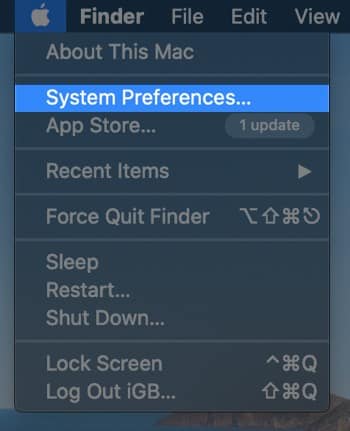
Step #1. Open the Apple menu and then click on System Preferences.
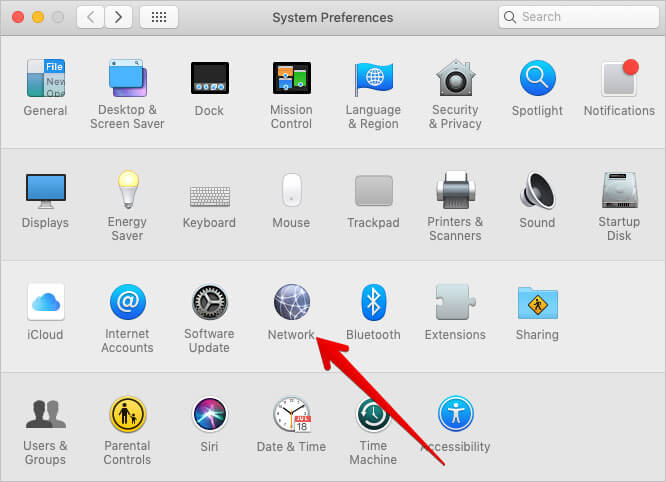
Step #2. Click on Network.
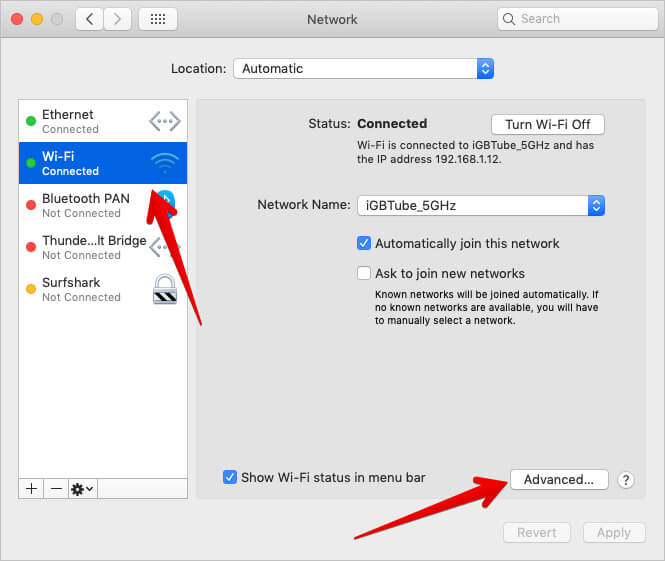
Step #3. Now, click on the Wi-Fi option on the left → Next up, click the Advanced button.
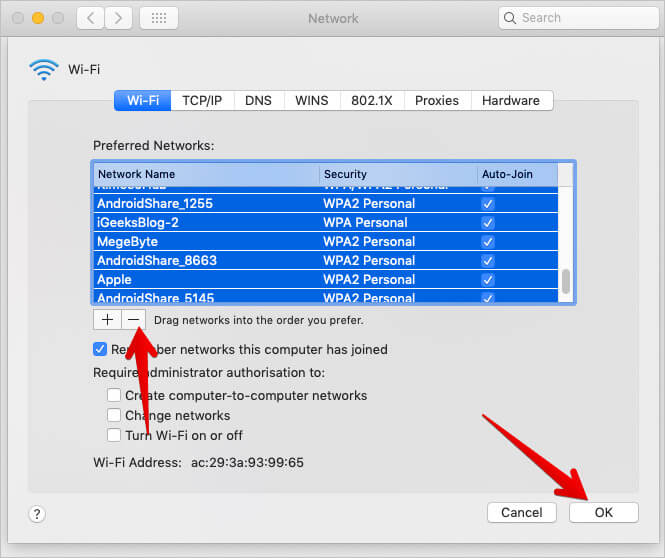
Step #4. Click on anything inside the Preferred Networks panel. Then, press Command+A to select all and then hit the minus [-] option beneath the panel to remove all Wi-Fi Networks → Press Okay.
You will return to the Network Panel. Now, let’s add your Wi-fi network back.
Step #5. Click on the Locations pull-down menu and then click on Edit Locations.
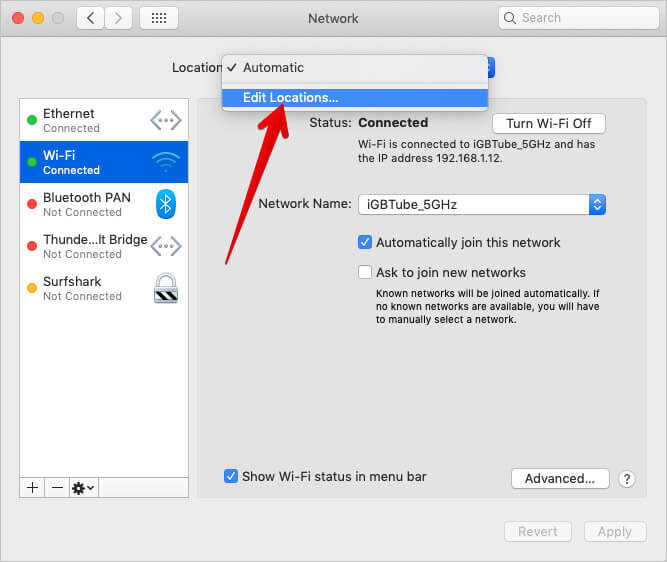
Step #6. Hit [+] plus sign to add network location and type in any name → Click on Done.
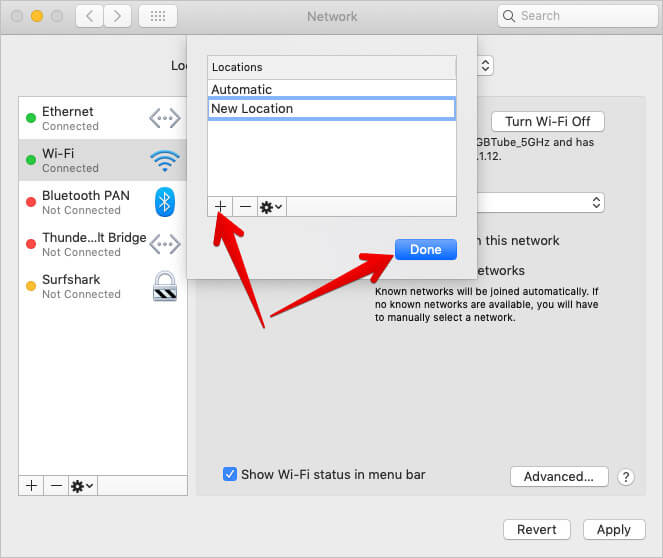
Step #7. Press “Apply” and log out of System preferences.
You will be asked to enter the Wi-Fi password once Mac identifies and connects to the WiFi network. That should be it.
By following the above steps, you delete the older data on Wi-Fi networks that your Mac has connected to in the past. Then, you create a new connection which is basically like resetting things. This should solve the disconnect issue.
That’s all, mate!
Do share your feedback with us in the comment below.
Read More:

Written by
Jignesh PadhiyarJignesh Padhiyar is the co-founder of iGeeksBlog.com, who has a keen eye for news, rumors, and all the unusual stuff around Apple products. During his tight schedule, Jignesh finds some moments of respite to share side-splitting content on social media.
View all posts →More from How-to

Snapchat Parental Controls: How to Set Up Family Center and Keep Your Teen Safe
Snapchat’s Family Center lets parents monitor their teen’s friend activity and screen time without reading private messages. Here’s how to set it up and what to expect.
 VikhyatMarch 3, 2026
How to Block and Unblock Someone on Instagram
Instagram lets you block or unblock someone in seconds. Follow these simple steps to take full control of your privacy and online peace.
 Ava BiswasMarch 2, 2026
Apple Watch Not Responding? 8 Fixes That Actually Work
Is your Apple Watch unresponsive or stuck on a black screen? Here are 8 proven fixes to help you unfreeze it and get it working again quickly.
VikhyatMarch 3, 2026