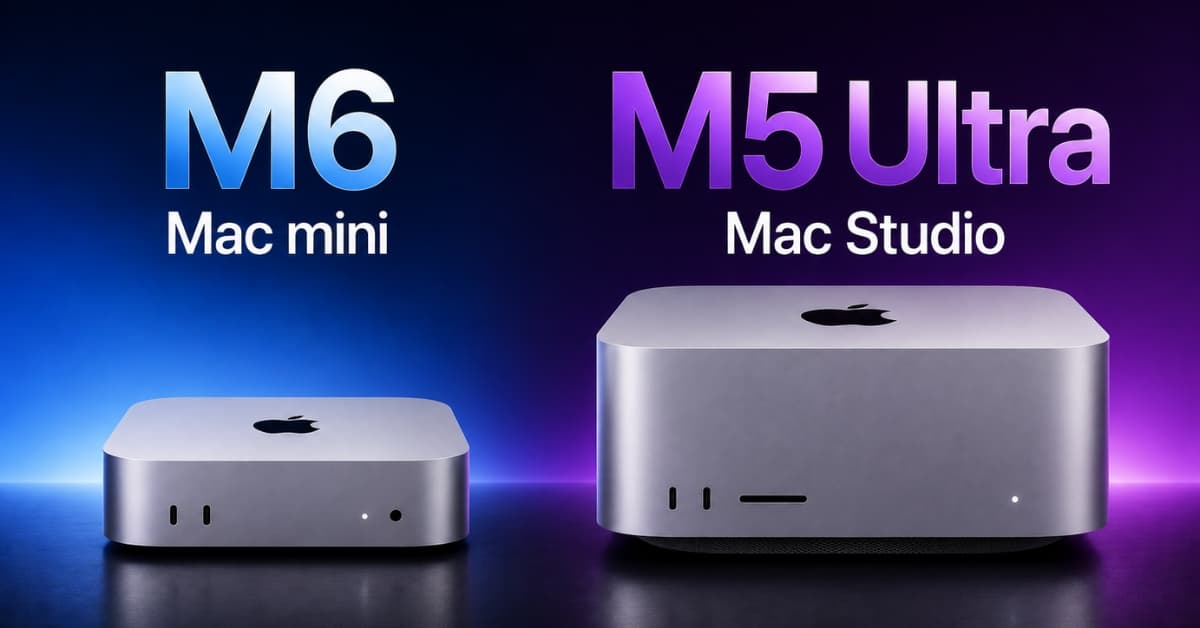
Apple has refreshed its Mac desktop lineup with the launch of the new M6 Mac mini and M5 Ultra Mac Studio. Both bring a significant boost in performance, but they target different types of users.
The M6 Mac mini delivers powerful performance in a compact, affordable package, while the M5 Ultra Mac Studio is built for demanding workloads, including video editing, 3D rendering, and AI workloads. So, which one should you buy?
In this M6 Mac mini vs M5 Ultra Mac Studio comparison, we’ll look at their design, performance, specs, connectivity, and pricing to help you decide which Mac is right for you.
M6 Mac mini vs M5 Ultra Mac Studio: Quick comparison
| Feature | M6 Mac mini | M5 Ultra Mac Studio |
|---|---|---|
| Starting price | $899 | $5499 |
| CPU | 12-core | Up to 36-core |
| GPU | 12-core | Up to 80-core |
| Unified memory | Up to 32GB | Up to 512GB |
| Memory bandwidth | Up to 170GB/s | Up to 1.2TB/s |
| Neural Engine | Dual 16-core | 32-core |
| Ethernet | 2.5Gb, configurable to 10Gb | 10Gb |
| Wi-Fi | Wi-Fi 7 | Wi-Fi 7 |
| Bluetooth | Bluetooth 6 | Bluetooth 6 |
| Front connectivity | 2x USB-C, headphone jack | 2x Thunderbolt 5, SDXC |
| Rear connectivity | 3x Thunderbolt 4, HDMI, Ethernet | 4x Thunderbolt 5, 2x USB-A, HDMI, 10Gb Ethernet |
| Best for | Everyday computing, development, light-to-moderate creative work, AI hobbyists | Professional video, VFX, 3D, local AI, scientific and data-heavy workloads |
But specifications alone don’t tell you which one belongs on your desk.
M6 Mac mini vs M5 Ultra Mac Studio: What’s the actual difference?
Design, weight, and size
The M6 Mac mini wins this round before the M5 Ultra Mac Studio even gets out of its box.
The Mac mini’s current chassis measures just 12.7 × 12.7 cm (5 × 5 inches). The previous M4 model weighed 0.67kg, and Apple has retained the same ultracompact design for the M6 model. It is the sort of computer you can put beside a monitor and forget about. I can easily move it between desks and build it into a surprisingly clean home-office setup.
The Mac Studio is compact by workstation standards, but it is much larger and heavier. Its chassis measures 19.7 × 19.7 × 9.5 cm, while the M5 Ultra version weighs about 3.6kg. That’s still remarkably small for a machine capable of running hundreds-of-billions-of-parameter AI models locally.
If your priority is minimum desk space, portability, and simplicity, the M6 Mac mini is the obvious winner. However, for sustained workstation performance, the Mac Studio’s larger thermal system is part of the reason it can deliver so much more.
Performance: M6 vs M5 Ultra
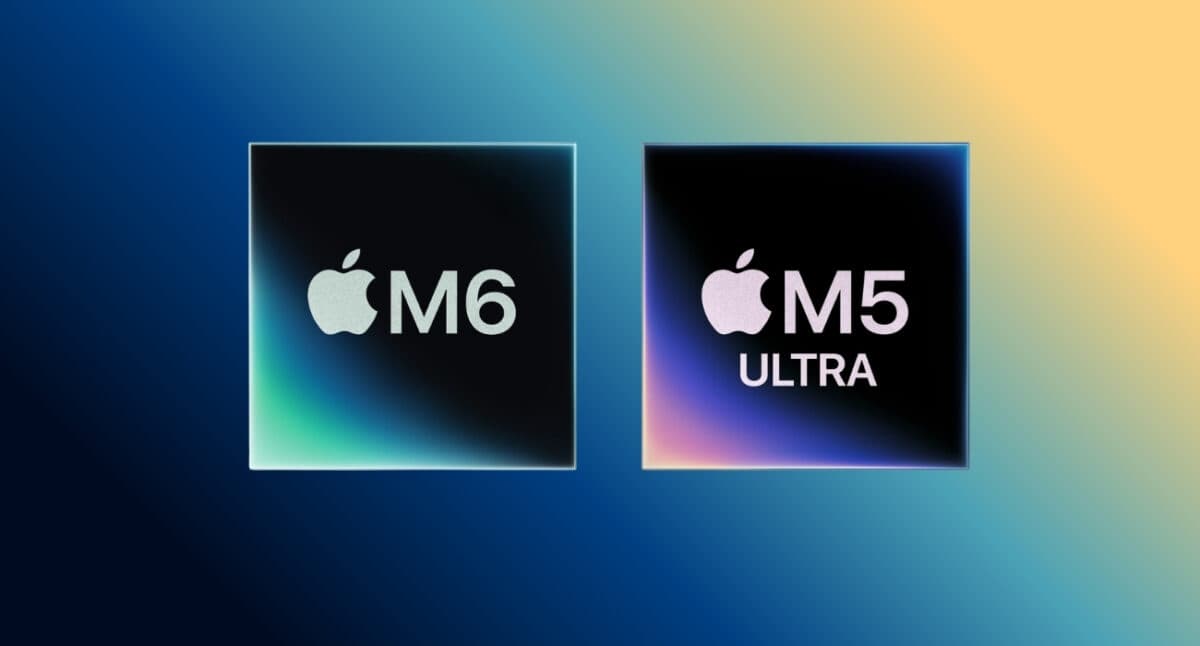
This is where the M6 Mac mini vs M5 Ultra Mac Studio performance comparison gets brutal.
The M6 is impressive precisely because it is not a workstation chip. Apple says its 12-core CPU delivers the world’s fastest single-threaded performance and up to 1.2x the multithreaded performance of M5. Its 12-core GPU includes Neural Accelerators, while its Dual 16-core Neural Engine is designed to accelerate on-device AI.
For everyday work, that is more than enough. You can open dozens of browser tabs, run Microsoft Office, edit photos, compile code, run local AI tools, and edit a 4K project. The M6 Mac mini should feel extremely quick.
Then you look at the M5 Ultra. It uses Apple’s first quad-die architecture and scales to 36 CPU cores and 80 GPU cores. It starts with 96GB of unified memory, 1 TB of storage, and 1.2 TB/s of memory bandwidth.
This isn’t simply a faster version of the M6. It is a different class of computer. For complex 3D rendering, visual effects, scientific workloads and demanding local AI, M5 Ultra is the highest-performance desktop chip. Apple says M5 Ultra can provide up to 1.3x the multithreaded performance of M3 Ultra.
My take: don’t buy the M5 Ultra because you want a “fast Mac.” Buy it because you have a workload that can actually consume its horsepower.
Memory and storage
This may be the biggest reason to buy the Mac Studio. The M6 Mac mini supports up to 32GB of unified memory and up to 170GB/s of memory bandwidth. That’s excellent for a compact desktop, but 32GB creates a hard ceiling for users with unusually demanding workloads.
The M5 Ultra Mac Studio goes in the opposite direction. It supports up to 512GB of unified memory and 16 TB of storage. This allows users to work with enormous datasets and run huge LLMs with hundreds of billions of parameters entirely on-device.
That difference matters enormously for M6 Mac mini vs M5 Ultra Mac Studio for AI. For normal AI assistants, image generation, coding tools, and smaller local models, M6 is already surprisingly capable.
But if your goal is to run enormous models locally without relying on cloud GPUs, the M5 Ultra’s memory capacity changes what is possible. This is one of those specifications you may not appreciate today, but could become the reason you buy the Mac Studio five years from now.
Ports and connectivity
The Mac mini is small, but Apple hasn’t made it feel starved for connections. M6 gets Wi-Fi 7, Bluetooth 6 and 2.5Gb Ethernet, with 10Gb Ethernet available as a configuration option. It has two USB-C ports on the front and three Thunderbolt 4 ports on the back, plus HDMI and Ethernet. For an everyday desktop, that’s plenty.
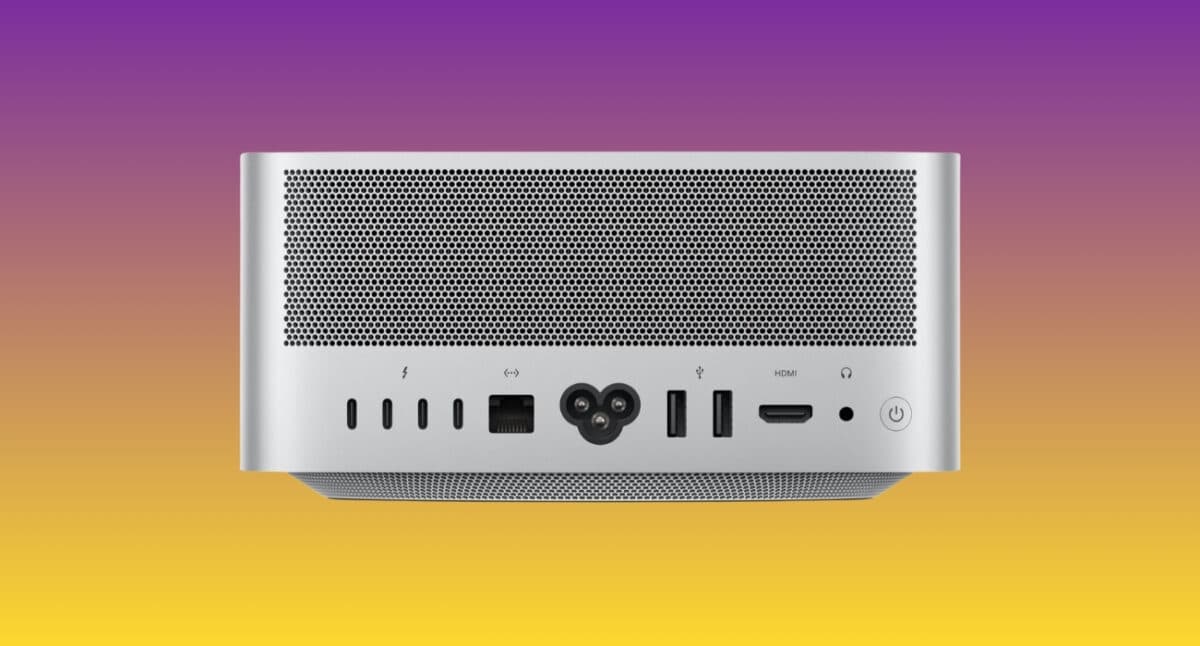
The Mac Studio is much more serious about connectivity. M5 Ultra gets four Thunderbolt 5 ports, two front Thunderbolt 5 ports, an SDXC card slot, two USB-A ports, HDMI, a 10Gb Ethernet connection, and a headphone jack. Thunderbolt 5 supports transfer rates up to 120Gbps and can connect high-speed storage, displays and PCIe expansion hardware.
For professional photographers and filmmakers, the front SDXC slot itself makes the Studio a better choice than most options. Moreover, the greater I/O translates into fewer adapters, converters, and compromises in professional workstations.
Bonus:
Both Mac mini and Mac Studio support Genlock over USB-C. So, you can synchronize a display with camera signals during a multi-camera shot.
Noise and power consumption
This is an underrated reason to choose the Mac mini.
The M6 is built around Apple’s 2nm process and is explicitly designed for high performance per watt. It’s best for everything from everyday productivity to always-on AI workloads. The Mac mini’s compact thermal design has also been engineered to keep the machine cool and quiet. Apple claims it’s just 5dBA at idle and a 155W maximum continuous power rating.
The M5 Ultra Mac Studio obviously has a much higher performance ceiling, and its thermal system is built for sustained professional workloads. Mac Studio specifications list a 480W maximum continuous power rating, illustrating the much larger power envelope of the Studio class.
In other words, the Mac mini is the better choice for a machine that quietly sits on your desk all day. The Mac Studio is ideal when you want the computer to spend hours rendering, encoding, simulating, or running AI workloads at full tilt.
Price-to-performance: Which is the better value?
Pricing makes the M6 Mac mini vs M5 Ultra Mac Studio comparison almost ridiculous.
The M6 Mac mini starts at $899. The M5 Ultra Mac Studio starts at $5499. That’s more than six times the starting price of the Mac mini. And no, the M5 Ultra is not six times faster at everything. That’s the important part.
If you spend your day in Chrome, Slack, Word, Excel, Photoshop, Lightroom, coding environments, and occasional video editors, the Mac mini already gives you far more performance than you probably need.
The Studio’s premium becomes rational when its additional CPU cores, GPU resources, memory bandwidth, and enormous memory pool save you meaningful time.
Think about a professional editor who spends hours every week waiting for renders, a 3D artist who needs more memory to load his scenes, or an AI researcher who prefers to use huge models on his machine rather than spend money on GPU hours in the cloud. For those people, the Mac Studio isn’t expensive in the same way a luxury computer is expensive.
It is expensive in the way that productive equipment is expensive. For everyone else, I’d put the money into a better display, faster external storage, backup hardware, and a comfortable desk setup before jumping to M5 Ultra.
Who should buy the M6 Mac mini?
Buy the M6 Mac mini if you want the best Mac desktop to buy in 2026 for most people.
It makes the most sense for:
- Students and home users
- Office and productivity users
- Developers who don’t need massive build environments
- Photographers
- Casual and semi-professional video editors
- Content creators
- AI enthusiasts experimenting with local models
- Small businesses
- Anyone building a compact workstation
- Buyers who already own a good monitor, keyboard, and mouse
The M6 is particularly compelling because it brings serious AI capability into Apple’s smallest desktop. Its 12-core CPU, 12-core GPU, Neural Accelerators and Dual 16-core Neural Engine give it considerably more headroom for modern AI workloads than the typical “basic Mac” label might suggest.
Without any second thoughts, I would go for the Mac mini for daily use. However, when talking about creators, the answer may not be that straightforward. If you primarily edit photos, 4K video, and social content, you should start with the Mac mini and move upward only when you can identify a specific limitation.
Who should buy the M5 Ultra Mac Studio?
The M5 Ultra Mac Studio is for a very specific kind of buyer.
You should consider it if you’re a:
- Professional filmmaker
- VFX artist
- 3D designer or animator
- High-end video editor
- AI researcher
- Machine-learning developer
- Data scientist
- Scientific researcher
- Developer working with extremely large projects or datasets
- Professional who regularly runs sustained CPU/GPU workloads
For video editing, the Studio is the clear choice once your workflow involves serious 8K production, complex effects, high-resolution timelines or multiple demanding streams. Apple says M5 Ultra’s Media Engine can handle up to 33 simultaneous streams of 8K ProRes 422 at 30fps.
Final verdict
So, which Mac should you choose: Mac mini or Mac Studio?
Here’s the simple answer.
- Buy the M6 Mac mini if you’re asking whether you need the Mac Studio.
- Buy the M5 Ultra Mac Studio if you already know exactly why you need it.
The M6 Mac mini is the smarter choice for almost everyone. At $899, it delivers a remarkable combination of CPU performance, graphics, AI acceleration, compact design and power efficiency.
The M5 Ultra Mac Studio is the specialist weapon. Its up-to-36-core CPU, 80-core GPU, 512GB memory capacity, and 1.2TB/s bandwidth are built for workloads that would make an ordinary desktop sweat.
So don’t let the M5 Ultra’s enormous specifications seduce you into spending $5499 when you don’t need them.
You may like to read: M6 Mac mini vs M4 Mac mini: What’s actually different?