
Logitech K480 Multi-Device Wireless Keyboard for iPhone
iGeeksBlog is supported by its readers. When you buy through links on our site, we may earn an affiliate commission. This doesn't affect our editorial independence.
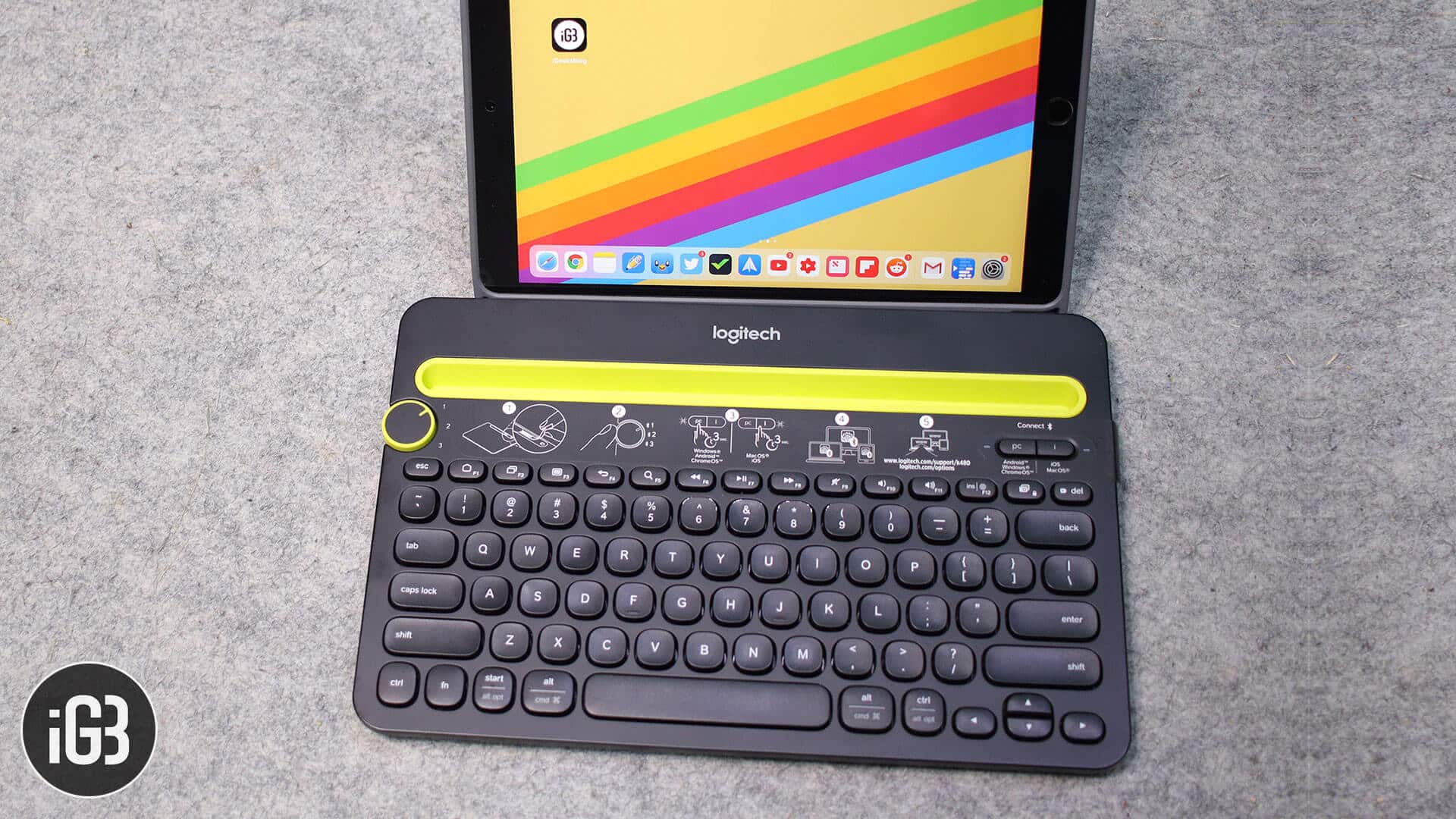
Most of the Wireless keyboards out there in the market have a plethora of features for Mac and iOS devices. A simple problem with all those is that you need to disconnect the keyboard from one device to use it on another. Of course, it won’t take forever to do, but what if there’s a keyboard that can connect three of your devices and let you switch between them in a blink of an eye?
Logitech K480 multi-device Bluetooth keyboard solves this issue. We tested this keyboard in a really rogue way for a couple of weeks, and we were pleased with everything the keyboard has to offer. If you are thinking of getting a new keyboard for your Mac, iPad, or iPhone, you should definitely read this review.
Table of Content
Design
Starting with the compactness of the keyboard, it boasts an ideal thickness a keyboard should have. The overall size of the keyboard is neither too broad nor too small. Carrying it around in your backpack is easily possible. Moving ahead, the rubber at the four corners at the bottom of the keyboard grips firmly on the table; not letting it move.
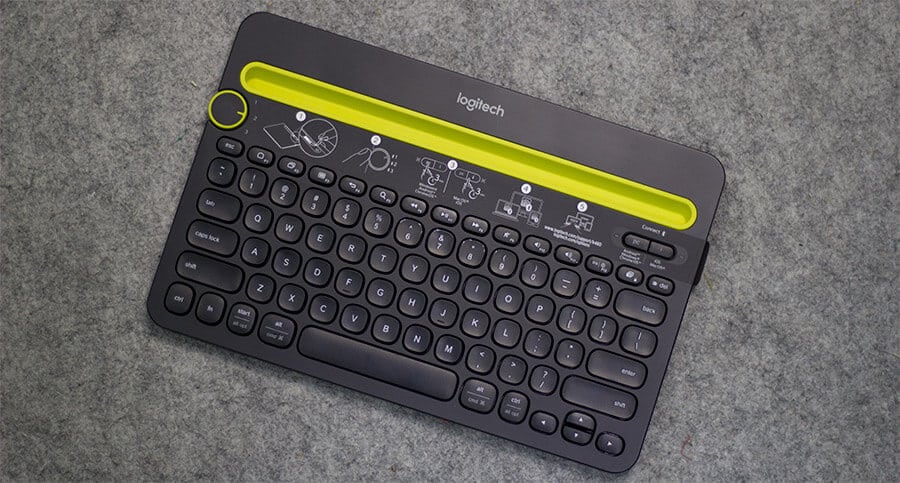
When it comes to usability, there is a cradle on the top of the keyboard, to place your iPhone or iPad while using it. We connected a Mac, an iPad Pro, and an iPhone X simultaneously. The iPad Pro and the iPhone were placed on the cradle at the same time; you can imagine the space it has. Also, the depth of the cradle is enough to hold your device firmly without letting it fall. Besides that, it has silicone like soft material that doesn’t scratch your iPhone or iPad while you rest it in the cradle.
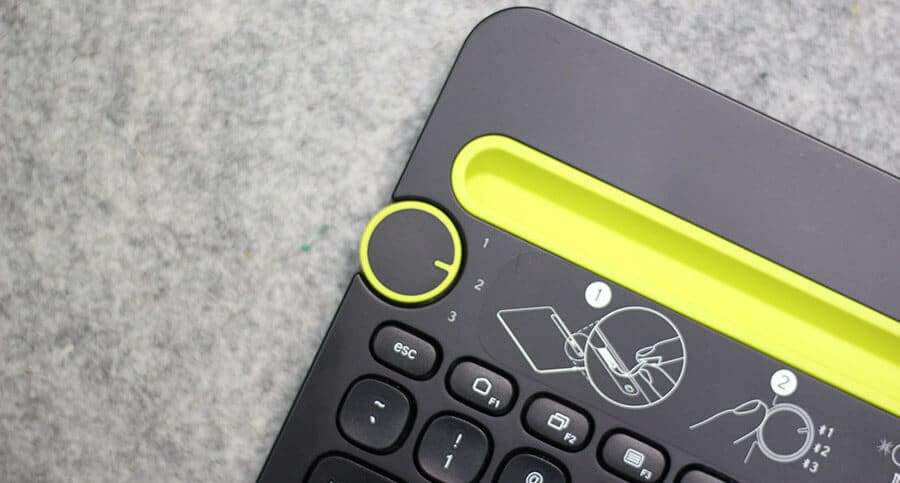
Then there is a dial on the left of the keyboard, which lets you quickly toggle between devices. It is as easy as one, two, and three; literally. The first device connected is numbered one, and so on. So just rotate the dial and switch between devices.
Features
If looks have already impressed you, I am confident the features will too. First of all, the keyboard supports iOS, macOS, Android, and also Windows. So if you have multiple devices running a different OS, it shouldn’t be a problem. The keys have markings for various devices, and they function as and when you switch between devices.
Just, for instance, you don’t need to touch the iPad Pro or iPhone to take the screenshot. There is a dedicated key for that on the keyboard; just press it, and you get the screenshot. But the same key won’t work on Mac; that’s because, on Mac OS X, there are different ways to take a screenshot.
Likewise, you can also control volume same as you do on a regular keyboard. One particular thing I liked about the keyboard is the ability to use the “delete” function of Windows on MacBook.
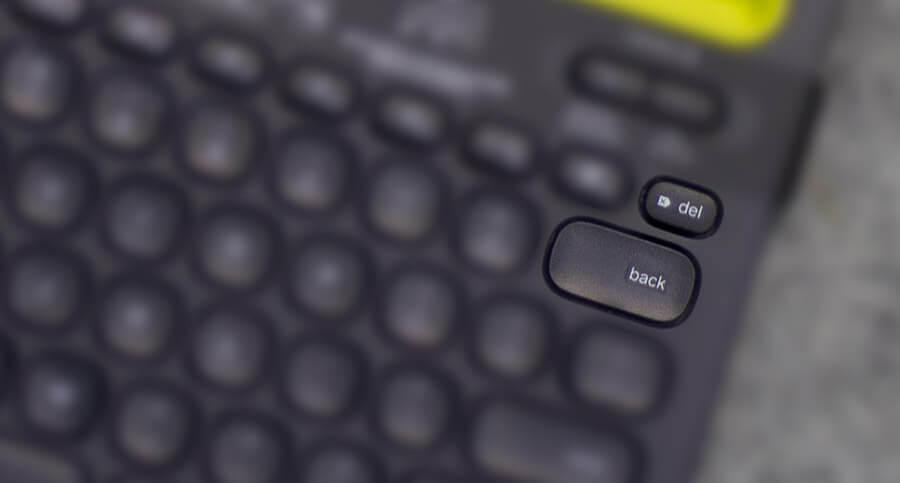
If you use MacBook, you’ll know that we get a “delete” key with functions of backspace. We need to move cursor forward of the text to delete it; with this keyboard, we get both, “Delete” as well as “Backspace.”
Connectivity
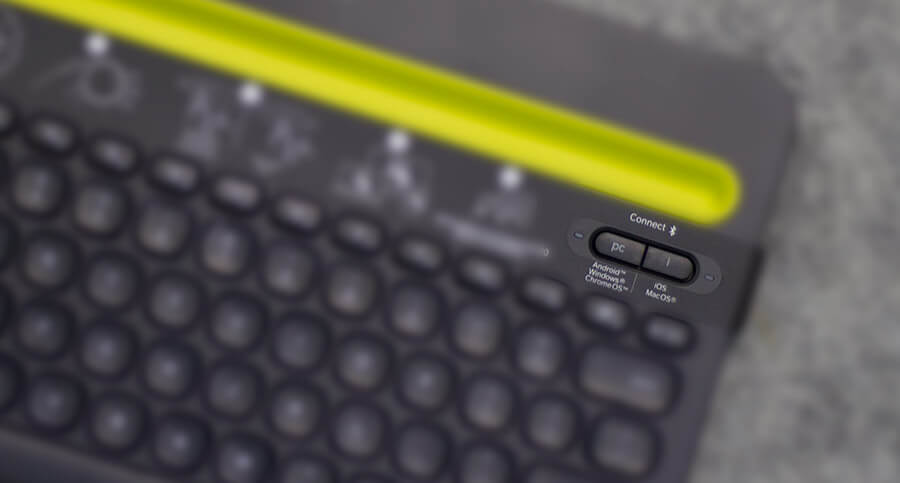
Connecting this keyboard to your device is extremely easy. Just turn on the keyboard using the switch given at the back, and then press and hold “PC” key for three seconds, if you are connecting it to a desktop/laptop with Android or Windows. If you are connecting the keyboard to iOS or a Mac, press and hold the “i” key on the keyboard. Make sure the device you are connecting is discoverable.
The number of the device depends on the dial you have set while connecting it. For instance, if the dial is at number one and you connect your Mac to the keyboard, your Mac is numbered as one. The process remains the same for the other two devices. After you are finished connecting three devices, you need to rotate the dial to the number of the device you wish to connect.
Apart from this, the keyboard has a connectivity range of 10 meters (33ft), which I guess is more than enough, as most of us use a keyboard while working on a desk. After using all three devices simultaneously, I can assure you that it was swift and smooth to switch between all three devices.
Battery
The keyboard uses two AAA batteries. The official site says batteries last for two years, that’s little hard to discount, but assuming even the 50%, we can consider at least one-year battery life. Unlike most of the battery operated devices where the battery cap needs to be opened with some sharp object, this keyboard has made that easy as well. It has a push-button like of cap that helps to change batteries easily.
Conclusion
When we find any gadget that has answers to almost all problems, the first thought that strikes the mind is about the money. The Logitech K480 costs nearly $50; top of that, a brand like Logitech is definitely worth giving a shot.
There are a few drawbacks that I feel and one of them is the weight of the keyboard. It is slightly more than most of the keyboards out there. Also, the keys are spacious, but the “Click” sound is a little loud and can cause annoyance if you share your desk in the office. Last and the most important is that there are no height adjustment hinges at the back.
Apart from these three, I don’t see any reason to miss this keyboard, if you are looking to buy one in that price range.
Check out on Amazon | Explore the Entire Range
You may also like to explore:
Do share your feedback for Logitech K480 Keyboard with us and fellow readers by commenting below.

Written by
Dhvanesh AdhiyaThe founder of iGeeksBlog, Dhvanesh, is an Apple aficionado, who cannot stand even a slight innuendo about Apple products. He dons the cap of editor-in-chief to make sure that articles match the quality standard before they are published.
View all posts →More from Accessories
8 Must-Have Accessories for Your New iPhone 17e
Here are the best accessories to protect, charge, and get more out of your new iPhone 17e.
 Ravi Teja KNTSMarch 5, 2026
Best iPhone 17e Cases You Can Buy Right Now
Discover the best iPhone 17e cases that combine protection, style, and smart features, so your phone stays safe and looks great every day.
 Ava BiswasMarch 3, 2026
Best iPhone 17e Screen Protectors You Can Buy Now
The iPhone 17e carries Apple’s signature premium DNA, even though it sits at the more accessible end of the lineup. However, its competitive price does not translate into a compromised display experience. The high-quality 6.1-inch panel delivers sharp resolution, accurate colors, and excellent brightness levels suitable for both indoor and outdoor use. To keep that […]
 VikhyatMarch 3, 2026