
How to Share Apple TV+ Subscription with Family and Friends
How do I share my Apple TV+ subscription with family and friends? This article will answer that question with step-by-step instructions for enabling Family Sharing for Apple TV+.

Apple TV+ launched in 2019 and has become increasingly popular among streaming platforms over the last five years. Like any other Apple service, you can share your Apple TV+ with up to six family members and friends. In this article, I will walk you through how to share your Apple TV+ subscription with your family and friends.
Apple treats Apple TV+ just like any other Apple TV Channel for the TV app on iPhone, iPad, iPod touch, Apple TV, and Mac. Therefore, if you have enabled Family Sharing, then Apple TV Plus is automatically shared with all your added family members and friends. You do not have do take any extra step.
However, if you (assuming that you are the organizer/family head) would like to make sure that Family Sharing for Apple TV Plus is enabled for your family or not, let me guide you.
How to Share Apple TV+ Subscription with Family and Friends
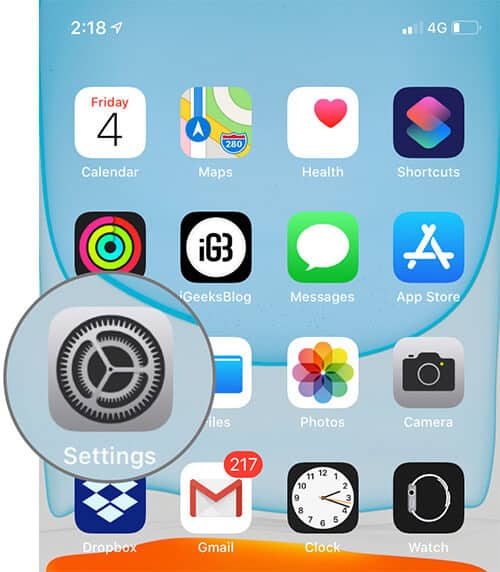
Step #1. Open the Settings app on your iPhone.
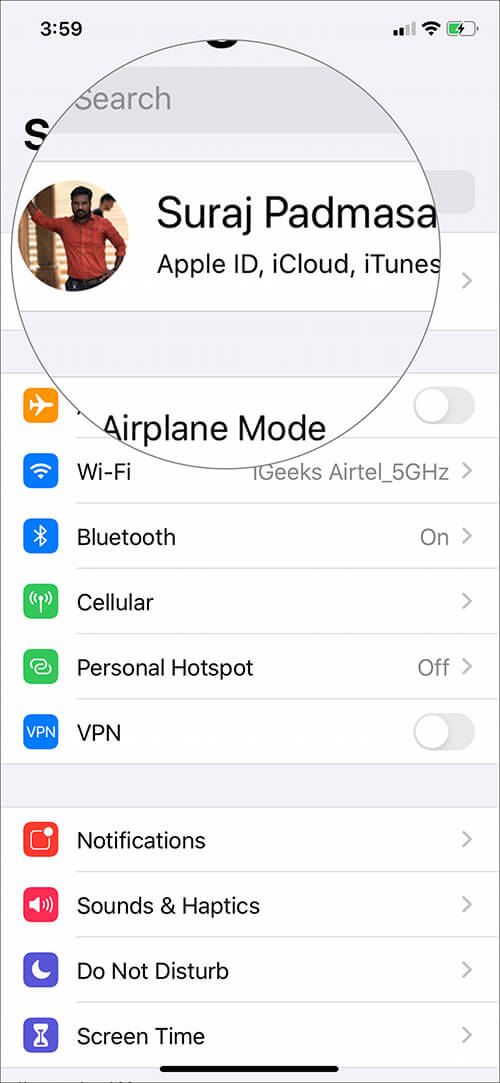
Step #2. Tap on your Apple ID profile at the top.
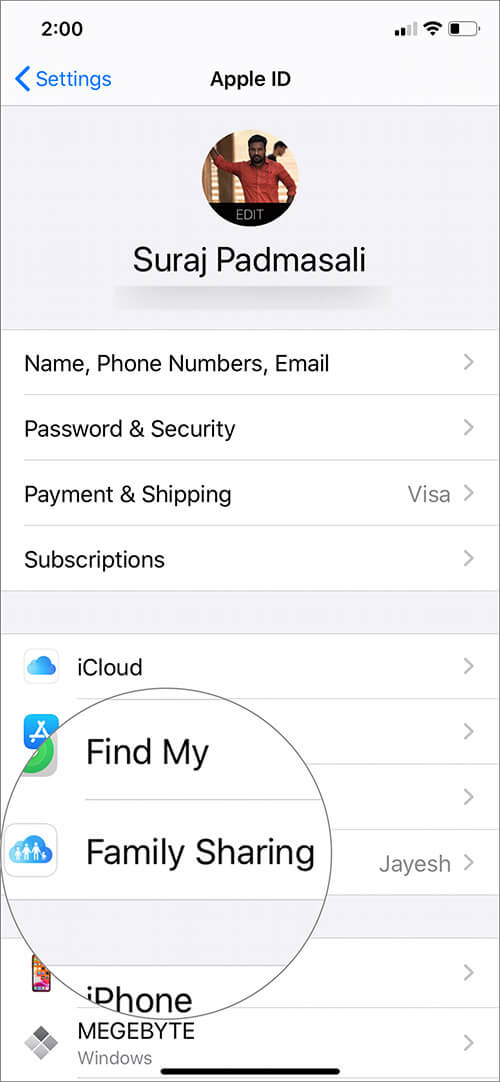
Step #3. Tap on Family Sharing.
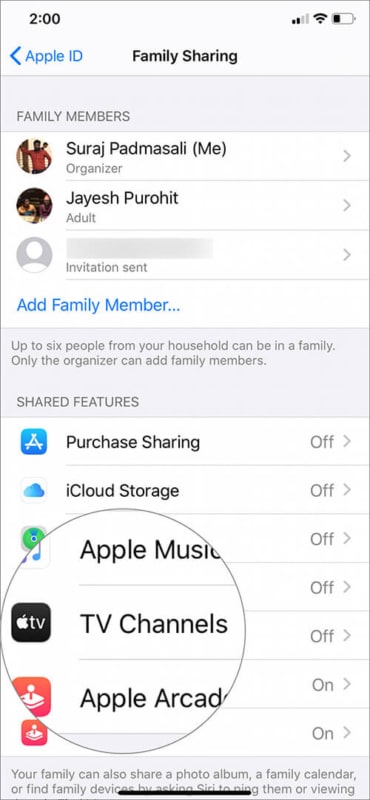
Step #4. Now under SHARED FEATURES, tap on TV Channels.
Step #5. Here you will see Apple TV+ at the top of the list.

This is how you can be sure that Apple TV Plus is shared with your family members and friends. If you do not see Apple TV+ under YOUR CHANNELS, make sure that Family Sharing is appropriately set up on your device.
To Add a New Member:
Step #1. Open the Settings app and then tap on your Apple ID profile.
Step #2. Tap on Family Sharing.
Step #3. Tap on Add Family Member.
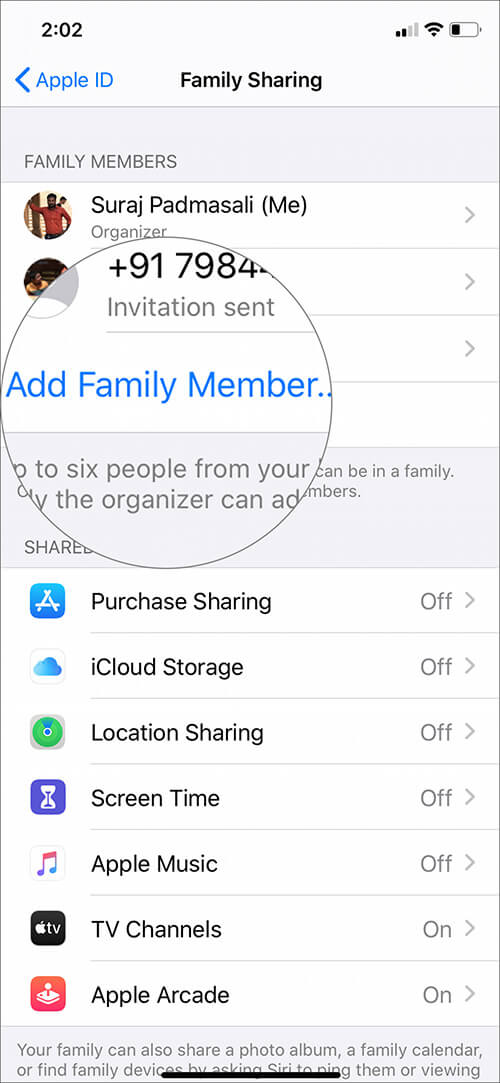
Step #4. Choose the way you would like to invite your family member or friend. You may also create a Child Account.
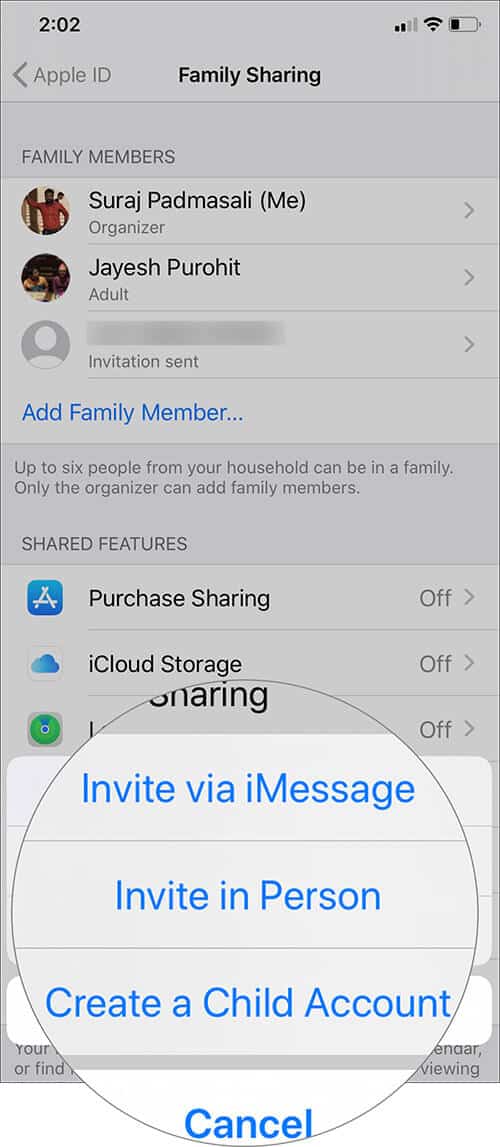
Step #5. Once you send the invitation and the person accepts, he will be added as a family member.
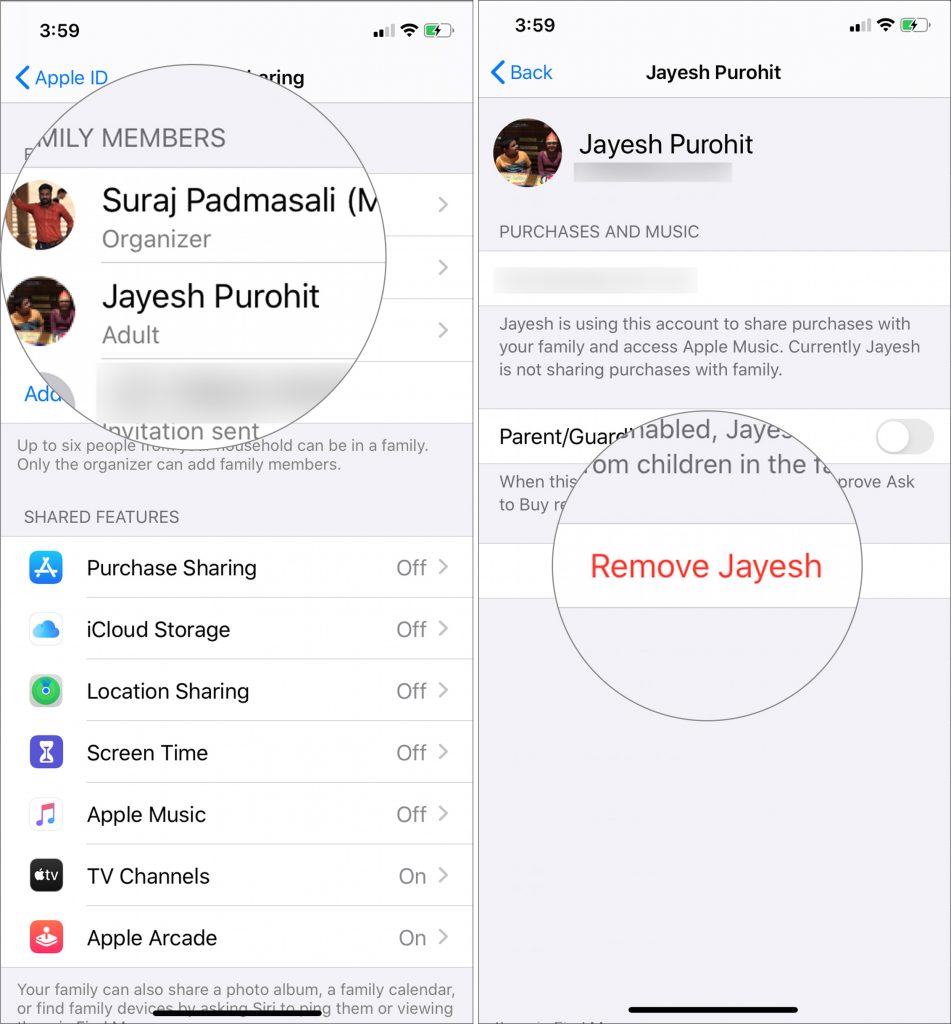
How to Remove a Family or Friend from Family Sharing
Just open Settings app ⟶ Your Apple ID ⟶ Family Sharing. Now tap on the member you wish to remove. Now tap on Remove (member name).
Wrapping up…
Besides you, five more family members (so total 6) can enjoy this service. It builds a viewing profile for each family member. This ensures that what you see is not reflected as recommendations to other persons or your kids. So, you and your wife may watch an adult or violent themed content like For All Mankind, The Morning Show, or See, and your kids can view shows suitable for them like Helpsters, Snoopy In Space or Ghostwriter.
So this is how you can share your single Apple TV+ with your family and friends. It ensures that you and your family get the full entertainment Apple offers at no additional cost.
Read More:

Written by
Jignesh PadhiyarJignesh Padhiyar is the co-founder of iGeeksBlog.com, who has a keen eye for news, rumors, and all the unusual stuff around Apple products. During his tight schedule, Jignesh finds some moments of respite to share side-splitting content on social media.
View all posts →More from Apple TV

New Shows and Movies Coming to Apple TV in March 2026
Apple TV is packed this March! Explore all the new movies and shows releasing in March 2026 and what’s coming next on the streaming platform.
 Ava BiswasFebruary 25, 2026
How to Sign Out of Netflix: A Step By Step Guide
Secure your Netflix account by signing out of all devices you don’t use.
 Anoop VargheseFebruary 12, 2026
Best 4K TVs for Apple TV 4K in 2026
Upgrade your home cinema with the best 4K TVs. Explore top-rated models featuring stunning OLED displays, high refresh rates, and smart features for gaming and movies.
 Dhvanesh AdhiyaDecember 26, 2025