
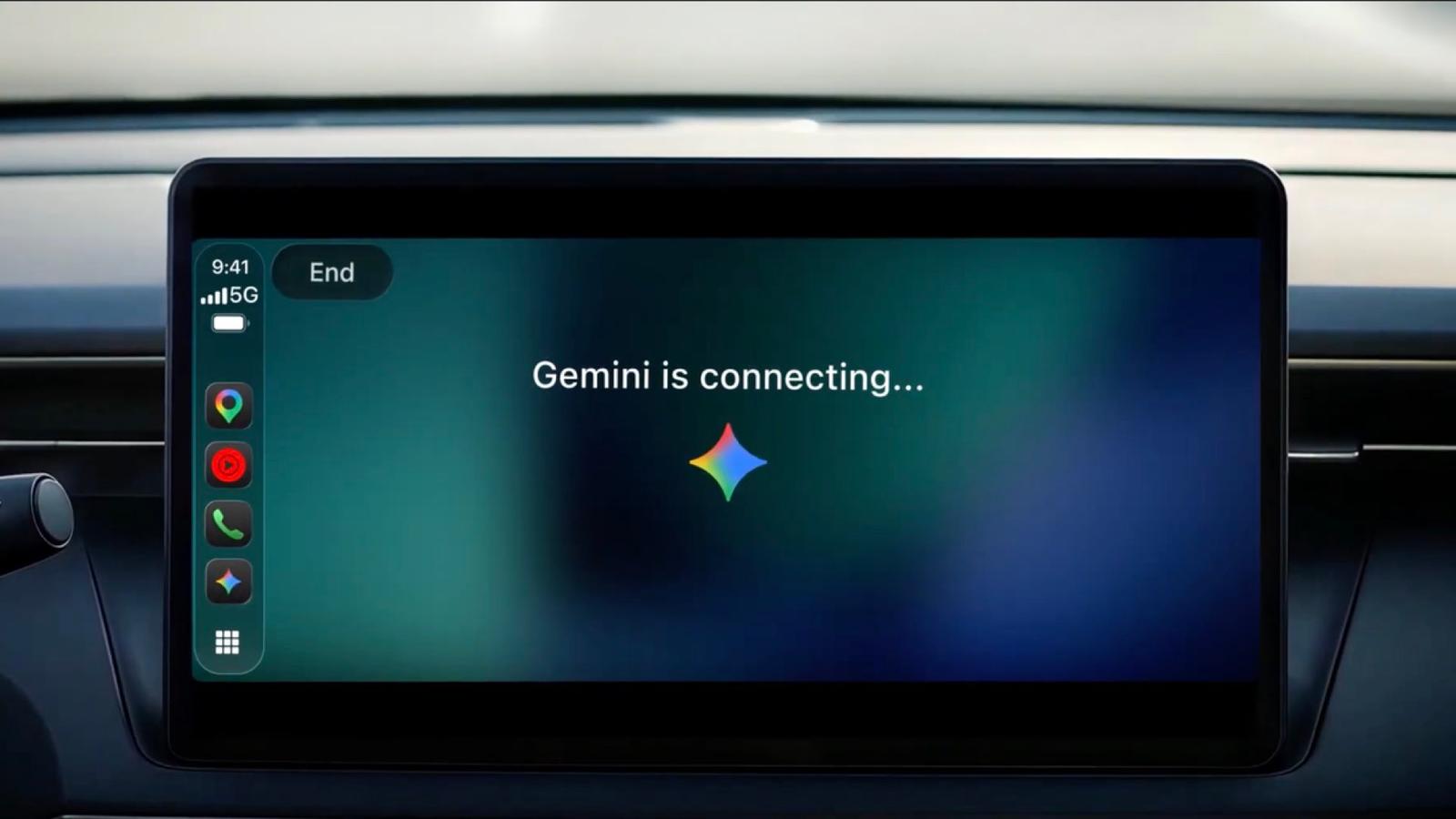
Google says Gemini is rolling out worldwide on Apple CarPlay starting November 11. The feature brings Gemini Live, the voice chat mode in the Gemini app, to your car’s screen, so you can talk back and forth with Gemini while you drive.
Gemini was the last big chatbot missing from CarPlay
ChatGPT, Claude, Copilot, Grok, Meta AI, and Perplexity already work on CarPlay. Apple opened CarPlay to voice chatbot apps in iOS 26.4 earlier this year, and Gemini was the last major name without a CarPlay app. This update closes that gap.
Gemini was not entirely absent. It already reached CarPlay through Gemini in Google Maps, which began rolling out to US drivers on October 21. That feature works inside Maps during navigation. The Gemini app’s chat mode is the part arriving now.
Setup takes four steps, then one tap in the car
Google lists these steps before the first conversation in the car:
- Update the Gemini app on your iPhone.
- Turn on microphone permission.
- Use Gemini Live on your phone at least once.
- Connect your phone to the car and tap the Gemini icon on the CarPlay screen or side rail.
After that, you can resume a recent chat or start a new one. You can interrupt Gemini to add a detail, change the subject, or pause when you need to focus on an exit. Your CarPlay conversations sync to the Gemini app on your iPhone, so you can read them after you park.
Google calls the feature hands-free, but the first step is still a tap on the screen. ChatGPT on CarPlay works the same way: you tap to start a chat, and there is no wake word. The post does not mention a wake word for Gemini either, so the tap is the only start step it describes.
Calendar, email, and places are the main uses
Google’s examples cover four areas:
- Calendar: ask what your day looks like or when you need to leave for your next appointment.
- Gmail: get your daily brief, catch up on unread mail, summarize long threads, and talk through a quick reply.
- Places: ask for lunch spots or landmarks near your destination.
- Practice: rehearse a presentation or get a simple explanation of a topic.
Daily Brief has to be turned on before you can use it. Personalization features, including Daily Brief, are not available to users under 18 or in the European Economic Area and Nigeria.
Google leaves out devices, price, and account details
The post does not name:
- iPhone models or minimum iOS version. It only says to use the latest Gemini app.
- Car brands or CarPlay versions.
- Price or plan. The post does not mention a subscription; it says the rollout covers all Gemini users on iOS.
- Languages. The rollout covers every supported Gemini Live language, but the post does not list them.
- Account type. Gemini connects to Gmail and Google Calendar, but it is not stated whether personal and Workspace accounts both work.
The post also does not give a date for when every iPhone gets the update. When the first reports went up on November 11, the app update was not yet live, so the CarPlay icon may not appear right away. If it is missing, check the first three steps: update the Gemini app, turn on microphone permission, and use Gemini Live on your phone once.