
Best Weather Apps for iPhone and Android You Can Use Right Now
iGeeksBlog is supported by its readers. When you buy through links on our site, we may earn an affiliate commission. This doesn't affect our editorial independence.
Never get caught in bad weather again. These weather apps for iPhone and iPad give you forecasts, alerts, radar maps, and daily updates.
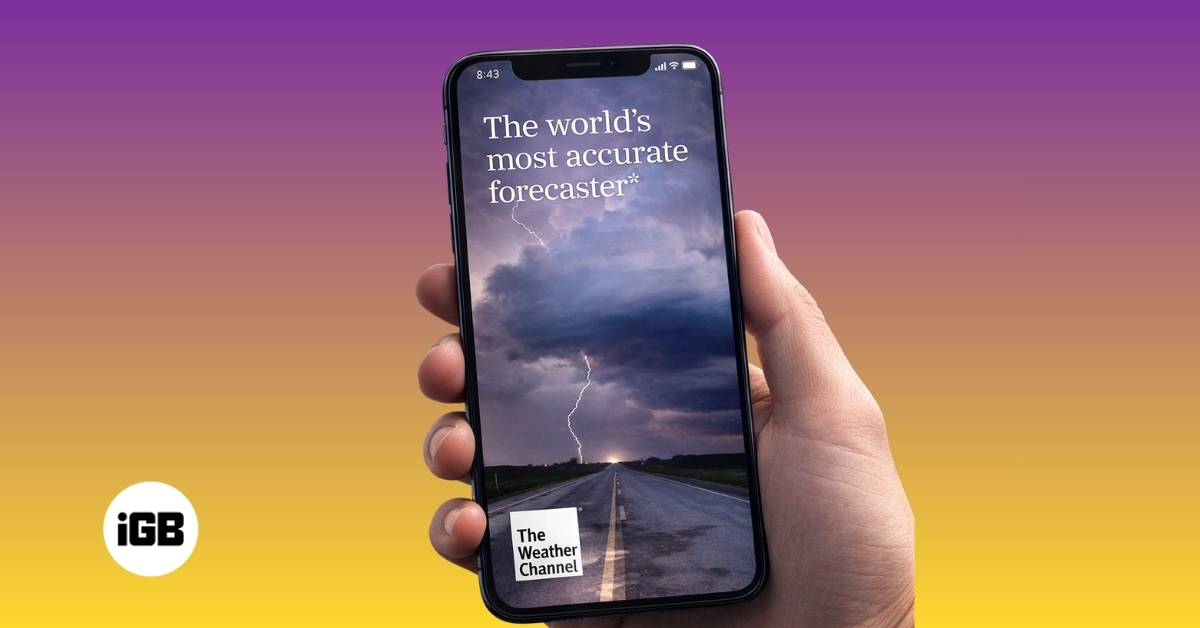
Weather apps are no longer just about checking the temperature before stepping out. They’ve become a part of how we plan our daily lives. Before heading out, planning a trip, or even deciding on weekend plans, most of us check the weather first. We look at forecasts to understand what conditions will be like at our destination, and then plan accordingly.
This growing reliance makes choosing the right weather app more important than ever. But with hundreds of options available, finding one that truly fits your needs is not as simple as it sounds.
To save you the effort, I’ve done the heavy lifting and narrowed it down to the five best weather apps for iPhone and Android you can rely on right now.
Why a Good Weather App Matters
Not all weather apps deliver the same level of accuracy or detail, and that difference can directly impact how useful they are in real situations.
A good weather app focuses on precision and timing. Features like minute-by-minute rain forecasts, real-time radar, and location-specific alerts can help you avoid getting caught in sudden weather changes. This becomes important during travel, outdoor activities, or daily commutes.
Another key factor is how information is presented. The best apps make complex data easy to understand, so you can quickly decide what to do without digging through unnecessary details.
In contrast, a poorly optimized app may show delayed updates, generic forecasts, or cluttered data, which reduces its reliability.
In short, the right weather app is informative, actionable, and gives you clarity at the exact moment you need it.
5 Best Weather Apps for iOS and Android Users
These are the weather apps I found most reliable for accurate forecasts and real-time updates.
1. The Weather Channel
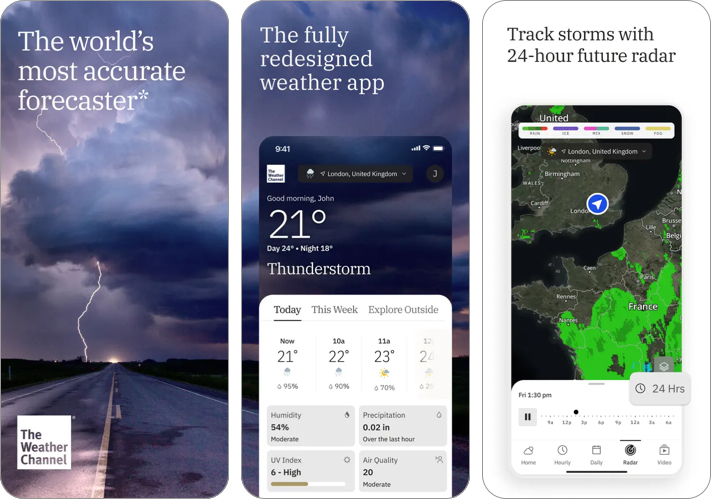
The Weather Channel goes beyond basic forecasting and positions itself as a complete weather platform. It combines accurate forecasts with live radar, storm tracking, and regular updates on ongoing weather conditions.
Its interface is designed to be easy to understand, even with a lot of information on screen. Along with hourly and 10-day forecasts, it also includes videos and insights that help you understand what’s happening rather than just showing numbers.
- Comprehensive forecasts and radar
- Strong severe weather alerts
- Easy to understand
- Heavy ads
- Feels content-heavy
- Data usage concerns
2. AccuWeather
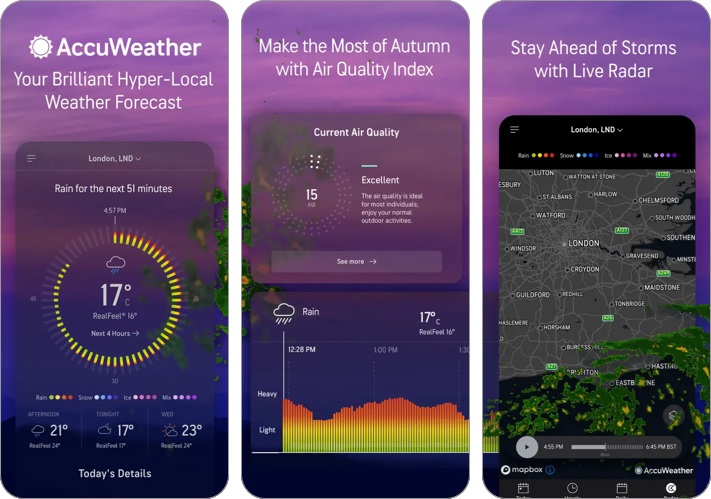
AccuWeather is one of the most widely used weather apps, known for its reliable forecasts and precise short-term predictions. Its MinuteCast feature stands out by showing minute-by-minute rain updates, which are genuinely useful when you are about to step out.
The app presents detailed information like temperature, humidity, wind speed, and air quality in a structured format. Radar maps and severe weather alerts add another layer of usefulness, making it a strong choice for everyday planning.
- Strong short-term accuracy with MinuteCast
- Detailed weather data and alerts
- Reliable for daily planning
- Ads in free version
- Key features behind subscription
- Interface feels slightly crowded
3. Windy.com
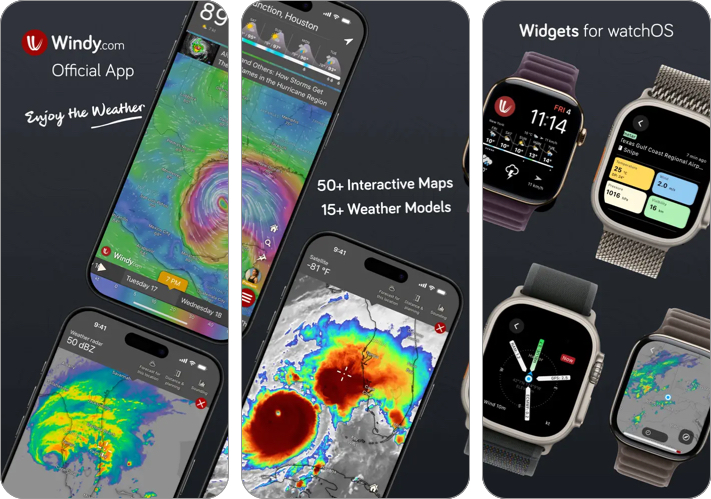
Windy is designed for users who want a detailed and visual understanding of weather conditions. Instead of focusing on simple forecasts, it presents interactive weather maps that show wind patterns, rainfall, pressure, and more.
The app also allows switching between different forecast models, giving a broader perspective on upcoming conditions. This makes it more suitable for advanced users than casual ones.
- Advanced maps and weather models
- Highly detailed data
- Great for professionals
- Steep learning curve
- Overkill for casual use
- Interface can feel complex
4. CARROT Weather
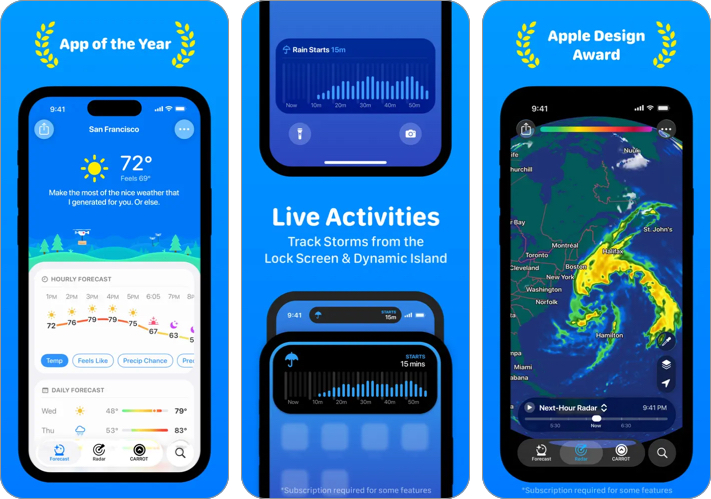
CARROT Weather takes a different approach by blending accurate forecasts with a highly customizable interface. It allows you to choose how weather data is presented and even switch between different data sources.
The app is known for its personality-driven experience, but beyond that, it delivers solid forecasting and excellent widget support. It feels more tailored compared to most other weather apps.
- Highly customizable
- Multiple data sources
- Excellent widgets
- Subscription required for full features
- Not ideal for basic users
- Setup takes time
5. MyRadar
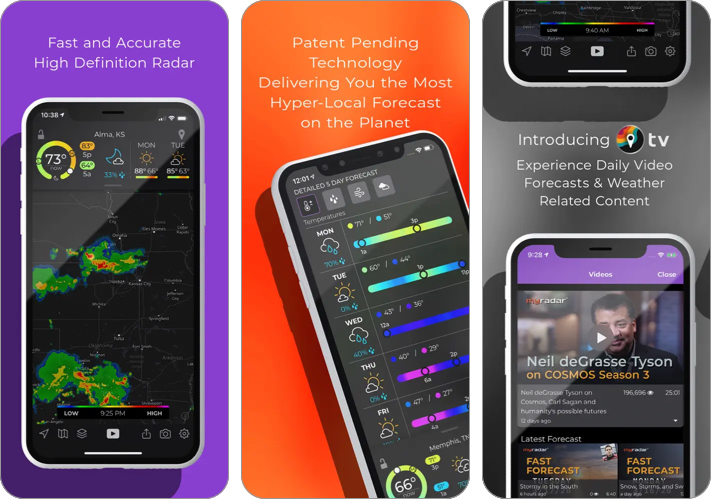
MyRadar is a fast, radar-focused weather app that emphasizes real-time weather tracking. Instead of relying only on forecasts, it shows animated radar maps so you can see exactly what’s approaching your location.
The app opens directly into a live radar view, making it easy to check conditions at a glance. It also includes rain alerts and layers for wind, temperature, and cloud cover, which adds more context without complicating the experience.
- Excellent real-time radar
- Fast and easy to use
- Reliable rain alerts
- Limited long-term forecast detail
- More focused on visuals than data
- Some features require a subscription
How to Choose the Right Weather App
Choosing the right weather app comes down to how you plan to use it. Not every app is built for the same purpose, so the best option depends on your priorities.
- Accuracy: Look for apps known for reliable and timely forecasts, not just good design.
- Check short-term vs long-term forecasts: Some apps are better for minute-by-minute updates, while others focus on daily or weekly predictions.
- Look for real-time updates: Frequent refresh rates and live data make a noticeable difference in daily use.
- Radar and maps: A good radar view helps you track rain, storms, and movement in real time.
- Level of detail: Choose based on your needs, basic info for casual use or detailed metrics like wind, AQI, and UV index for deeper insights.
- Ease of use: The app should present information clearly without requiring too much navigation.
- Alerts and notifications: Timely warnings for rain or severe weather can be genuinely useful.
- Customization and widgets: Useful for quick access and a more personalized experience.
- Ads and pricing: Free apps often include ads, while premium versions unlock better features.
Making the Right Choice
There is no single weather app that works for everyone. Each app excels in a specific area. Some focus on accuracy, others on visualization, and a few on customization. The best approach is to choose one that matches how you actually use weather data. For most people, a combination of a simple forecast app and a radar-based app works best.
Do you have a favorite weather app that didn’t make this list? Share it in the comments.
You might also like:

Written by
VikhyatVikhyat has a bachelor's degree in Electronic and Communication Engineering and over five years of writing experience. His passion for technology and Apple products led him to the tech writing space, where he specializes in writing App features, How-to guides, and troubleshooting guides for fellow Apple users. When not typing away on his MacBook Pro, he loves exploring the real world.
View all posts →More from Apps

Today’s Apps Gone Free on The App Store
Snag top paid apps now FREE on the App Store: Games, tools, and more! Hurry before the deals disappear!
 Dhvanesh AdhiyaMarch 18, 2026
Best Wallpaper Apps for iPhone and Android You Should Try in 2026
Refresh your phone’s look with the best wallpaper apps. I tested top apps for iPhone and Android with 4K, live, and AI-powered wallpapers.
 Mehak SiddiquiMarch 18, 2026
Best Reminder Apps to Manage Tasks and Stay Organized
Stay organized with these best reminder apps for iPhone and Android that help track tasks and reminders easily.
 Ava BiswasMarch 17, 2026