

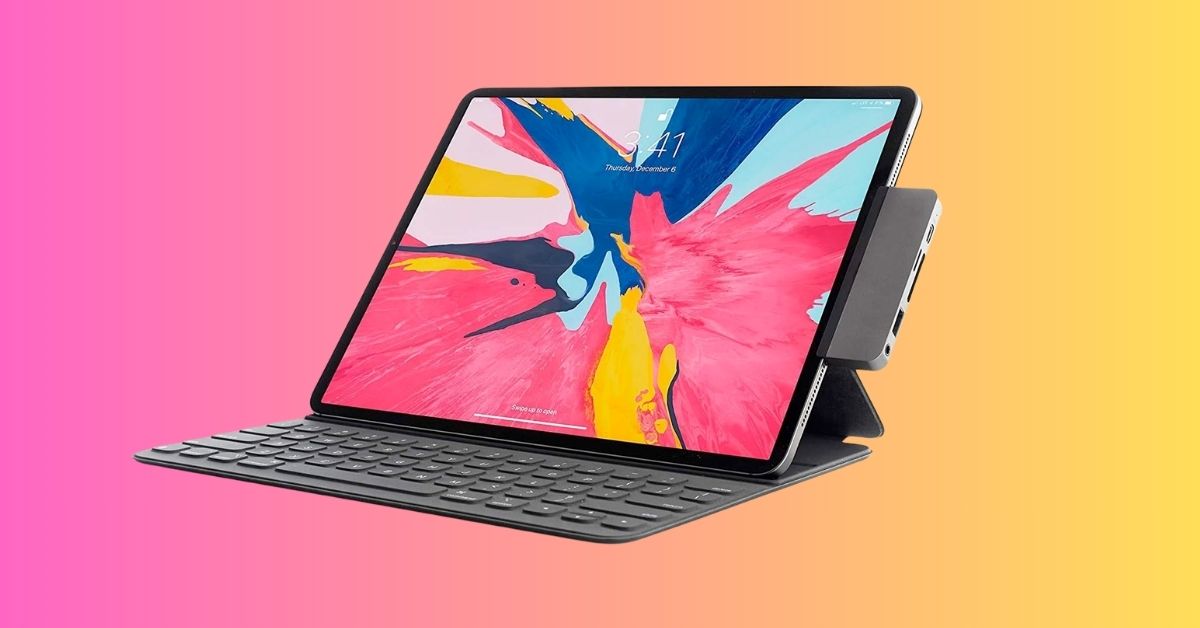
With the latest iPadOS features, the iPad has become more powerful than ever. Whether you’re editing videos, attending online classes, working remotely, or gaming on a bigger screen, it can handle serious tasks. However, the iPad still has just one USB-C port.
That’s why a reliable USB-C hub is essential. It allows you to connect multiple devices at once, including an external monitor, keyboard, mouse, SSD, SD card, or even wired internet. This turns your iPad into a complete workstation without juggling adapters. In this guide, you’ll find the best USB-C hubs for iPad, along with tips on how to choose the right one and what mistakes to avoid.
What I Look for Before Buying a USB-C Hub for My iPad
The best USB-C hub really depends on how you use your iPad. Here’s what I look for before buying one:
- Power Delivery (PD charging): Ensure the hub supports pass-through charging, ideally between 60W and 100W. This keeps your iPad charged while using accessories.
- HDMI output resolution: If you plan to connect an external display, look for 4K at 60Hz. Some advanced hubs support even higher resolutions for newer iPad models.
- Number of USB Ports: Think about what you plan to connect. A mouse, keyboard, external SSD, or USB microphone may require multiple ports. Choose based on your needs rather than maximum port count.
- SD and microSD card slots: Important for photographers and video creators who regularly transfer media files.
- Ethernet port: Provides stable internet for video calls, streaming, or gaming.
- Build quality and heat management: Aluminum hubs generally offer better heat control and durability.
Best USB-C Hubs and Docks for iPad
Below are five of the best USB hubs and docking stations for iPad, iPad Pro, and iPad Air based on features, usability, and portability.
1. Anker PowerExpand USB-C Hub: Best for Professionals and Heavy Users
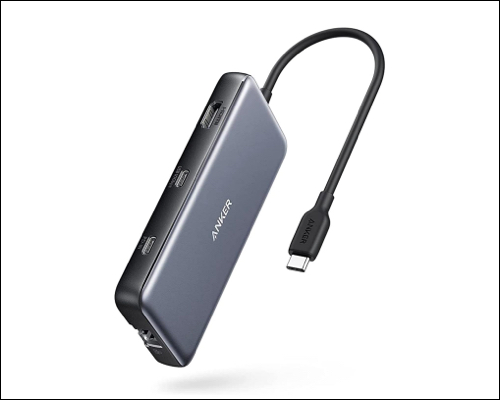
If reliability is your top priority, Anker remains one of the most trusted brands. The PowerExpand 8-in-1 USB-C Multiport Adapter is compact, heat-resistant, and widely compatible with iPad Pro, iPad Air, Mac, and Windows laptops.
You get:
- 4K@60Hz HDMI output
- 100W Power Delivery (up to 85W pass-through charging)
- 2 USB-A 3.2 ports
- 2 USB-C 3.2 data only port (10Gbps transfer speed)
- SD and microSD card slots
- Ethernet
It’s an excellent choice for creators and remote professionals who need a stable, long-term solution with strong build quality.
2. UGREEN Revodok Pro USB-C Hub: For Students and Gamers
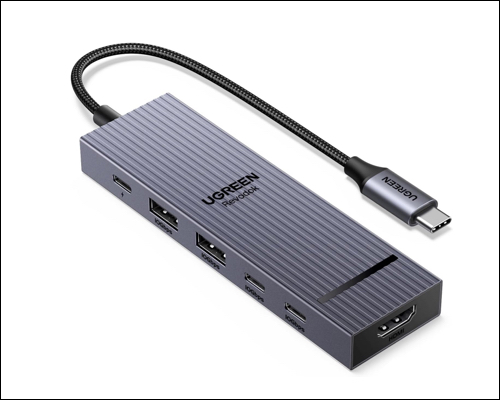
The UGREEN Revodok Pro offers premium features at a mid-range price. It supports iPad Pro, iPad Air, Mac, and other USB-C devices. Its ultra-portable design makes it ideal for on-the-go use.
This 6-in-1 hub includes:
- 4K@60Hz HDMI
- 100W PD charging (85W output)
- 2 USB-A 3.2 ports
- 2 USB-C 3.2 ports (10Gbps speed)
If you want performance and affordability in one package, this hub strikes a solid balance.
3. CalDigit E5: Thunderbolt Hub for iPad Pro Power Users
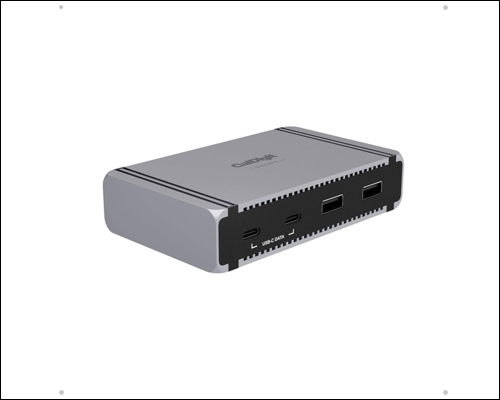
If you want to use your iPad Pro as a serious work device, the CalDigit E5 can transform it into a full desktop setup using a single cable. It supports up to 40Gbps Thunderbolt transfer speeds and 6K external display output. It also delivers up to 90W of power to keep your iPad charged.
You get 9 ports:
- 4 Thunderbolt 5/USB4 v2
- 3 USB-A 3.1
- 2 USB-C 3.2 Gen 2 (10Gbps)
This hub is ideal for editors, designers, and professionals who require high-speed connectivity and advanced display support.
4. Plugable 8-in-1 USB-C Hub with Stand: iPad Docking Station with Stand
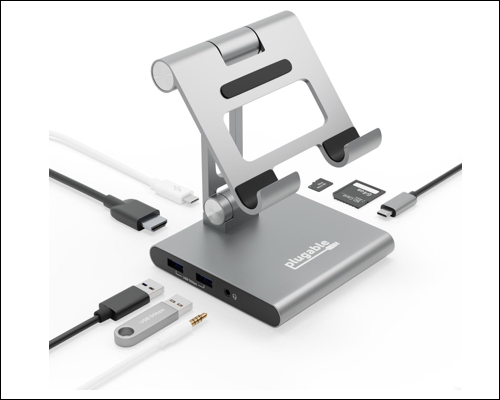
The Plugable 8-in-1 USB-C hub allows you to seamlessly integrate your iPad into your workspace. It is lightweight and features a built-in stand, letting you position your iPad upright for work or media viewing.
The hub offers:
- 4K@30Hz HDMI output
- 100 W pass-through charging (Up to 91W delivery)
- 2 USB-A 3.0 ports (5Gbps)
- SD card and Micro SD card slots
- 3.5mm audio jack
Keep in mind that the viewing angle is not adjustable, and HDMI output is limited to 30Hz.
5. HyperDrive HD319B Docking Station: Best For Travel and Portability
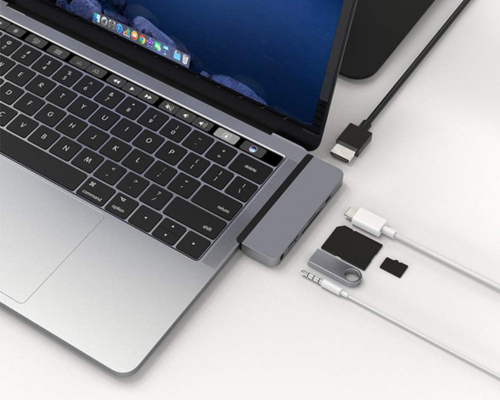
If you prefer something sleek and compact, the HyperDrive HD319B attaches directly to your iPad’s USB-C port. Its slim design blends well with the iPad and keeps your setup minimal.
It includes:
- 4K@60Hz HDMI
- 5Gbps USB-C 60W Power Delivery
- USB-A 3.0 (5Gbps)
- SD and Micro SD slot
- 3.5mm Audio Jack
It’s a practical choice for mobile professionals who need essential ports without carrying extra cables.
Common Mistakes When Buying an iPad USB-C Hub
Many buyers overlook small details that later cause frustration:
- Choosing a hub without Power Delivery support
- Buying more ports than necessary, which increases cost
- Settling for 4K at 30Hz when 60Hz is needed for smooth visuals
- Not checking Thunderbolt compatibility for high-end iPads
- Selecting ultra-cheap, unknown brands that may overheat or disconnect
Final Thoughts
In 2026, investing in the right USB-C hub is one of the smartest upgrades for your iPad. Instead of dealing with multiple adapters, you get a cleaner setup, improved workflow, and a more laptop-like experience.
- For reliability, choose Anker PowerExpand.
- For value, go with UGREEN Revodok Pro.
- For advanced workflows, pick CalDigit E5.
- For desk convenience, consider Plugable 8-in-1.
- For portability, HyperDrive HD319B is a strong option.
Choose based on how you work, not just the number of ports.
FAQs
Yes, but it depends on the model. iPad Pro (M4, M2, M1) and iPad Air (M2, M1, and A16) models support extended external displays through Stage Manager. However, most USB-C hubs provide only one HDMI output. To run dual monitors, you need a specialized Thunderbolt dock instead of a basic hub.
Yes. The iPad Air is fully compatible with USB-C hubs. You can connect external displays, USB drives, keyboards, mice, Ethernet, and SD cards. Ensure the hub supports Power Delivery to keep your iPad charged while using accessories.
Editorial Note: When you purchase through our links, we earn a small commission. However, this does not affect our opinions or evaluations. Learn more about our Editorial Process and Disclaimer.