
WhatsApp is finally testing a feature users have long wanted. Noise cancellation is now rolling out to a limited number of Android beta users, aiming to improve voice and video call quality in everyday situations.
First spotted by WABetaInfo, the feature is part of the latest Android beta update and focuses on reducing background noise during calls, making conversations clearer without requiring any extra setup.
How WhatsApp’s noise cancellation works
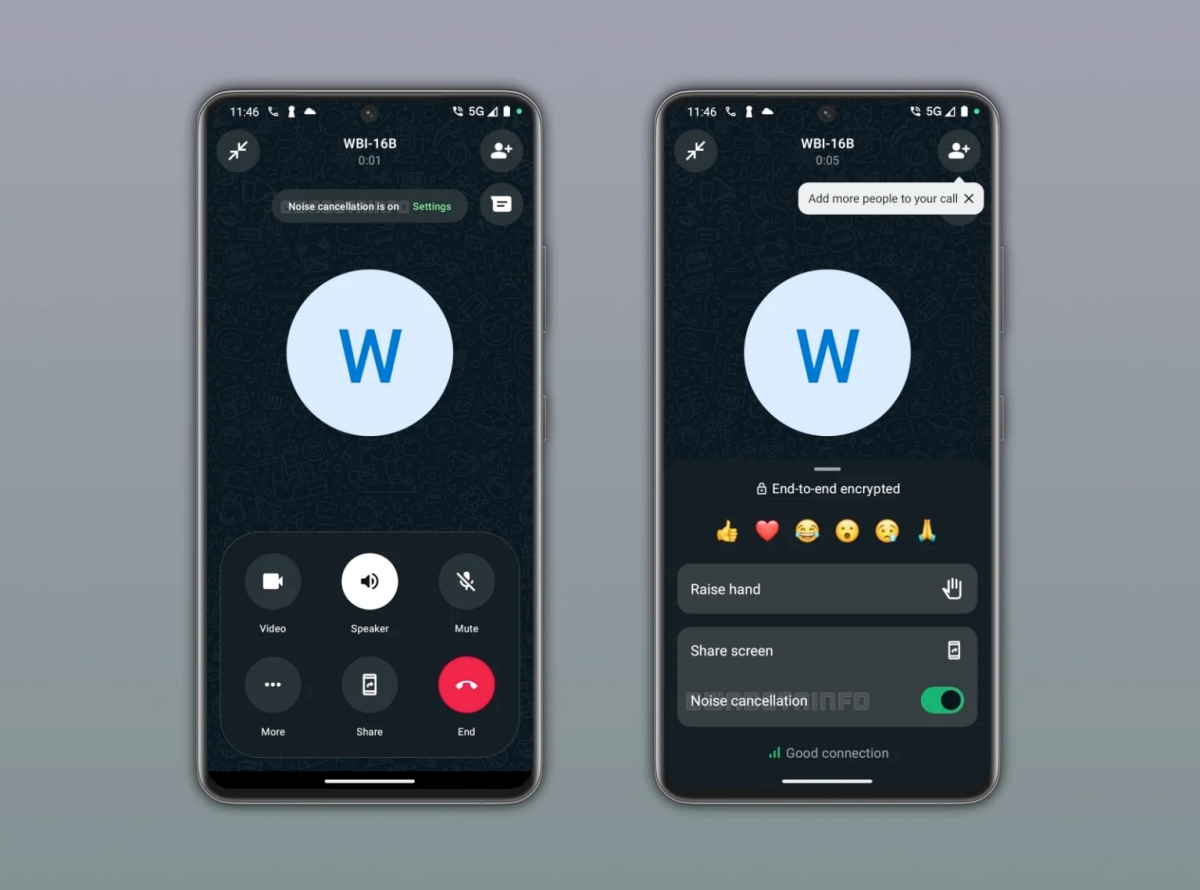
Noise cancellation works by detecting and filtering out unwanted background sound in real time, keeping the speaker’s voice clear. This helps make conversations easier to understand, even in noisy environments.
Noise cancellation works automatically during calls
In most cases, noise cancellation is enabled by default. When a call starts, WhatsApp automatically applies noise suppression without requiring manual input.
Users who prefer more control can still access the calling menu and toggle the feature on or off as needed.
Call quality depends on both participants
This feature works slightly differently than some might expect.
Enabling noise cancellation improves how clearly the other person can hear your voice. It does not automatically enhance how you hear them unless they also have the feature enabled on their end.
That means overall call quality improves when both participants use the feature.
Designed for real-world calling situations
Noise cancellation becomes more useful in environments where background sound is unavoidable. Calls made from busy cafés, public spaces, or outdoor locations benefit the most, as the feature reduces distractions and keeps the conversation focused.
It also helps maintain consistency during video calls, where background noise can be more noticeable.
Rolling out to Android beta users in phases
The feature is currently available to a limited number of Android beta testers through the Google Play Store.
Access may vary, as WhatsApp is rolling it out in phases. A wider release is expected over time as testing expands.
Is this a feature you’ve been waiting for on WhatsApp calls? Let us know in the comments below.