Google is making it easier to record lectures, meetings, and voice notes with a new built-in audio recorder for its Gemini Notebook apps on Android and iOS. The feature, now widely rolling out as of October 27, 2026, lets users capture audio directly in the app and save recordings alongside other research materials. So you don’t need to switch between separate recording and note-taking apps.
Gemini Notebook gets a dedicated audio recorder
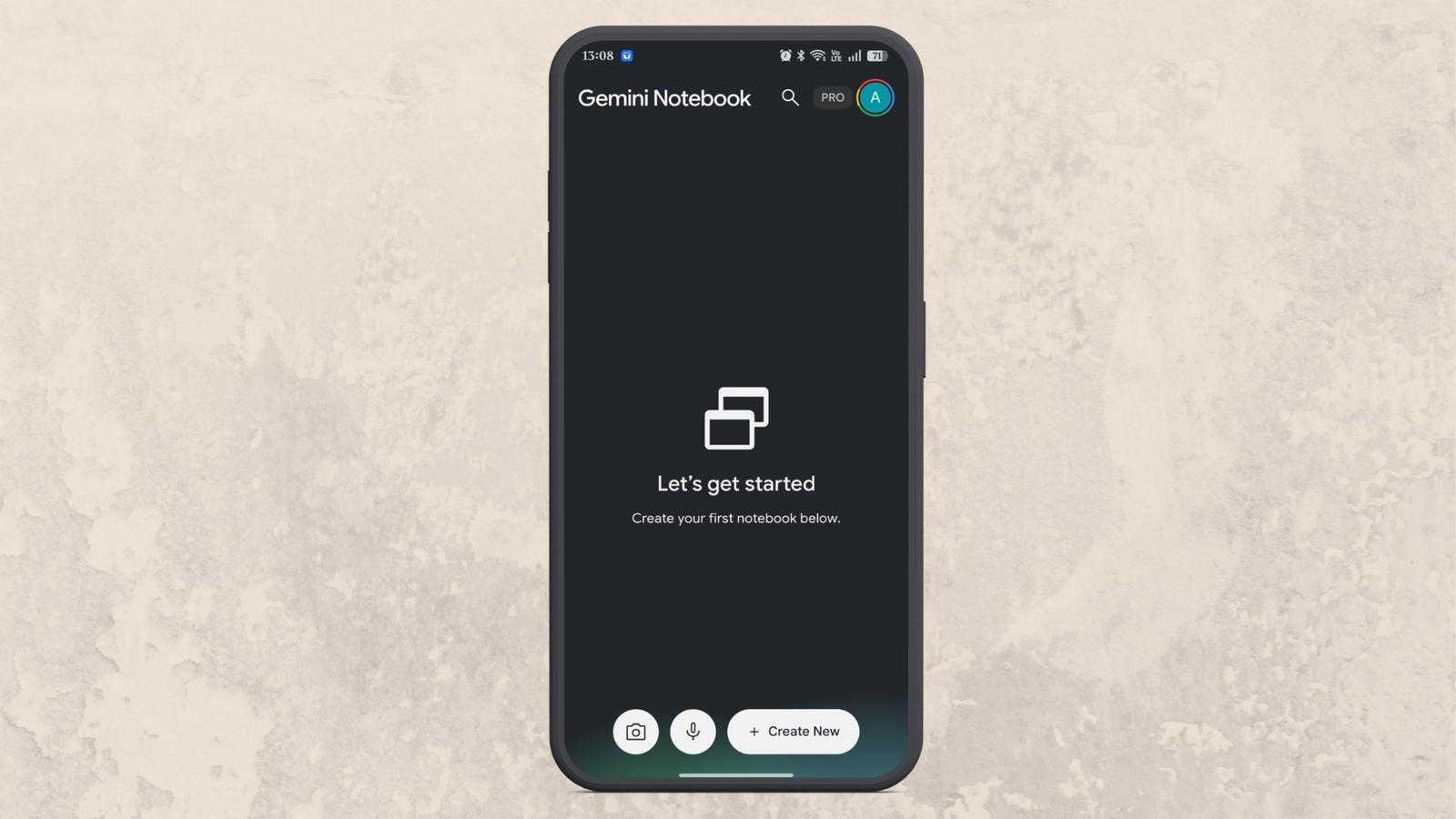
The new recorder appears as a microphone icon at the bottom of the Gemini Notebook app, positioned between the camera and Create New floating action buttons.
Users can tap the microphone to start recording audio. Starting a recording from the home screen creates a new notebook, while recording from the Sources tab saves the audio to an existing notebook.
This makes it easier to organize recordings by subject, project, or research topic. Students can record lectures, professionals can capture meeting discussions, and users can save spoken ideas for later reference.
Record audio in the background for up to one hour
Gemini Notebook’s recording interface includes pause and finish controls, along with a waveform animation and a timer to show recording progress.
One particularly useful addition is support for background recording. Users can switch to another app or lock their phone’s screen without interrupting an active recording.
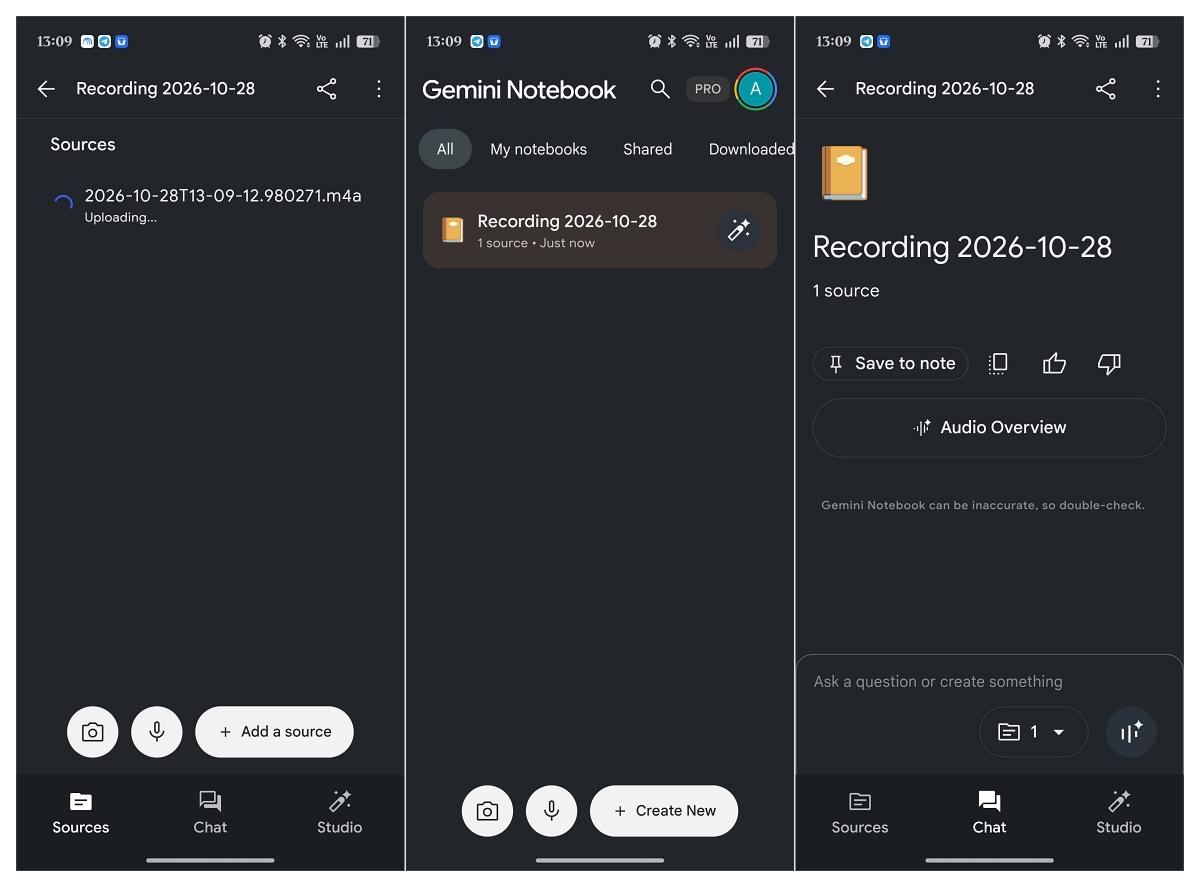
However, each recording session is limited to one hour. After recording finishes, the audio uploads to Gemini Notebook and becomes part of the notebook’s source materials.
Notebook creation gets a small Improvement
Google has also simplified the notebook creation process. Tapping the floating Create New button now immediately starts a new notebook instead of opening a panel for adding a source.
The update complements Gemini Notebook’s existing AI-powered research and learning tools, helping users manage information without constantly switching between apps.
How to get the audio recorder
To use the recording feature, open the Gemini Notebook app on your phone and look for the microphone icon near the bottom of the screen.
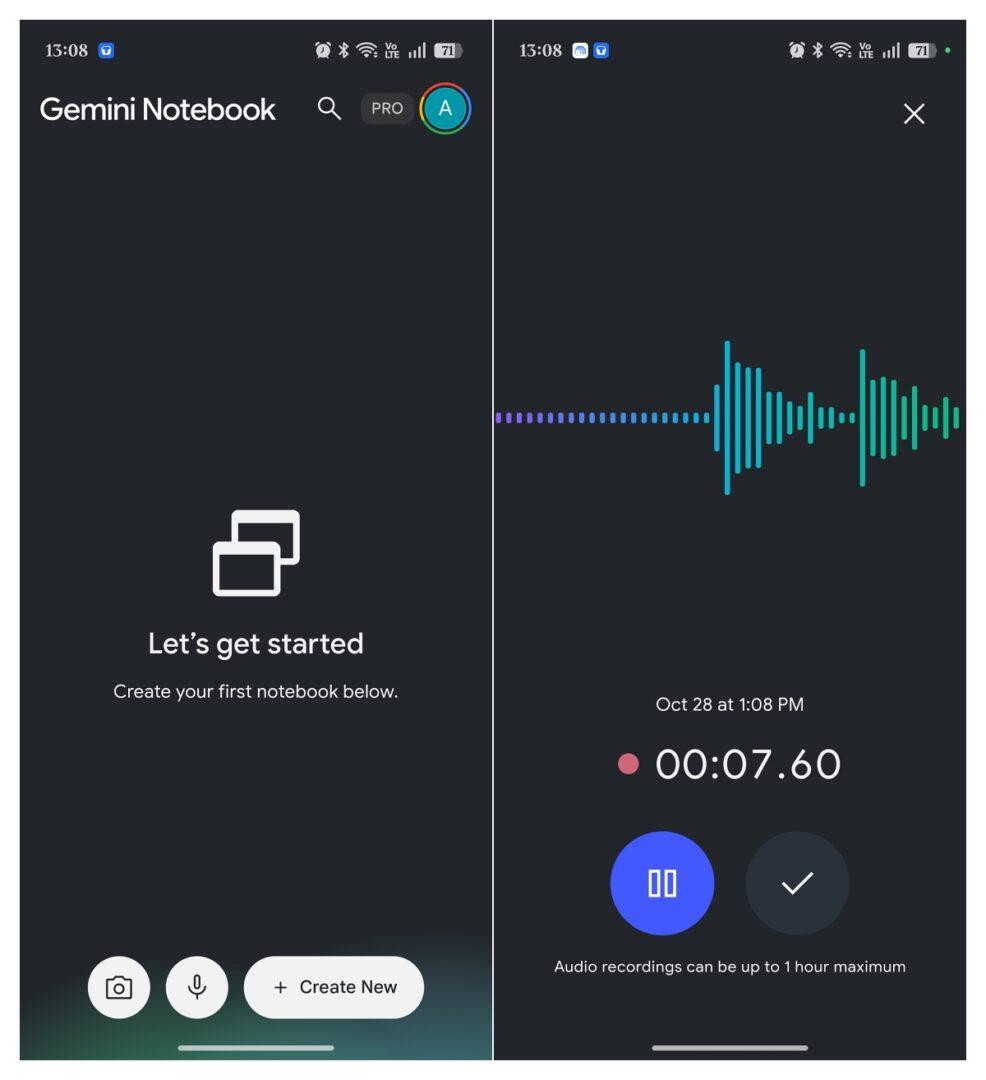
Tap it to start recording, then tap the checkmark when you’re done to finish the session. The recording is saved as a source in your notebook, where you can chat with it, cite it, and keep building your research by adding other sources.
Google first announced the feature on September 15, 2026, and it is now widely rolling out to mobile users. The initial rollout covers users who have English set as their output language. If the microphone icon is missing, try force-stopping and reopening the app, although availability may vary during the rollout.
Overall, the built-in recorder makes Gemini Notebook a more practical tool for students, researchers, and professionals who want to keep audio recordings and research materials together.