

Snapchat Plus is one of those features you keep noticing but do not feel the need to try right away. The app already works the way it always has: quick chats, streaks, and short visits that do not require much thought.
But writing about Snapchat makes it harder to ignore updates like this. Once a paid layer is added to something that already feels complete, the obvious question is whether it is actually worth it.
After using Snapchat Plus for a while, that curiosity starts to settle. Some features quietly become part of the experience, while others fade into the background with little impact. The difference between the two is what makes Snapchat Plus interesting.
What is Snapchat Plus?
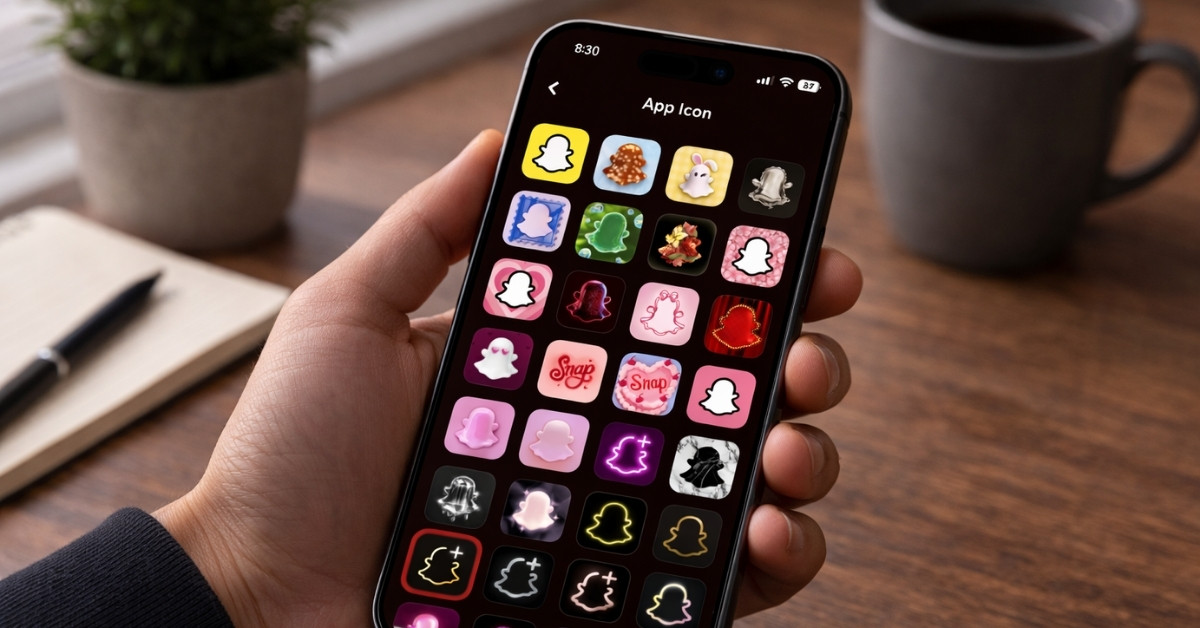
Snapchat+ is Snapchat’s premium tier that unlocks a range of exclusive, experimental, and early-access features within the app. Once subscribed, you get access to perks like custom app icons and themes, Comic Bitmoji, chat wallpapers, the Snapchat+ badge, and more.
Some of these features can improve the overall experience, but ads are still part of the platform. That takes away from the value, at least from the user’s point of view.
What stayed after a month of using Snapchat Plus
It has been a while since I subscribed to Snapchat Plus, and the initial curiosity around its features has worn off. The app is back to its usual routine of quick chats, streaks, and short visits throughout the day.
That is what makes this phase more revealing. Once everything feels normal again, it becomes clear which Snapchat+ features actually fit into daily use and which ones quietly fade away.
These are the Snapchat Plus features that stayed:
Story Rewatch Count
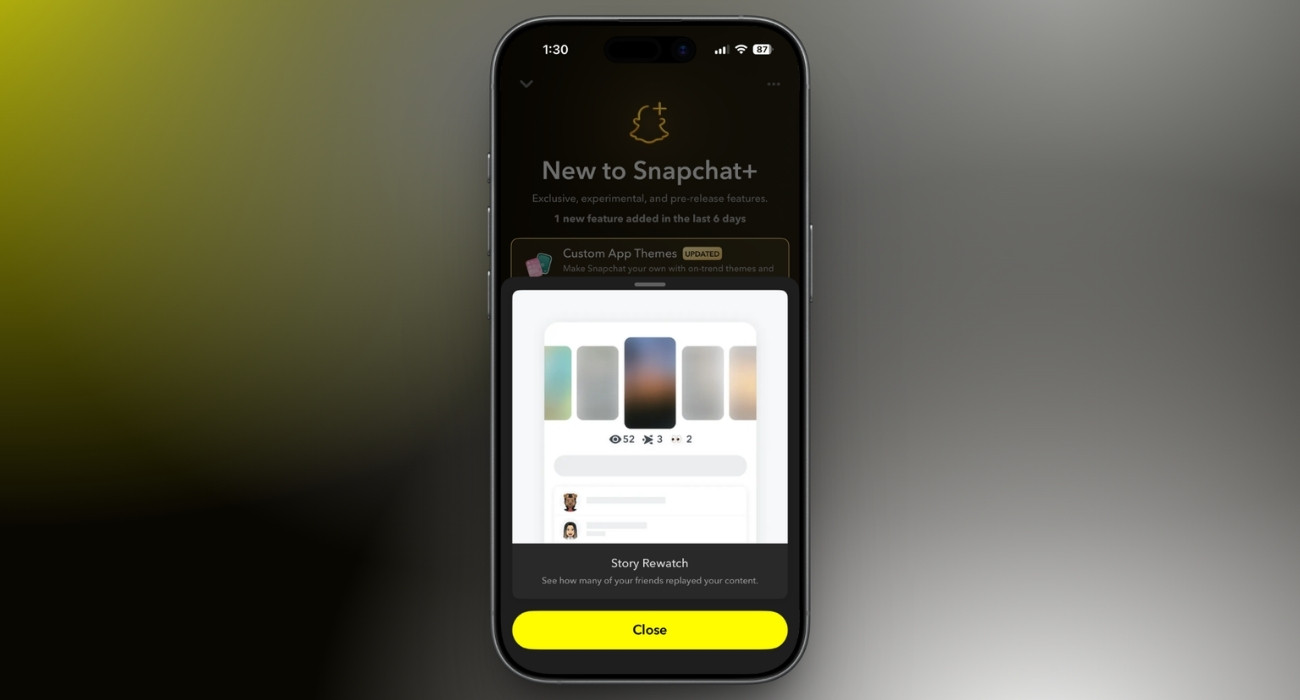
At first glance, this feature felt like a small data point. But it completely changed my interpretation of my story views. Earlier, I could only see the list of users who viewed my story; now I can also see how many users watched my story more than once.
That distinction added meaning to the engagement. It became easier to identify which stories actually hold attention, rather than just getting tapped through.
It does not push content creation in a different direction, but it adds a layer of clarity that was not available before.
#1 Best Friend
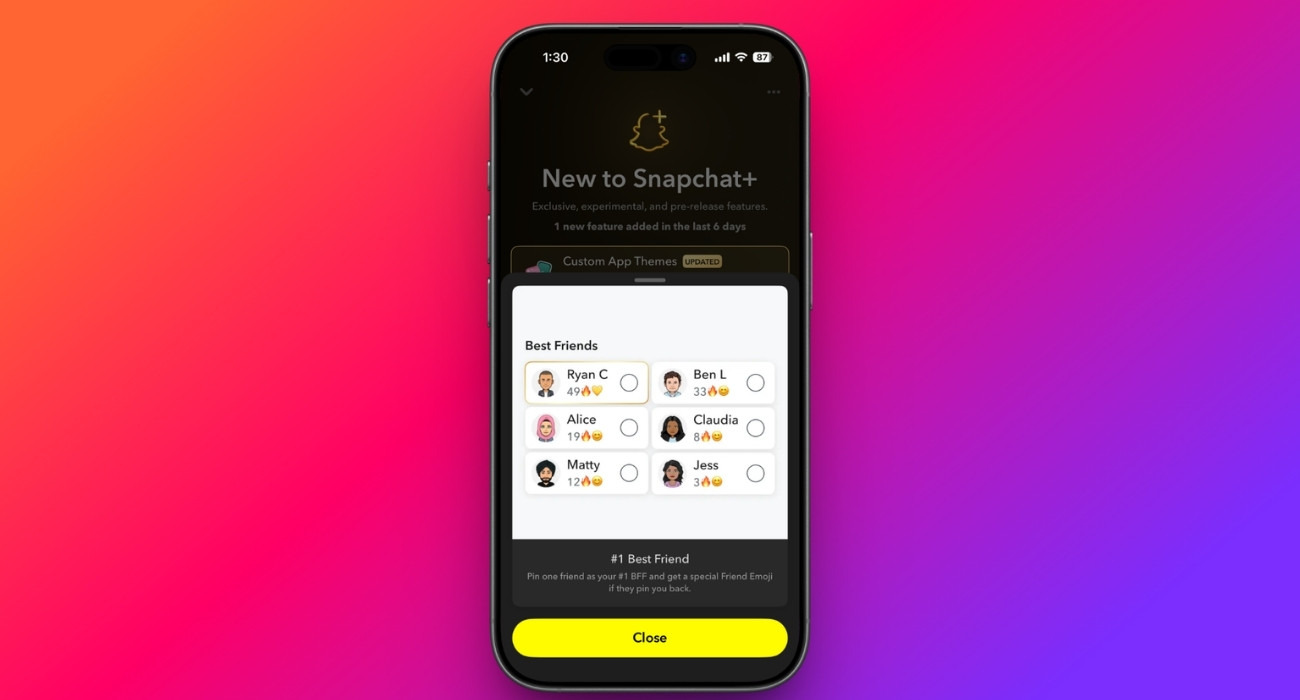
Snapchat shows your best friends based on interaction, but that list keeps changing and is not always under your control.
Pinned Best Friend lets you fix one person as your number one best friend, regardless of how the ranking shifts. This means that even if your interaction drops slightly or someone else becomes more active, that person still stays marked as your top connection.
It does not change how chats work, but it gives you control over who stays highlighted as your closest friend.
Friends Solar System
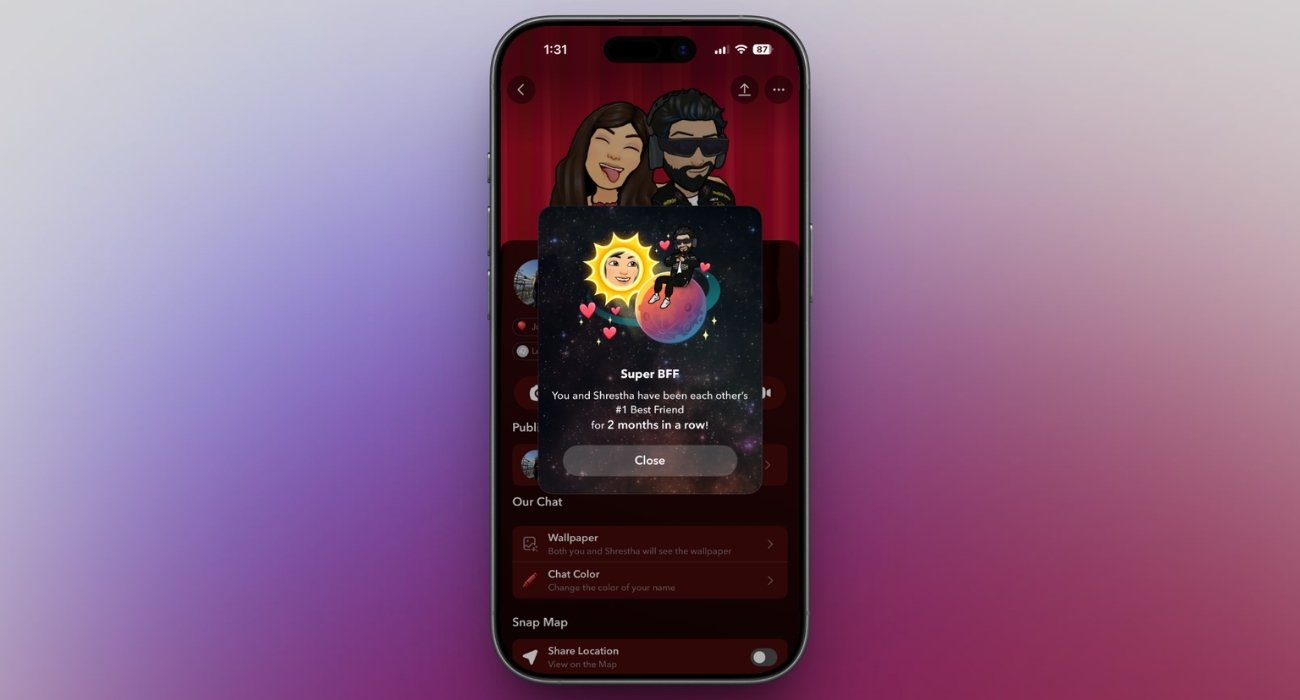
Snapchat normally shows your own best friends, but it does not tell you where you stand in someone else’s list. Friends Solar System (Snapchat Planets) fills that gap.
It lets you see your position in a friend’s top 8 best friends by assigning you a planet. Each planet represents a rank. For example, if you appear as Earth, it means you are their third closest friend on Snapchat.
You can check this by going to a friend’s profile and tapping on the best friend badge. In simple words, this feature answers something people are naturally curious about: where they stand in someone else’s Snapchat circle.
Peek a Peek
This feature shows when someone half-opens your chat to read a message without fully entering the conversation.
On Snapchat, that behavior usually goes unnoticed. Messages can be previewed without triggering a clear signal, which creates a lot of guesswork. “Peek a Peek” removes that ambiguity.
It tells you that the message was seen, just not officially opened. That small distinction changes how silence is interpreted. It becomes easier to tell the difference between being ignored and someone just not replying yet.
Story View Notification
Normally, checking whether someone viewed a story requires going back to open the viewer list. This Snapchat Plus feature removes that step. It lets you enable story view notifications from users you want.
Instead of actively checking, the update comes passively. That shift from manual checking to automatic awareness is what makes it useful, even if it is only relevant for specific people.
Snapchat Plus features that aren’t worth using daily
Some Snapchat+ features were interesting at first, but I stopped using them once my routine returned to normal. I was not opening settings for them, and they did not show up naturally while chatting or viewing stories.
Over time, I just stopped noticing them. These are the Snapchat+ features that didn’t make it into daily use:

App Icons and Themes
I did change the app icon and tried a few themes during the first few days. It felt different for a bit, mainly because it broke the usual look of Snapchat.
But that is where it ends.
However, after a few days, I stopped noticing it completely. It does not change how the app is used or add anything to daily interactions. At that point, it felt more like something you set once and forget rather than a feature you actually use.
Premium Profile Backgrounds
This feature lets you add a custom background to your profile, which sounds like a nice way to make it feel more personal. In practice, it does not do much.
No one really visits your profile more than once unless you are a well-known creator. Most interactions happen through chats and stories, so the background rarely gets noticed once you set it.
While it looks good when changed, it does not add anything to the app’s day-to-day use.
Priority Story Replies
Although this feature increases the likelihood that your reply will be viewed, it doesn’t help much, since interaction from the other side isn’t confirmed.
It is designed to make replies stand out more, which matters in environments with limited visibility or intense competition. But for most users, Snapchat is still centered on direct communication.
Replies are sent to people who already know you. There is no competition for attention in that context. Because of that, the feature does not solve a real problem in everyday usage, which is why it rarely gets noticed after the initial phase.
Is Snapchat Plus worth it? My honest experience
After using Snapchat Plus for a while, it does not feel like something that transforms the app. Snapchat still revolves around quick conversations, streaks, and short bursts of usage.
What Snapchat+ does instead is add small layers on top of that experience. A few of them, like story rewatch count or pinned best friend, quietly fit into how the app is already used. Others are initially interesting but do not really stay.
For most users, the regular Snapchat experience still feels complete. Snapchat Plus just adds a few extras for those who notice and care about the small details.
Which Snapchat+ feature do you actually use the most? Tell us in the comments.


