Update:
Verified the latest Pet Simulator 99 Codes on September 03, 2026
Pet Simulator 99 is all about stacking better pets, farming Diamonds, and chasing rare rewards, so codes are worth checking before you grind another area or spend on merch.
Use the lists below to separate codes worth trying from old strings that get recycled across videos and code pages.
All working Pet Simulator 99 codes
None
Currently, there are no active Pet Simulator 99 codes available to redeem.
Expired Pet Simulator 99 codes
BAGOFDIAMONDS, BALLONHOVERBOARD, CATHOVERBOARD, DAMAGEPOTIONV, DPETUJ44AB89, EXCLUSIVEDRAGONEGG, HDVR2X95RS6L, HUGECALESTIALDRAGON, HUGEUNICORNDRAGON, LUCKYPOTIONV, PET-259E210A1B, PET-4060E7DEB6, PET-45A33A2DCA, PET-D67518012, PFB96CG9472D, S7MJHEKAABC8, TITANICFIREDRAGON, VWJ33JE6SLED
How Pet Simulator 99 merch codes work
Eligible Pet Simulator merchandise can include a scratch-off or DLC code tied to an in-game reward. The exact reward depends on the product, and the code cannot be reused after it has been claimed.
Be careful with opened or secondhand merchandise. If somebody has already revealed and redeemed the code, buying the physical item will not reset it.
How to redeem a Pet Simulator 99 code
Use the Roblox desktop app for redemption. The code option is currently blocked on mobile, even if you can open the rest of the shop normally.
- Open Pet Simulator 99 on Roblox on a desktop computer.
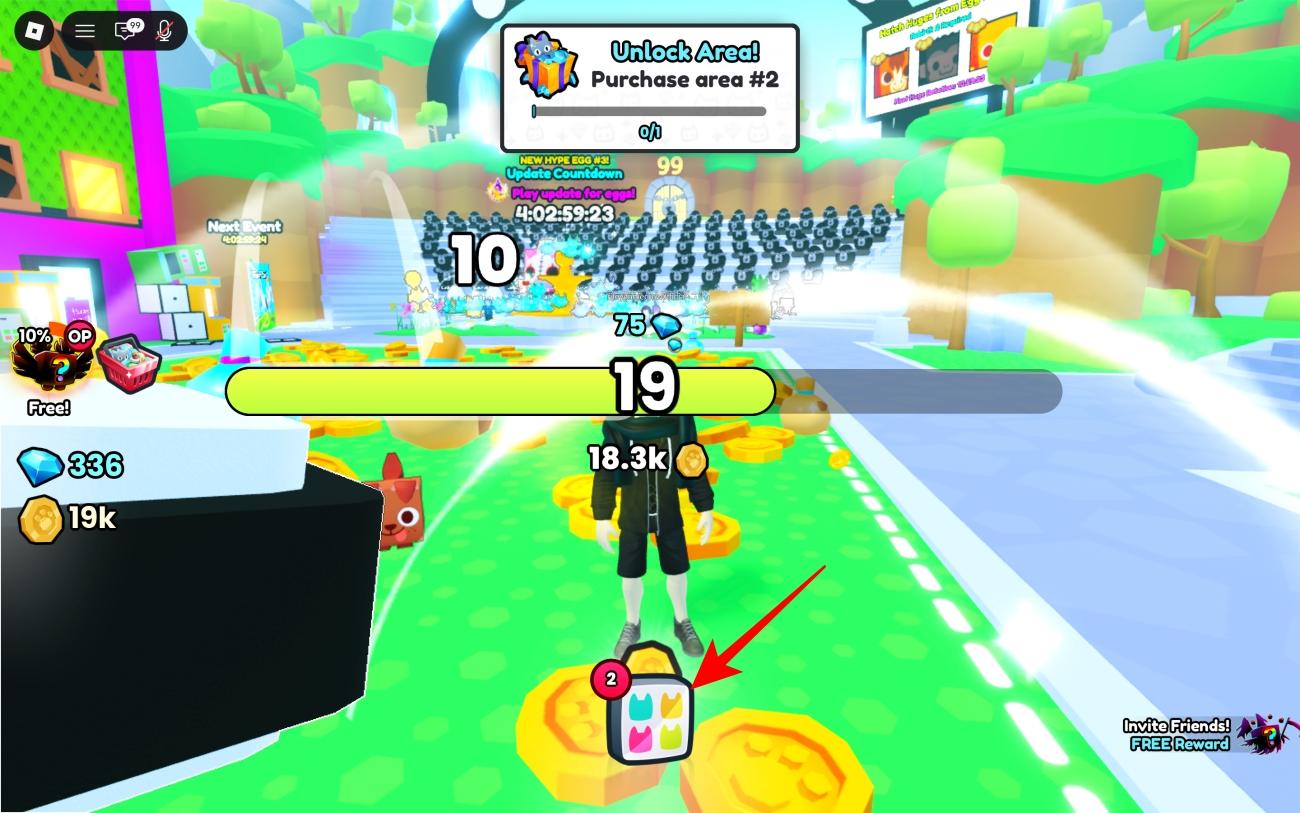
- Click the Pets button at the bottom of the screen.
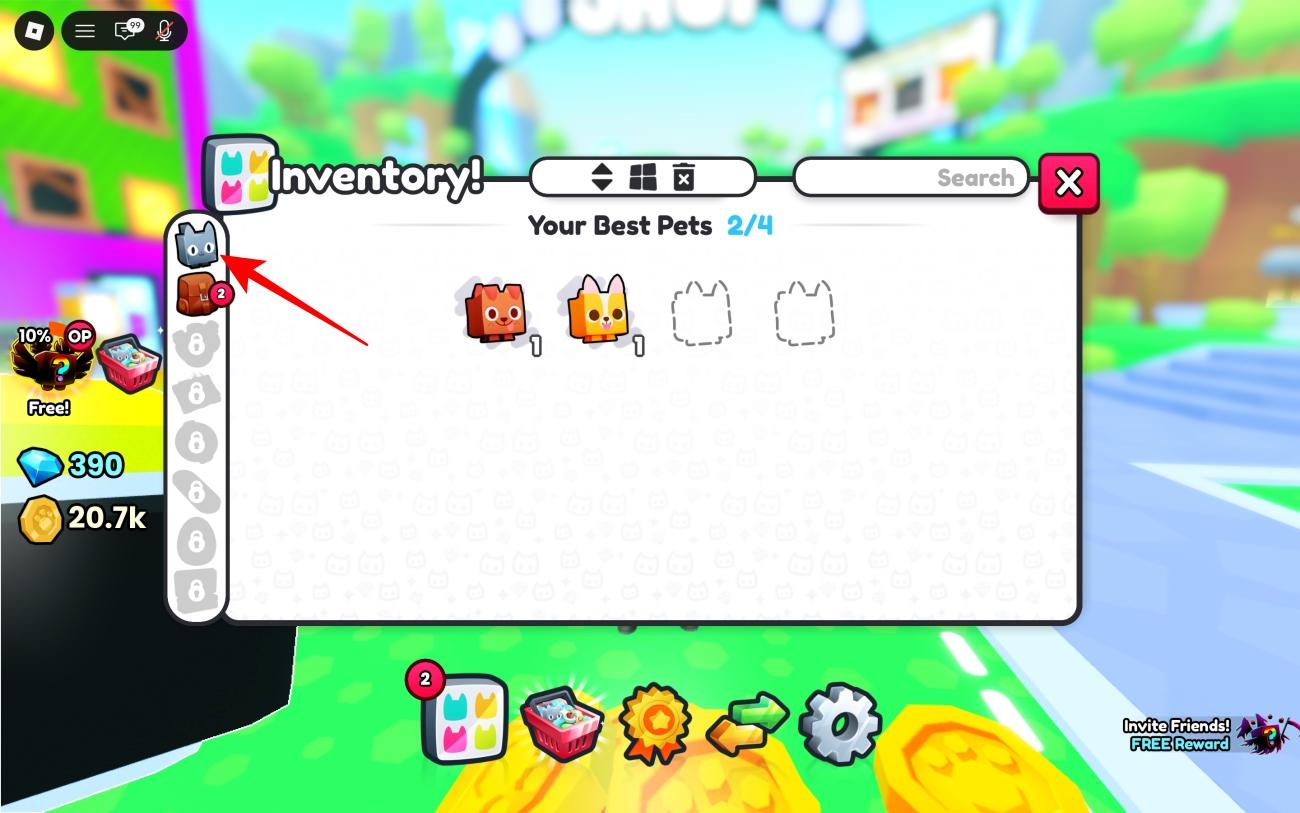
- Select the shopping cart to open the Exclusive Shop.
- Scroll to the bottom and click Redeem.
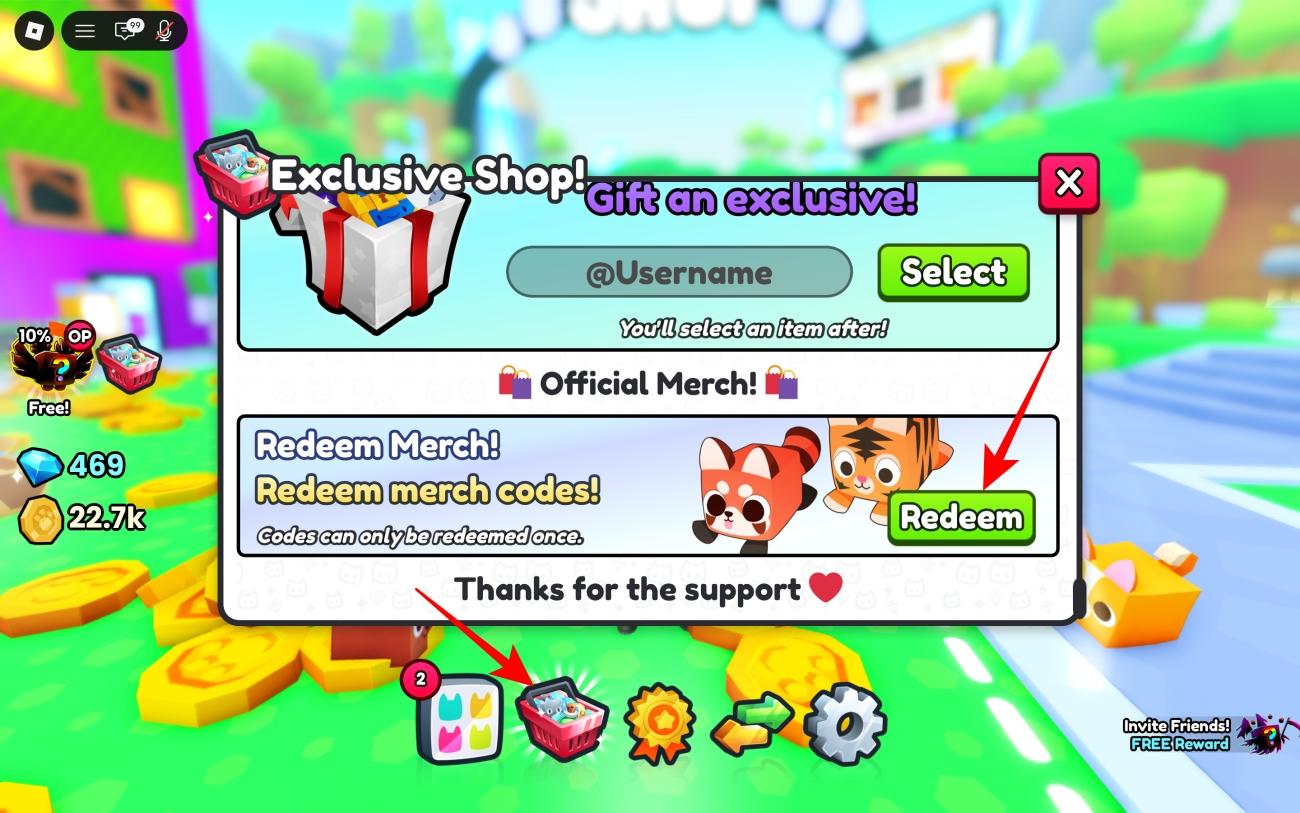
- Enter the merch code exactly as printed.
- Click Redeem! to claim the reward.
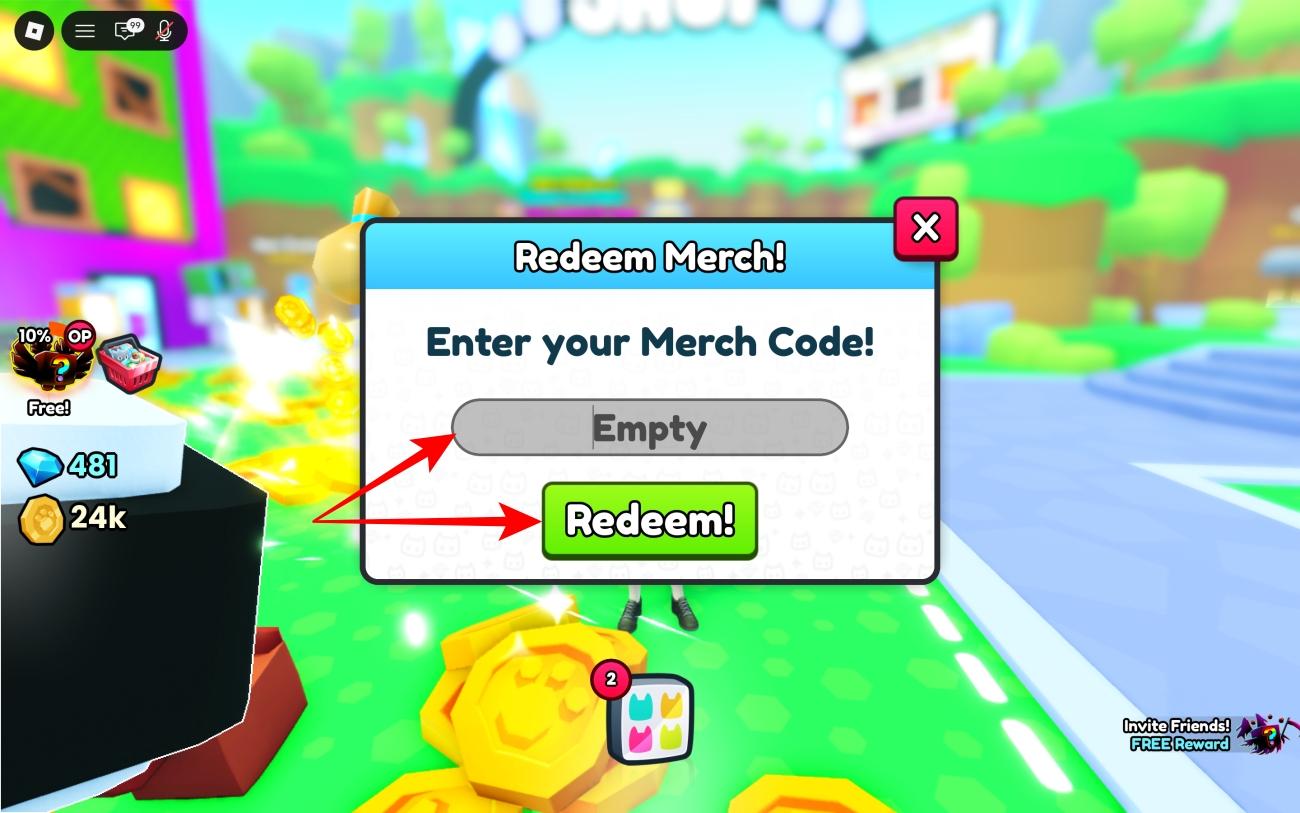
Do not send an unused code to a stranger for help. A merch code works only once, and anyone who sees it can claim it before you.
Why is your Pet Simulator 99 code not working
Most failed codes are not temporary server glitches. Check these first:
- The code has already been redeemed.
- The merch was opened or bought secondhand, and the previous owner used the code.
- A character was typed incorrectly, or an extra space was added.
- You are trying to redeem through the mobile version of Roblox.
- The string came from a video or website and was already used, expired, or never meant to be a public code.
If you own sealed merchandise and the code still fails on desktop, keep the packaging and contact BIG Games through its official support or community channels. Do not post a photo of the code publicly.
What is Preston’s Shop’s super secret code?
The Super Secret Code requested inside Preston’s Shop is separate from the merch-code box. No official solution is publicly confirmed, so codes suggested in videos and comment sections should be treated as guesses.
You do not need this secret code to redeem a merch reward. Use the Exclusive Shop steps above instead.
Where to find new Pet Simulator 99 codes
New Pet Simulator 99 codes, merch-code news, and event rewards are most likely to surface through BIG Games’ official channels:
You can bookmark this page too; we will keep the working and expired sections separated so you do not have to test the same recycled strings every time.
If you want more free rewards, check out the latest Roblox Jailbreak codes, Paint and Seek codes, and our complete list of all Roblox game codes.
Missed this? Check it out: