Update:
Verified the latest Noob Tower Defense Codes on October 01, 2026
Noob Tower Defense codes are worth grabbing before you burn all your coins and gems on rolls. Better towers and upgrades matter fast in this game, and a few free rewards can make the early waves feel less stingy.
Public code lists disagree after Season 2, so start with the newest codes below before testing older ones.
All working Noob Tower Defense codes
- ENCHANTOVERHAUL: 450 Gems & 750 Coins NEW
- IMPOSSIBLE: 450 Gems and 750 Coins
- ECONOMY: 500 Gems
- BANANAS: 500 Gems
- RAIDS: 500 Gems
- TradePlaza: 450 Coins and 150 Gems
- Summer: 350 Coins & 125 Gems
- Index: 500 Coins & 150 Gems
- Season2: 300 Gems
All codes: ENCHANTOVERHAUL, IMPOSSIBLE, ECONOMY, BANANAS, RAIDS, TradePlaza, Summer, Index, Season2
Redeem ENDLESSDELAY, UPD4, and Season2 First, if you are short on time. Older codes like UPD3 and LIKES18K are where public lists disagree most, so treat them as quick bonus tries if they still work on your server.
Expired Noob Tower Defense codes
1000LIKES, 100KVISITS, 100LIKES, 500LIKES, ENDLESS, HALLSECRET, LIKES16K, LIKES18K, LIKES2K, LIKES35K, LIKES500, LIKES5K, LIKES6K, LIKES7K, NTDSPRING, QOLUPDATE, REWRITE, SHIFTLOCK, UPD2, UPD3
How to redeem Noob Tower Defense codes
The code box sits inside the Settings menu. If you do not see it yet, finish the tutorial first.
- Open Noob Tower Defense on Roblox.
- Complete the tutorial if you are playing for the first time.
- Click the gear icon on the left side of the screen.
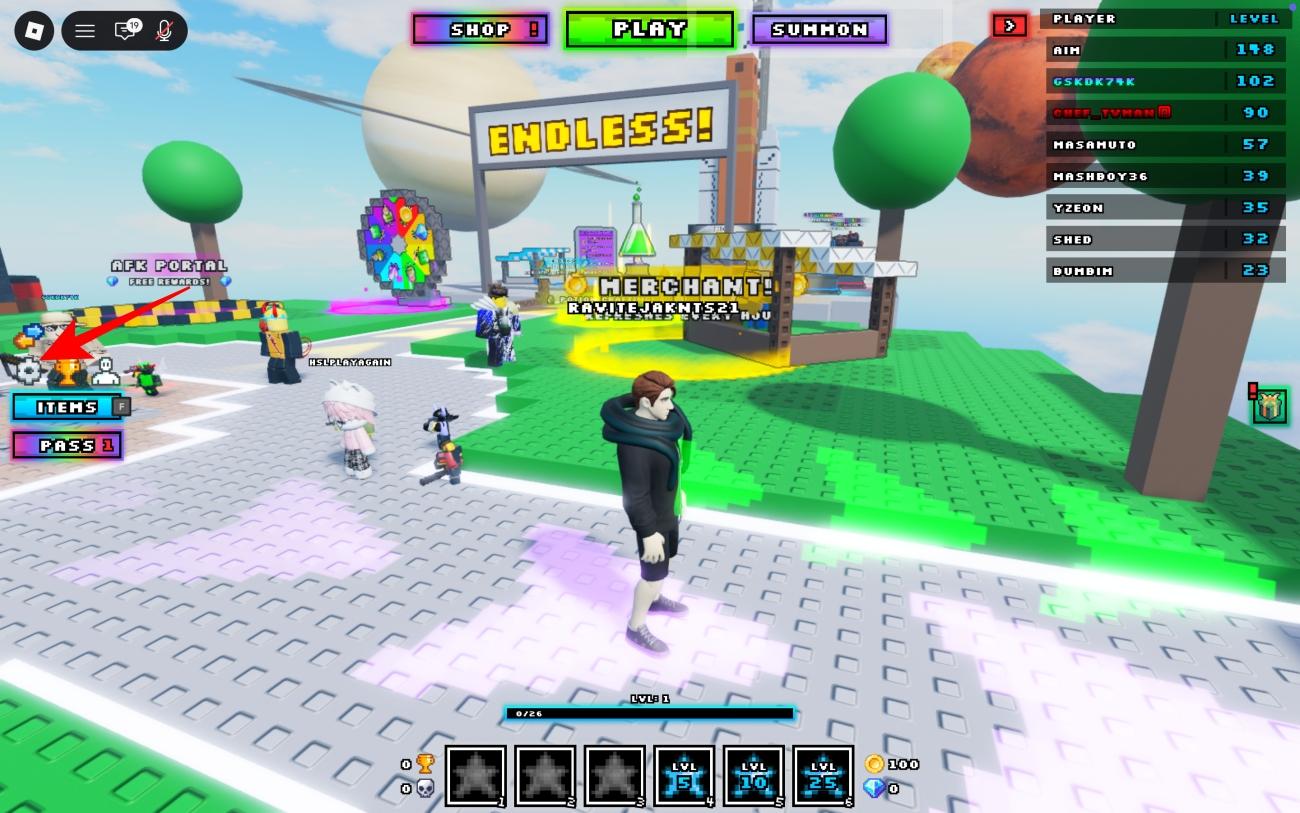
- Enter a working code in the code box.
- Press Redeem to claim your reward.
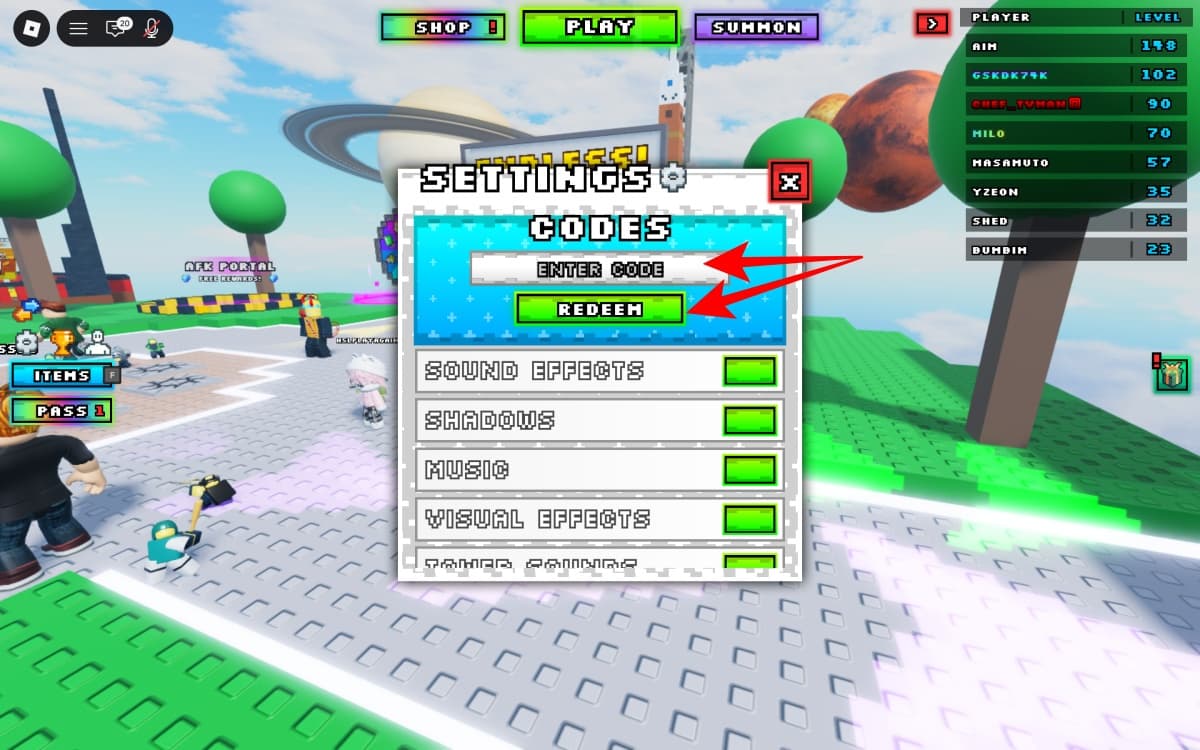
If a newly added code fails, rejoin the game or try a private server before crossing it off. Roblox code changes can take a little while to reach every public server.
Why your Noob Tower Defense code is not working
Most failed codes come from old servers, expired rewards, or tiny typing mistakes.
- The code has expired.
- You typed the wrong capitalization or added an extra space.
- You already redeemed the code on your Roblox account.
- You have not finished the tutorial.
- You are on an older server that has not received the latest code update.
- Roblox or the Noob Tower Defense server is having a temporary issue.
For mixed-case codes like Season2, copy and paste instead of typing manually. It is the easiest way to avoid wasting a valid reward.
Where to find more Noob Tower Defense codes
Noob Tower Defense codes usually appear around Saturday updates, like milestones, delays, and new game modes. These are the best places to check when you want new rewards early:
Discord is useful if you want codes the moment they drop, but it is also where older posts can get buried fast. You can bookmark this page if you prefer a cleaner list without testing every stale milestone code yourself.
If you want more free rewards, check out the latest Iron Soul Dungeon codes, Catch and Tame codes, and our complete list of all Roblox game codes.
What is Noob Tower Defense?
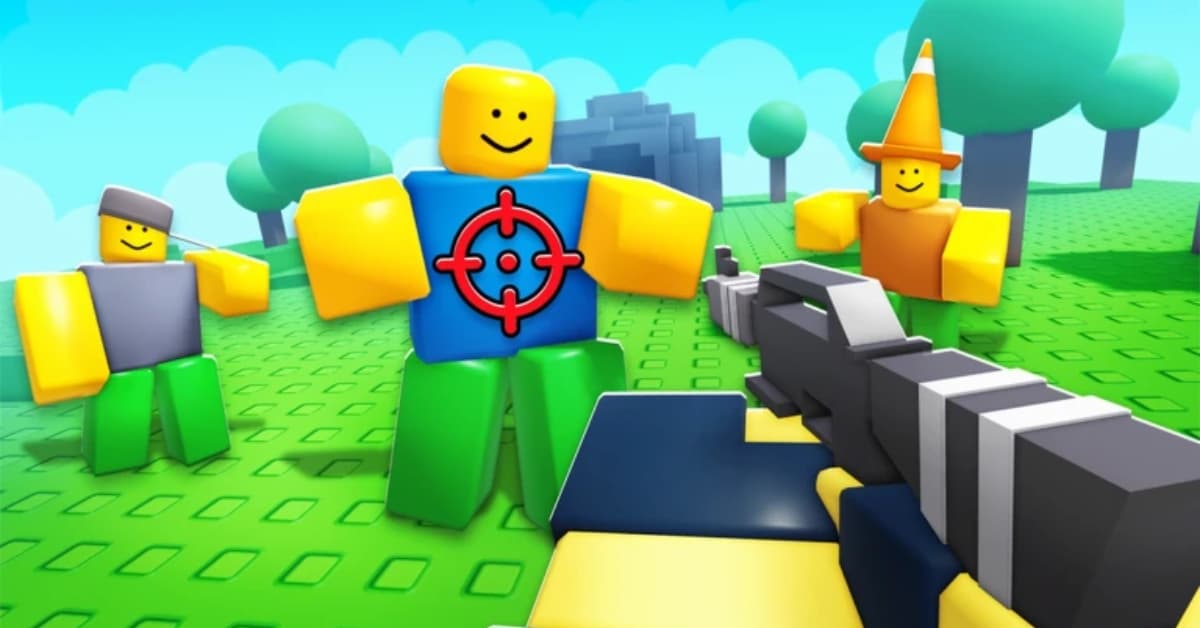
Noob Tower Defense is a Roblox tower defense game by Vitan Games where you build towers, roll for rare units, upgrade favorites with enchantments, and hold off waves of blocky enemies.
Codes help most when you are still building your first reliable roster. Free gems and coins will not replace good placement, but they can give you more rolls and upgrades before the noob rush starts getting rude.