
Will the iPhone 16 Case Fit the iPhone 17? Answered!
Upgrading from iPhone 16 to iPhone 17? While the two look nearly identical, subtle changes in size and camera design mean your old iPhone 16 case won’t fit the iPhone 17.
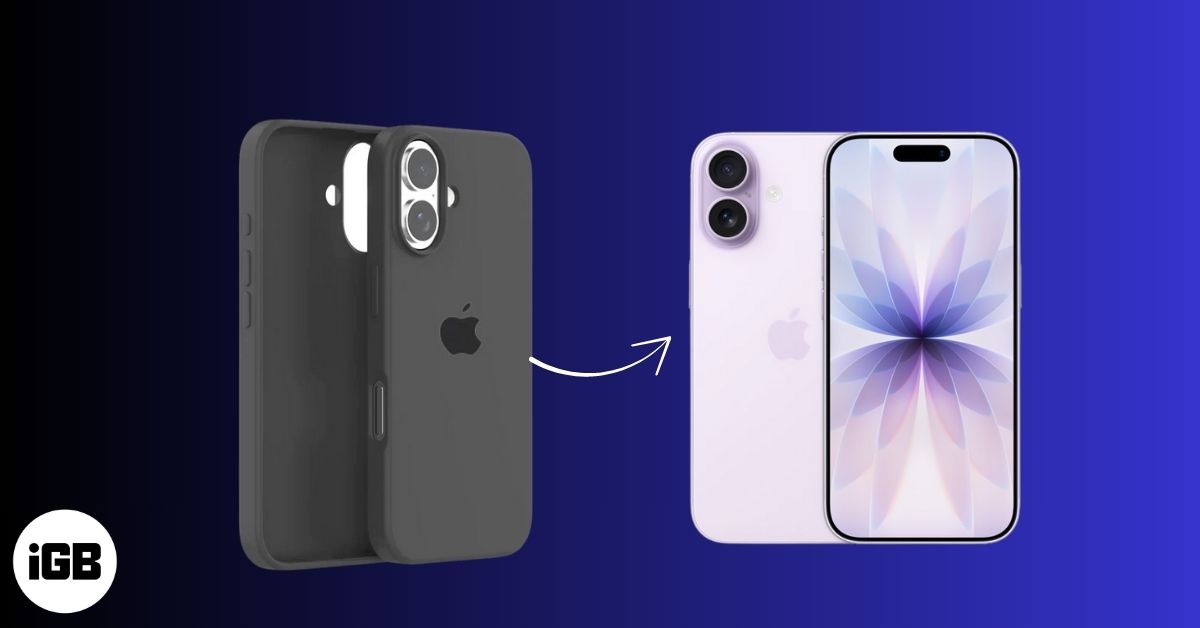
With every new iPhone release, one of the first questions Apple fans ask is: “Will my old case still fit the new model?” If you’re upgrading from an iPhone 16 to the iPhone 17, you’re probably wondering the same thing. Let’s dive into the design similarities and subtle differences to see if your iPhone 16 case will work with the iPhone 17.
Design Similarities Between iPhone 16 and iPhone 17
At first glance, the iPhone 16 and iPhone 17 look almost identical. Both share Apple’s sleek design language with:
- Similar rear camera placement
- Matching USB-C port alignment
- Nearly identical button positions
- Comparable thickness
These similarities might make you think the cases are interchangeable—but the details tell a different story.
Where the Differences Come In
Apple made a few small but important tweaks with the iPhone 17 that impact case compatibility:
- Dimensions: The iPhone 17 is about 0.08 inches taller than the iPhone 16.
- Display Size: iPhone 17 features a 6.3-inch display, up from 6.1 inches on the iPhone 16.
- Camera Module: The new 48MP Dual Fusion Camera system slightly changes the bump size and alignment.
Related: Apple’s iPhone 17 “Awe Dropping” Event: Everything Announced
Will Your iPhone 16 Cases Fit the iPhone 17?
Unfortunately, no. Because of the iPhone 17’s increased height and redesigned camera module, iPhone 16 cases won’t fit properly on the iPhone 17. The depth difference is minimal, but even a fraction of an inch in height can prevent cases from snapping on securely.
Wrapping Up…
The iPhone 17 takes design cues from the Pro models, most notably, both the standard and Pro now share the same 6.3-inch display size. While it’s disappointing that your iPhone 16 cases won’t carry over, this is a great chance to pick a new case that matches your upgraded device.
Are you switching to the iPhone 17 or sticking with your iPhone 16 for now? Drop your thoughts in the comments!
Don’t miss these related reads:

Written by
VikhyatVikhyat has a bachelor's degree in Electronic and Communication Engineering and over five years of writing experience. His passion for technology and Apple products led him to the tech writing space, where he specializes in writing App features, How-to guides, and troubleshooting guides for fellow Apple users. When not typing away on his MacBook Pro, he loves exploring the real world.
View all posts →More from How-to

Snapchat Parental Controls: How to Set Up Family Center and Keep Your Teen Safe
Snapchat’s Family Center lets parents monitor their teen’s friend activity and screen time without reading private messages. Here’s how to set it up and what to expect.
VikhyatMarch 3, 2026
How to Block and Unblock Someone on Instagram
Instagram lets you block or unblock someone in seconds. Follow these simple steps to take full control of your privacy and online peace.
 Ava BiswasMarch 2, 2026
Apple Watch Not Responding? 8 Fixes That Actually Work
Is your Apple Watch unresponsive or stuck on a black screen? Here are 8 proven fixes to help you unfreeze it and get it working again quickly.
VikhyatMarch 3, 2026