iOS 26.5 beta 2 includes another step toward ads in Apple Maps, and this time it’s more visible.
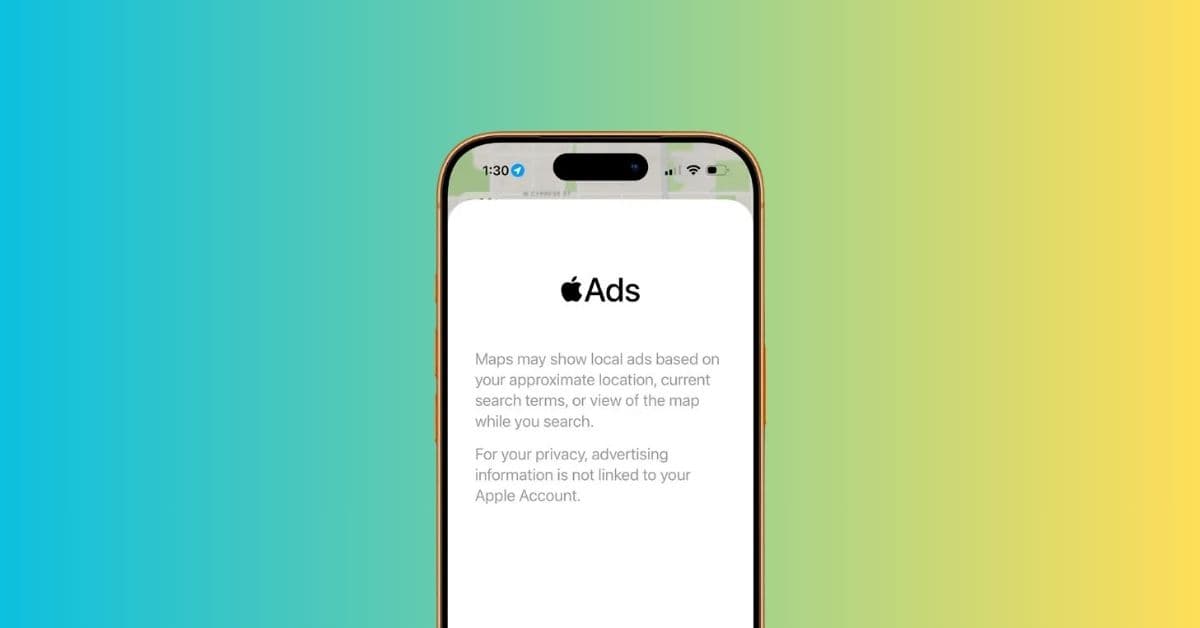
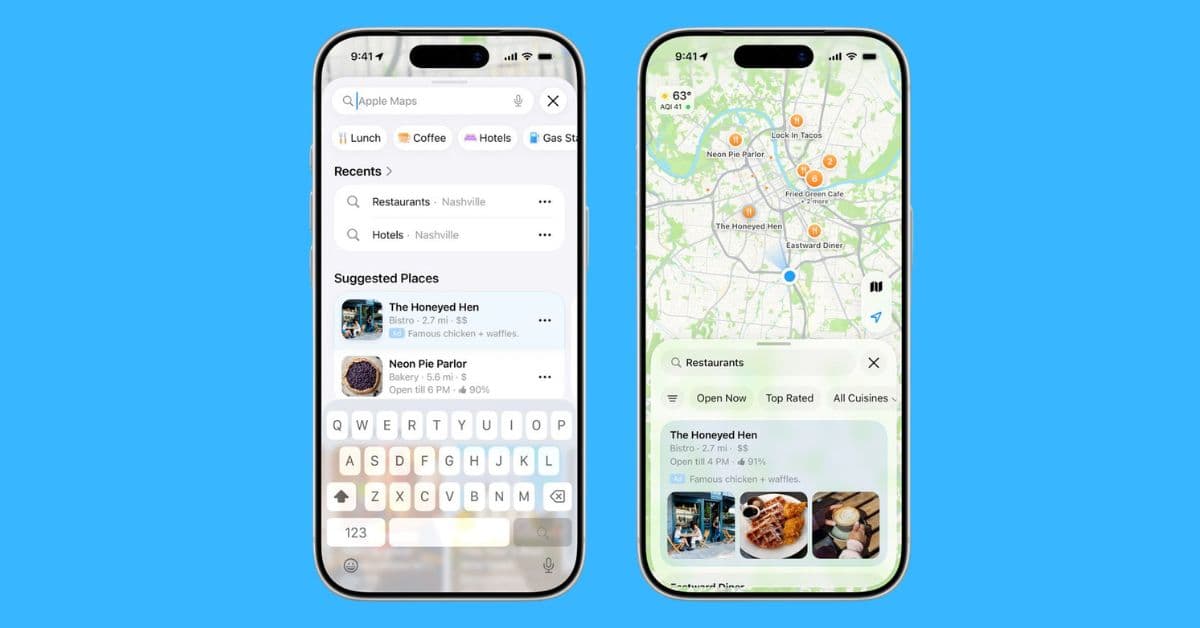
There’s now a splash screen in the app that explains how ads will work. According to it, ads may appear based on your approximate location, your search queries, or even the part of the map you’re viewing. They’re also expected to show up in the “Suggested Places” section that was added earlier.
How ads in Apple Maps are expected to work
Apple says the ad system is built with privacy in mind. The company notes that ad-related data isn’t linked to an Apple Account, and it doesn’t store or share this information with third parties.
That means while ads will be personalized to some extent, they won’t be tied back to your identity in the way many other platforms handle advertising.
Ads will be labeled clearly, similar to what you already see in the App Store, so that users can tell the difference between regular results and sponsored ones.
There were already signs of this in the first beta, though the second beta makes it more obvious that Apple is getting ready to roll this out. It’s not fully live yet, though testers may start seeing early versions soon.
Apple had previously confirmed plans to introduce ads in Maps, with a wider rollout expected later this summer. The feature is expected to expand across iPhone, iPad, and Mac, starting in the U.S. and Canada.
How do you feel about ads showing up inside Apple Maps? Let me know in the comments.