
iOS 26.2: New Features and Security Updates
Apple has released iOS 26.2, bringing practical new iPhone features, design refinements, and critical security fixes. Here’s a clear breakdown of everything that’s new and what it means for daily use.
Apple has officially released iOS 26.2, a mid-cycle update that focuses on useful everyday improvements, design tweaks, and important security fixes. While it is not a major redesign, the update adds several practical features across Reminders, Lock Screen, AirDrop, Apple Music, and system safety.
Reminders Can Now Act Like Alarms
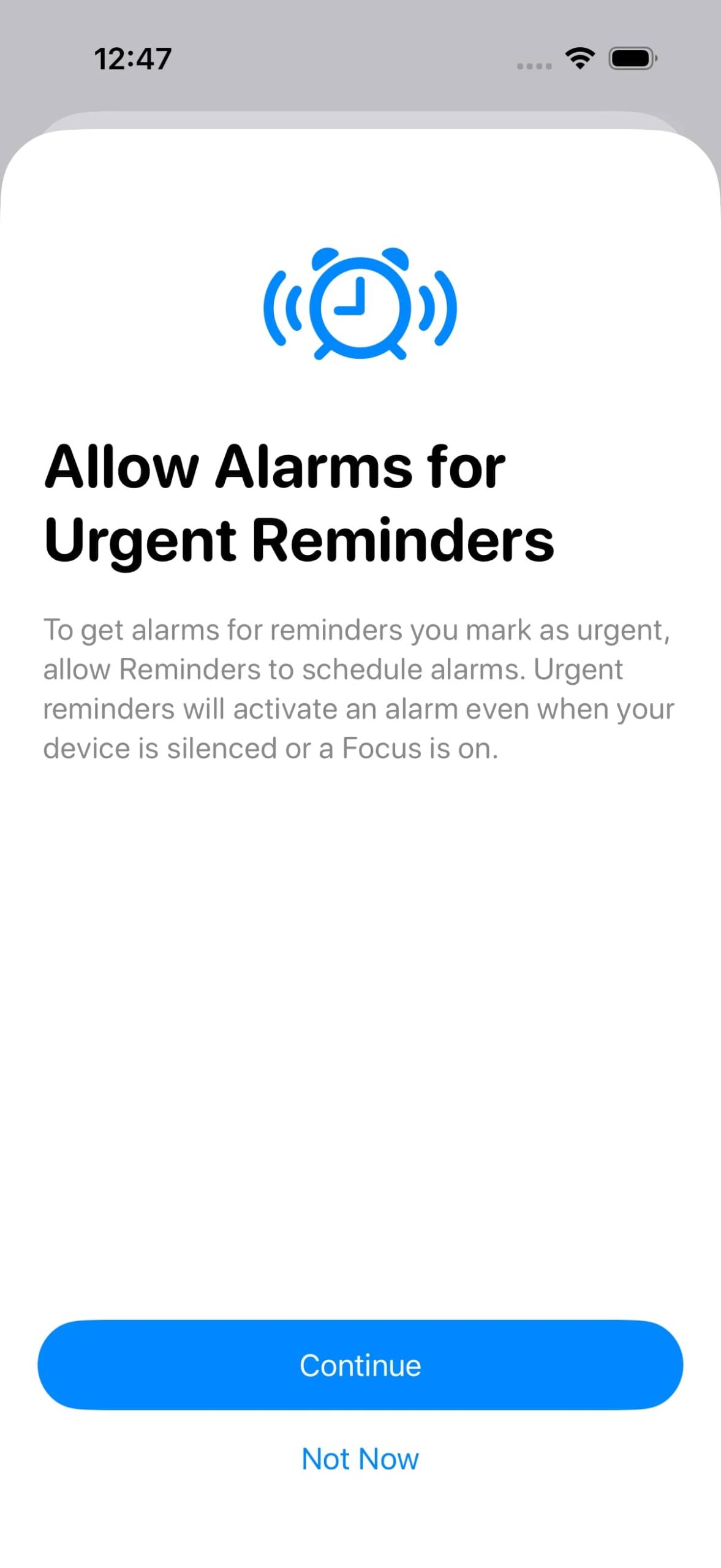
iOS 26.2 adds alarm-style alerts to the Reminders app. You can enable this by turning on the Urgent toggle while creating a reminder.
When the reminder triggers, it behaves like a real alarm with snooze and stop options. If you snooze it, a Live Activity countdown appears on the Lock Screen, letting you complete or reschedule the reminder quickly. Apple visually separates these alerts using a blue alarm color so they do not get confused with normal alarms.
Lock Screen Gets Deeper Liquid Glass Controls
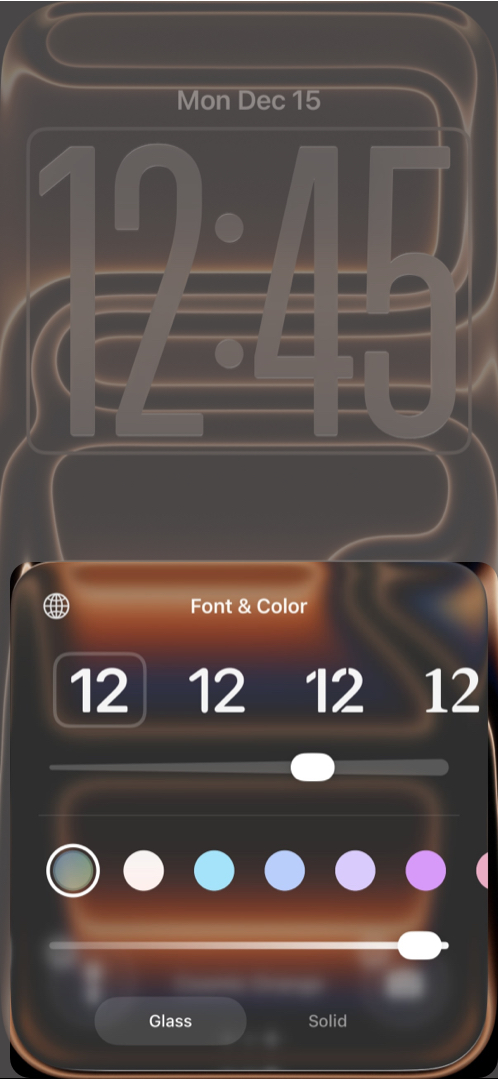
The Lock Screen clock now includes a Liquid Glass slider. You can fine-tune how transparent or frosted the time appears instead of choosing a fixed look.
If you prefer clarity, there is still a Solid toggle to disable the glass effect completely. Color options for the clock remain unchanged.
Liquid Glass Accessibility Conflicts Are Now Clearer
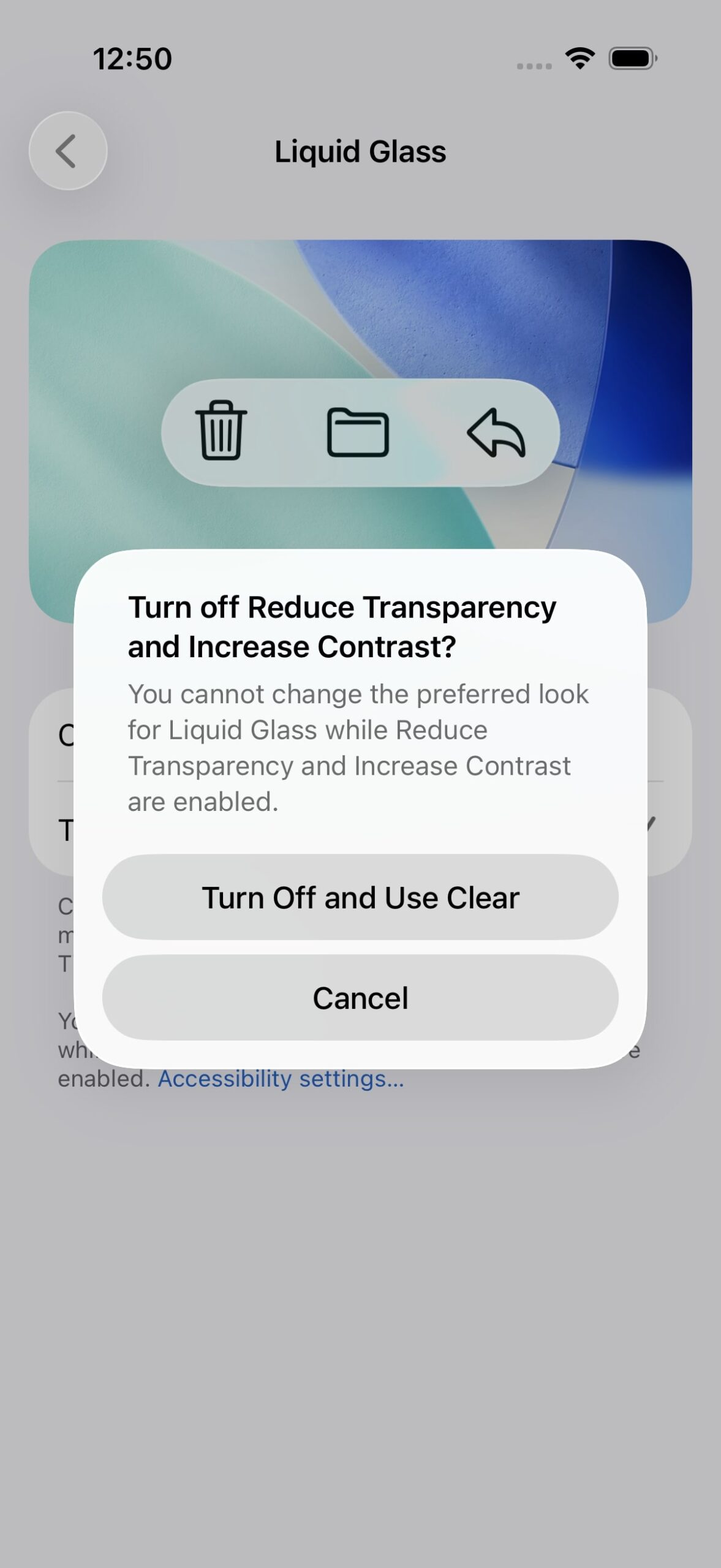
When using the Tinted Liquid Glass option, iOS 26.2 now clearly warns that it cannot be used with Reduce Transparency or Increase Contrast accessibility settings.
Turning on Tinted mode can automatically disable those accessibility options, avoiding the manual steps required in earlier versions.
AirDrop Adds Extra Protection for Unknown Users
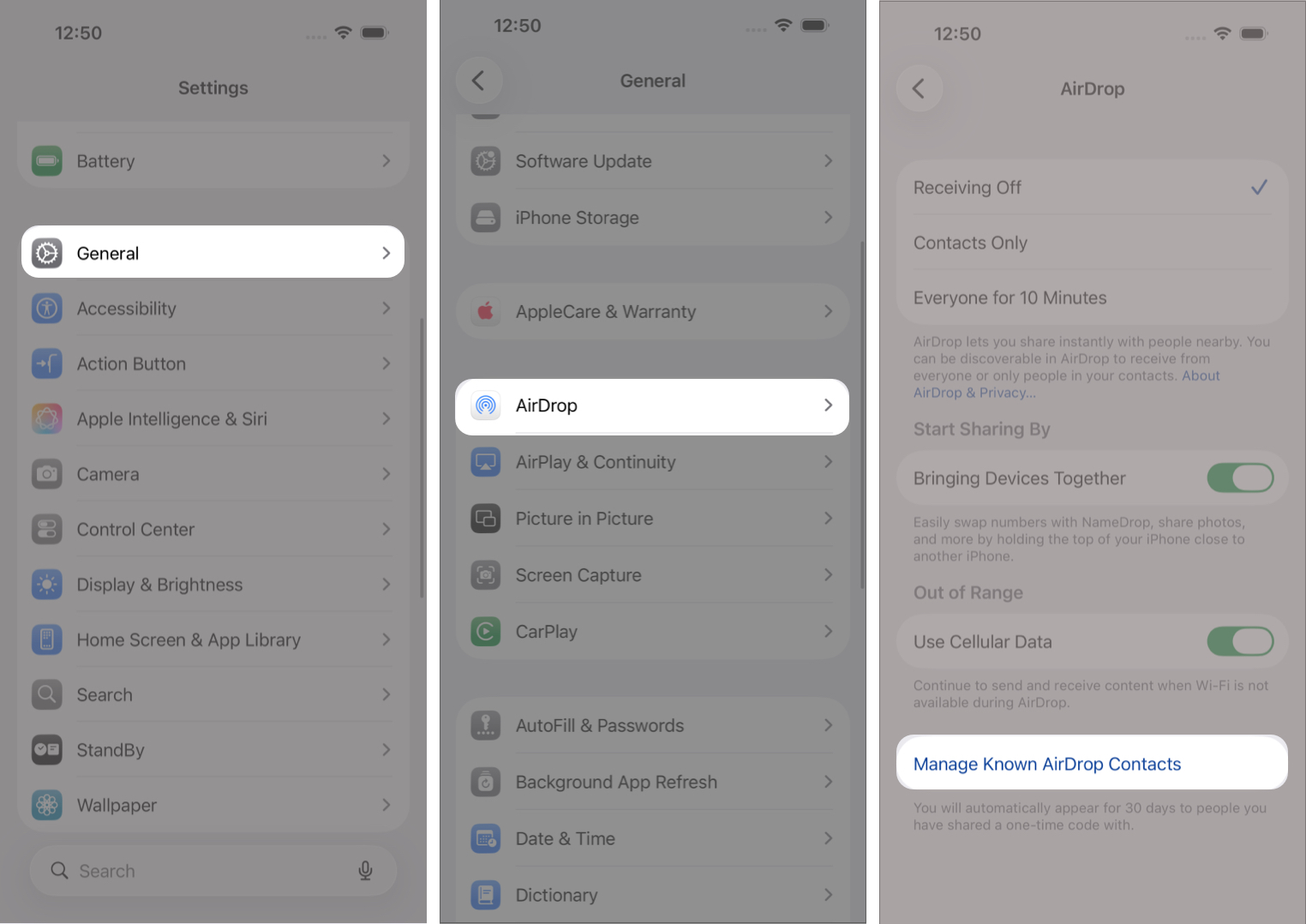
AirDrop is more secure in iOS 26.2. When sharing files with unknown contacts, you can now generate a temporary AirDrop code on the receiving device.
The sender must enter this code to complete the transfer. These codes remain valid for 30 days and can be managed in Settings > General > AirDrop > Manage Known AirDrop Contacts.
Apple Music Adds Offline Lyrics
Apple Music now lets you view song lyrics even when you are offline. This works for downloaded tracks and is useful when traveling or saving mobile data.
The Favorite Songs playlist has also been promoted to the Top Picks section on the Home tab.
Sleep Score Ranges Have Been Reworked
Apple has adjusted Sleep Score ranges in iOS 26.2 and watchOS 26.2 so scores better match how rested users feel.
The scoring system still totals 100 points, split across sleep duration, bedtime consistency, and interruptions. The top tier is now called Very High instead of Excellent. Sleep Scores appear in the Health app and work on all Apple Watches that support watchOS 26.2.
Podcasts App Gains Smart Navigation Tools
The Podcasts app now supports automatically generated chapters. You can also see mentions of other podcasts and tap links referenced during an episode directly from the episode page.
Passwords App Adds Better Control
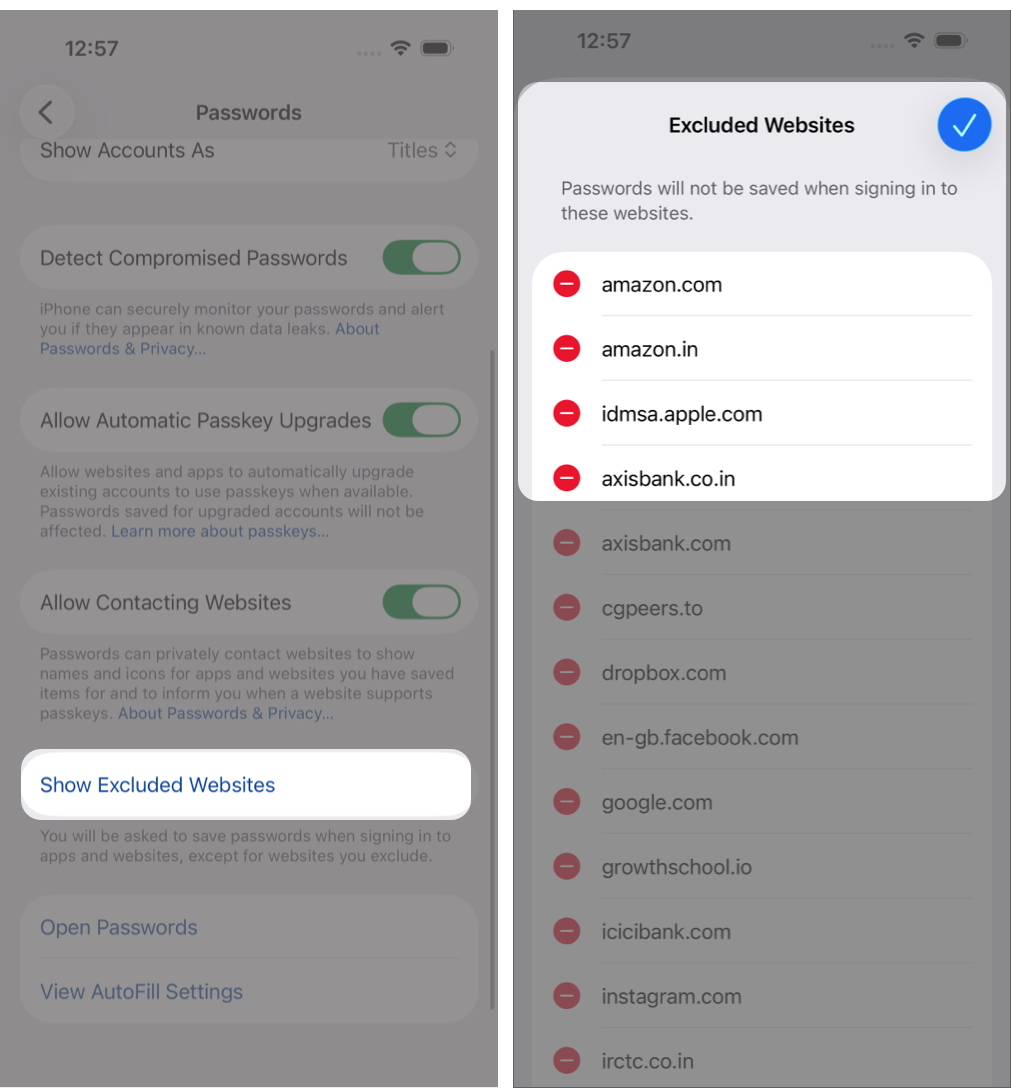
In the Passwords section of Settings, you can now manage websites where passwords should not be saved. This gives more control over sign-in behavior on specific sites.
Freeform Adds Tables for Better Organization
Freeform now supports tables that can contain text, images, files, and drawings. Cells resize automatically, making it easier to organize complex boards.
Apple News Gets a Cleaner Layout
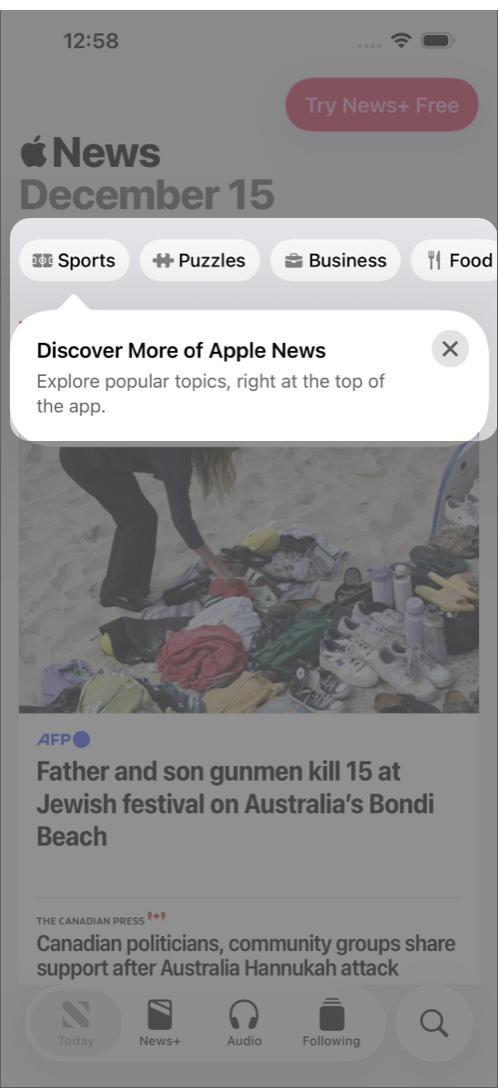
Apple News now shows quick-access category buttons for sections like Sports, Business, Food, and Puzzles. There is also a separate Following tab that is no longer tied to search.
Home App Supports Multipack Accessories
If you buy smart home accessories in a bundle, iOS 26.2 lets you pair multiple devices using a single setup code in the Home app.
Flash for Alerts Can Use the Screen
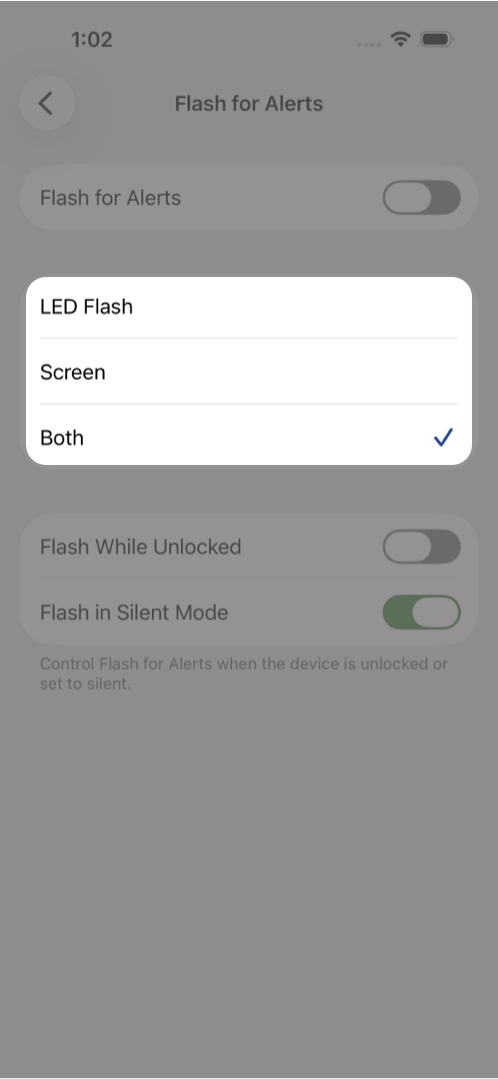
The Flash for Alerts accessibility feature now supports screen flashing for notifications. You can choose screen flash, LED flash, or both at the same time.
Enhanced Safety Alerts Arrive in the US
A new Enhanced Safety Alerts section lets users manage earthquake and imminent threat alerts. These alerts include maps and safety links and use location data for better accuracy. This feature is limited to the United States.
Measure App Gets a Visual Refresh
The Measure app’s level tool now uses a Liquid Glass design with transparent bubbles instead of solid white indicators.
Games App Adds Better Sorting and Controller Support
You can now sort your game library by size. iOS 26.2 also adds real-time challenge score updates, controller navigation, and improved support for Backbone and Razer controllers.
CarPlay Lets You Hide Pinned Messages
Drivers can now disable pinned messages in CarPlay to return to the older Messages layout.
Faster Menu Animations
Pop-out menus now use a quicker, bouncier animation similar to what Apple previewed at WWDC.
Privacy Disclosure Update
After installing iOS 26.2, Apple shows a new privacy notice explaining how Apple Account data is collected and used.
AirPods Live Translation Expands to the EU
AirPods Live Translation is now available in the European Union after delays related to the Digital Markets Act. It works with AirPods Pro 2, AirPods Pro 3, and AirPods 4 with ANC, supporting multiple major languages.
Major Changes for iPhone Users in Japan
iOS 26.2 introduces several Japan-specific updates. Users can choose a different default voice assistant for the Side Button, select a preferred search engine during setup, and install third-party app stores. These changes align with regional regulations.
App Store Changes Coming to Texas
To comply with Texas law starting in 2026, Apple is adding age verification and parental consent systems. Developers will receive age range data and must support parental controls for app access.
iPadOS 26.2 Improves Multitasking
On iPad, iOS 26.2 restores drag-and-drop multitasking from the App Library, Dock, and Spotlight into Slide Over and tiled views.
Bug Fixes and Security Updates
Apple fixed over 20 security vulnerabilities, including two actively exploited WebKit bugs. Other fixes address Apple Music release issues, privacy mislabeling, FaceTime remote control bugs, and hidden photo access problems.
Apple strongly recommends updating due to the public disclosure of these vulnerabilities.
Compatibility and What’s Next
iOS 26.2 is available for all iPhones that support iOS 26. Apple is expected to release the first iOS 26.3 beta soon.

Written by
Ravi Teja KNTSI’ve been writing about tech for over 5 years, with 1000+ articles published so far. From iPhones and MacBooks to Android phones and AI tools, I’ve always enjoyed turning complicated features into simple, jargon-free guides. Recently, I switched sides and joined the Apple camp. Whether you want to try out new features, catch up on the latest news, or tweak your Apple devices, I’m here to help you get the most out of your tech.
View all posts →More from News
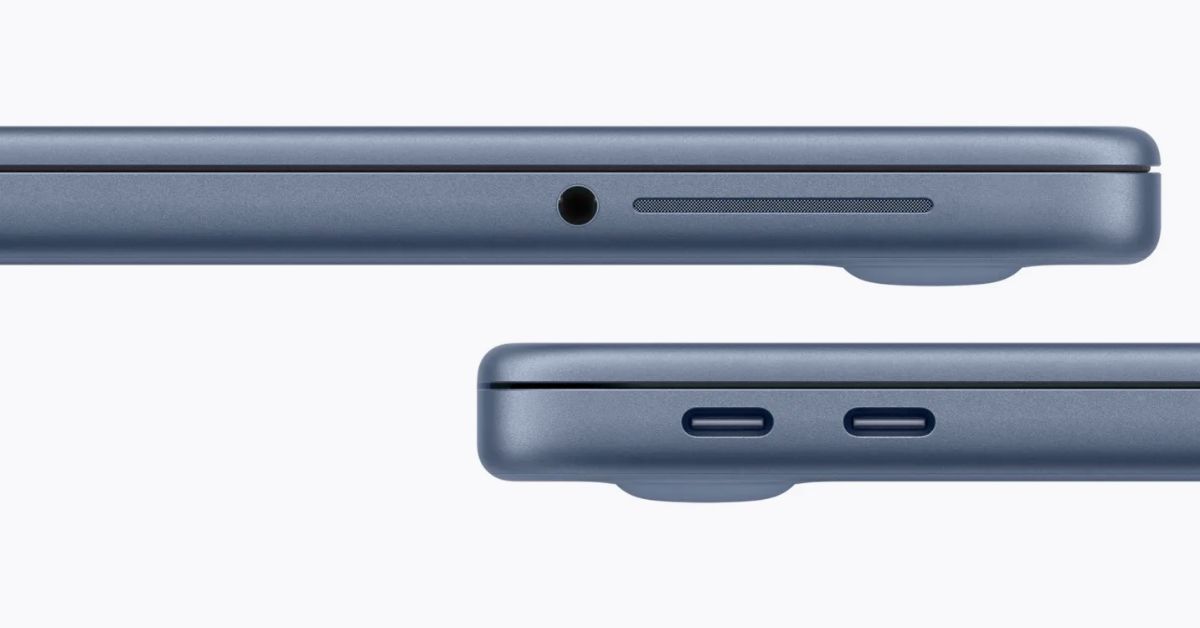
macOS Will Flag the Slower USB-C Port on MacBook Neo
The MacBook Neo includes two USB-C ports with different capabilities. The left port supports faster speeds and external displays, while the right port is limited to USB 2 speeds for charging and basic accessories.
 VikhyatMarch 5, 2026
Apple Launched Studio Display and Studio Display XDR: Full Specs, Features, and Price
Apple launches Studio Display and Studio Display XDR built for creators with Thunderbolt 5, stunning visuals, and pro-level performance. Here’s all the specs, features, and price.
 Ava BiswasMarch 4, 2026
Apple Pre‑Orders Now Live for iPhone 17e, MacBook Neo, M5 Macs and More
Apple has opened global pre-orders for iPhone 17e, MacBook Neo, M5 Macs, and new Studio Displays. Here are the start times, products, and release date.
Ravi Teja KNTSMarch 4, 2026