
Instagram Now Lets You Fine Tune Your Reels Recommendations
Instagram has introduced a new ‘Your Algorithm’ feature that lets users personalise Reels recommendations. It offers clearer control over what appears in your feed and how your interests shape future suggestions.
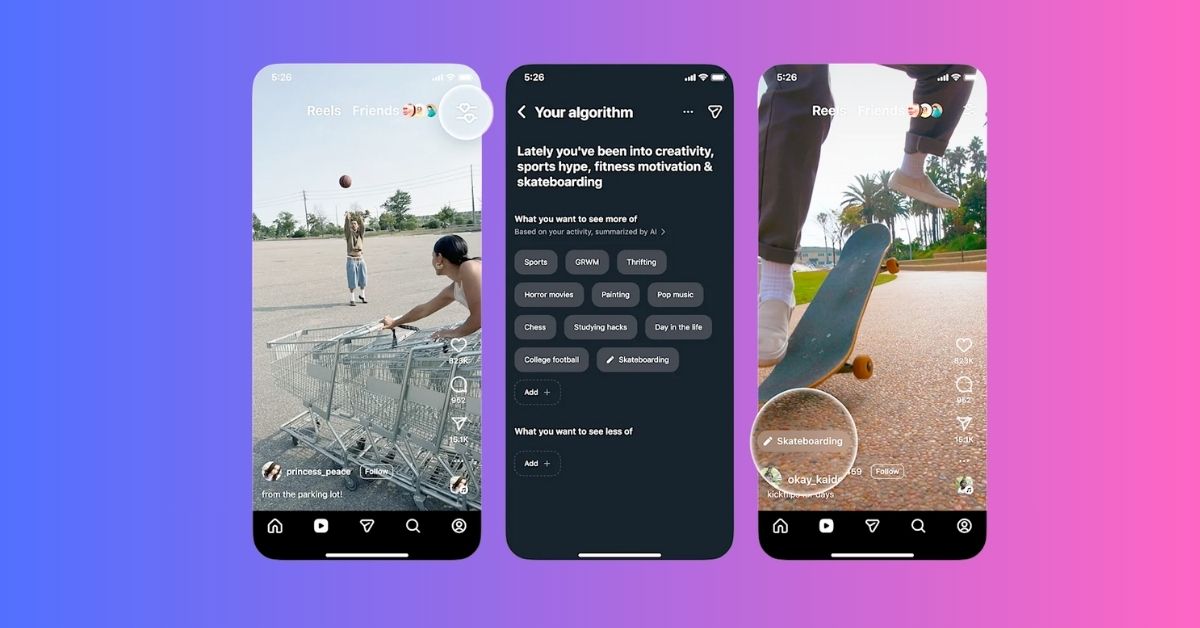
Tired of random Reels appearing in your Instagram feed even after resetting the algorithm? Instagram has something new for you. The social media platform has introduced a powerful new tool called Your Algorithm that lets you see why certain Reels appear in your feed and gives you direct control over the recommendations you receive. Instead of feeling dictated by the algorithm, you can now fine-tune the topics you enjoy and reduce the content you prefer to avoid.
Keep reading to learn everything you need to know about Instagram’s new Your Algorithm tool.
What Is the Instagram New Your Algorithm Tool and Why It Matters?
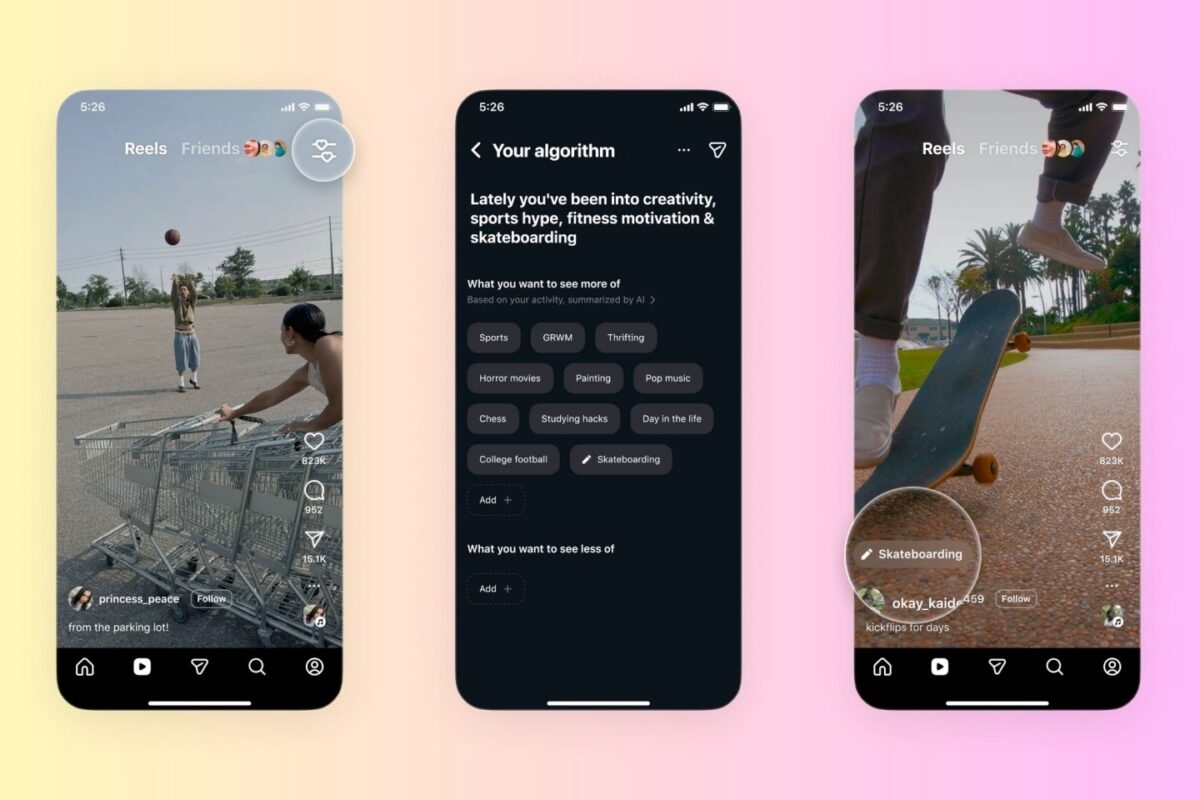
Your Algorithm is Instagram’s latest AI-powered feature that reveals the topics that Instagram thinks you are interested in based on your recent activity on the platform. It displays how your previous interactions have shaped your Reels feed and even lets you adjust or reset those topic preferences. This way, you can have greater control over your Reels feed and keep it personalized.
If you have ever felt that the Reels tab is out of sync with your preferences, this tool is the simplest way to correct it.
How the Instagram Algorithm Worked Before Your Algorithm Tool
Before this update, Instagram followed your in-app behaviour and quietly updated your preferences in the background. The app interpreted watch time, likes, shares, and other interactions to build an interest profile.
However, you could not see or manage these inferred topics directly. This meant that if your feed drifted away from the actual interests, you had to rely on indirect methods, such as resetting the algorithm or manually interacting with new content. Your Algorithm solves this by allowing you to see and edit the underlying interest signals.
How to Access the Instagram Reels “Your Algorithm” Panel
The feature is currently limited to the U.S. as it’s still in the early phase and will roll out globally soon. If you’re in the U.S., here’s how you can access Instagram’s new Your Algorithm tool:
- Open the Instagram app and head to the Reels tab.
- Here, look for the icon with two lines and hearts in the top-right corner.
- Tap the icon to open Your Algorithm panel.
Everything You Can Do in Your Algorithm Panel on Instagram
Now that you know how you can access the Your Algorithm panel, here’s everything you can do in it:
1. Review the Topics Influencing Your Reels Feed
When you first open the Your Algorithm panel, you see a summary of topics generated from your activity. These topics reflect the kind of Reels you watch, like, share, save, replay, or skip.
Each topic displayed here directly influences the type of content that appears on your Reels tab, and reviewing it helps you understand exactly which interests are driving your feed. If something feels outdated or irrelevant, you can update it immediately.
2. Customize the Reels Algorithm to Your Liking
This is the true value of the feature. You can add topics you want more of or remove topics you no longer enjoy, and Instagram will update your Reels recommendations in real time. You can therefore maintain a clean, personalized feed without relying solely on passive interactions like likes or watch time.
3. Share Your Reels Algorithm in Your Story
You can also share your personalized topic summary in your Story by tapping the Share button. This is a creative way to show your followers the interests that shape your Reels recommendations.
Using Instagram’s New Your Algorithm Tool to Improve Your Experience
Your Algorithm gives you a direct way to refine your feed. If you want more travel content, you can add travel-related topics. If you want fewer unrelated Reels, you can quickly remove the related topics from your summary.
The tool helps you quickly correct your feed without waiting for the algorithm to catch up to your preferences. It is also helpful for people who feel their Reels feed becomes repetitive or irrelevant over time.
Your Reels, Your Rules…
Instagram’s Your Algorithm tool gives you more influence over what you see. With clear topic summaries and an easy way to modify them, you can now reshape your Reels feed in minutes. Once the feature rolls out globally, it will become one of the most useful controls for anyone who wants a personalized Instagram experience.
Have you tried the new Your Algorithm tool yet? Share your experience in the comments.
Related articles worth reading:
Topics

Written by
VikhyatVikhyat has a bachelor's degree in Electronic and Communication Engineering and over five years of writing experience. His passion for technology and Apple products led him to the tech writing space, where he specializes in writing App features, How-to guides, and troubleshooting guides for fellow Apple users. When not typing away on his MacBook Pro, he loves exploring the real world.
View all posts →More from How-to

Snapchat Parental Controls: How to Set Up Family Center and Keep Your Teen Safe
Snapchat’s Family Center lets parents monitor their teen’s friend activity and screen time without reading private messages. Here’s how to set it up and what to expect.
VikhyatMarch 3, 2026
How to Block and Unblock Someone on Instagram
Instagram lets you block or unblock someone in seconds. Follow these simple steps to take full control of your privacy and online peace.
 Ava BiswasMarch 2, 2026
Apple Watch Not Responding? 8 Fixes That Actually Work
Is your Apple Watch unresponsive or stuck on a black screen? Here are 8 proven fixes to help you unfreeze it and get it working again quickly.
VikhyatMarch 3, 2026