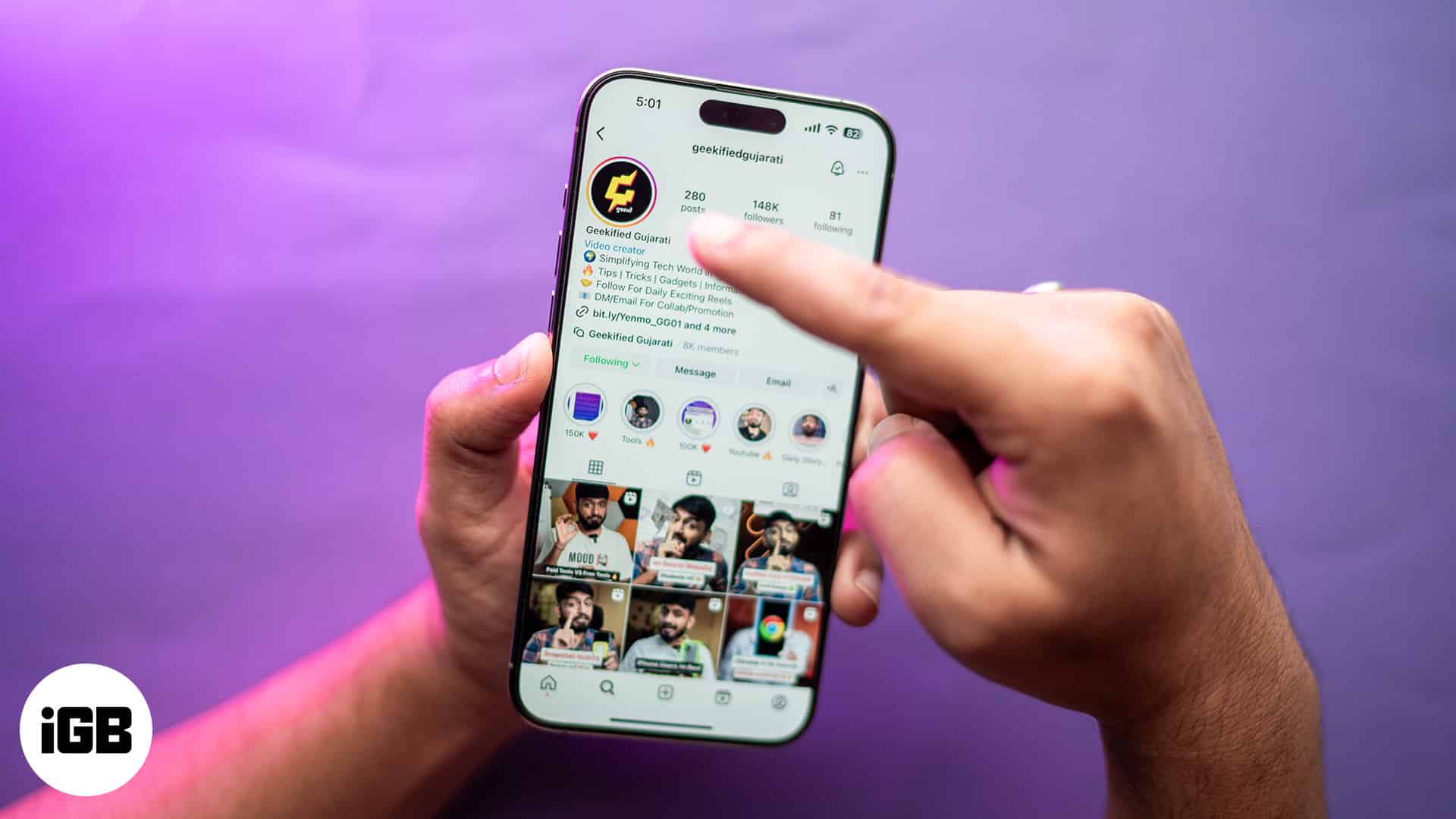
- Instagram doesn’t officially support anonymous Story views, especially for private accounts—most workarounds are limited or violate the platform’s rules.
- Airplane Mode trick works only once per story—load the story first, then enable Airplane Mode before watching to avoid showing up in the viewer list.
- Third-party Story viewer tools pose privacy risks, and many violate Instagram’s terms—use them cautiously, especially with your main account.
- A secondary Instagram account can view Stories quietly, as long as it’s not linked to your identity—note that private profiles still require approval.
- You can peek at a Story by partially swiping from the one before or after it, showing just a sliver without triggering a view in most cases.
With Instagram Stories, you can take a sneak peek at your friends and family, crushes, or even celebrities, which helps you know what they’re up to. With privacy in mind, Instagram lets users see who viewed their Stories. So, if you are looking for ways to view Instagram Stories anonymously, you are at the right place. This post details how to watch Instagram Stories without getting noticed.
Can you view Instagram Stories anonymously?
Considering Instagram’s strict privacy policy, there isn’t a single legal way to view someone’s Instagram Stories anonymously. But there may come an instance where you might need to. Whether it is simply for privacy concerns, or you want to stalk your crush (I don’t endorse this though) without them knowing, a few workarounds do exist.
However, it is also important to remember that each method has its own limitations. And watching Instagram Stories of private accounts is next to impossible.
4 Ways to view Instagram Stories anonymously
There are four sure-shot ways to view Instagram Stories anonymously, and the one I often use is watching Stories through my secondary Instagram account, which no one knows about. However, if you don’t have a secondary Instagram account, I do have other workarounds for you.
1. Use Airplane Mode
Using Airplane Mode is the simplest way to view someone’s Instagram story without your username appearing in the seen viewer’s list. However, this method works only for a single story as there will be no internet connection for the next story to load, which is the basic requirement to view multiple Stories. Here’s how you can do it:
- In the Instagram app, open the profile of the person whose story you want to view anonymously.
- Wait for the Instagram story to load.
- Now, turn on Airplane Mode to disconnect your iPhone from the internet connection.
- Head back to the Instagram app and tap the User’s profile to view their Instagram Story anonymously.
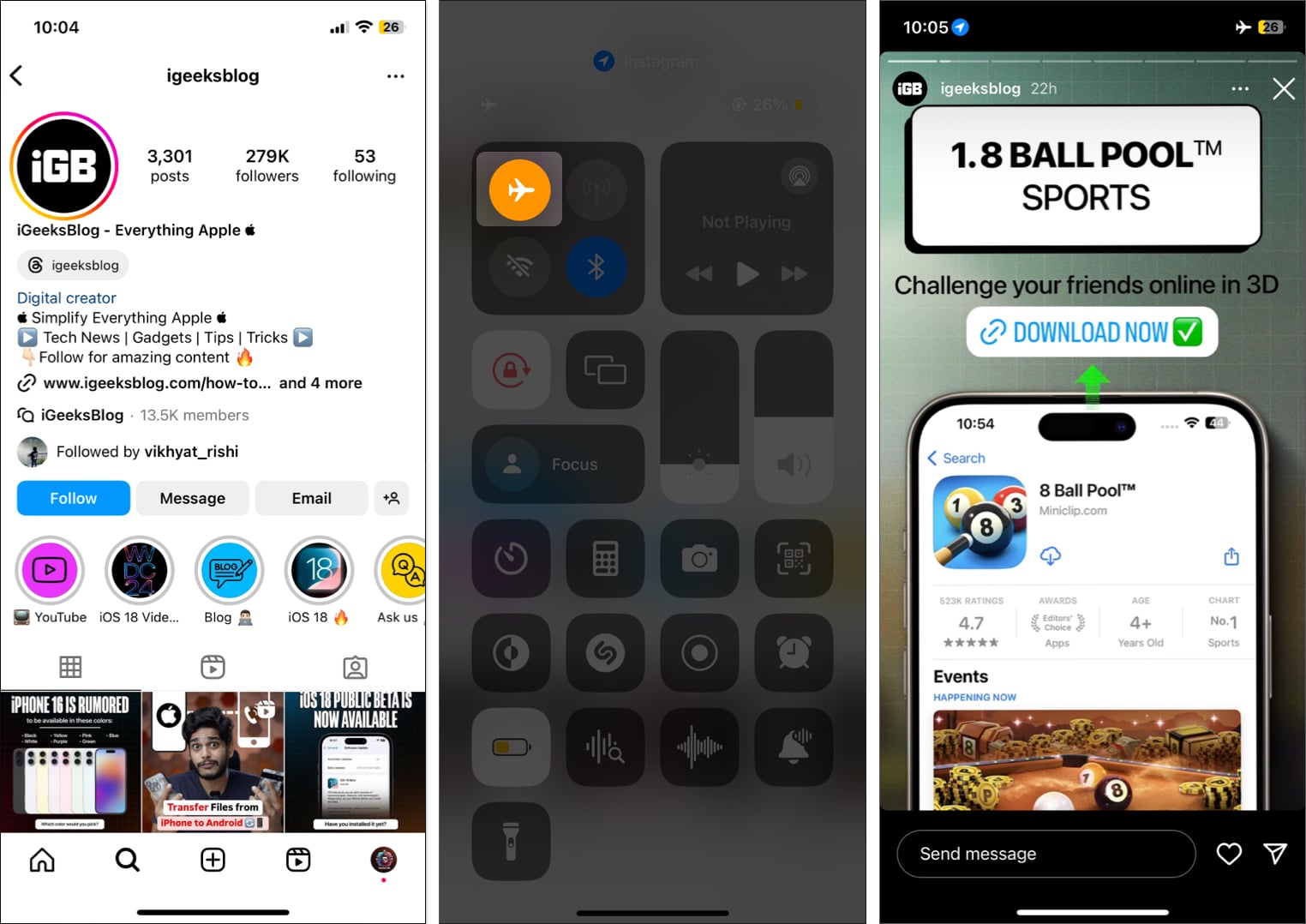
- Once done, close the Instagram app completely, then turn off the Airplane Mode.
Note:
2. Use third-party online tools
Several third-party apps and websites, such as InLook, offer functionalities that the official Instagram app might never offer. One such functionality is the ability to view Instagram Story just by entering the Instagram username. Some third-party websites, such as StoriesIG and Insta Stories Viewer, also allow you to download Instagram Stories.
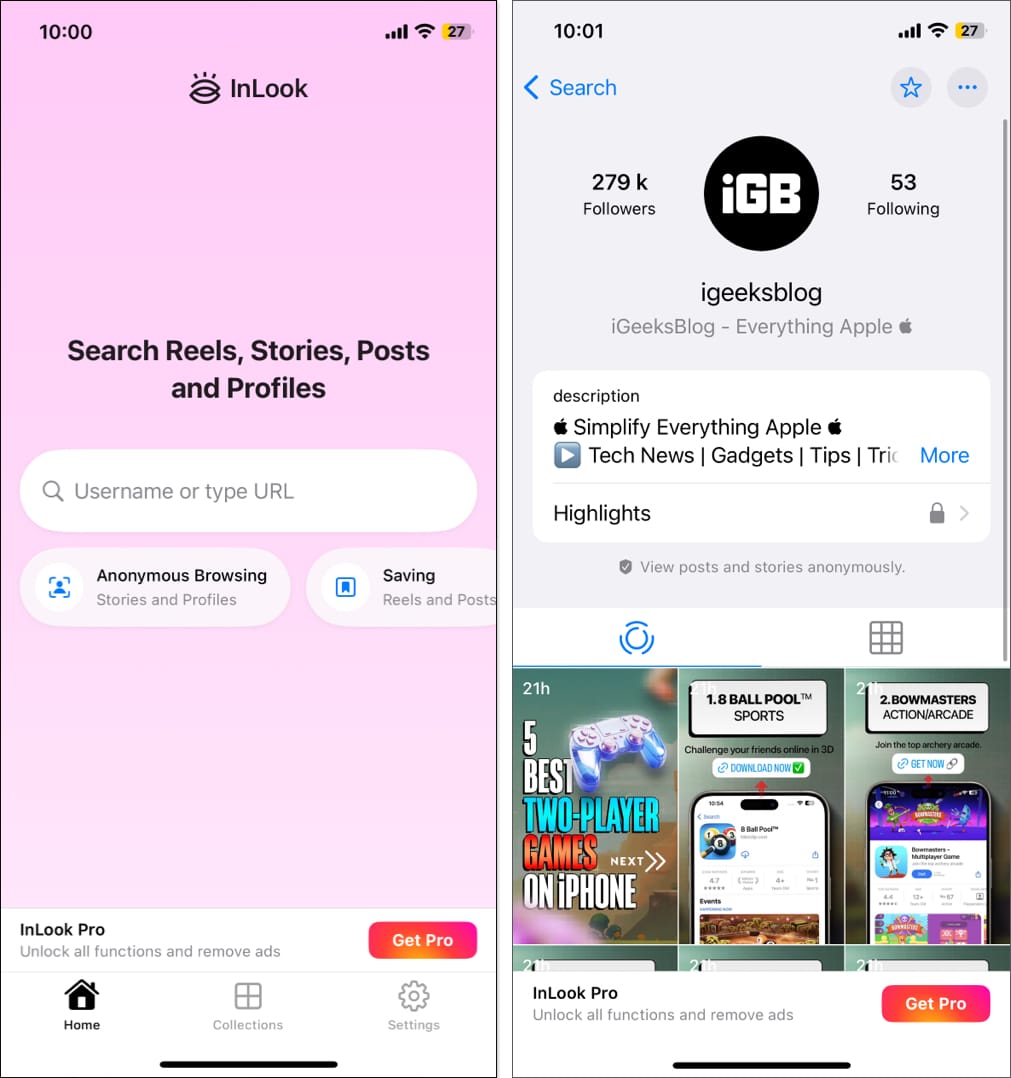
However, exercising caution when using these third-party apps and websites is important, as they pose privacy and security risks. One should avoid entering any private information whenever possible.
3. Create a new Instagram account
Another straightforward way to view someone’s Instagram story anonymously is to use a secondary Instagram account. If you don’t already have a secondary account, you can easily create one. Give the secondary account a different name from yours so the other person can not identify or interpret it as you.
- Open the Instagram app and tap & hold your Profile button at the bottom right corner.
- Here, select your Secondary account from the pop-up menu.
- Now, use this account to view anyone’s Stories you want. This won’t reveal your real identity to them.
Note:
4. Slide and view from adjacent Stories
While you won’t be able to view complete Stories using this method, you can get a peek into the Instagram story’s content. Here’s how:
- In your Instagram feed, tap the account story before the one you want to view anonymously.
- Here, touch & hold and swipe right partially to view the first frame of the next Instagram account’s story.
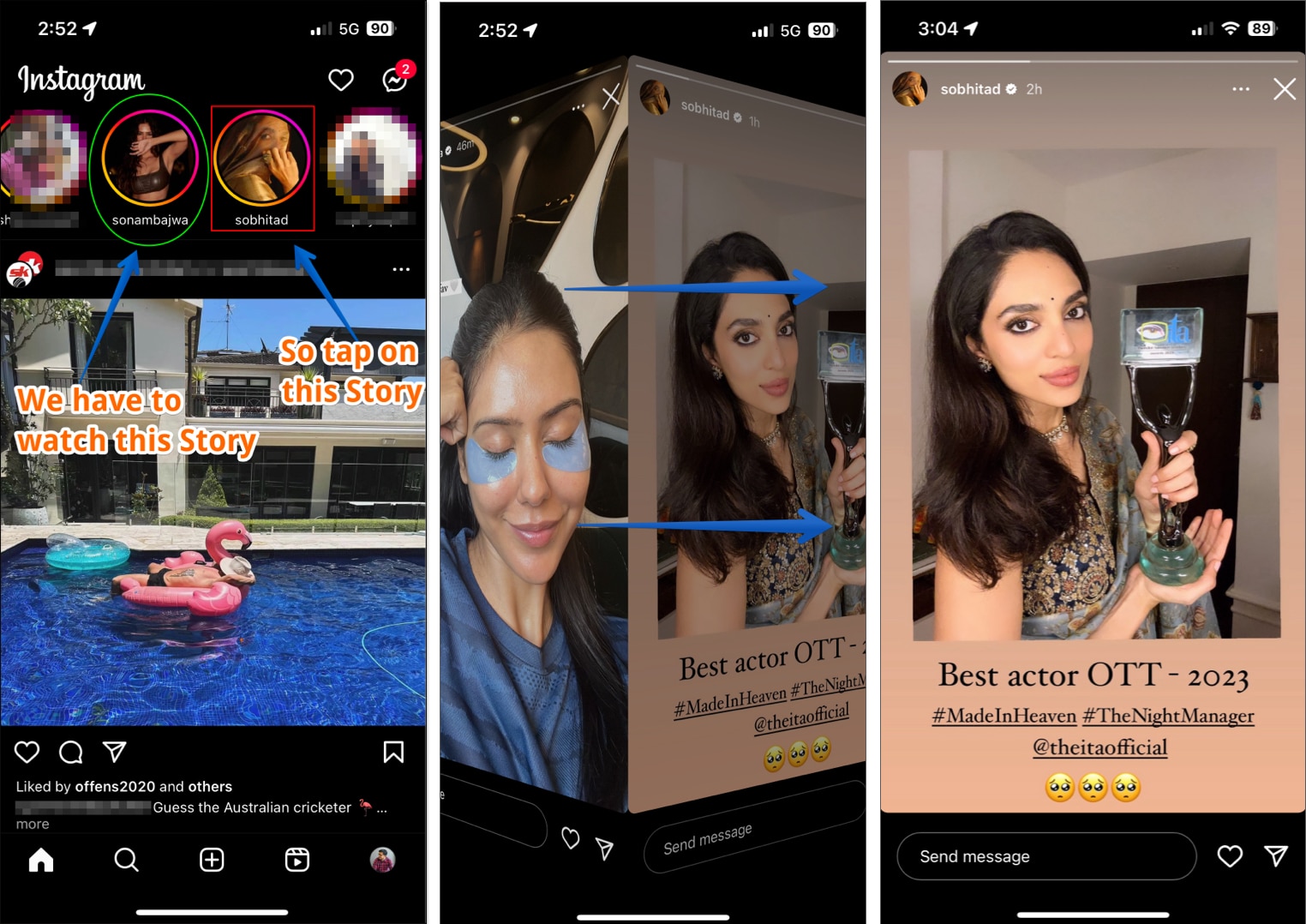

You can make out what’s happening by viewing the first frame of the Instagram story without registering your name in the viewer’s list.
To view the last frame of the intended story, open the Instagram account story next to it, then touch & hold and make a partial left swipe.
Incognito mode activated…
That’s how you can view Instagram Story anonymously. While you may have several reasons to do so, it is important to respect others’ privacy. As already mentioned, each method has its own pros and cons, so use them while keeping privacy and safety in mind.
Do you know of another way to view Instagram Stories privately? Do share it with me in the comments; I would love to incorporate it.