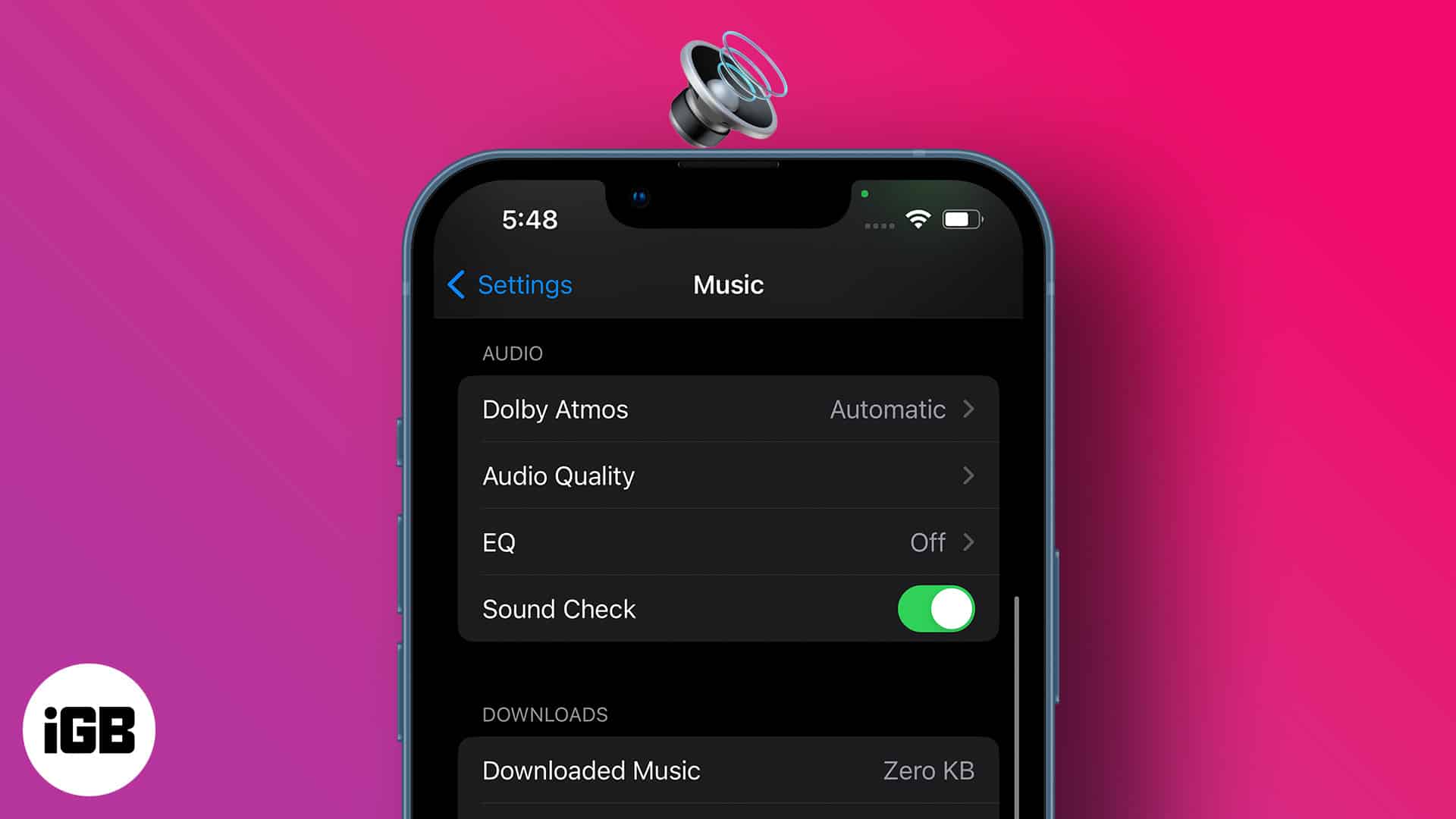
Each music piece carries its own studio record volume; thus, some are louder than others. However, sound fluctuations can hamper your listening experience and mental state. So, maintaining a consistent sound regardless of the music volume is much needed, and that’s where the iPhone Sound Check feature comes in handy.
So what’s Sound Check on the iPhone, and how do you use it? Keep reading to find out.
- What is Sound Check on Apple devices?
- How to enable/disable Sound Check on iPhone or iPad
- How to turn on/off Sound Check on your Mac
- Turn on/off Sound Check on Apple TV
What is Sound Check on Apple devices?
The Sound Check is a feature exclusively for Apple Music that helps keep the music volume consistent regardless of its original studio volume. So, your eardrums aren’t tortured during the music switch.
How Sound Check works on iPhone
The eardrum has a volume limit it can absorb. Apple adds the Sound Check feature to the iPhone to help increase or reduce playback volume to strike a balance between high and low playbacks. So it’s an intuitive feature since it reduces human intervention in music volume control.
Sound Check doesn’t alter the original music quality, as some users erroneously believe. But it tags the music volume information at the time of playing instead. Hence, when you play a song on your iPhone, iPad, Mac, or Apple TV, Sound Check determines its volume level at that point only and adjusts it to a tolerable limit.
How to enable/disable Sound Check on iPhone or iPad
- Open your iPhone Settings → Music.
- Toggle on the switch to the right of Sound Check.
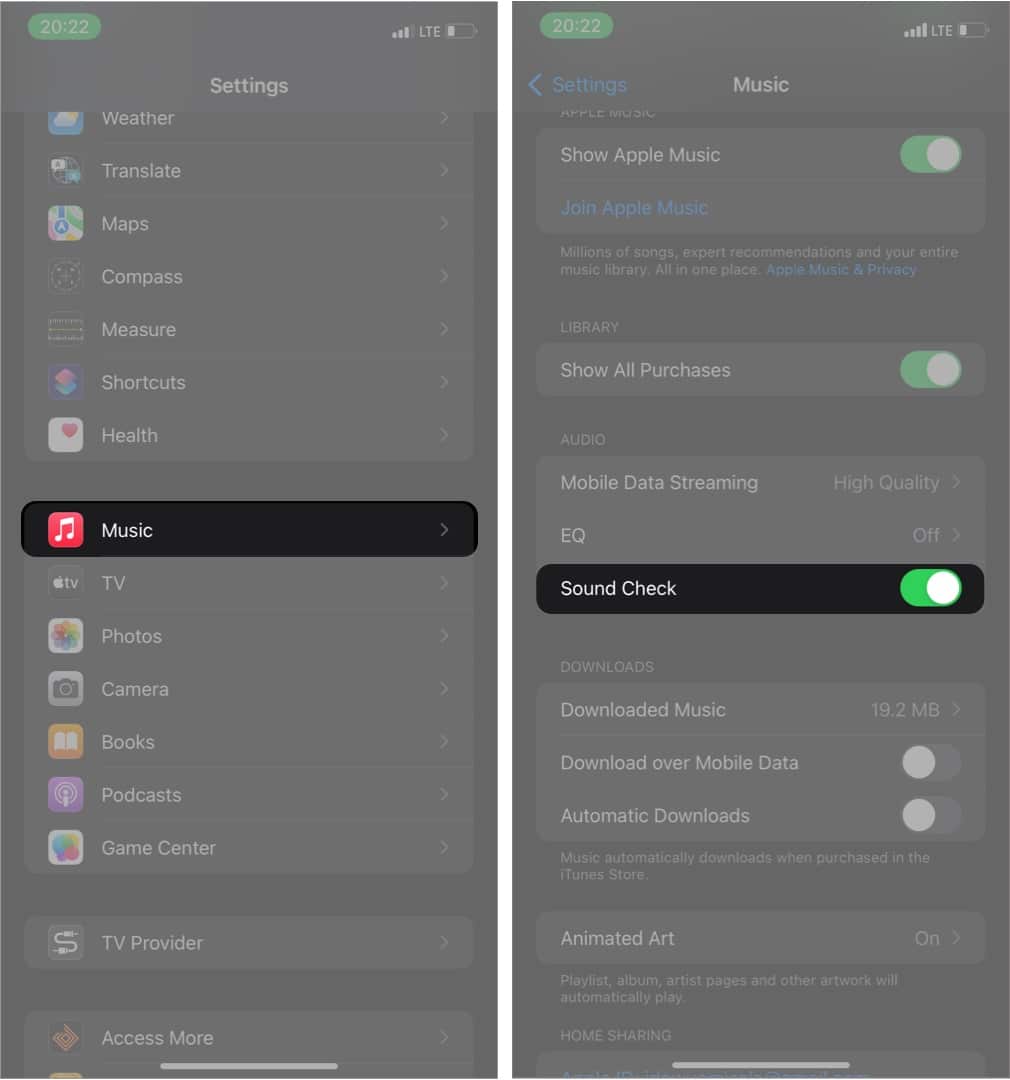
To disable Sound Check and listen to original music volumes instead, simply open your iPhone Settings → Music → Toggle off the Sound Check switch.
How to turn on/off Sound Check on your Mac
- Open the Music app.
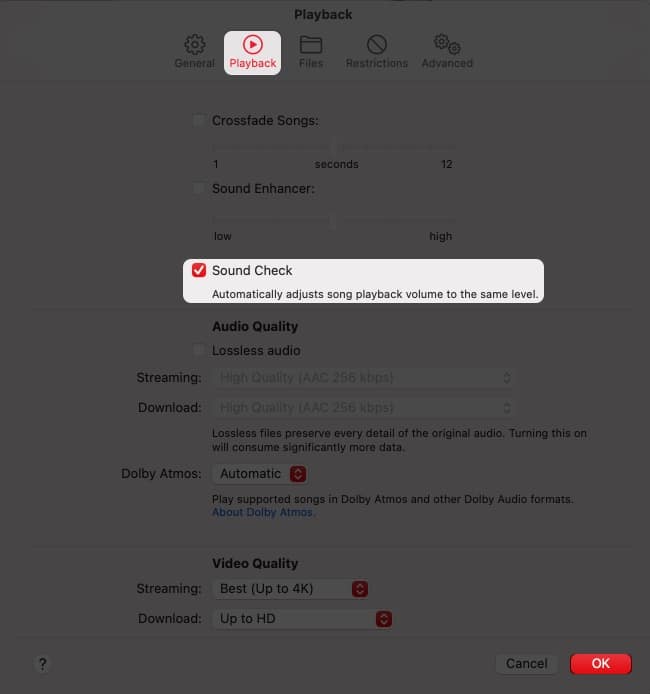
- Go to Music → Preferences from the menu bar at the top.
- Click Playback, then Sound Check to activate it:
Follow similar steps to disable Sound Check.
Turn on/off Sound Check on Apple TV
- Go to Settings.
- Click Apps → Music.
- Choose Sound Check from the settings list to turn it on.
For Windows user: If you’re using a Windows device, go to iTunes → Edit menu → Preferences → check Sound Check