The Apple Developer Program allows individuals and businesses to create innovative apps for iOS, iPadOS, macOS, tvOS, and watchOS. Previously, users paid a fee to join, but after WWDC23, Apple made Beta versions free for all users with compatible devices.
So, whether you want a refund for your membership fees or believe the program isn’t right for you, this article provides a step-by-step guide to help you request a refund for Apple Developer Program fees.
- What is the Apple Developer Program?
- How to get a refund for your Apple Developer Program fees
- Tips for requesting a refund of Developer Account fees
What is the Apple Developer Program?
The Apple Developer Program is a toolkit that helps people worldwide create and improve apps for Apple devices. Even if you don’t know how to code, you can still be a valuable part of the program as a tester.
When you join the program, you get access to the newest software versions of Apple before their public release! As a tester, you can try those features and let Apple know if you find any problems. Your feedback is important because it helps Apple improve before the official stable release.
Besides, Apple holds a special annual event called the Worldwide Developer Conference (WWDC). Developers from all over the world are invited to join and contribute to developing new software. It’s an exciting opportunity to be a part of the latest creations from Apple.
What’s the annual fee for Apple Developer Program?
The Apple Developer Program currently offers two membership options. To join these programs, you need to pay an annual fee, which is as follows.
- Apple Developer Program: $99
- Apple Developer Enterprise Program: $299
However, there is also a way to access the Apple Developer Program without paying any fees. Apple generously provides free access to certain government entities, educational institutions, and NGOs. Additionally, Apple recently decided to waive the fees required for downloading beta software.
How to get a refund for your Apple Developer Program fees
- Launch your web browser. For this demonstration, I’ll be using Google Chrome.
This method is valid for any Apple device that can use a browser. - Navigate to the Contact Us page.
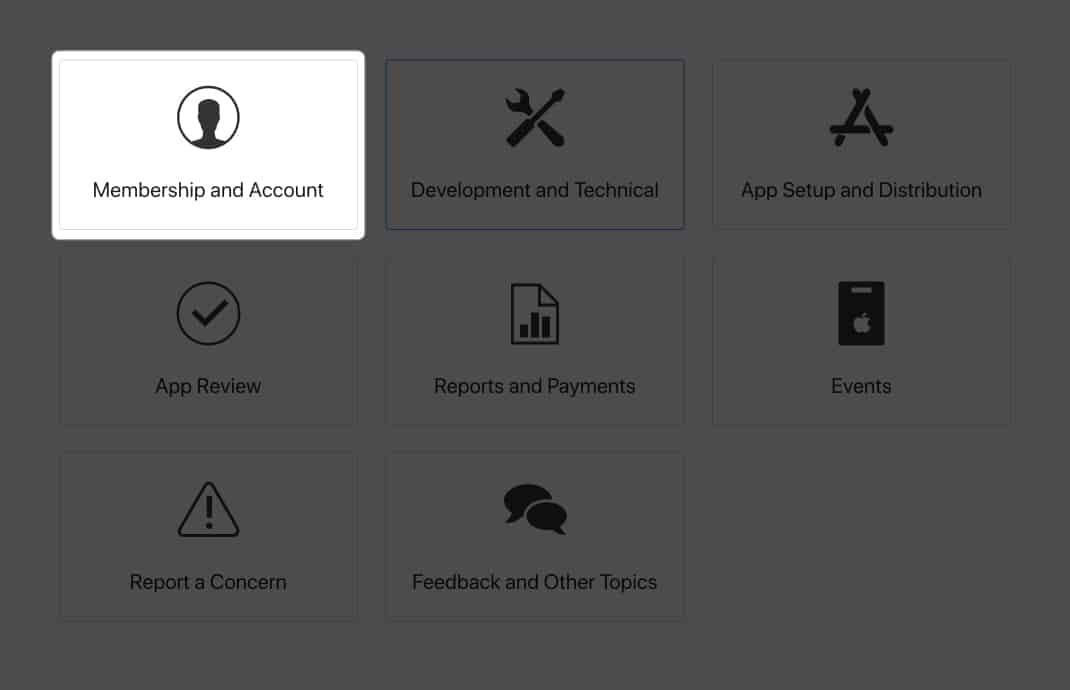
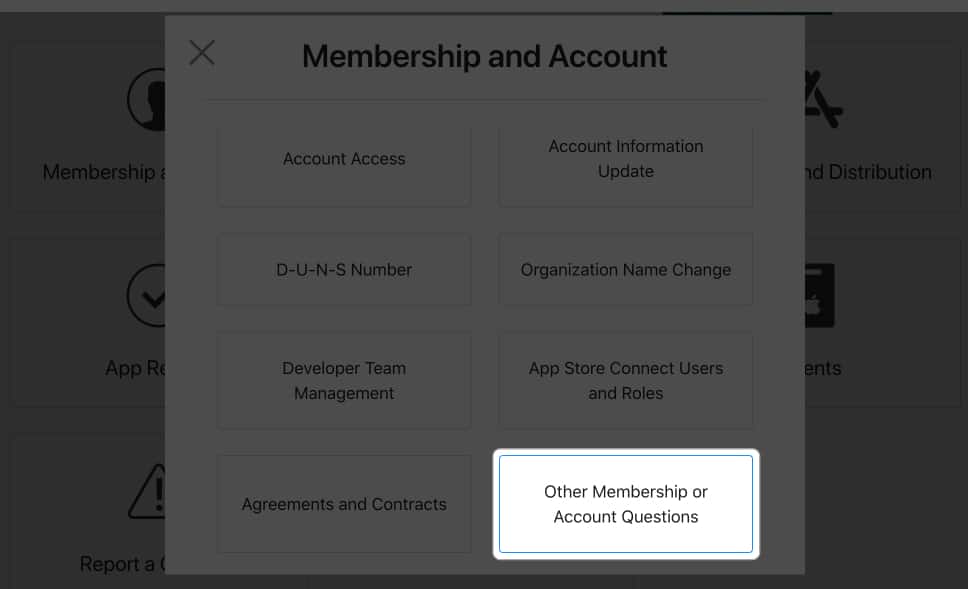
- Select Membership and Account.
- Choose Other Memberships or Account Questions.
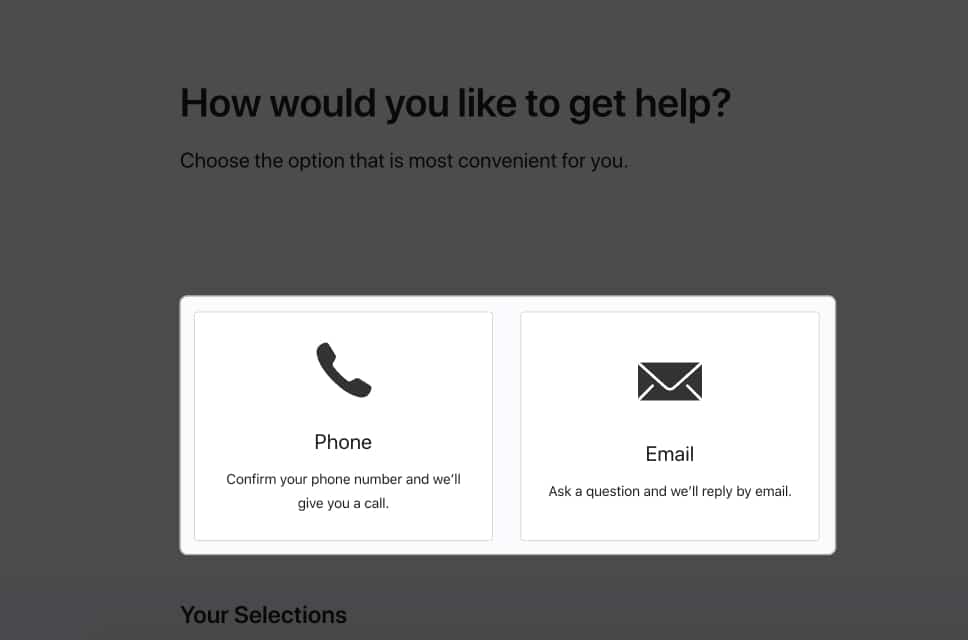
- Pick a method to get in touch with Apple Support. You can choose either Phone or Email.
- You will now receive a Case ID, and a member of Apple Support will contact you within 2-3 business days to provide a final decision on your refund request.
When I spoke with Apple Support, I specifically mentioned requesting a refund for my Apple Developer Program membership.
I explained that I only needed it for beta testing operating systems, especially since it’s now free with Apple ID Sign-in. The support team escalated my case, and my refund was processed by the end of the day.
Tips for requesting a refund of Developer Account fees
Here are some tips I’d suggest if you plan to request a refund for your Apple Developer Account.
- Be clear and briefly explain the reasons behind your refund request.
- Express your politeness and respect towards the Apple Support representative.
- Remember to include any pertinent documents, such as your receipt for the Apple Developer Program.
- Ensure you request a refund within 90 days of purchasing your Apple Developer Account.
- If you request a refund because you could not publish an app, include information about the app and why it was rejected.
- Be patient and understanding. It may take some time for Apple to process your refund request.
That’s it!
I hope the instructions above helped you get your money back for the Apple Developer Program. If you have any other problems or questions about any product in the Apple ecosystem, please don’t hesitate to ask in the comments. I’ll do my best to help you with those as well.