- Snapstreaks disappear if you or your friend don’t exchange photo or video snaps within 24 hours.
- An ⌛ Hourglass emoji appears as a warning before a streak ends.
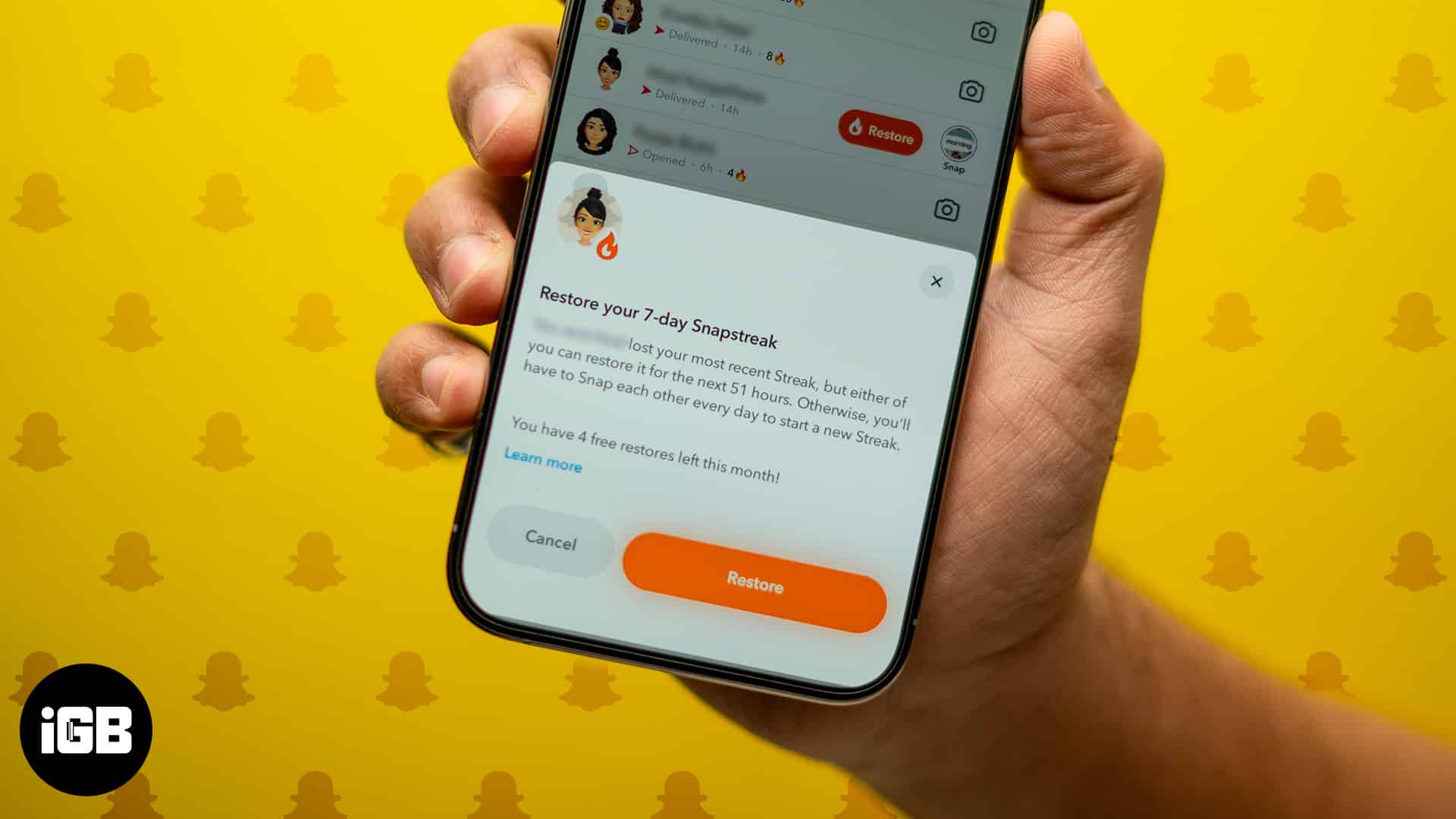
- Snapchat+ users get five free restores per month; free users get one restore.
- After using free restores, you can pay $0.99 to restore a Snapstreak
- If the Restore button isn’t available, you can submit a request via Snapchat Support.
- Snapchat only restores streaks lost due to technical issues, not user negligence.
Like real-life relationships, Snapstreaks are a two-way street—you can’t maintain one alone. Snapchat streaks not only help you stay connected with friends but also keep you updated on their daily lives. So, when your beloved Snapstreak suddenly disappears, it can be incredibly frustrating. This typically happens when either you or your Snap buddy fails to send a photo or video snap (not a chat) for just one day.
The good news? Snapchat gives you a limited-time option to restore a lost Snapstreak. In this guide, you’ll learn exactly how to restore a Snapstreak on Snapchat, with or without the in-app Restore option.
How Does a Snapchat Streak Work?
Before jumping into the recovery process, let’s quickly revisit how Snapstreaks function. To make your snaps more engaging and fun, you can try using some of the best Snapchat filters available.
A Snapstreak begins when you and a friend exchange photo or video snaps for three consecutive days. Once this happens, a 🔥 Fire emoji appears next to your friend’s name, along with the number of days the streak has lasted.
To keep the streak alive, both of you must send each other a snap within every 24-hour period. If either person misses a day, the streak ends. Snapchat tries to help by displaying an ⌛ Hourglass emoji next to the streak, signaling that time is running out.
So, if you see the Hourglass icon, it means you or your friend hasn’t sent a snap in the last 24 hours. Act fast to keep the streak going!
How to Restore Streaks on Snapchat?
Snapstreaks break easily, but restoring them has become a lot simpler thanks to Snapchat’s official restore feature. Whether your streak disappeared due to a technical glitch or a simple oversight, here are two effective ways to get it back.
1. How to Restore Snapchat Streak For Free
As of March 2023, Snapchat introduced a built-in Snapstreak restore feature, allowing users to recover streaks without contacting support.
- Snapchat+ subscribers receive five free restores per month.
- Non-Snapchat+ users get one free restore.
- After your free quota, you can still restore a streak by paying $0.99 per restore.
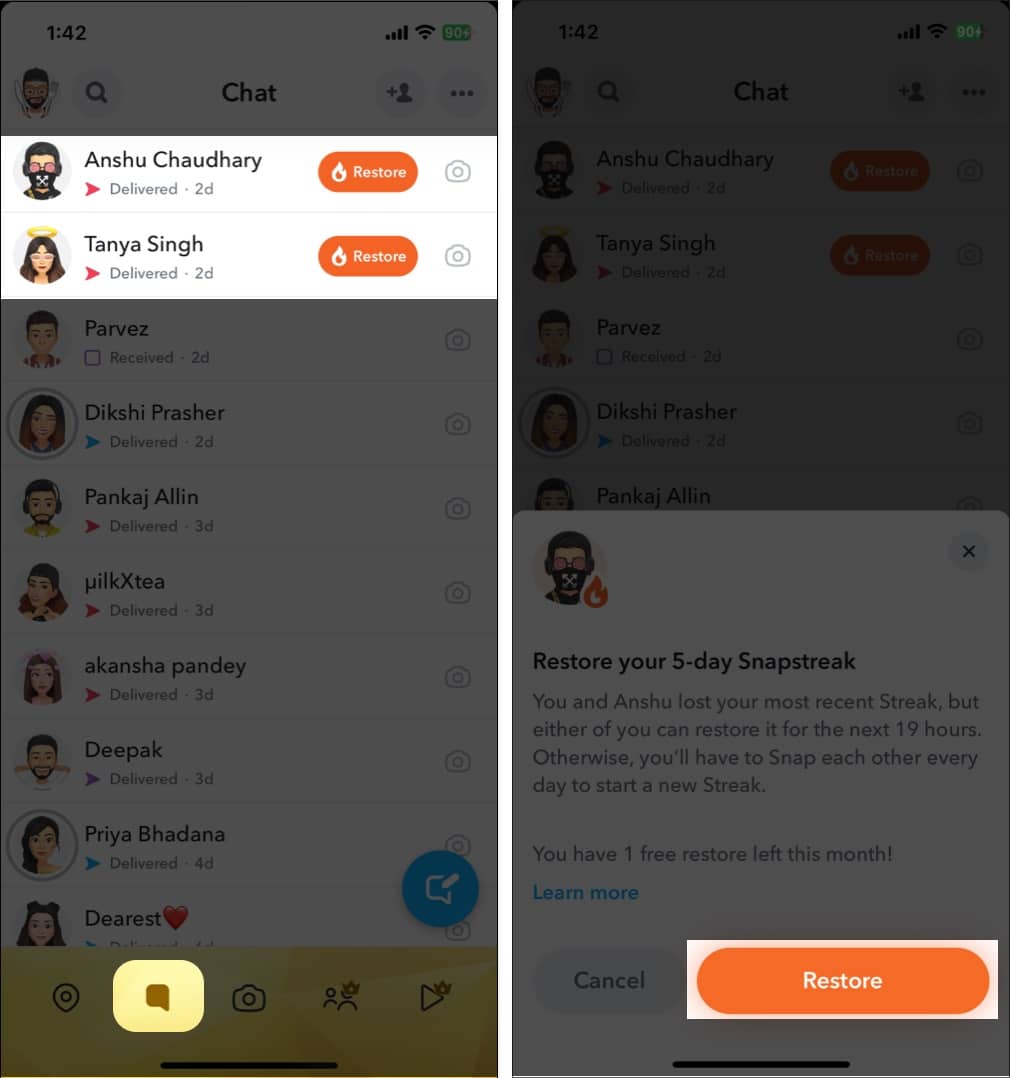
Steps to Restore a Snapstreak Using the App:
- Open the Snapchat app and tap the Chats icon at the bottom.
- Find the conversation with the broken streak.
- Tap the Restore button next to the chat (if available).
- Confirm by tapping Restore again in the pop-up prompt.
Note:
2. Contact Snapchat Support to Restore a Streak
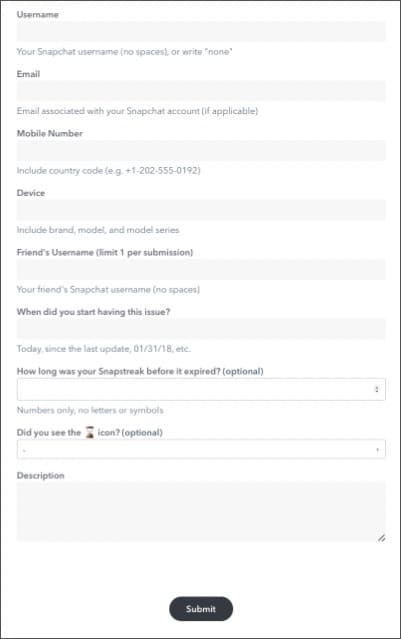
If the restore button isn’t visible—or if it doesn’t work—you can submit a manual request to Snapchat support.
Here’s how to do it:
- o to the official Snapchat Restoration Request page.
- Fill out the form with the necessary details (your username, friend’s name, streak info).
- Tap Submit at the bottom.

Note:
Snapstreak Restored… Now What?
And there you have it—you’ve just learned how to restore your Snapstreak! But remember: a streak only works if both users are equally committed. If your friend isn’t actively snapping back, restoring the streak may not be worth it.
Save your free restore (and your $0.99) for connections that truly matter.
Still have questions or facing an issue? Drop a comment below—we’re here to help!