
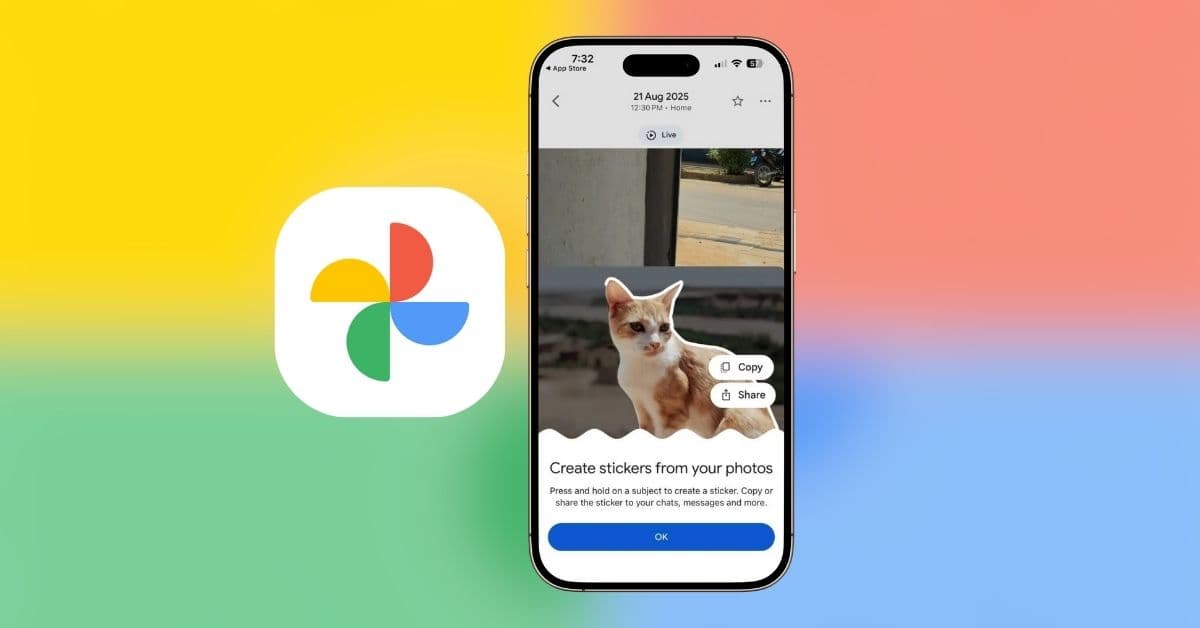
Google Photos is picking up a feature iPhone users may already find familiar: the ability to create stickers by simply pressing and holding a subject in your photos. The update lets you cut out people, pets, or objects in seconds, then copy or share them directly into apps like WhatsApp, Messages, or Instagram.
Google Photos on iOS Now Lets You Create Stickers
When you open a photo in Google Photos on iOS, a shimmer effect outlines the subject after a second or two. Press and hold—the app instantly cuts it out from the background. From there, you can either copy it to your clipboard or share it directly. The process is quick, but Google notes that it works best on photos where the subject is clearly defined in the foreground. Once created, stickers can’t be edited further.
For now, the functionality is basic compared to Apple’s Photos app. On iOS, Apple offers an “Add Sticker” option to save subjects to your sticker menu and even apply effects like Outline, Comic, or Puffy. Since Google Photos is a third-party app, it lacks deeper system integration. Still, the ability to instantly cut out a subject keeps things consistent with the default Photos app behavior.
Official Rollout on iOS, Android Support Coming Soon
The feature first surfaced on iOS when a Telegram user AdanBR demonstrated it in action.
Within days, Google confirmed the rollout, clarifying that Android support hasn’t arrived yet but is planned. In a blog post, the company said Android users should “stay tuned” for updates. While the timing is unclear, Google rarely keeps features exclusive to iOS long-term, and it’s safe to expect Android support eventually.
That said, some Android brands like Samsung and OnePlus already offer similar tap-and-hold cutout tools in their own gallery apps. Still, having it built directly into Google Photos will bring the experience to far more users once it lands.
Don’t miss these related reads: