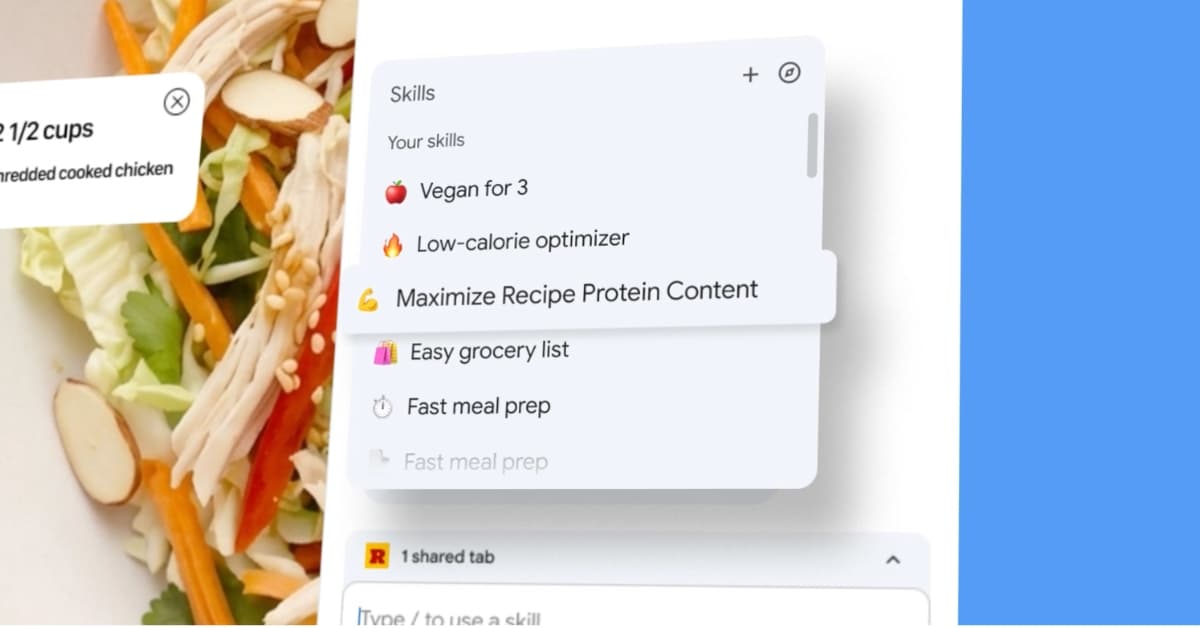
Google Chrome is rolling out a new feature called Skills, designed to turn your AI prompts into reusable actions inside the browser. Powered by Gemini, the feature works natively within Chrome, letting you save frequently used prompts and run them again with a single click.
Instead of retyping the same instructions every time, you can now store them as Skills and access them whenever needed. It’s a small change that could save a lot of time for anyone using AI regularly in their workflow.
How Chrome skills work
You can save prompts directly from your Gemini chat history in Chrome’s side panel. Once saved, each prompt becomes a Skill that you can trigger using a slash command or by selecting it from the interface.
When activated, a Skill runs on the page you’re currently viewing and can even pull context from other open tabs. This makes it especially useful for tasks that usually require multiple steps.
Google says early use cases are already emerging. Users are relying on Skills to compare product specifications across tabs, scan long documents for key details, and even calculate nutrition values from recipes.
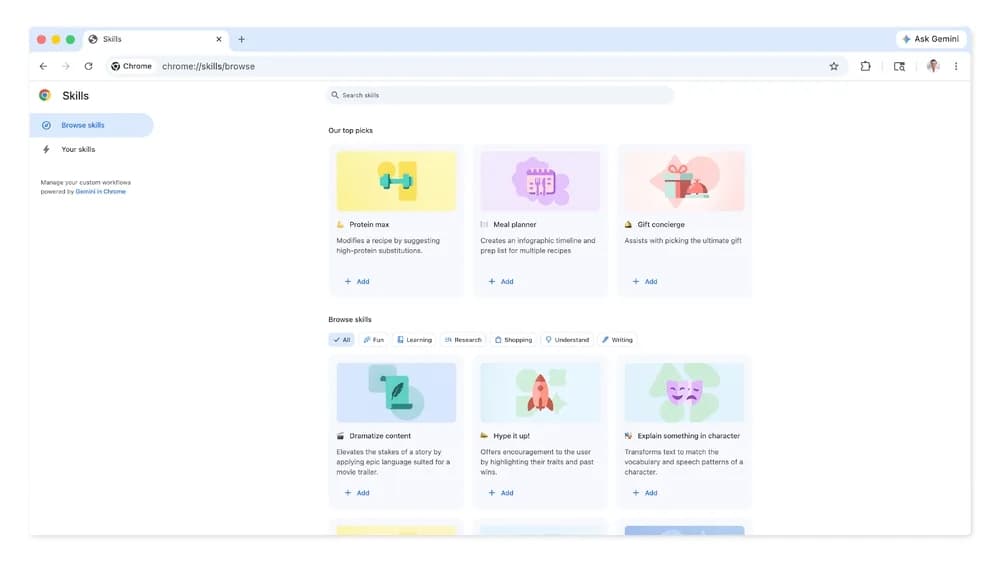
Chrome also includes a built-in library of ready-made Skills for common tasks like checking ingredients, finding gift ideas, or suggesting cooking substitutions. These can be customized, so you’re not locked into fixed prompts.
For actions that involve sensitive steps, like sending an email or adding events to your calendar, Gemini will ask for confirmation before proceeding.
The feature is currently rolling out on desktop Chrome with Gemini enabled. For now, it’s limited to users with their browser language set to U.S. English.