

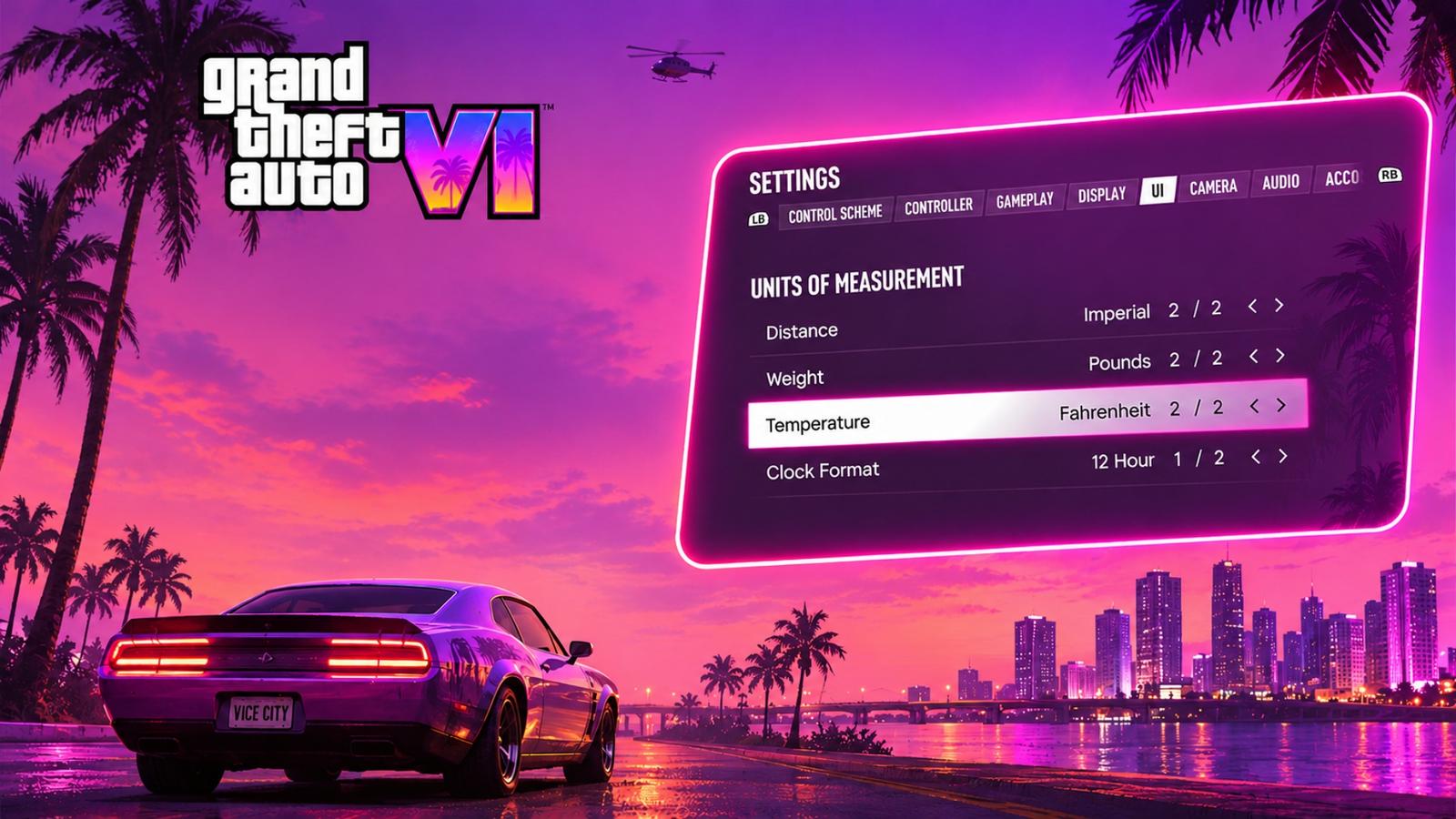
Wondering how to change measurement units in GTA 6? Whether you’re checking distances while travelling across Leonida or keeping an eye on the weather, you might prefer using the Imperial or Metric units.
Changing between the two is quite simple, as you need to pause the game, head to Settings, open the UI tab, and look for the Units of Measurement option. From there, you can switch to your preferred system of units. However, if you’re still unsure how to do it, here’s a complete guide to changing distance and measurement units in GTA 6 on PS5 and Xbox Series S/X, along with a bunch of other important details.
How to change units in GTA 6 (quick steps)
Here’s a step-by-step method on how you can change measurement and distance units in GTA 6:
- Press Options (PS5) or Menu (Xbox) to pause GTA 6.
- Select Settings at the end of the pause menu.
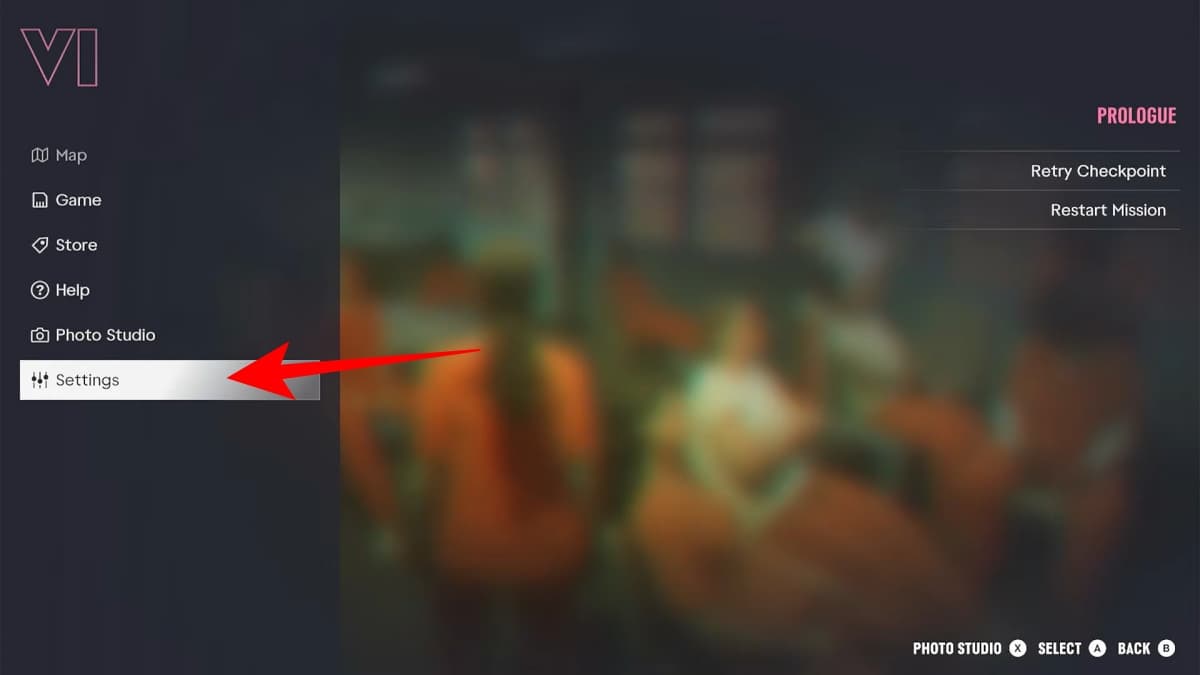
- Use L1/R1 (PS5) or (LB/RB) to move to the UI tab.
- Find Units of Measurement under Activities.
- Set Distance, Weight, Temperature and Clock Format.
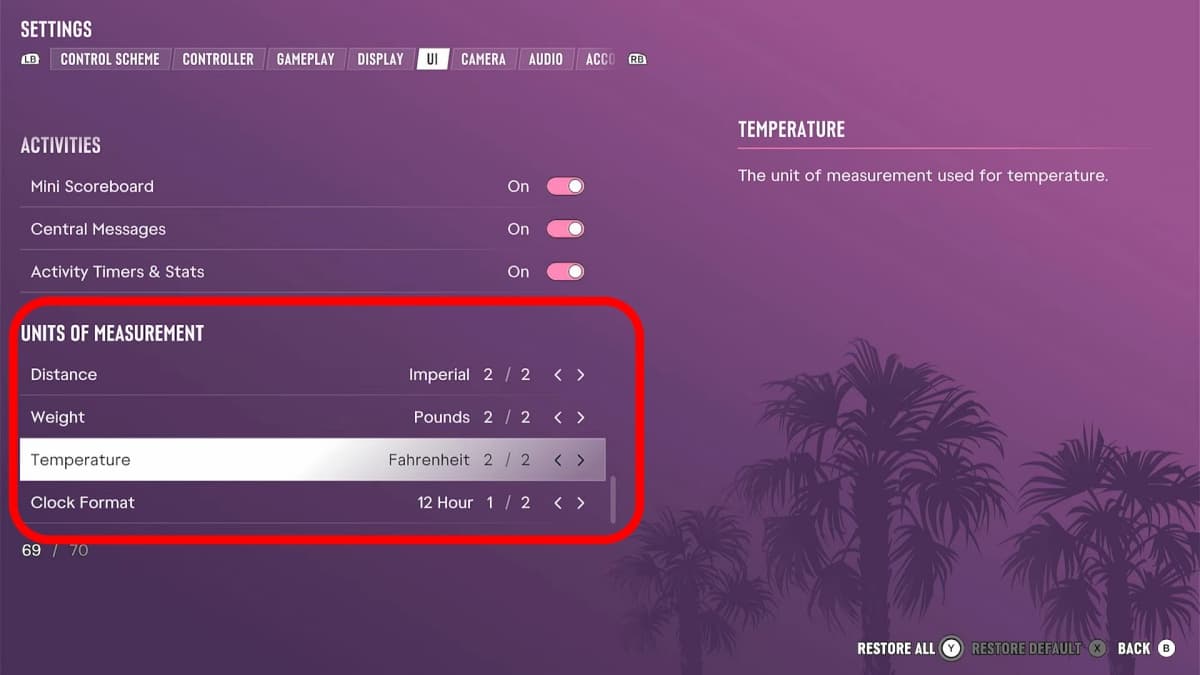
Once you’re done setting the units, back out of the menu, and the changes will be automatically applied to your current save.
What each unit setting changes in GTA 6
| Setting | Options | Where you’ll see it |
|---|---|---|
| Distance | Imperial or Metric | Minimap/GPS distance, waypoint markers, stats |
| Temperature | Fahrenheit or Celsius | Phone weather, HUD |
| Weight | Kilos or Pounds | Fishing and hunting catches, stats |
| 24-hour clock | 12 Hour or 24 Hour | In-game clock |
If you choose Metric, distances use metres and kilometres, weight uses kilograms, and temperatures appear in Celsius. The 24-hour clock option also removes the need to read time using AM and PM.
Is GTA 6 metric or imperial by default?
GTA 6 starts with the Imperial system enabled by default. This means you’ll see distances in miles, weight in pounds, and temperatures in Fahrenheit. The clock also uses the 12-hour format.
However, you don’t have to keep these defaults. Open Settings > UI > Units of Measurement and choose Metric, Kilograms, Celsius, or the 24-hour clock individually. You can mix and match the options based on your preferences.
GTA 6 vs GTA 5 and RDR2: how unit settings changed
| Game | Measurement Settings | Where to Find Them |
|---|---|---|
| GTA 6 | Measurement options are available on newer systems. | Settings > Display |
| Red Dead Redemption 2 | Supports Imperial and Metric units such as kilogram/pounds, and 12/24 hour-time formats. | Settings > General |
| GTA 6 | Can change distance, temperature, and weight measurements between Imperial and Metric units. | Settings > UI > Units of Measurement |
Units not changing? Try these fixes
Still having trouble changing the measurement units in GTA 6? Don’t worry! Here are a few quick fixes you can try to resolve this issue and get everything working as intended:
- Pause the menu and check if you’ve changed the right row and settings.
- Reload your current save or try switching between the protagonists.
- Update your game to the latest patch if there’s any available.
- Restart your game and console.
More GTA 6 settings worth changing
Changing distance and measurement units in GTA 6 isn’t the only tweak worth making. Before jumping into the game, check out our guide to the best GTA 6 settings for a perfect start.
We’d recommend switching to the Classic control scheme if you’re a returning player, lowering Motion blur, enabling subtitles, and setting the Minimap to Always On. If you’re using a compatible display, don’t forget to calibrate HDR for the best possible visuals of Leonida.
Wrapping up
As you follow Jason and Lucia through Leonida’s sprawling criminal underworld, you’ll want all the in-game information to be easy to understand, especially when tracking targets or preparing to pull the gun.
If you’re more familiar with the Metric system, switching to it will allow you to view distances in kilometres, temperatures in Celsius, and weights in kilograms without having to convert them from miles, Fahrenheit, or pounds. Make sure to use your preferred measurement system to make tracking long journeys, checking weather conditions, and travelling through Leonida much easier.