
Team Snapchat Won’t Stop Messaging? Here’s What You Can Do
Getting spammed by Team Snapchat messages? Find out why it’s happening and the easiest fixes to stop these alerts and take back control of your Snapchat.
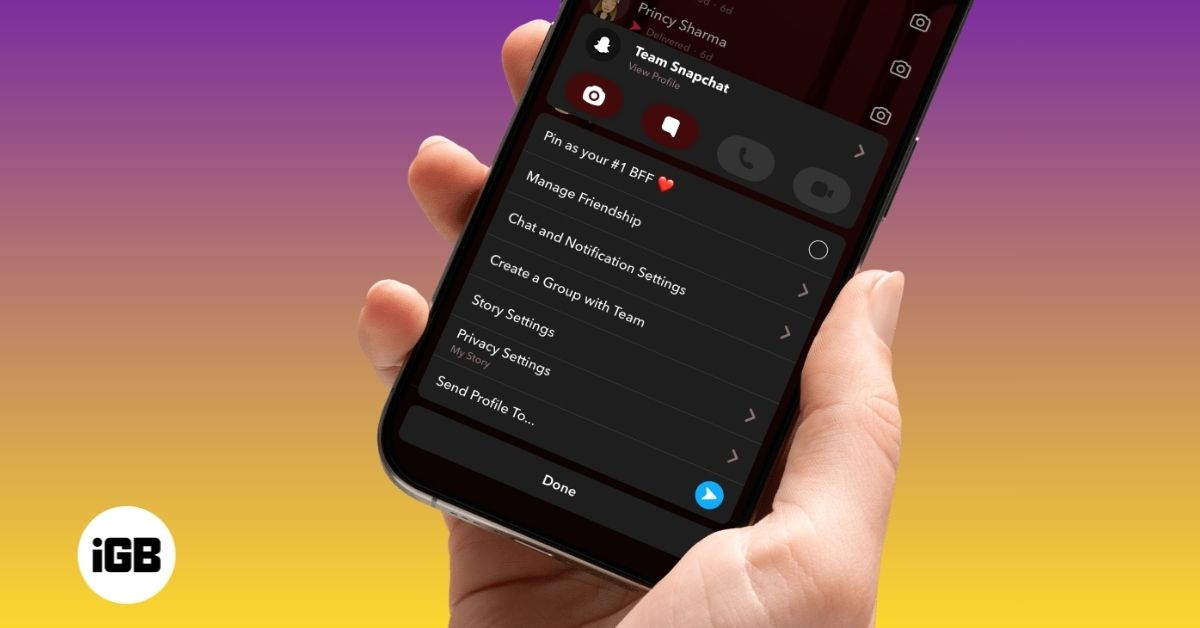
Snapchat often sends random snaps, tips, feature updates, and occasional promotions through its official Team Snapchat account. While some of this content can be useful, frequent messages can feel unnecessary or distracting.
Because of this, many users look for ways to stop or block Team Snapchat, just like they would with any other account. If you’re trying to do the same, here’s what you need to know.
Can You Block Team Snapchat on Snapchat?
No, you cannot block Team Snapchat. Snapchat treats Team Snapchat as a system account, not a regular user profile. That’s why the usual Block option available for friends and other users does not apply here.
In some cases, you might still see a “Block” option in the profile or chat settings. However, selecting it does not actually stop messages or block the account.
This is because Team Snapchat is a built-in communication channel used for updates, announcements, safety alerts, and promotional content. As a result, it cannot be managed like a normal contact.
Snapchat’s official support also confirms that there is no way to block or remove Team Snapchat completely.
How to Stop Team Snapchat Messages (Best Alternative)
While you can’t block Team Snapchat, you can mute it. Muting stops notifications, so you won’t be interrupted by new snaps or messages. The chat will still exist, but it won’t demand your attention.
This is the most effective way to deal with frequent messages.
How to Mute Team Snapchat on iPhone and Android
Follow these steps:
- Open the Snapchat app, then swipe right to open the Chat screen.
- Here, locate the Team Snapchat chat.
- Now, long-press the chat, then tap Chat and Notification Settings on the menu that appears.
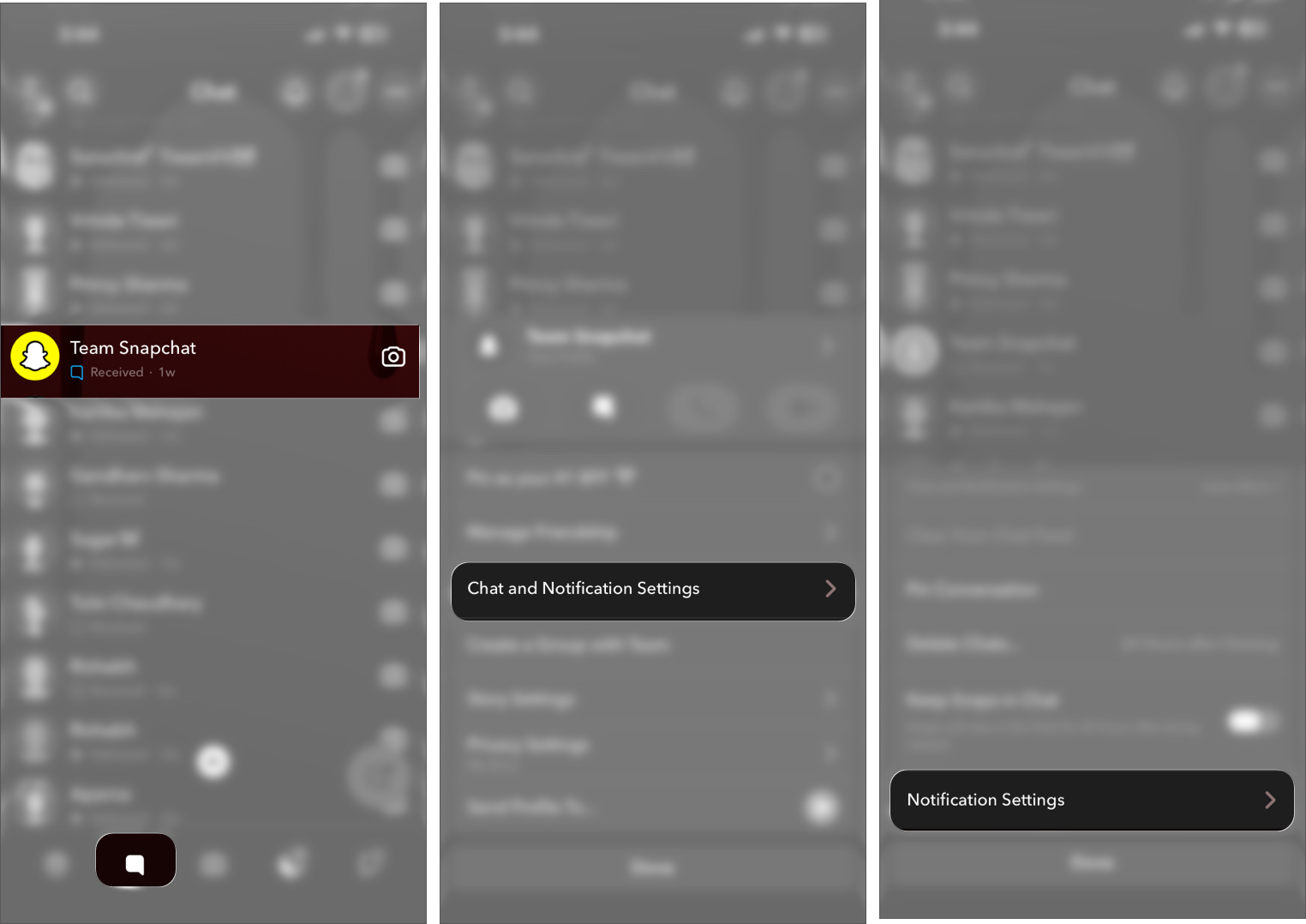
- Next, tap Notification Settings.
- Toggle on Mute Chat, then select the “Until I unmute them” option.
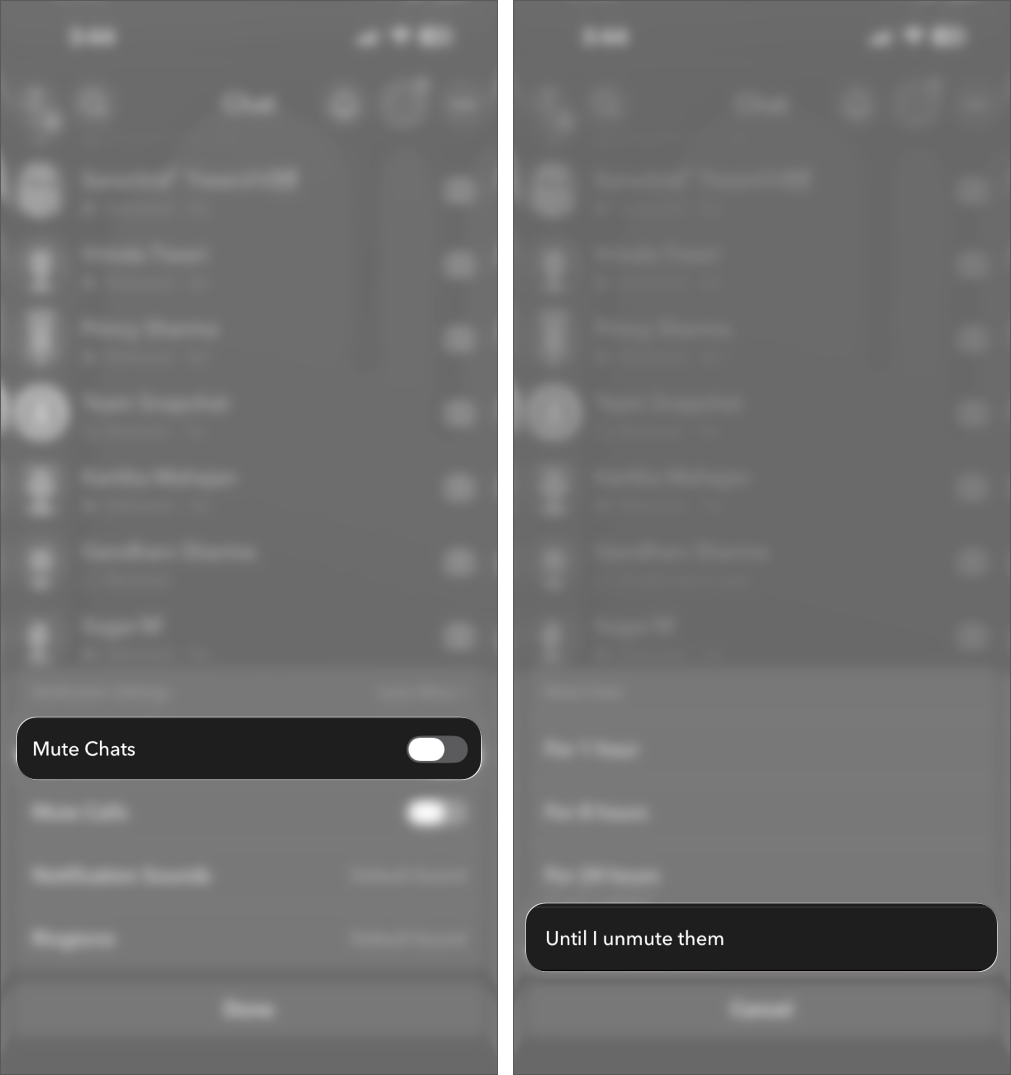
Once enabled, you’ll no longer receive alerts from Team Snapchat.
What Happens When You Mute Team Snapchat?
Muting only silences notifications. It does not block or remove the account.
Here’s what changes:
- No notifications: You will no longer receive push notifications or alerts when Team Snapchat sends a message or snap.
- Messages still appear in chats: The conversation remains visible in your Chat tab, and new messages will still appear there.
- You can view messages anytime: Open the chat and check snaps or messages whenever you want.
- No impact on your account: Muting does not affect your Snapchat account, friends, streaks, or other conversations.
Is There Any Way to Block Team Snapchat?
Currently, there is no reliable workaround to block Team Snapchat.
At the same time, some users have reported temporary tricks, such as reporting the account to reveal a Block option. However, these methods are inconsistent and often stop working after Snapchat updates the app. Even when the option appears, it may not permanently block messages.
Other attempts, like clearing the chat or removing the conversation, only hide it temporarily. Team Snapchat can still send new messages that appear again in your chat list.
In short, there is no dependable way to block Team Snapchat. Muting the chat remains the most effective way to avoid notifications and interruptions.
Why Snapchat Doesn’t Allow Blocking Team Snapchat
Snapchat uses the Team Snapchat account to send you:
- Feature updates
- App announcements
- Safety alerts
- Promotional content
Because of this, Snapchat keeps it as a built-in communication channel rather than a removable contact.
Summing Up…
You cannot block Team Snapchat in the traditional sense. The closest solution is muting notifications, which effectively stops interruptions without affecting your Snapchat experience. Workarounds are inconsistent and short-lived, making muting the only reliable solution to avoid interruptions. For most users, this is enough to keep the app usable without constant distractions.
Got more Snapchat tips you want us to cover? Let us know in the comments.
Don’t miss these related reads:

Written by
VikhyatVikhyat has a bachelor's degree in Electronic and Communication Engineering and over five years of writing experience. His passion for technology and Apple products led him to the tech writing space, where he specializes in writing App features, How-to guides, and troubleshooting guides for fellow Apple users. When not typing away on his MacBook Pro, he loves exploring the real world.
View all posts →More from How-to

This Chrome Feature Lets You View Two Web Pages in One Tab on Mac
Chrome Split View lets you view two web pages side by side in a single tab, making multitasking easier on Mac. Here’s how to enable it, manage panes, and use it efficiently in Google Chrome.
 Avadesh JoshiMarch 18, 2026
How to Stop iPhone Calls Ringing on Mac and iPad
Tired of your Mac and iPad ringing every time your iPhone gets a call? Learn easy ways to stop calls from showing up on other devices and stay interruption-free.
Avadesh JoshiMarch 16, 2026
Curious About Your First Liked Post on Instagram? You Can Actually Find It
Ever wondered what the first post you liked on Instagram was?This guide shows how to find it quickly using Instagram’s built-in activity tools.
VikhyatMarch 16, 2026