
Best Photo Collage Apps for iPhone and Android (2026)
iGeeksBlog is supported by its readers. When you buy through links on our site, we may earn an affiliate commission. This doesn't affect our editorial independence.
Looking for the best photo collage apps? This guide features top apps for iPhone and Android that help you combine photos and create beautiful collages.
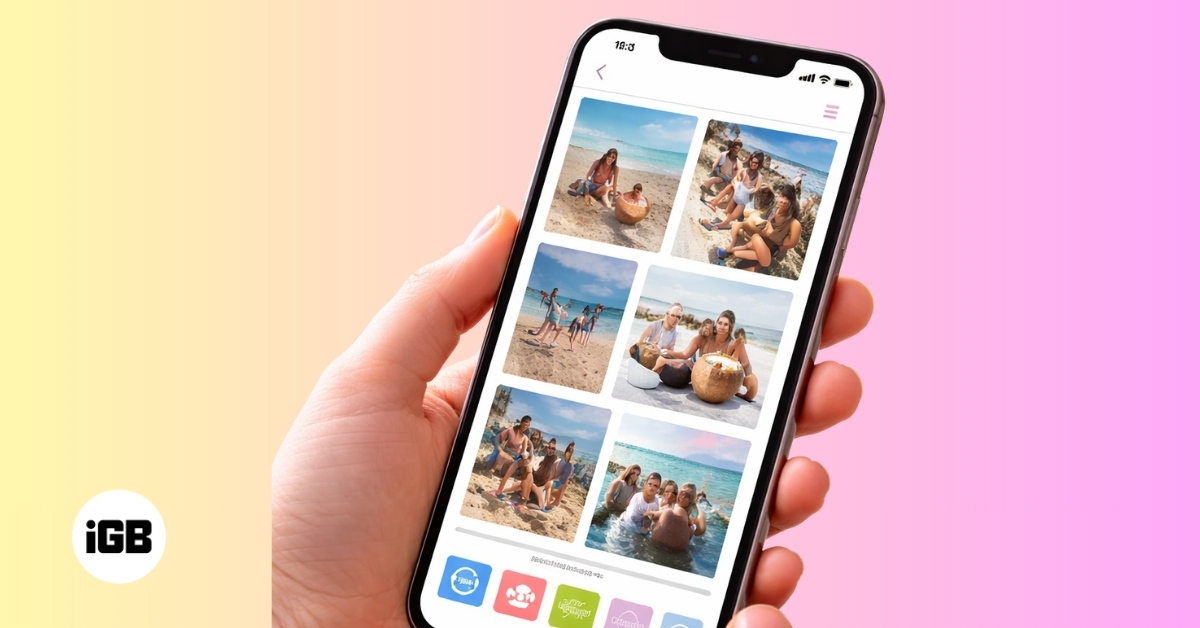
Thanks to ongoing advancements in smartphone cameras, capturing stunning photos has become easier than ever. Modern phones now offer powerful sensors, advanced image processing, and intelligent features that help anyone take high-quality pictures with minimal effort.
However, taking great photos is only part of the story. Presenting them in a visually appealing way can make those moments even more memorable. This is where photo collage apps come in. They let you combine multiple photos into creative layouts, helping you tell a story, highlight special memories, or create eye-catching social media posts.
To help you get started, we’ve rounded up the best photo collage apps for iPhone and Android to create stunning layouts in minutes.
What is a Photo Collage App?
A photo collage app lets you combine multiple photos into a single layout. Instead of sharing images one by one, you can arrange them in grids, frames, or creative designs to present several moments together.
Most collage apps also include editing tools such as filters, text overlays, stickers, backgrounds, and borders. These features help you customize the collage and make it more visually appealing.
These apps are commonly used for social media posts, travel memories, event highlights, and digital scrapbooks, as they make it easy to turn a collection of photos into a cohesive visual story.
Key Features to Look for in a Photo Collage App
With hundreds of collage-making apps available, it helps to understand which features improve the overall experience so you can choose the right one.
- Multiple Layout Options: Apps should offer a variety of grid styles, frames, and freestyle collage layouts.
- Editing Tools: Built-in features such as filters, brightness adjustment, cropping, and color tuning improve the final result.
- Stickers and Text Tools: Creative stickers, fonts, and text overlays help personalize your collages.
- Social Media Compatibility: The ability to export collages in Instagram-friendly sizes makes sharing easier.
Best Photo Collage Apps for iOS and Android
These are the top five photo collage apps you can try right now:
1. Canva
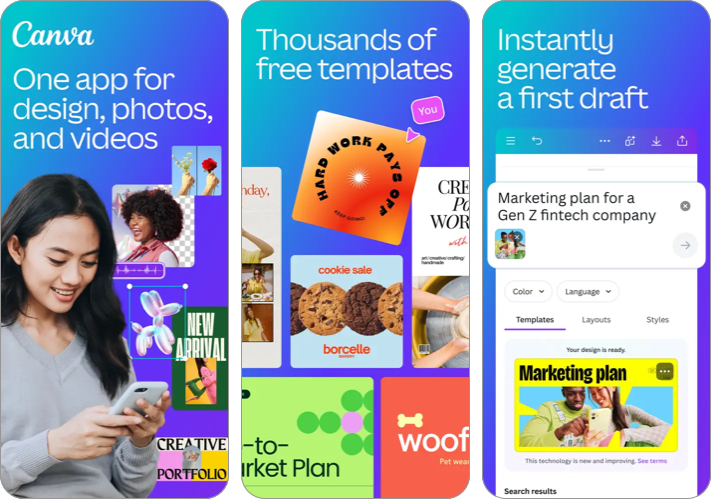
Canva is one of the most popular design tools available today, and its collage maker is equally impressive. The app offers thousands of ready-made templates that make it easy to create visually appealing collages without design experience.
With Canva, all you need to do is choose a template, add your photos, adjust the layout, and export the final design. It also includes powerful editing tools, fonts, stickers, and backgrounds that help you customize every detail.
- Huge library of collage templates
- Easy drag and drop editing
- Powerful built-in design tools
- Many premium templates require a subscription
- Can feel feature-heavy for beginners
2. Picsart
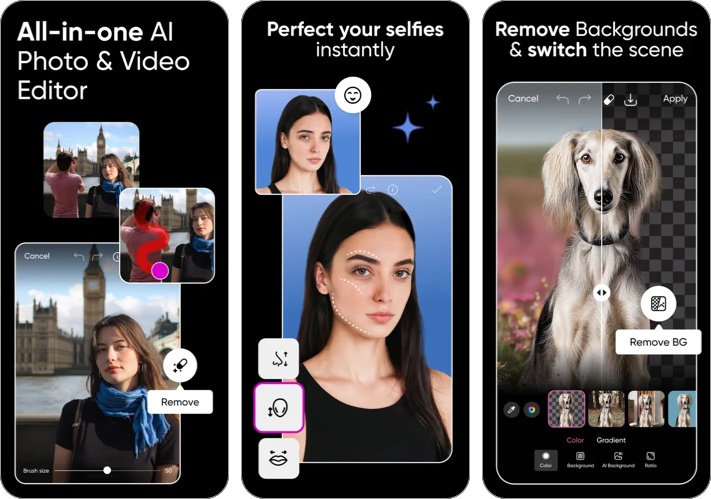
Picsart is a powerful photo editing app that also offers excellent collage-making tools. It allows you to create both grid collages and freestyle layouts, giving you greater creative control over how your photos are arranged.
The app includes filters, effects, stickers, and AI-powered editing tools that help turn simple collages into eye-catching designs.
- Advanced editing tools and effects
- Freestyle collage layouts
- Large sticker and filter library
- Ads in the free version
- Some tools require a premium plan
3. PhotoGrid
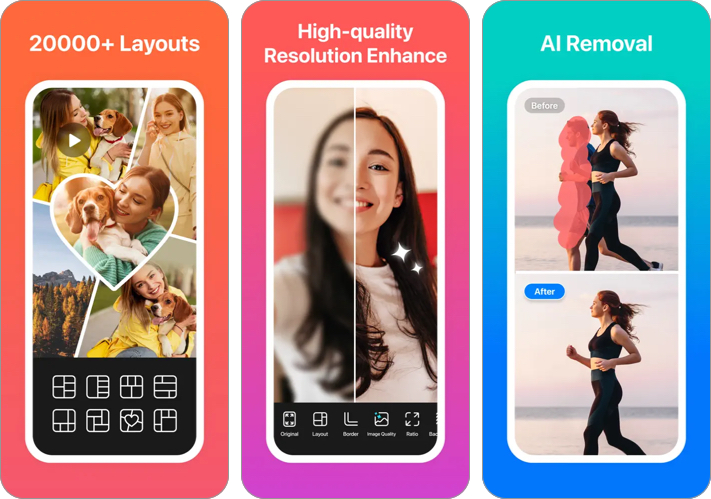
PhotoGrid is designed for users who want to create collages quickly without complicated editing steps. You get thousands of templates, frames, and backgrounds that can instantly transform multiple photos into stylish layouts.
Its simple interface makes it beginner-friendly while still offering enough features to create attractive social media posts.
- Very easy to use
- Thousands of collage layouts
- Great for quick social media collages
- Watermark in the free version
- Many assets locked behind premium
4. PicCollage
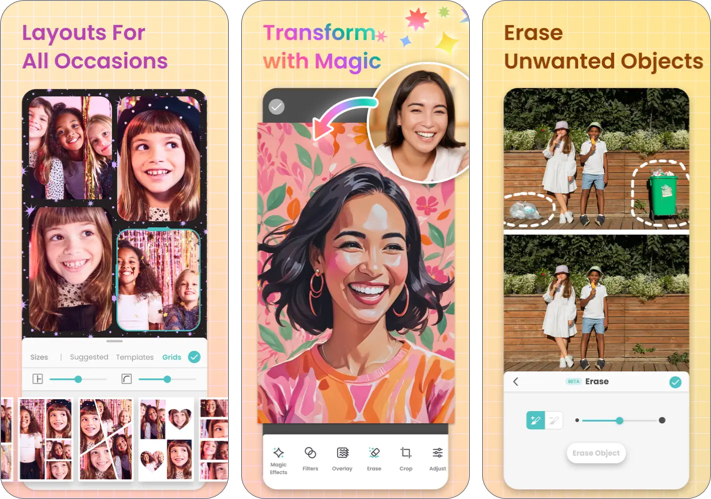
PicCollage focuses on creativity and storytelling. The app lets you create scrapbook-style collages using photos, doodles, stickers, and colorful backgrounds.
It also includes themed templates for events such as birthdays, holidays, and celebrations, making it a great option for creating personalized collages.
- Fun scrapbook-style collages
- Stickers, doodles, and themed templates
- Beginner friendly
- Limited advanced editing options
- Premium subscription for extra content
5. InCollage
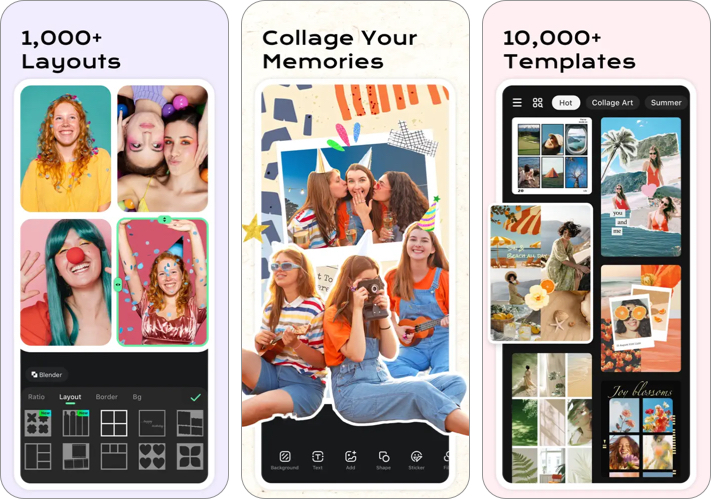
InCollage is a lightweight collage app designed for simplicity. It allows you to combine multiple photos into grid layouts while offering filters, frames, and background customization. You can easily create collages for Instagram, WhatsApp, or other social media platforms in just a few taps.
- Simple and lightweight
- Many grid layouts and frames
- Quick collage creation
- Basic interface
- Ads in the free version
Tips to Create Better Photo Collages
Now that you know which photo collage app fits your needs, it’s time to learn a few small techniques that can make your design look much better:
- Choose photos with a similar color tone or theme
- Avoid overcrowding the collage with too many images
- Use white space or borders to make layouts cleaner
- Add text or stickers carefully to maintain balance
- Use square or vertical layouts for social media posts
Create Eye-Catching Photo Collages in Minutes
These photo collage apps make it easier to transform ordinary photos into creative layouts that stand out on social media or to preserve your favorite memories. All you need is a little creativity, and you can turn your photos into visually appealing collages in just a few minutes.
Which of these photo collage apps are you excited to try? Share your favorite in the comments below.
Read more:

Written by
VikhyatVikhyat has a bachelor's degree in Electronic and Communication Engineering and over five years of writing experience. His passion for technology and Apple products led him to the tech writing space, where he specializes in writing App features, How-to guides, and troubleshooting guides for fellow Apple users. When not typing away on his MacBook Pro, he loves exploring the real world.
View all posts →