
Apple Rolls Out iOS 26.0.1 to Fix iPhone 17 Bugs
Experiencing bugs after iOS 26? Apple’s quick release of iOS 26.0.1 solves connectivity, camera, and icon glitches, making your iPhone smoother.
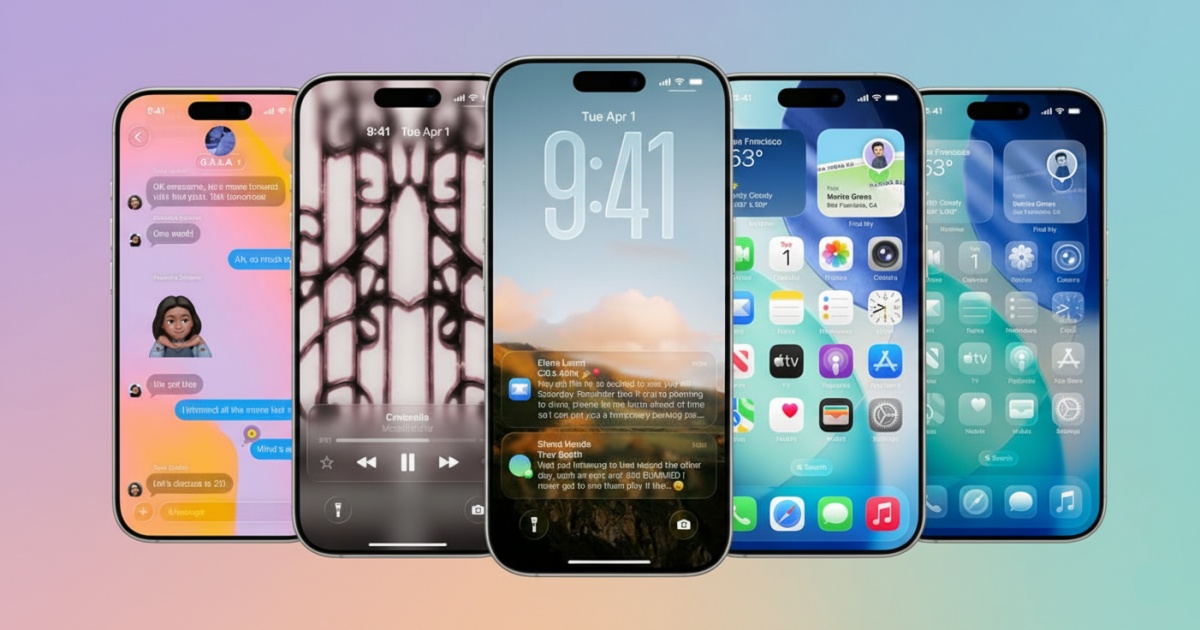
- Immediate Release of iOS 26.0.1 Patch: Apple quickly released iOS 26.0.1 just days after the major update to fix critical bugs affecting connectivity, camera, and icons, especially for new iPhone 17 users.
- Main Fixes in iOS 26.0.1: The update addresses Wi-Fi and Bluetooth disconnections, cellular network failures, camera artifacts, blank tinted icons, and VoiceOver issues, improving overall stability and accessibility.
- How to Download iOS 26.0.1: Users can easily update their devices by navigating to Settings > General > Software Update and tapping the download button, as the rollout is already in progress.
- Why the Update Matters: This quick patch resolves the most disruptive early bugs in iOS 26, enhancing connectivity, camera performance, and accessibility, making iPhone usage smoother for affected users.
- Additional iPadOS Fixes: The iPadOS 26.0.1 update includes similar VoiceOver improvements and fixes a floating keyboard issue, ensuring better user experience across Apple devices.
Apple has wasted no time pushing out the first bug-fix update for iOS 26. Just days after the major release, iOS 26.0.1 is now available for iPhone users, bringing important fixes for Wi-Fi, cellular, and camera issues that were frustrating new iPhone 17 owners.
What’s Fixed in iOS 26.0.1
Early adopters of the iPhone 17 lineup, including the iPhone 17, iPhone 17 Pro, and iPhone Air, reported problems with connectivity and the camera shortly after updating to iOS 26. Apple’s patch directly targets these pain points.
- Wi-Fi and Bluetooth disconnects: Many users saw their connections randomly dropping, causing issues with Apple Watch syncing and CarPlay reliability. Apple says these disconnects should now be resolved.
- Cellular network failures: A small number of users were unable to connect to cellular networks at all after updating. This update restores proper connectivity.
- Camera artifacts: Photos taken under certain lighting conditions sometimes showed strange artifacts, like blank squares during concerts with bright LEDs. iOS 26.0.1 fixes this glitch.
- Blank tinted icons: Some custom-tinted app icons appeared blank. That bug is now patched.
- VoiceOver issues: Accessibility users reported VoiceOver unexpectedly disabling after the upgrade to iOS 26. Apple has fixed this in the new update.
The iPadOS 26.0.1 release includes the same VoiceOver fix and also addresses a problem where the floating keyboard could shift position unexpectedly.
How To Download It
Installing iOS 26.0.1 is straightforward. On your iPhone, head to Settings > General > Software Update, and tap the big blue button to download and install the update. The rollout has already begun, so eligible devices can grab it right away.
Why This Matters
New iOS versions often arrive with early bugs, and iOS 26, with its flashy new Liquid Glass design, was no exception. While this patch won’t fix every concern, it quickly addresses the most disruptive issues affecting iPhone 17 owners. Apple has also released iOS 18.7.1 for older devices that can’t update to iOS 26.
For anyone struggling with unreliable connections or glitchy photos, iOS 26.0.1 should make your iPhone feel a lot more stable.

Written by
Ravi Teja KNTSI’ve been writing about tech for over 5 years, with 1000+ articles published so far. From iPhones and MacBooks to Android phones and AI tools, I’ve always enjoyed turning complicated features into simple, jargon-free guides. Recently, I switched sides and joined the Apple camp. Whether you want to try out new features, catch up on the latest news, or tweak your Apple devices, I’m here to help you get the most out of your tech.
View all posts →More from News
macOS Will Flag the Slower USB-C Port on MacBook Neo
The MacBook Neo includes two USB-C ports with different capabilities. The left port supports faster speeds and external displays, while the right port is limited to USB 2 speeds for charging and basic accessories.
 VikhyatMarch 5, 2026
Apple Launched Studio Display and Studio Display XDR: Full Specs, Features, and Price
Apple launches Studio Display and Studio Display XDR built for creators with Thunderbolt 5, stunning visuals, and pro-level performance. Here’s all the specs, features, and price.
 Ava BiswasMarch 4, 2026
Apple Pre‑Orders Now Live for iPhone 17e, MacBook Neo, M5 Macs and More
Apple has opened global pre-orders for iPhone 17e, MacBook Neo, M5 Macs, and new Studio Displays. Here are the start times, products, and release date.
Ravi Teja KNTSMarch 4, 2026