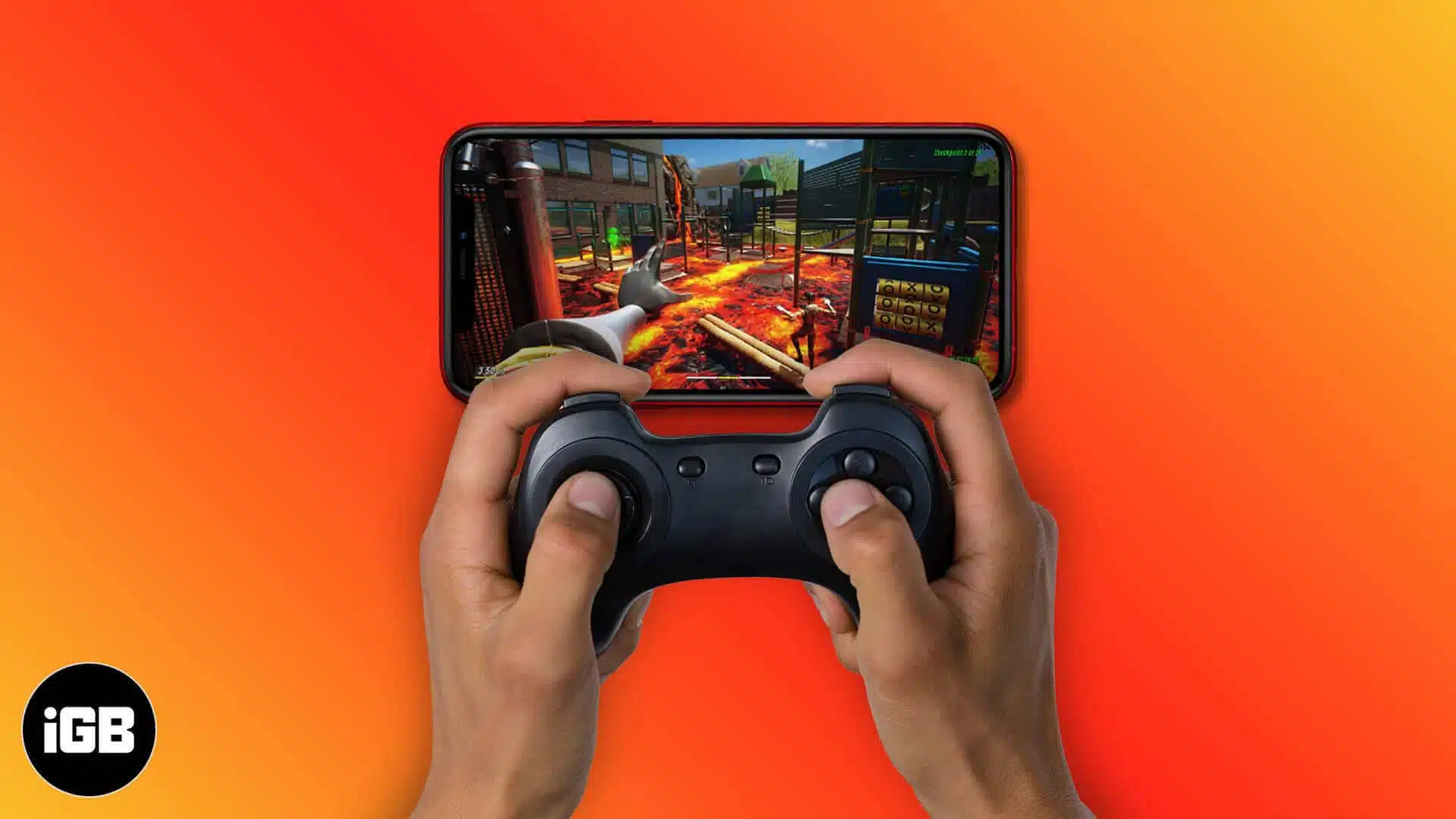
Apple Arcade features a wide variety of games, many of which support external controllers to enhance your gaming experience. Using a controller makes gameplay significantly smoother and more immersive, especially in action or high-precision games. In this article, we will explore how to find Apple Arcade games that are compatible with controllers.
How to find out if a game has controller compatibility
Many of Apple Arcade’s titles support controllers, but others use only touch or motion controls. The simplest way to verify whether a game supports controllers is to check its page in the App Store. Apple uses a controller icon for games that support external gaming pad. To find this:
- Open the App Store on your iPhone, iPad, Mac, or Apple TV.
- Search for the game you’re interested in. You will see an Apple Arcade label on it.
- Tap on the game, scroll down, swipe left on the game information and look for a controller icon or a Controller Supported note.
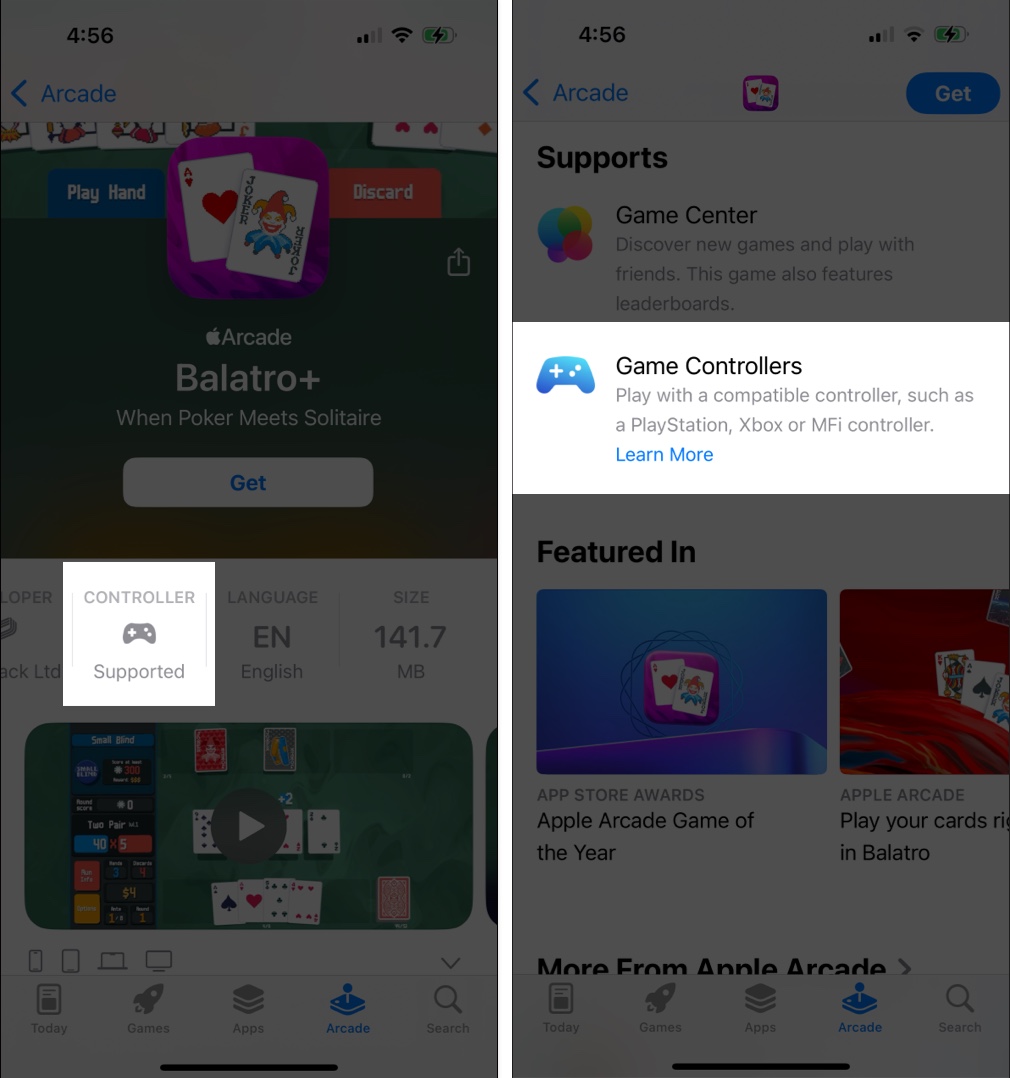
If the icon is missing, the game likely relies on touchscreen or motion controls. For the existing games on your device, you can check its in-game settings to find controller options. Also, ensure you use a compatible controller with your iPhone, iPad, Apple TV, or Mac.
Note:
Best Apple Arcade games that support controllers
Here’s a list of some of the best controller-supported games available on Apple Arcade:
Action & Adventure
Racing games
Platformers & Puzzle games
Sports & Fighting games
However, some recently launched games do not support controllers as they are designed exclusively for touch or motion controls. Some popular titles include Temple Run: Legends, Balatro+, Return to Monkey Island+, Cut the Rope 3, Cityscapes: Sim Builder, Iron Marines+, Temple Run+, Pocket Card Jockey: Ride On!, GRIS+, etc.
Filter games based on Controller support
You can also filter games based on controller support by following these steps:
- Open the App Store on your iPhone or iPad.
- Go to the Arcade section.
- Tap the All Games tile.
- Tap the filter icon in the top-right corner.
- Select Controller Support from the filter options.
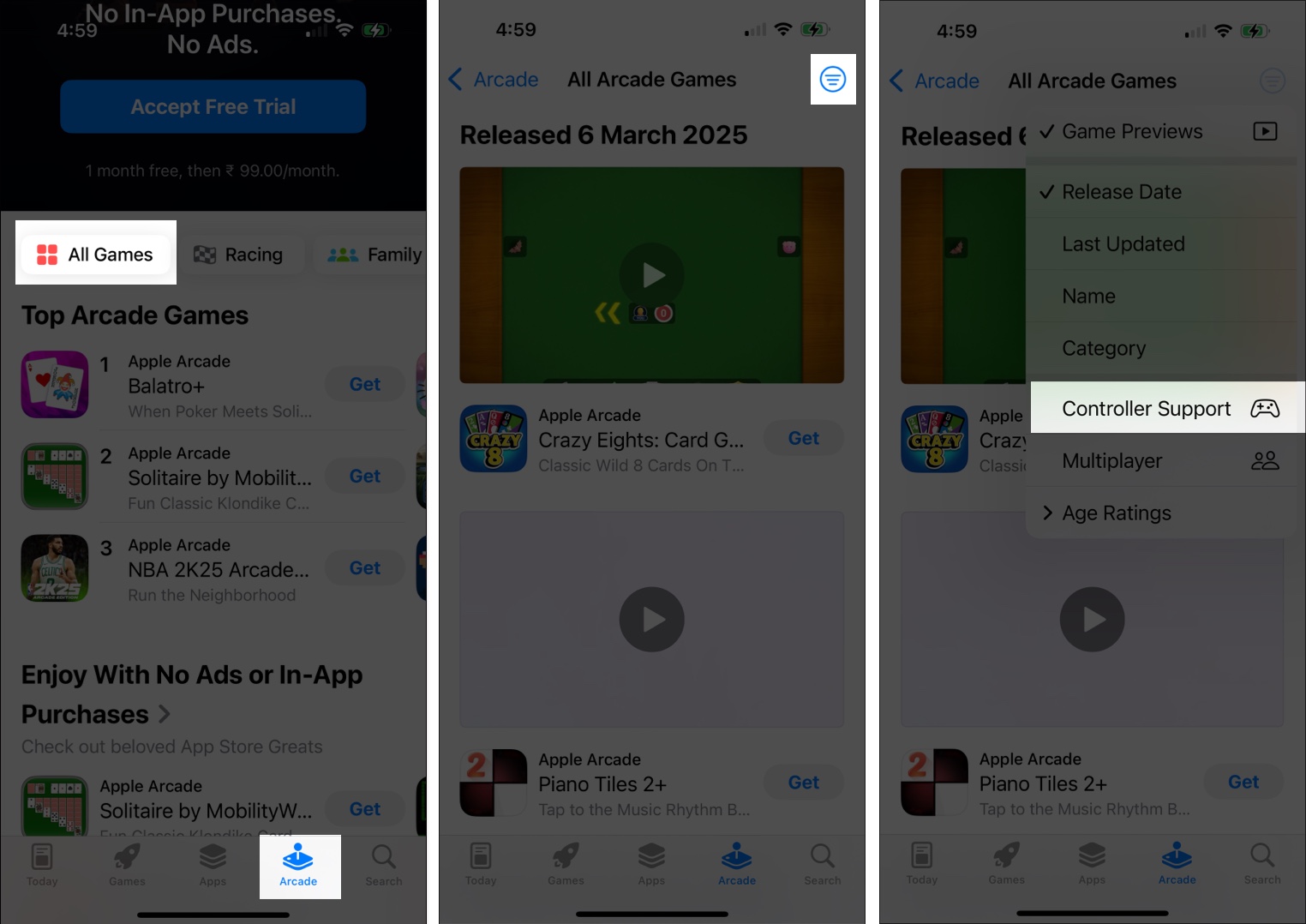
The App Store will now display a list of games that are compatible with controllers.
Signing off
If you love playing Apple Arcade games, exploring those with controller support can provide a more comfortable and immersive experience. Keep an eye out for new releases, as Apple continues expanding its library of controller-friendly titles. Also, ensure your device runs the latest software version for optimal performance.
What’s your favorite Apple Arcade game? Let me know in the comments below!
Recommended for You: