
OWC Thunderbolt 3 Dock review: Unleash the power of 14 ports
iGeeksBlog is supported by its readers. When you buy through links on our site, we may earn an affiliate commission. This doesn't affect our editorial independence.
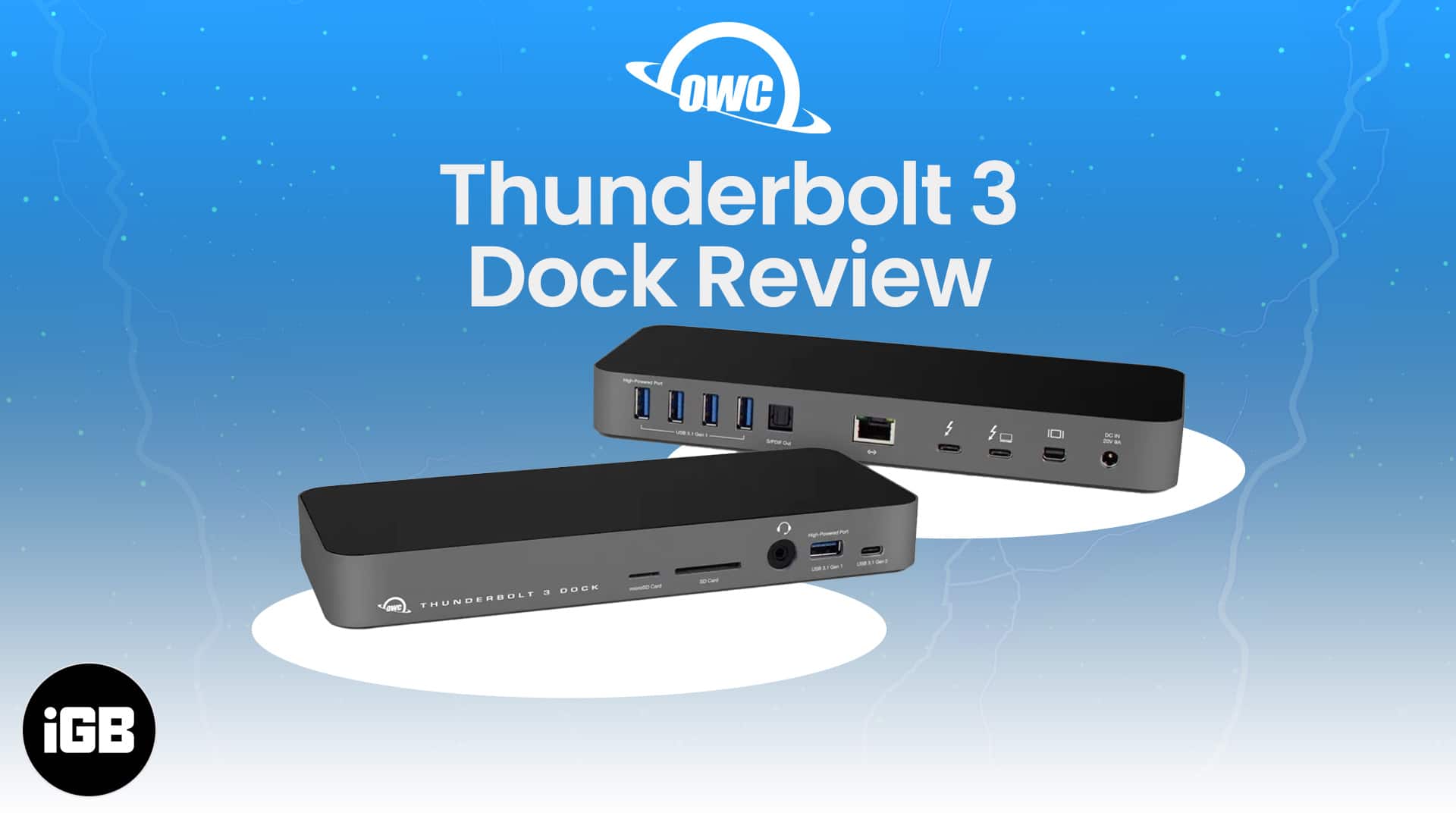
Imagine if your MacBook could have 14 ports? And you can use them all simultaneously for charging, external display, audio input/output, data transfer, and more. Seems like a dream, right? Well, with OWC Thunderbolt 3 Dock, you get that!
But does this sleek OWC dock work as smoothly as it claims? Let’s find out as I test it and share my in-depth, hands-on review with you guys.
OWC Thunderbolt 3 Dock: An overview
The Thunderbolt 3 Dock sets out to inject more convenience, speed, power, and functionality into your workflow with just a single cable.
That’s right, just a single cable to connect and seamlessly access displays, other peripherals, mobile devices, and more to a Thunderbolt 3-equipped Mac or Windows laptop.
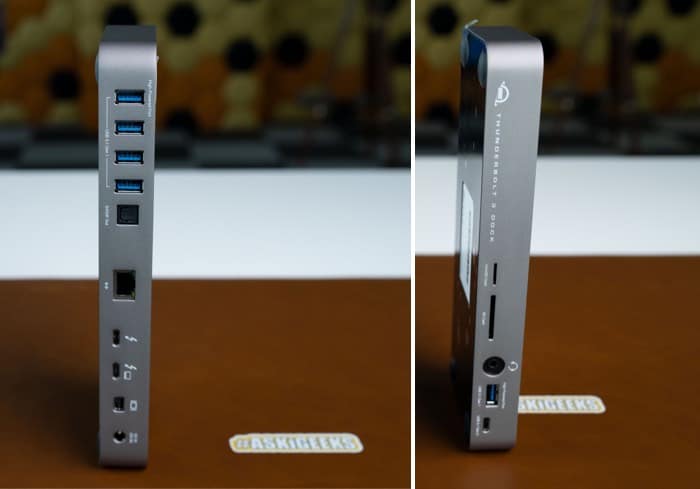
The rectangular brick-like dock boats 14 ports strewn across the front and back.
| Ports | No. |
|---|---|
| USB 3.1 Gen 1 | 1 – front, 4 – back |
| USB 3.1 Gen 2 (Type C) | 1 – front |
| Analog Audio In/Out | 1 – front |
| microSD slot | 1 – front |
| SD Card | 1 – front |
| Gigabit Ethernet | 1 – back |
| Thunderbolt 3 Ports | 2 – back |
| Mini DisplayPort | 1 – back |
| Optical Audio Out | 1 – back |
| Total | 14 |
OWC Thunderbolt 3 Dock: Power you need
Designed to harness the power of your device and its accessories, OWC Thunderbolt 3 Dock is packed with an advanced and versatile interface. It can help you:
- Charge your devices: The primary Thunderbolt 3 port can lend up to 85W of power output to juice up your Mac and other devices efficiently and safely.
- Chaining devices: A secondary Thunderbolt 3 port enables you to daisy-chain up to five additional Thunderbolt devices.
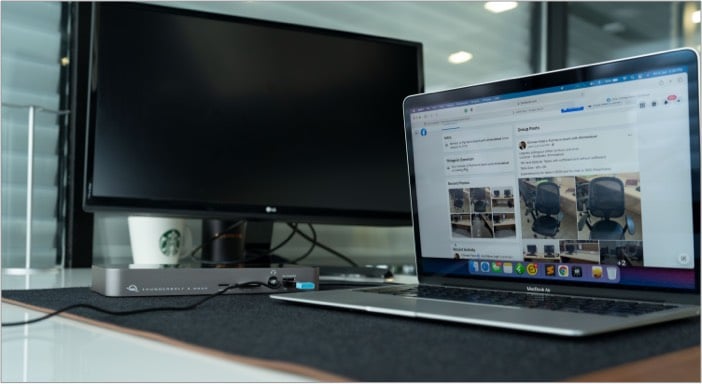
- Triple your display support: The dock offers display support via the Mini DisplayPort and the secondary Thunderbolt 3 USB-C port. Thanks to it, you can drive two 4K displays or a single 5k display.
OWC Thunderbolt 3 Dock: Speed and use
While the power quotient is impressive, a dock should also bring in great speed. And the specs of the Thunderbolt 3 Dock did not disappoint me at all.
- 10Gb/s: Two rear-facing USB-C ports
- 8Gb/s: Front-facing USB-C port
- 5Gb/s: Five rear-facing USB-A ports
- 1000Mb/s connection: Rear-facing Gigabit Ethernet
So, whether you want to charge your phone, transfer data from an external SSD, connect a printer or other peripherals, you’ll get optimal speed from the Thunderbolt 3 Dock.
Another appreciative feature is its one-click disconnect. At times our data or devices have to bear the repercussions of our haste to complete specific tasks.
So, OWC smartly offers free dock ejector software to ensure that the drives disconnect in a single click and data is safely written before disconnection.
OWC Thunderbolt 3 Dock: Design
To be honest, I am pretty conflicted about the design of the Thunderbolt 3 Dock. I love that it employs optimal port configuration to ensure a comfortable and clutter-free experience for most users.
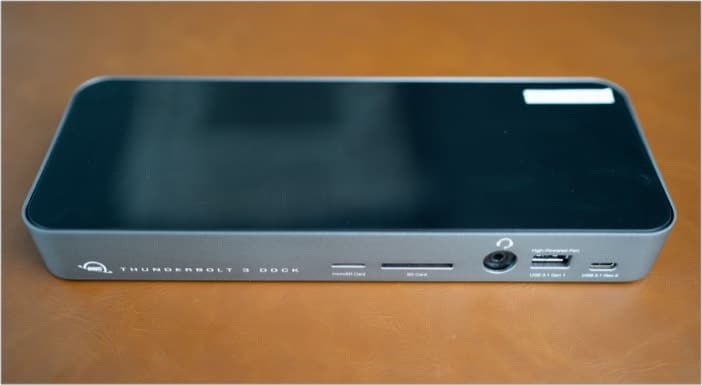
For instance, you’ll probably need to insert and eject SD cards or headphones repetitively; so, the audio and media card ports are placed in the front for quick and hassle-free usage.
But on the other hand, the aluminum body frame is quite chunky and will demand some real estate on your desk. And the piano gloss finish on the top is a fingerprint and dirt magnet.
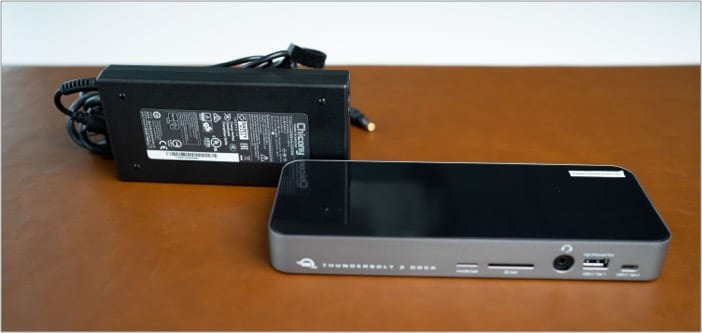
Moreover, it doesn’t work without the charger, a bulkier and heavier addition to the equation. All things considered, the dock is not a portable accessory.
However, I must say that the weight and four rubber feet on the bottom make it slip-proof. So, there is some light at the end of the tunnel.
The missing component
Most external displays today come with either an HDMI port or DisplayPort. Although I love the inclusion of a Mini DisplayPort and the perks it offers, an HDMI port is missing.
That means you’ll have to purchase additional adapters or converters.
Is the OWC Thunderbolt 3 Dock worth docking? Our Verdict
In terms of usage, OWC Thunderbolt 3 Dock worked like a charm. Everything from power to speed was as promised. However, the size and weight of the dock are surely off-putting.
I feel the glass top could have an LED display, or the indicator light could be on top or at the front instead of the bottom. There is some scope for improvement in the design department.
Who is it for?
After using the Thunderbolt 3 Dock for a while, I felt that this docking station is suitable for Mac Pro or iMac users. Those who have proper workstation setups and have a bunch of peripherals attached all the time.
Everything from the weight to speed works in their favor here. And it could be a worthy investment for professionals like music producers, video editors, graphic designers, or gamers.
Colors: Silver and Space Gray
Warranty: 2-year limited warranty
Video: OWC Thunderbolt 3 Dock review
Topics

Written by
Arshmeet KaurA self-professed Geek who loves to explore all things Apple. I thoroughly enjoy discovering new hacks, troubleshooting issues, and finding and reviewing the best products and apps currently available. My expertise also includes curating opinionated and honest editorials. If not this, you might find me surfing the web or listening to audiobooks.
View all posts →