

Missing text messages from Android users is one of those problems that feels outdated but still affects a surprising number of iPhone users. You might notice Android friends saying they replied or group chats going silent. In most cases, the issue has little to do with the Android phone itself and everything to do with how iMessage, SMS, RCS, and carrier networks interact behind the scenes.
This post details why Android texts fail to reach an iPhone and provides reliable fixes, starting with quick checks and moving to advanced solutions only when needed.
Why iPhone Is Not Receiving Text Messages From Android
Before fixing the issue, it helps to understand what usually causes it.
- iMessage interference: If your phone number is incorrectly registered with iMessage, Android messages may never switch to SMS delivery. This is common after switching phones or restoring backups.
- RCS and SMS mismatch: Most Android phones now default to RCS. When RCS cannot properly fall back to SMS for an iPhone recipient, messages may appear sent on Android but never arrive.
- Carrier or SIM-level problems: SMS is controlled by your mobile carrier. If SMS routing is blocked, misconfigured, or temporarily down, Android texts will not arrive.
- Incorrect iPhone settings: Blocked contacts, incorrect default SIM selection, or date and time issues can silently stop messages.
- Group messaging limitations: Mixed Android and iPhone group chats still rely on MMS. If MMS provisioning fails on your line, group messages will stop appearing.
How to Fix iPhone Not Receiving Texts From Android
Before changing deeper settings, rule out the basics:
- Restart your iPhone and ask the Android sender to restart their phone.
- Make sure you have a cellular signal, as SMS does not work over Wi-Fi alone.
- Confirm that the date and time are set to Automatic in iPhone settings.
Once you have checked the above, you can proceed with the following fixes.
1. Turn Airplane Mode Off and On to Refresh Network Connection
If your iPhone is not receiving text messages from an Android smartphone, refreshing your network connection is a good option. This is the simplest and most reliable method because text messages are delivered over cellular networks rather than Wi-Fi.
- Scroll down from the right of your screen to invoke Control Center.
On iPhones with a Home Button, you need to swipe up. - Select the Airplane icon to turn on Airplane Mode.
- Tap the Airplane icon again to turn off Airplane Mode.
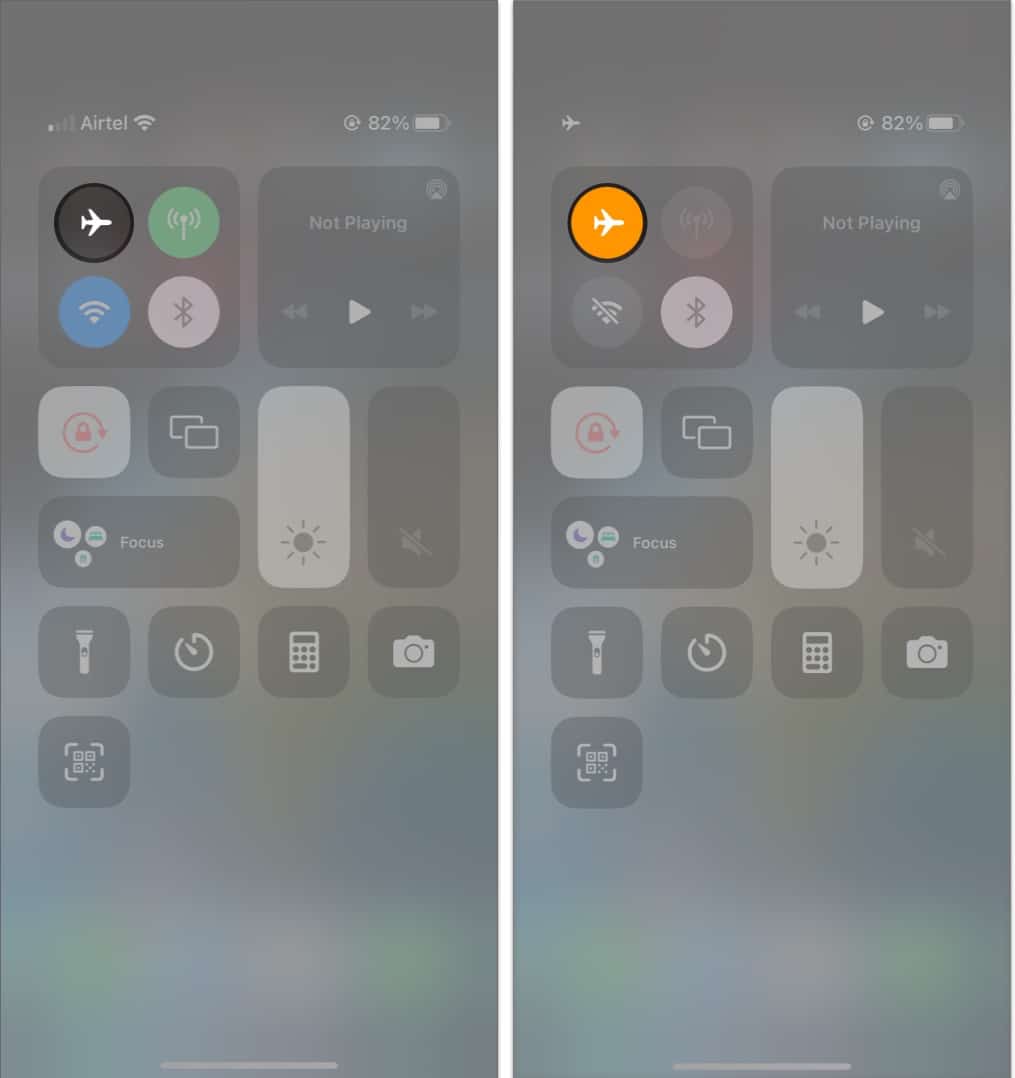
Wait for a few seconds, and voila, you’ll have successfully refreshed your cellular networks.
2. Check MMS and Group Messaging Settings on iPhone
If Android messages arrive normally in one-on-one conversations but fail in group chats, the issue is almost always tied to MMS provisioning on your mobile line. With iOS 26, Apple removed the visible MMS and Group Messaging controls from the Messages settings, so this behavior can no longer be corrected on the iPhone.
The only reliable fix is to contact your carrier and confirm that MMS and mixed device group messaging are enabled and correctly provisioned for your SIM or eSIM.
3. Make Sure the Android Sender Is Not Blocked
Another reason you may not be receiving texts on your Android device is that the number has been blocked on your device. You might have blocked your friends or family members due to an old feud and then forgotten about it. To unblock numbers, go to Settings → Phone app → Blocked Contacts. Here, you can see the numbers that you have blocked.
4. Delete Old Messages to Free Up Storage and Fix Sync Issues
One of the most common reasons your iPhone isn’t receiving Android messages is that your messaging inbox is full. As a result, this may be preventing you from receiving communications, particularly MMS messages, from your Android contacts. Please refer to our article to remove old messages from your iPhone.
Note:
iPhone-to-iPhone messaging uses the iMessage platform, so there won’t be space issues.
5. Update iOS to Fix Message Delivery Bugs
The issue might be caused by an iOS bug on the device. Thankfully, Apple responds quickly to such annoyances by issuing an iOS update. All you have to do is update your iOS version to acquire the repairs and enjoy the new features.
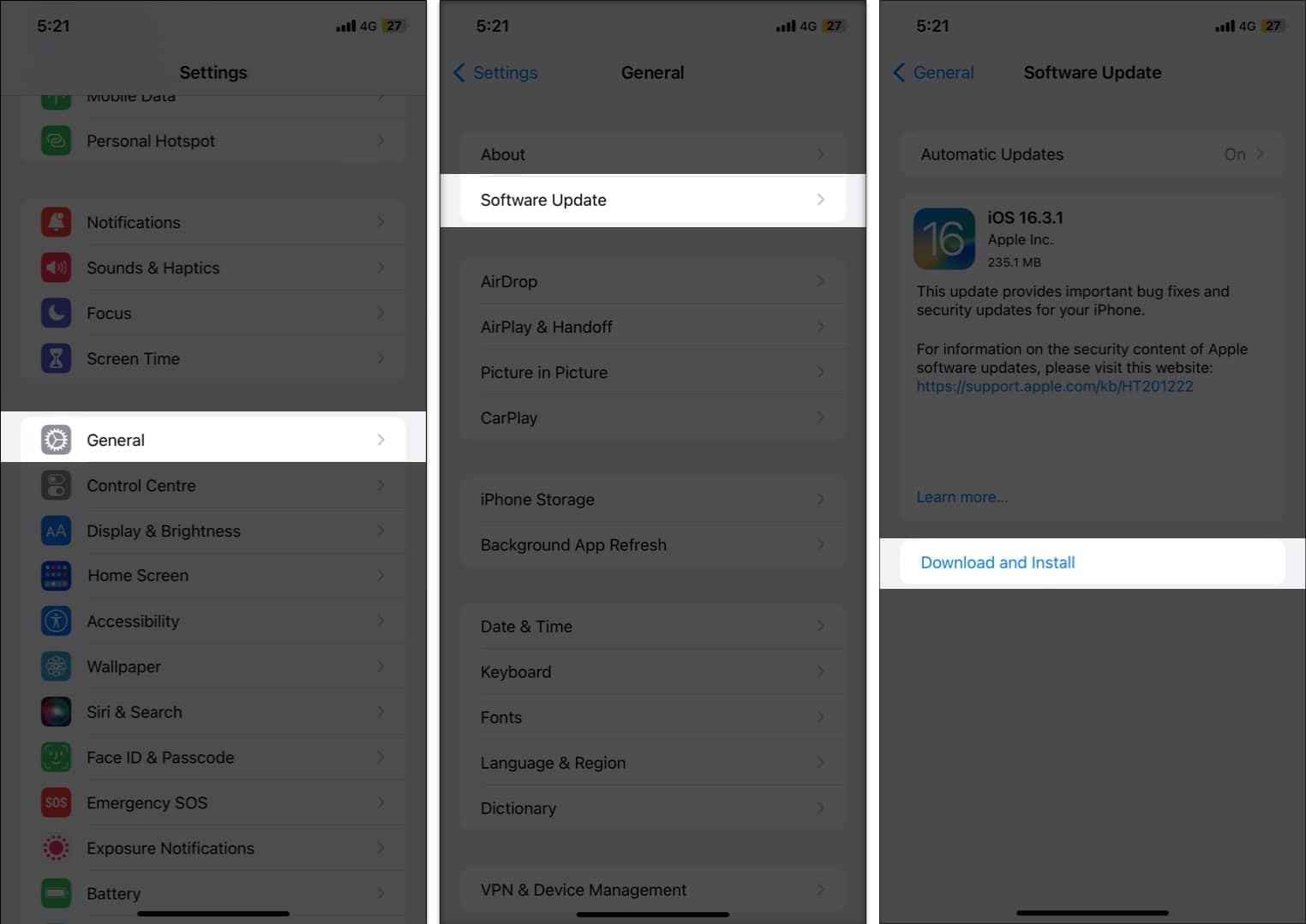
- Go to Settings → General.
- Tap Software Update → check for updates.
- If available, tap Download and Install.
6. Update Carrier Settings on iPhone
The problem may be from your carrier’s end. When I first got my iPhone XR, I started getting error messages on the device. As it turned out, the issue was on the carrier side, and they had already issued an update to resolve it.
- Launch Settings.
- Tap General → About.
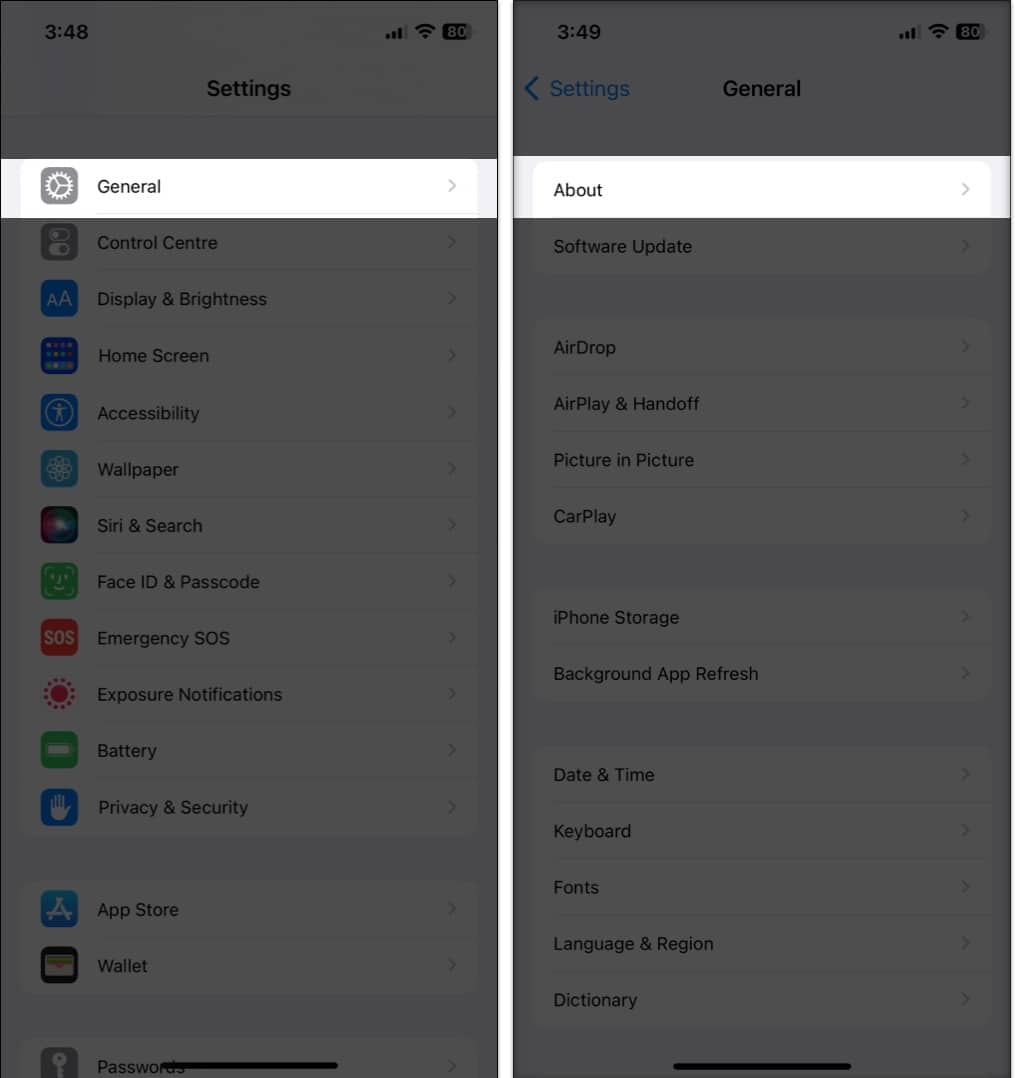
- Scroll down to Carrier. In some regions, you may see “Network”.

If you see “Update” next to Carrier, tap it and follow the on-screen instructions to update your carrier settings.
7. Reset Network Settings to Fix SMS and MMS Issues
If nothing else has worked, resetting network settings may be a viable alternative to resolve your iPhone not receiving messages from Android. It deletes all internet and networking-related data on your device.
- Open Settings.
- Tap General.
- Scroll down and tap Transfer or Reset iPhone.
- Hit Reset → Reset Network Settings.
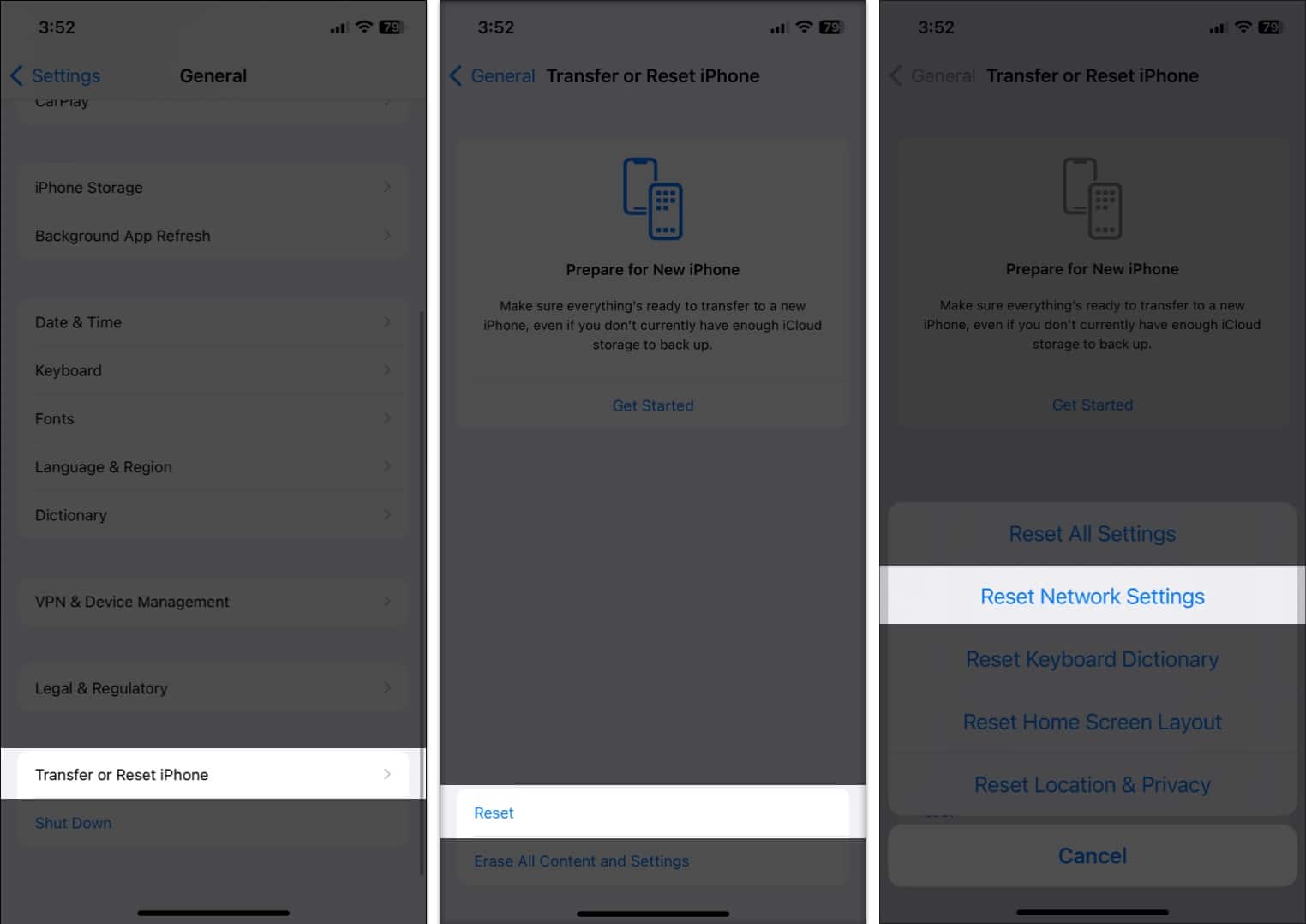
- Provide your iPhone’s Password to complete the action.

8. Reset All iPhone Settings Without Deleting Data
If resetting network settings didn’t work, it’s time to consider an unpleasant option: Reset All Settings.
- Launch Settings.
- Tap General.
- Scroll down and tap Transfer or Reset iPhone.
- Hit Reset → tap Reset All Settings.
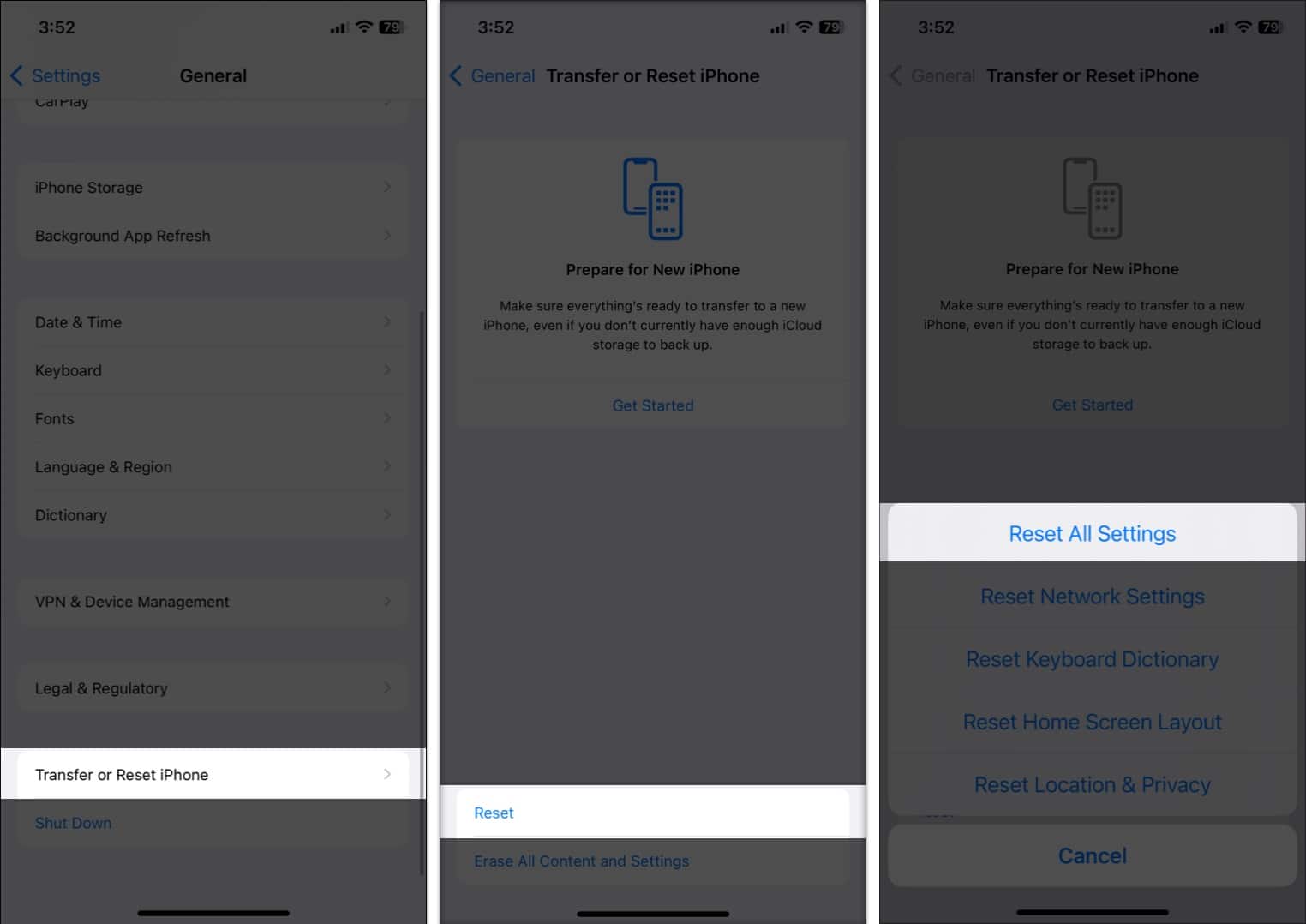
- Enter your Passcode to finish the action.

9. Turn Off RCS Chat Features on the Android Phone
So far, we have discussed troubleshooting methods for the iPhone. The problem could also be on the Android side.
RCS (Rich Communications Services) is Google’s version of iMessage to counter the growing popularity of the service. Google aims to deliver a close-to-iMessage experience with read receipts, typing indicators, group messages, and more.
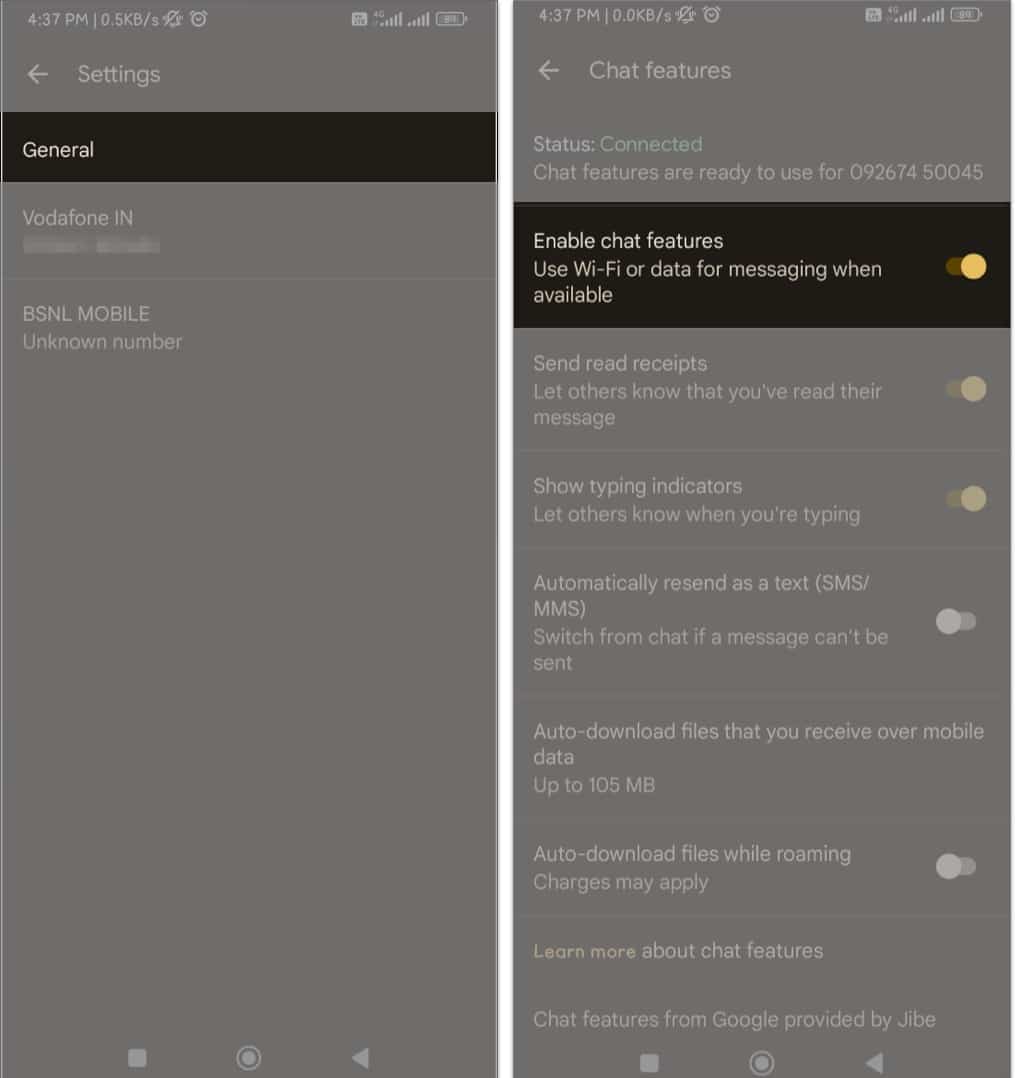
If RCS service is enabled on the Android device, disable it in Messages Settings.
- Open the Messages app.
- Click your avatar on the top right.
- Tap Messages settings.
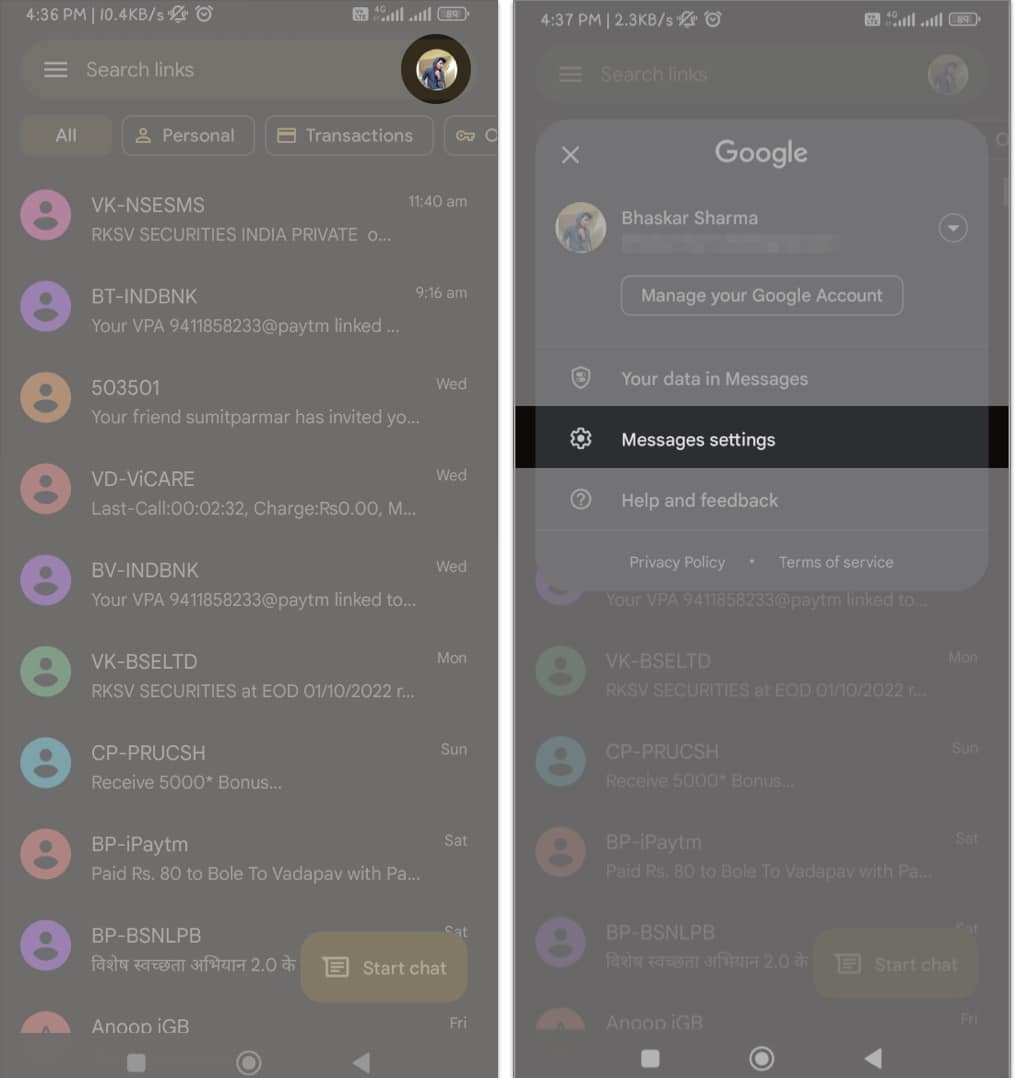
- General → Chat features → toggle Enable chat feature.


10. Contact Your Mobile Carrier for SMS Troubleshooting
There may be times when the carrier experiences server issues on its end. If none of the steps work for you, contact your local carrier to troubleshoot the issue.
You can either connect with them on social media or call or email the carrier directly to report the issue.
Signing Off..
iPhones that are not receiving texts from Android devices are rarely a hardware problem. In most cases, it is caused by iMessage conflicts, RCS mismatches, or carrier-level SMS issues. Once the correct setting or registration is fixed, messages usually resume instantly.
If this guide helped you fix the issue, share which step worked in the comments. It may save someone else hours of frustration.
You would like to read these posts as well:


