Apple has released a new firmware update for the MagSafe charger, but as usual, there are no official release notes detailing the changes. If you’re wondering how to check your MagSafe charger’s firmware version and update it, here’s a simple guide.
MagSafe charger firmware update: What you need to know
Apple has released a new firmware update, but what’s all the buzz about? Aside from bug fixes and minor improvements, many speculate that this update optimizes the MagSafe charger for better compatibility with more devices, including AirTags, Apple Pencil, and AirPods.
If you’ve been facing compatibility issues with an older MagSafe charger, this could be great news! Try it out and let us know your experience in the comments.
Unlike iOS updates, MagSafe firmware updates can’t be manually downloaded or installed, and you won’t receive alerts in your iPhone’s Settings. Instead, your iPhone automatically updates the MagSafe charger’s firmware when connected and plugged into a power source. So, leaving your iPhone charging overnight is the best way to ensure you get the latest update.
How to check the MagSafe charger’s software version
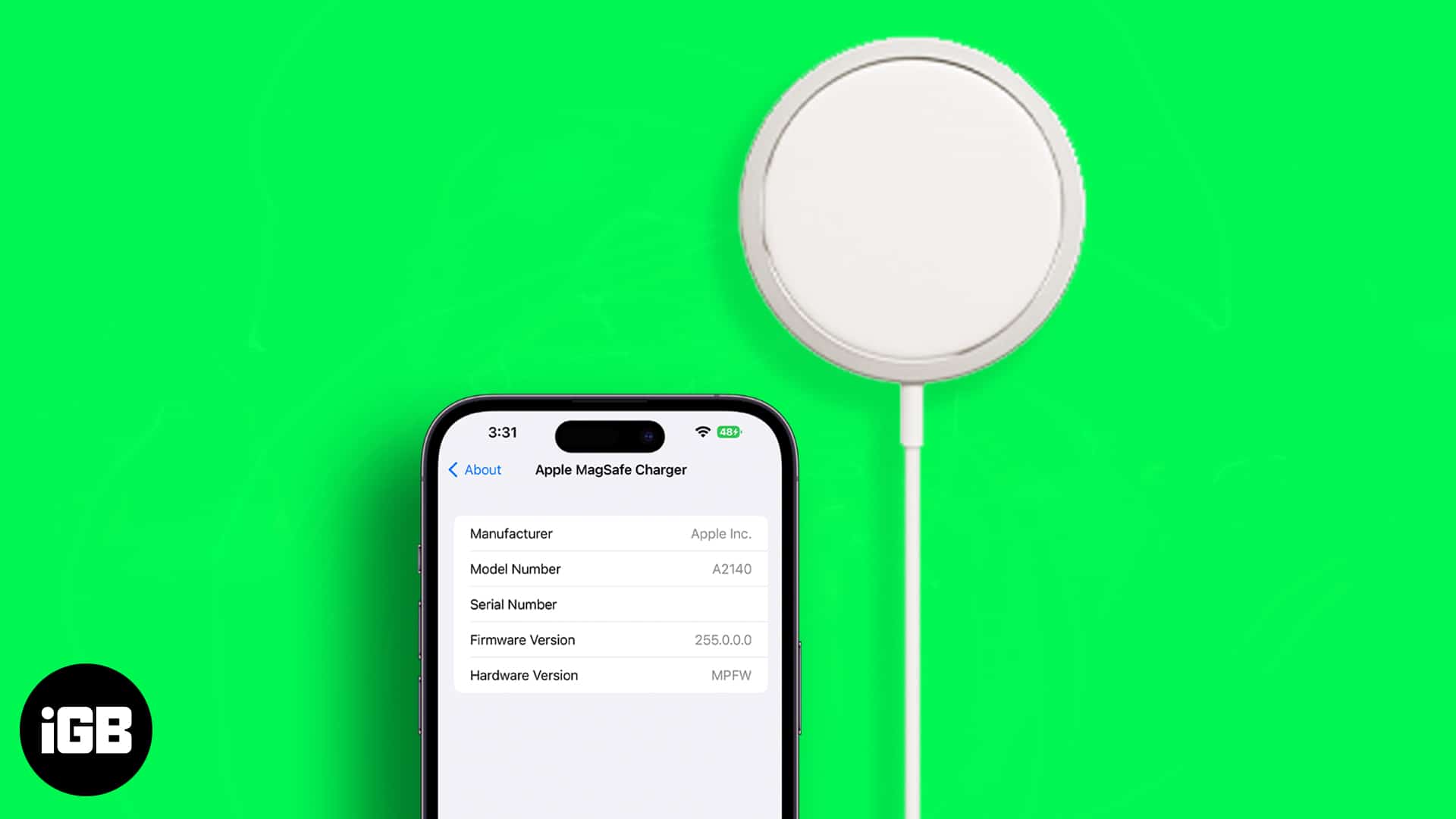
While there’s no sure way to download the firmware update, you can find out what firmware version and model number your MagSafe charger has. But before proceeding, make sure the MagSafe charger is attached to the iPhone and plugged into a power source.
- Open the Settings app on your iPhone.
- Go to General → About.
- Scroll down and select Apple MagSafe Charger.
- Here, you can view your MagSafe charger’s Model Number and Firmware Version.
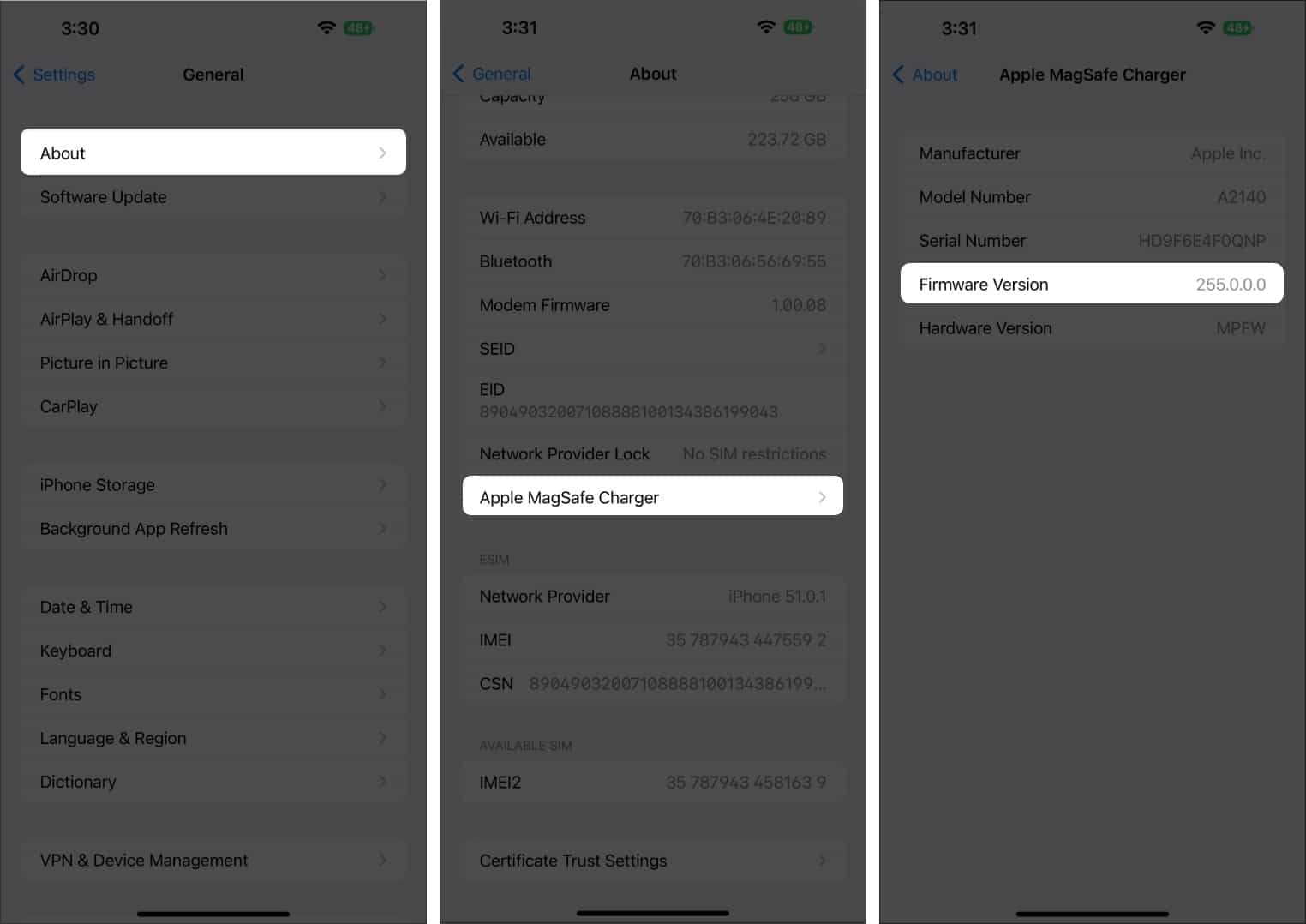
The firmware update upgrades the version to 2A146, replacing the previous 2A143. It installs automatically when the MagSafe Charger is in use and connected to power. However, users won’t receive any notification about the update.
Wrapping up…
Firmware updates often go unnoticed. However, many hope this new update will make their MagSafe charger compatible with newer devices.
There’s really no way to download the firmware by yourself, but you can do something to initiate it. Checking the firmware version is also a good way to know whether your MagSafe is updated or not.
Read more: