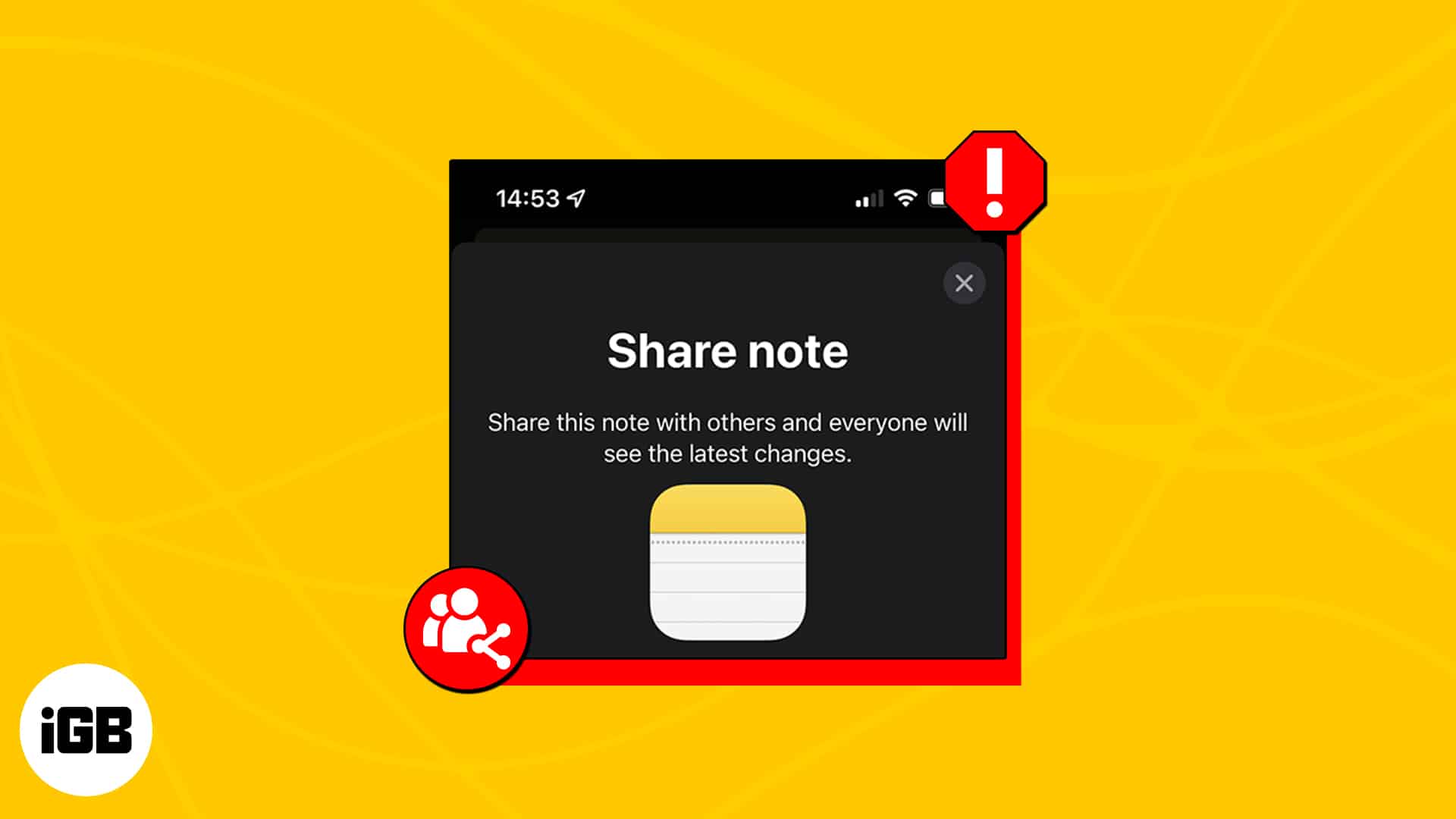
With the iPhone, you no longer need to use online word processors or brainstorming apps to collaborate with others. With Apple Notes, you can easily send a copy of your notes to friends or invite them to collaborate with you.
However, some users reported getting a “Collaboration not available” error when they tried to share or receive shared notes from their friends. If you see the same issue on your iPhone, below are some troubleshooting tips to get back to collaborating on Notes in no time.
- Update your OS
- Make sure you’re signed in on iCloud
- Make sure you’re sharing with another Apple account
- Check if you have enough iCloud storage
- See if the note is password protected
- Check if the note has drawings
1. Update your OS
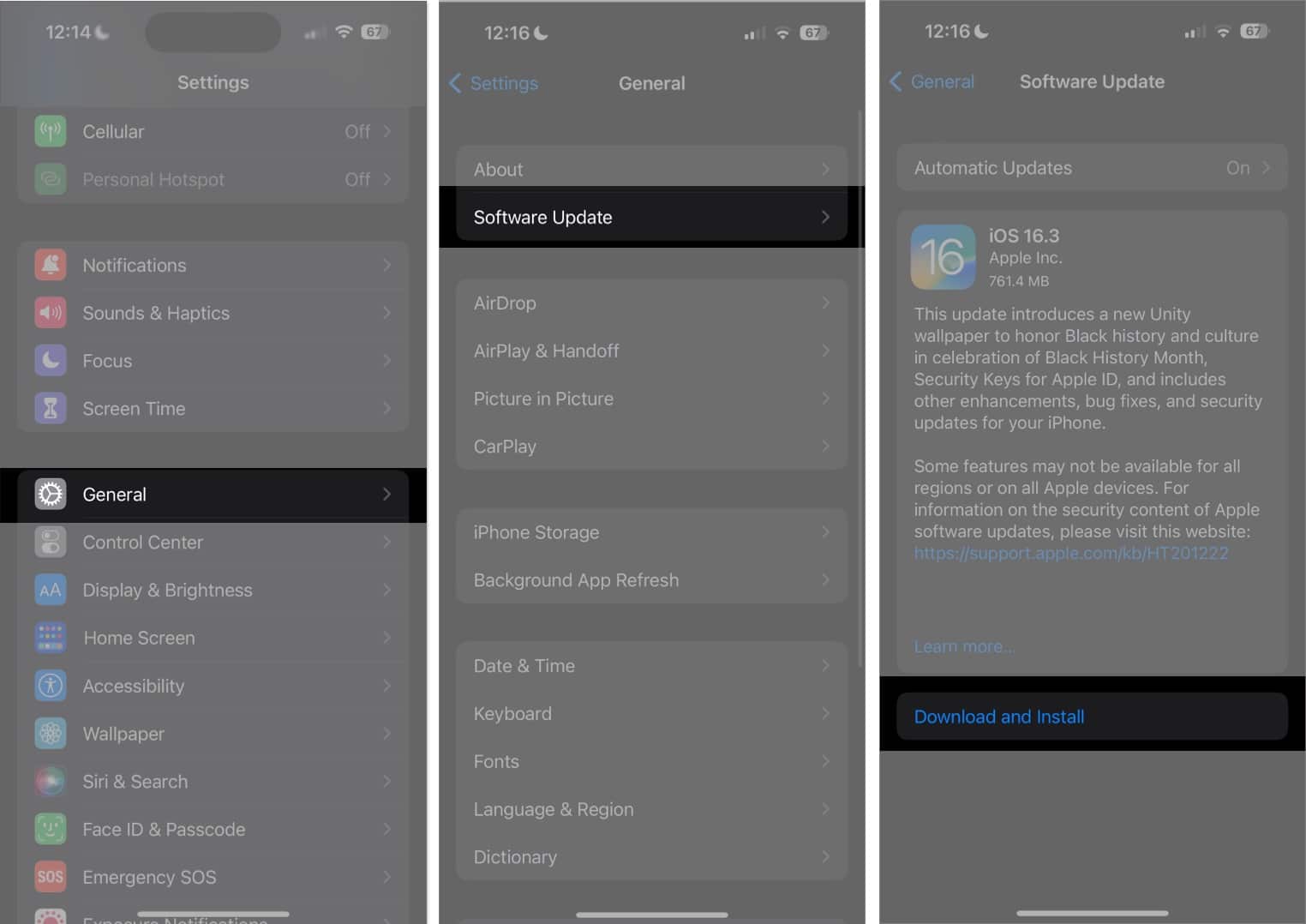
First things first, be sure that your Apple device is running on the latest OS. This goes for all devices that will collaborate on the same note. To update to the latest software version:
- Go to Settings → General → Software Update.
- Tap Download and install if any update is available.
2. Make sure you’re signed in on iCloud
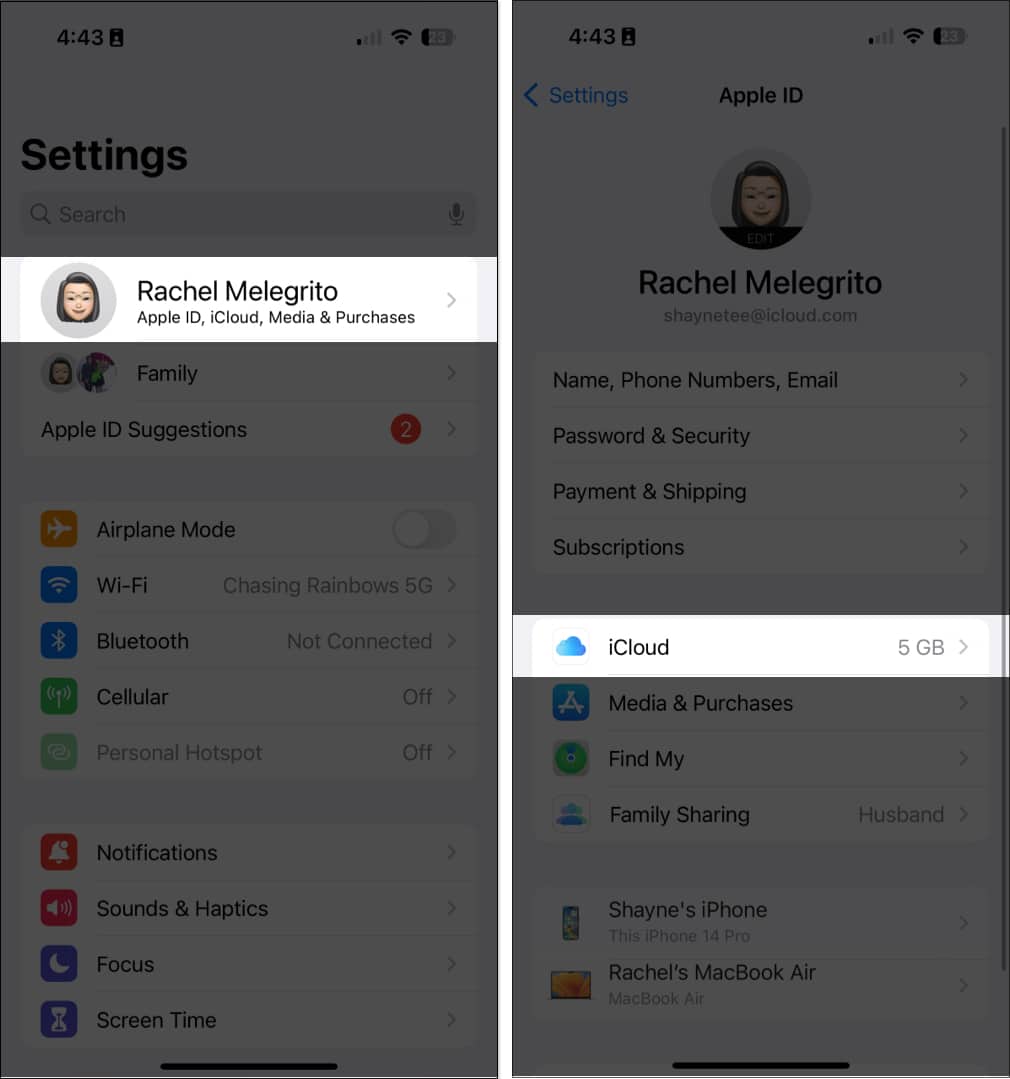
iCloud enables Apple Note’s collaboration and sharing feature, so it makes sense that all users who wish to collaborate in a note are signed in to iCloud. To check:
- Go to Settings.
- Tap your name (Apple ID) → select iCloud.
- Select iCloud Drive → Toggle on Sync this iPhone to ensure all your notes are in sync with iCloud.
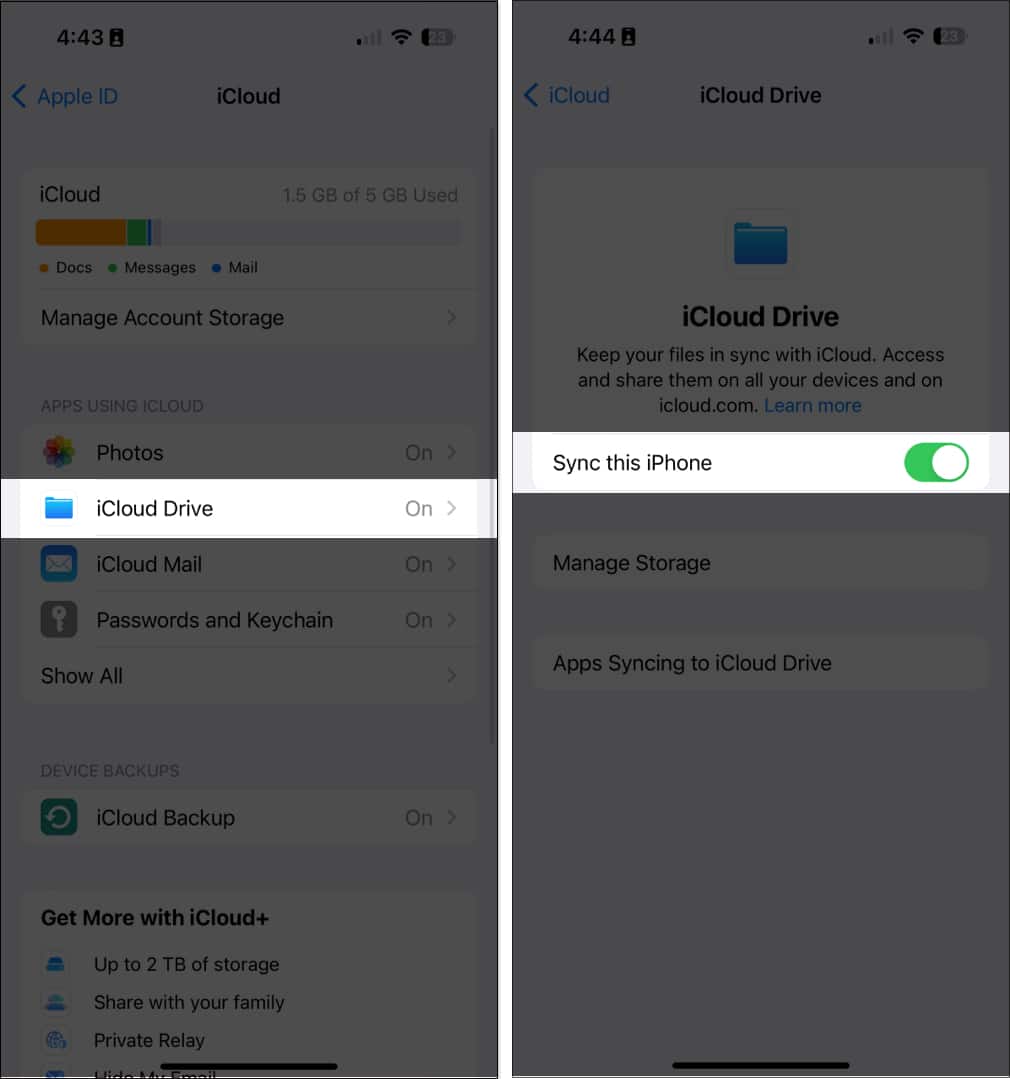
- Tap iCloud on the top left to go back → Choose Show All to reveal all the apps that use iCloud.
- Look for Notes. Then toggle on Sync this iPhone.
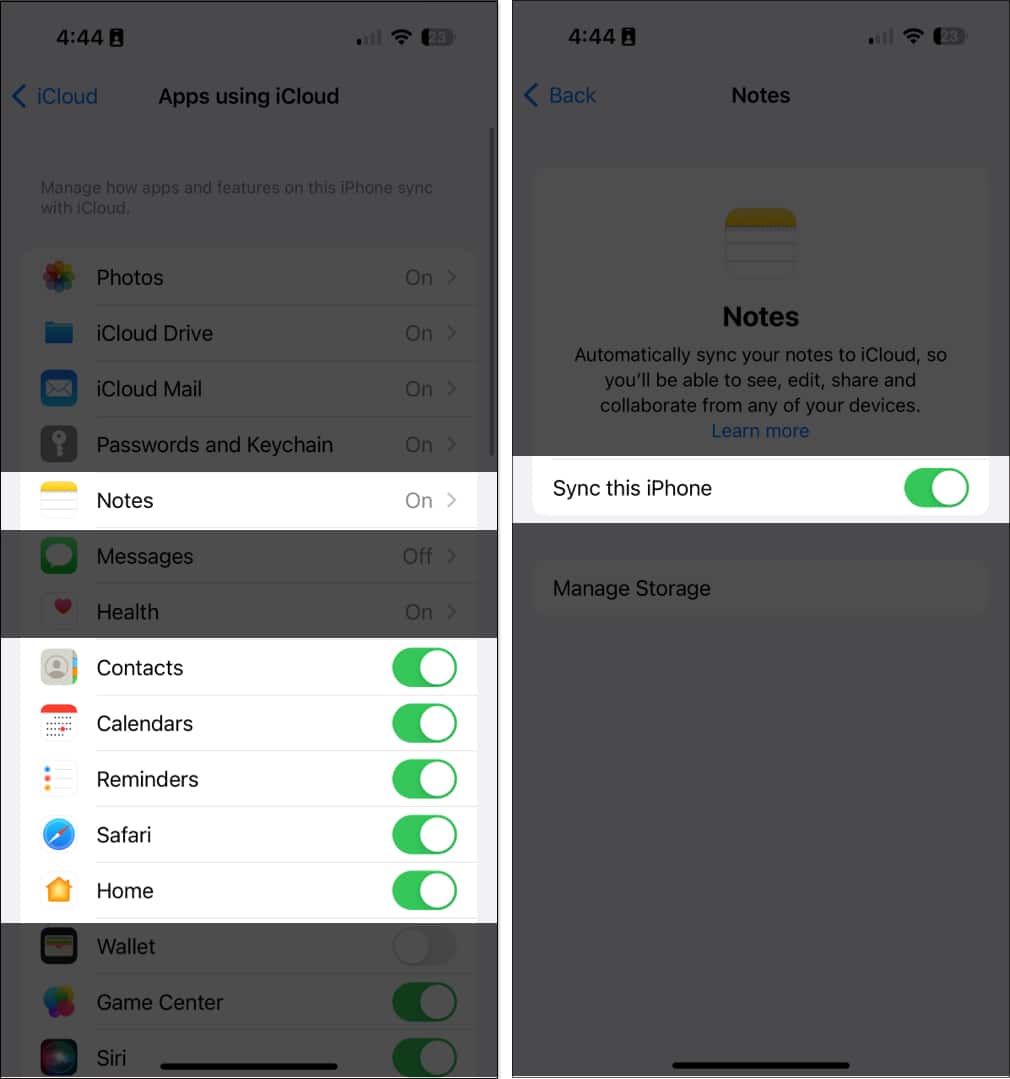
If you have several Apple devices, ensure you’re signed in to iCloud with the same Apple ID.
Next, before you go sharing a note, check if the note you want to share appears under the iCloud folder. If it isn’t, move it to any folder under the iCloud tab. To do this, go to the note’s preview, swipe left, and tap the folder in purple to move it to another folder found under the iCloud tab.
3. Make sure you‘re sharing with another Apple account
It’s important to note that you can’t share notes with a non-Apple device. If you’re sharing with an Apple user, you can share notes through apps like Messages and Mail or third-party apps like Messenger.
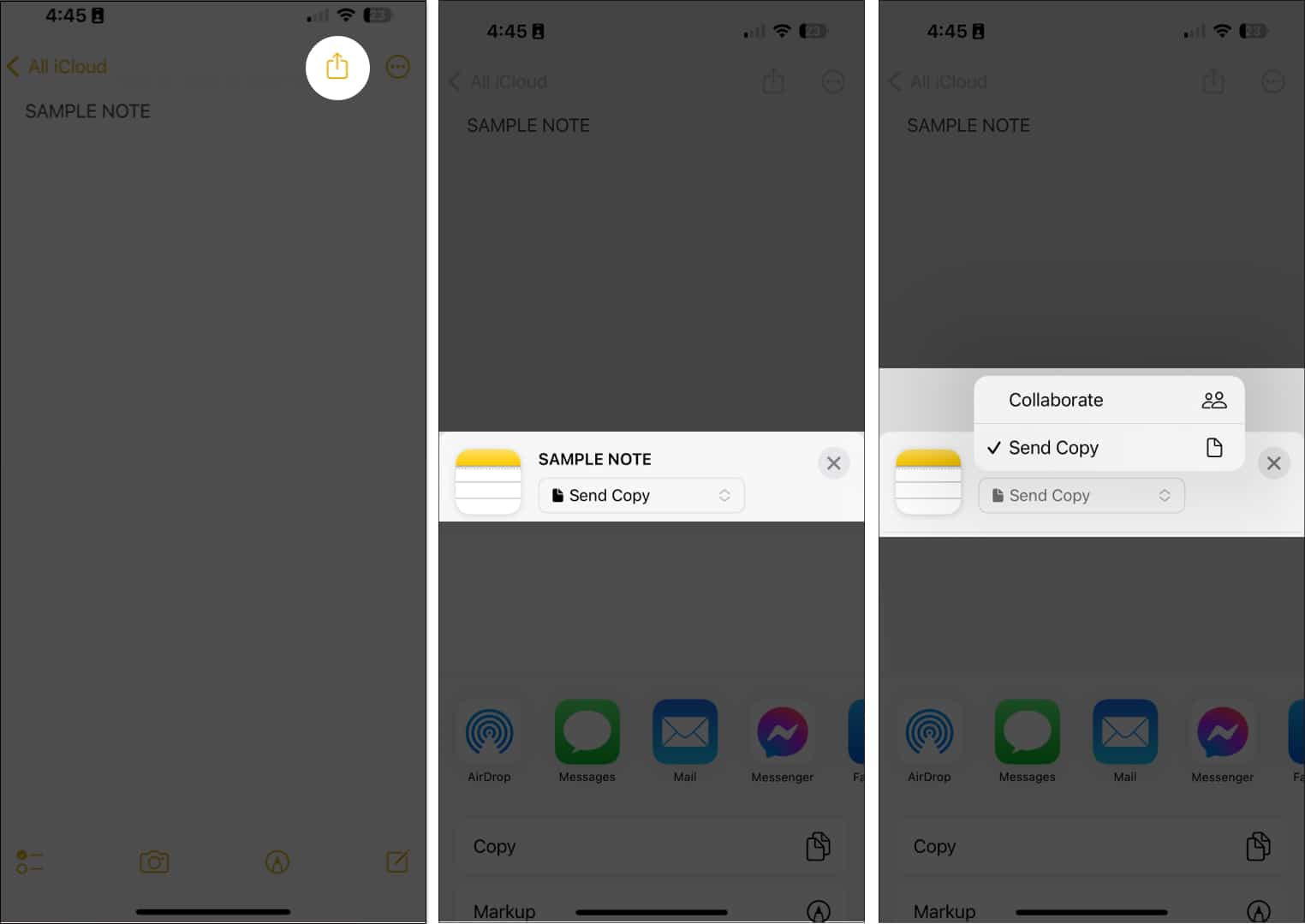
- Open the note.
- Tap the Share button.
- Choose from Send Copy or Collaborate, then select the app you want to send the note through.

4. Check if you have enough iCloud storage
You must have enough available iCloud storage on your device to collaborate with others. The same goes for the person you want to share your note with.
If you don’t have enough storage on your device or iCloud account, you might not see the changes made to the shared notes.
Read our article to upgrade your iCloud to iCloud+ for additional storage.
5. See if the note is password protected
You won’t be able to share locked notes across Apple devices.
If you want to share or collaborate on a locked note, you must first remove the note’s password. To do this:
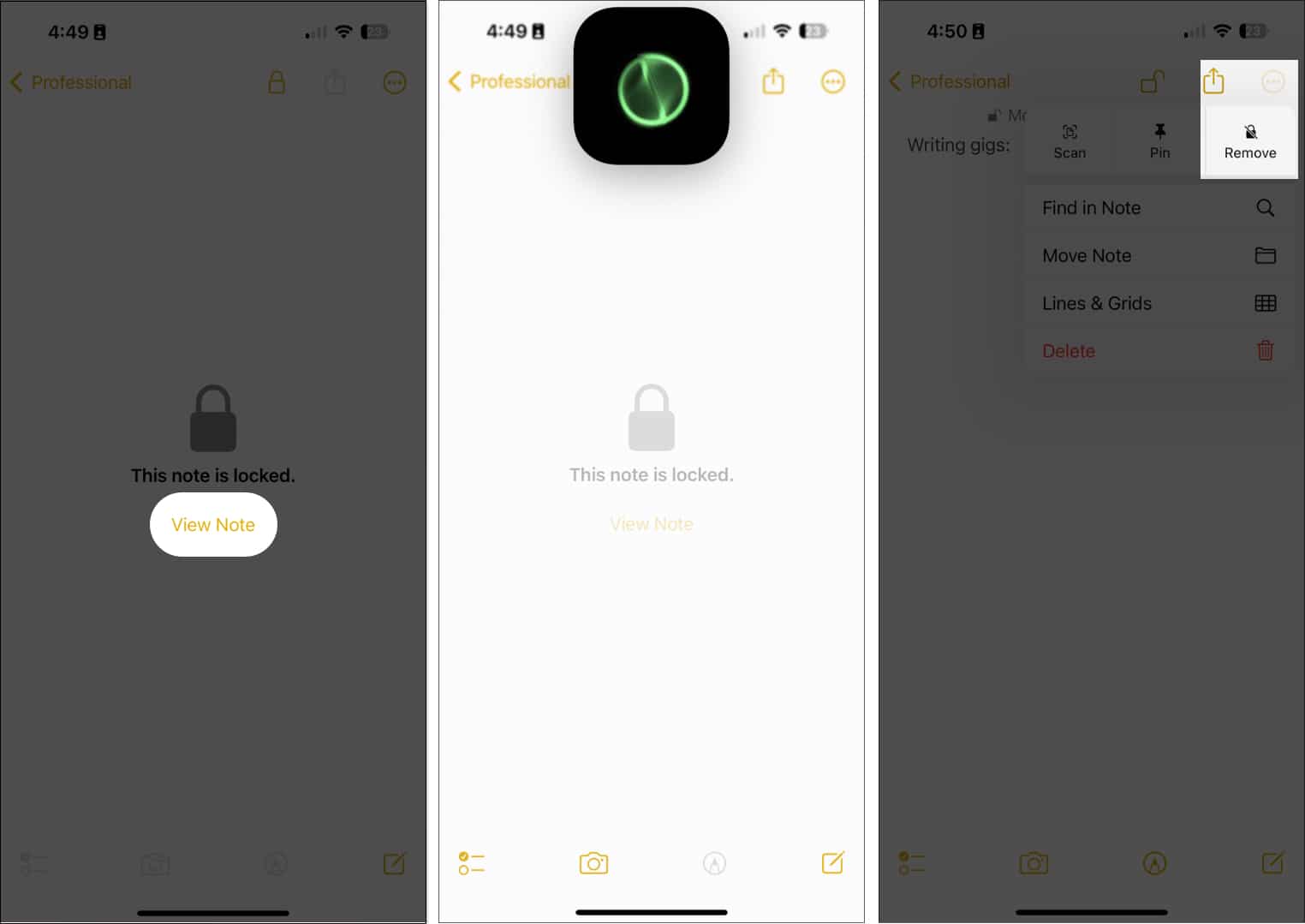
- Select a locked note.
- Tap View Note.
- Unlock the note with your passcode or Face ID.
- Tap the More (…) button → Remove.

6. Check if the note has drawings
If the notes you plan to collaborate with contain drawings made before iOS 13, you first need to update the drawings.
To do so, tap a drawing → Update Drawing.
If you’re using devices running iOS 12 or earlier, you may still be able to view the drawings but won’t be able to edit them.
Wrapping up…
Hopefully, the fixes above will help you share or collaborate on notes with your friends again. Comment below which method worked for you!
Read more: