

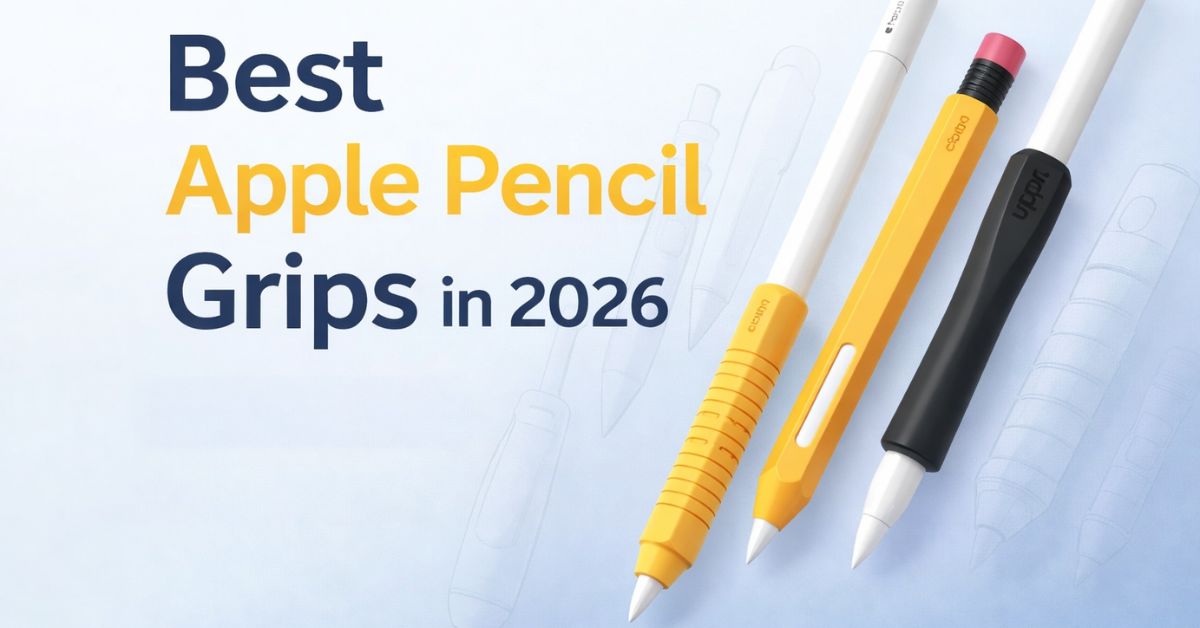
If your Apple Pencil tends to slip from your hold, digs into your finger grooves, or strains your wrist during long writing or drawing sessions, a well-designed grip can completely change how it feels. In this guide, I share the best Apple Pencil grips available right now, along with a practical buying guide and top picks for writing, artists, kids, and everyday use.
Whether you are a student taking fast notes, a professional annotating documents, a digital artist sketching for hours, or someone dealing with hand fatigue, the right Apple Pencil grip can make a noticeable difference.
What Is an Apple Pencil Grip and Why It Matters
An Apple Pencil grip is a soft sleeve or case that slides over the Pencil to add comfort, traction, and shape. Most modern grips are designed so you can still use magnetic charging and touch-based gestures without removing them.
Key Benefits:
- Ergonomics & comfort: Soft materials and curved shapes spread pressure, reducing finger soreness and wrist strain.
- Better control: Textured surfaces and thicker barrels make fine strokes and long lines steadier.
- Protection: Grips protect the Pencil from scratches, minor bumps, and accidental drops.
- Custom feel: You can change the thickness, shape, or texture without replacing the Pencil.
Therefore, as a student taking rapid notes, a professional annotating documents, a digital artist sketching for hours, teaching a kid how to hold a stylus, or struggling with hand movements, having the right grip on an Apple Pencil can be a game-changer.
Types of Apple Pencil Grips Explained
- Round silicone sleeves: Simple, inexpensive, and add cushion. Good for everyday writing.
- Ergonomic tri- or hex shapes: Give a defined resting place for fingers (reduces twisting).
- Thick “pencil-like” grips: Mimic regular pencil thickness for long comfort. Writers favor this one.
- Hybrid grips/cases with built-in clips or stands: Offer protection and storage plus grip.
- Multi-pack universal sleeves: Cheap options to test different shapes and sizes.
How to Choose the Best Apple Pencil Grip
Before hitting add to cart, keep the following in mind to find the right one:
Apple Pencil Generation Compatibility
Check whether the grip is designed for Apple Pencil 1st gen, 2nd gen, USB-C Pencil, or the Apple Pencil Pro. Some grips are “universal” while others explicitly fit only the 2nd gen and Pencil Pro, as they have a flat side for magnetic charging.
Comfort vs Precision Tradeoffs
Thicker or softer grips are more comfortable but can slightly change how the Pencil balances and how you see the tip while drawing. Artists requiring complete control may find thinner precision grips more useful, while note-takers may require softer and thicker grips.
Grip Thickness and Hand Size
Small hands or children may prefer grips to be finer, while writing adults tend to prefer thicker grips to ease muscle strain in the hands.
Attachment Style and Ease of Removal
Look for grips that slip on easily and come off without leaving residue. If you charge magnetically or rely on double-tap, choose a grip that can be partially removed or has a cutout for the tap area.
Case and Charging Compatibility
If you magnetically charge or mount (Apple Pencil 2/USB-C/Pro), confirm the grip allows the functionality. Also, go for a thin grip if you store the Pencil in your iPad case.
Best Apple Pencil Grips by Use Case
Below are the top picks for everyday writing, artists, and kids. Each one includes the use case and what to expect.
1. UPPERCASE NimbleGrip: Everyday Writing & Note-Taking
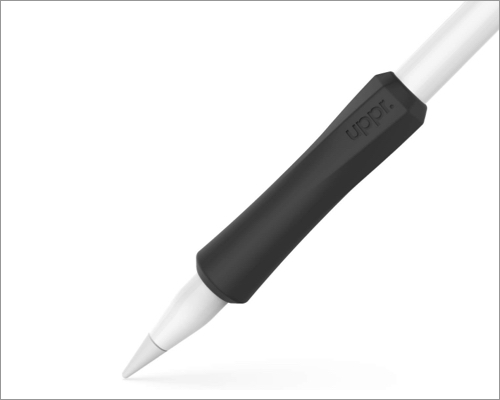
UPPERCASE NimbleGrip ergonomic finger grip is made of soft, premium silicone to reduce hand fatigue. It has a dual-sided exterior (round and hex) so you can choose the feel and orientation. Moreover, the interior ribbed design fits your Pencil like a glove.
The grip can be used with all Apple Pencil models, but you need to remove it for wireless charging. For storage, you can buy UPPERCASE NimbleStand. This Pencil holder is useful to keep your stylus handy and avoid losing it.
Why pick it: simple, comfortable, and made for long sessions. Good for students and office use.
2. Paperlike Pencil Grips: For Artists & Designers

Designed for precision and feel for creatives, Paperlike Pencil grips aim to maintain a tactile, natural hold with a slender ergonomic shape. Its broad cushioning helps in precise control without hand fatigue.
Paperlike has used high-quality, recyclable silicone for durability and comfort. The best part is that the grip works with all the models and supports every Apple Pencil feature, including Double Tap Gesture, Barrel Roll, Squeeze, and even wireless charging.
Why pick it: artists who sketch for long hours and want both precision and comfort.
3. elago Apple Pencil Case: Slim & Protective

elago’s grip sleeve is designed with Apple Pencil 2/Pro’s magnetic charging and double-tap capabilities in mind. It covers the entire Pencil to protect it from scratches, bumps, and drops. You will also get a protection cap to safeguard the Pencil tail.
I like its old-school look with ergonomic hexagon design. The soft silicone ensures a strong grip and a snug fit. Its unique design ensures magnetic attachment and charging. Overall, you should buy this Apple Pencil case if you want protection while enjoying full Pencil features.
Why pick it: people who frequently magnetically charge and want a thin protective sleeve.
4. ProElife Ergonomics Grip Holder: Budget Multi-Pack

If you are looking for a budget-friendly finger grip for your Apple Pencil 2/Pro/USB-C, go for this one. Made of high-quality silicon with special molding, the sleeve is stretchy and only 0.5mm thick. You can quickly install it and attach it or wirelessly charge your Pencil.
The concave design ensures firm holding and a soft feel. Moreover, you get two grips in an affordable bundle, providing great value.
Why pick it: low cost, multiple grips, good for students or teams.
5. Ringke Silicone Drafting Grip: Non-Slip Textured Grip

A more structured soft silicone cover with threaded/textured engravings for non-slip cushioned hold and an ergonomic shape. Ringke’s optimized thickness design aims to preserve Double Tap and charging features while improving grip.
It’s universally compatible with all Apple Pencil models. If you have sweaty hands, this grip prevents your Pencil from slipping off. However, as the cover goes till the Pencil tip, you need to remove the grip before tip replacement.
Why pick it: people who want a grippy, textured sleeve that stays put during sketching or note-taking.
6. AFOOYO 5-Pack Pencil Grips: Multi-purpose Usage

Multi-packs in bright colors, different designs, and widths. You can switch between the grips as needed. The hexagonal design is anti-rolling and supports wireless charging.
If you use an iPad case with a pencil holder, ensure it has an anti-slip design. All the grips feature soft silicone for a smooth surface. However, note that you can use them with Apple Pencil 1st gen.
Why pick it: beginners, kids, and anyone who wants a palette of inexpensive grips to try.
How to Use and Maintain Apple Pencil Grips
Now that you have chosen your grip holder, let’s see how to utilize it.
Installing and Adjusting Your Grip
- Pencil cleaning: Use a dry cloth to gently rub away oils or dust.
- Slide smoothly: Gently stretch the silicone and slide it from the tip to the eraser end of the pencil.
- Position on the device: Bulbous/thick part should be positioned in a place where the fingers rest during writing. When drawing, this should be higher so that the wrist can move.
- Test features: If you use double-tap or magnetic charging, leave the recommended gap or follow the brand’s instructions so features still work.
Cleaning and Caring for Silicone Grips
With daily usage, your Pencil grip can become greasy and attract lint and dust. So, you must clean it regularly.
Remove the grip from your pencil first for safety. Use mild dish soap and warm water to clean the silicone grip, then rinse gently. Then use a soft, lint-free cloth to absorb the water and let it air-dry.
Avoid acetone or harsh cleaners as they can degrade silicone. Ensure your grip is completely dry before putting it on. Also, store the Pencil in a case or sleeve when not in use.
Troubleshooting Charging or Magnetic Issues
| Issues | Solutions |
| Wireless charging fails | Remove the grip and try charging. |
| Double-tap or squeeze won’t register | Reposition the grip so the tap area is exposed |
| Grip feels sticky | Clean the surface to remove grease and dirt |
You can also replace the grip if it becomes torn or permanently discolored to keep your pencil looking sharp.
Final Thoughts
Apple Pencil grips are one of the cheapest and most effective ways to improve comfort and control. Decide based on:
- Your Pencil model (1st gen vs 2nd gen vs USB-C/Pro),
- Your primary use (notes vs art vs kids),
- Whether you need magnetic charging or double-tap access.
If you write a lot, softer and thicker grips like UPPERCASE or ProElife are excellent. Artists may prefer Paperlike or Ringke for precision and texture. For kids or classrooms, multi-packs like AFOOYO offer flexibility and value.
For such a small investment, a good grip can prevent fatigue, improve accuracy, and make your Apple Pencil feel brand new again. Which one caught your eye? Let me know in the comments.