Notifications are an integral part of the macOS experience. Although well implemented, sometimes too many notifications can be annoying. The ‘tri-tone’ sound can distract your work. Hence, it’s better to turn off notifications on Mac during work hours.
In this article, I’ve laid out 4 ways to turning off app notifications — both temporarily and permanently. Let’s start with the simplest one!
4 Ways to turn off notifications on Mac
Here, I’ll show you how to turn off notifications on your Mac, whether you want to pause them for a while or get rid of them forever.
1. Mute notifications on Mac from Control Center
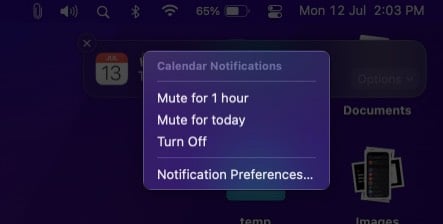
If a particular app is spamming your Notification Center, you can temporarily stop notifications on your Mac.
In the Notification Center, right-click the app’s notification for which you want to stop alerts. Now, set the notifications to mute for 1 hour, One Day, or turn it off completely.
2. Turn off notifications on Mac using Do Not Disturb
Do Not Disturb is one of the easiest ways to turn off notifications on your Mac. When it is active, notifications do not appear on the screen. The app notifications won’t display the banner or play the sound.
Don’t worry; it doesn’t turn off the notifications entirely! The notifications are still visible in Notification Center.
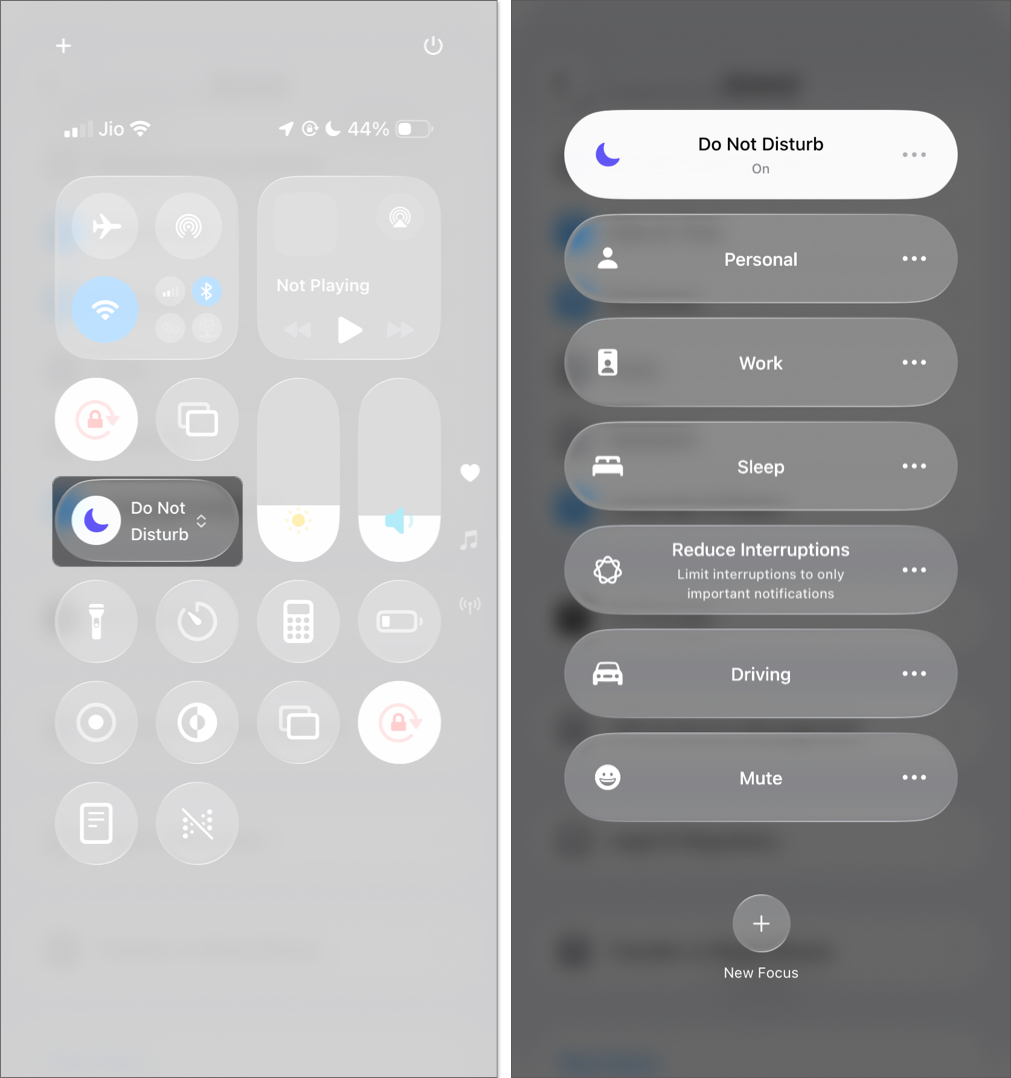
To enable Do Not Disturb using Control Center:
- Click the Control Center icon.
- Select Focus.
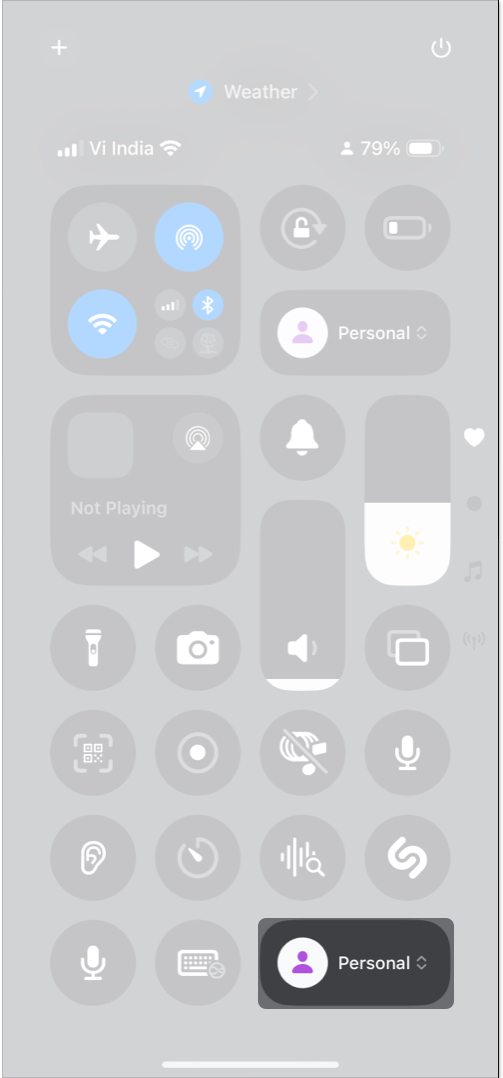
- Pick Do Not Disturb and then select the time frame (for 1 hour or until this evening).
3. Turn off notifications for a certain app on Mac
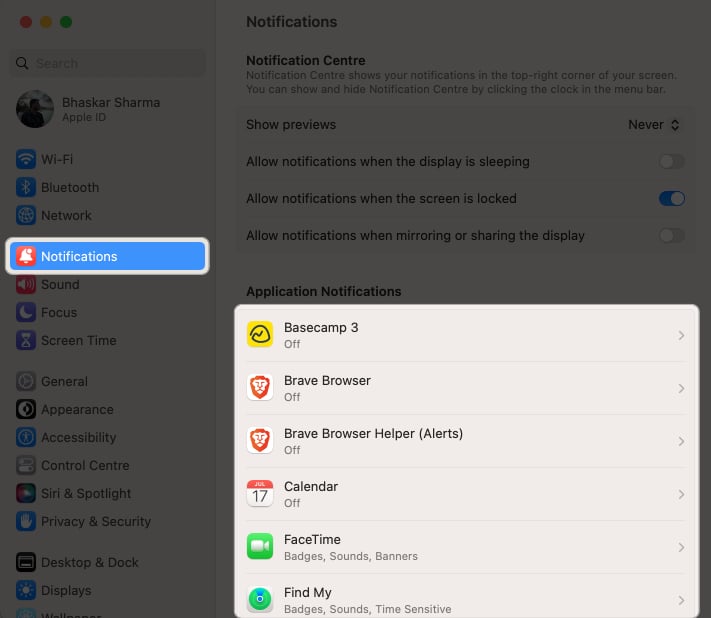
You can even completely disable notifications for a particular app on your Mac. To completely disable notifications for an app, follow these steps:
- Navigate to the Apple logo () → Choose System Settings.
- Click Notifications → Select any application.
- Toggle off Allow notifications.
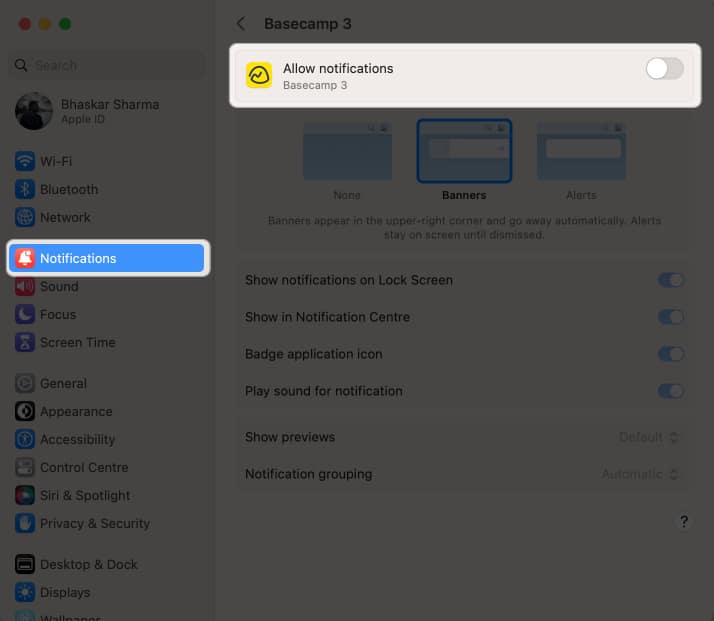

You can also silence the notification or disable it on Lock Screen and Notification Center.

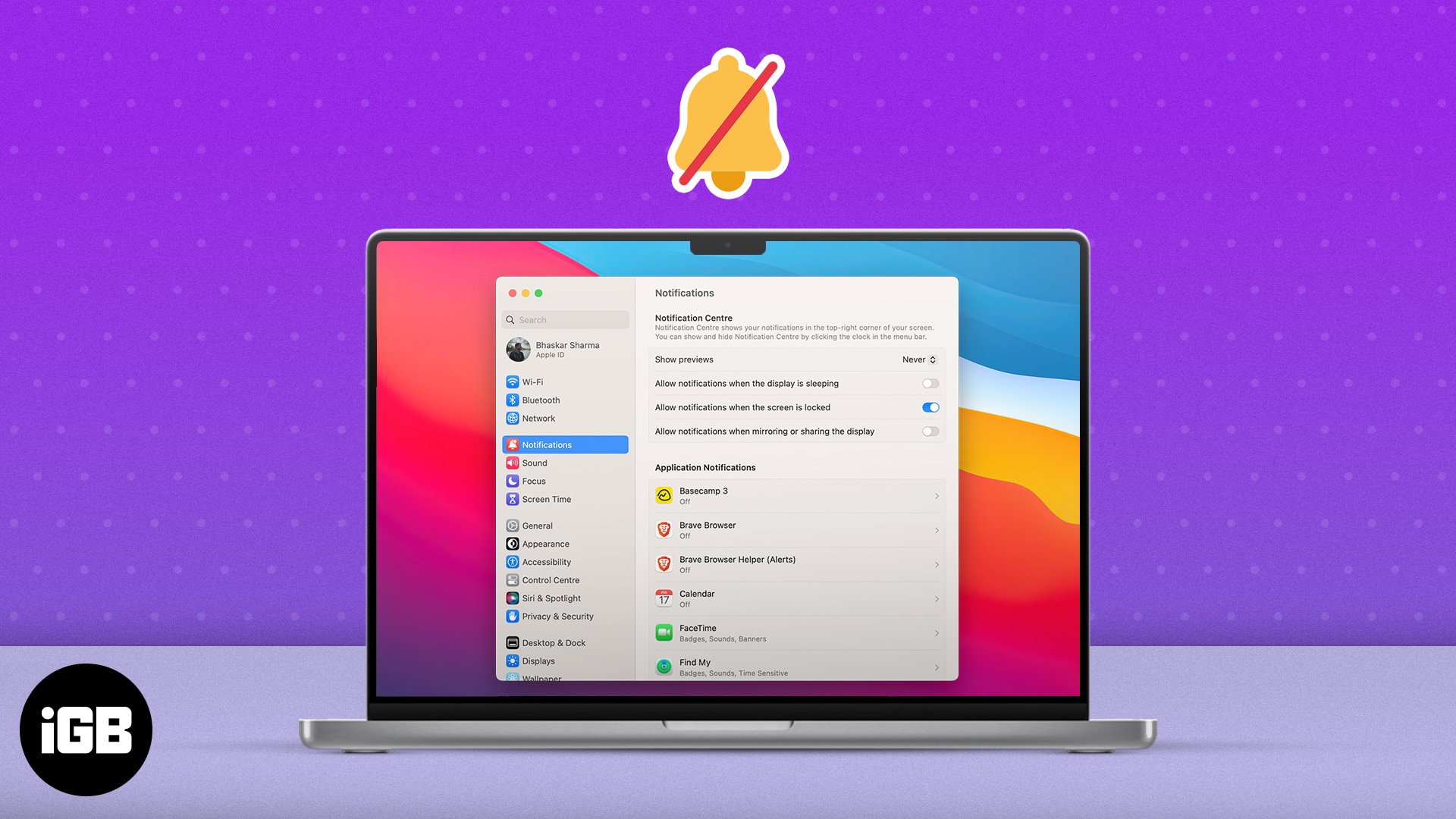
4. Stop notifications when Mac is in sleep mode, locked, or sharing a screen
One of the advantages of having a Mac is that it remains connected to the Wi-Fi even when it is asleep or in screen saver mode. This not only allows it to get back up from sleep faster but also allows the Mac to sync all the notifications in the background.
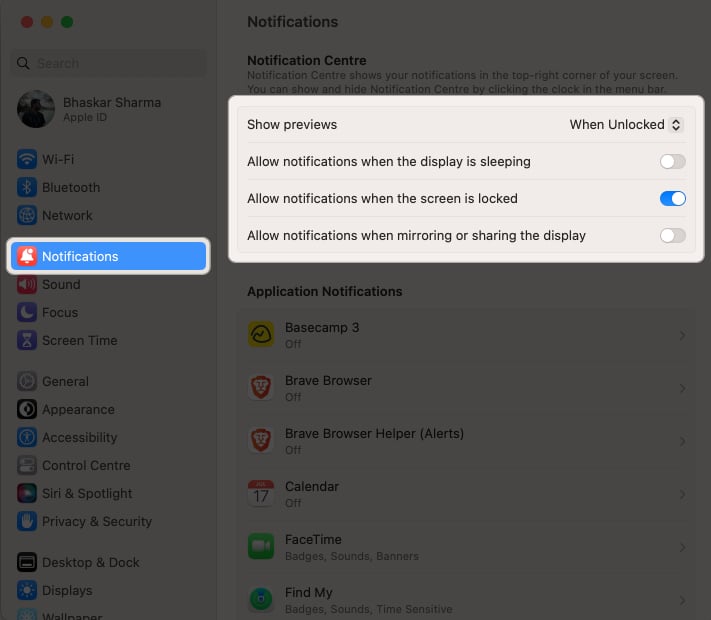
However, if you’re irritated with your Mac playing sound even when you’re not using it, try the below steps:
- Click on the Apple logo () → System Settings → Notifications.
- Turn off the ones that you don’t want from the list below.
- Allow notifications when the display is sleeping
- Allow notifications when the screen is locked
- Allow notifications when mirroring or sharing the display

Not only apps but a few websites also send push alerts all day. You can disable those notifications too.
Turn off push notifications from websites on Mac
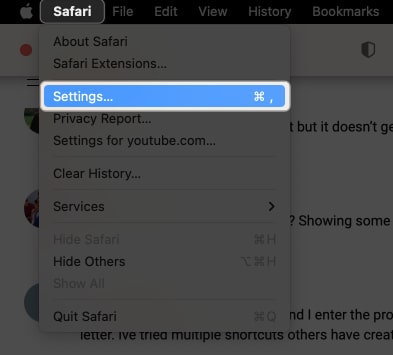
- Open Safari → Select Safari from the menu bar → Choose Settings.
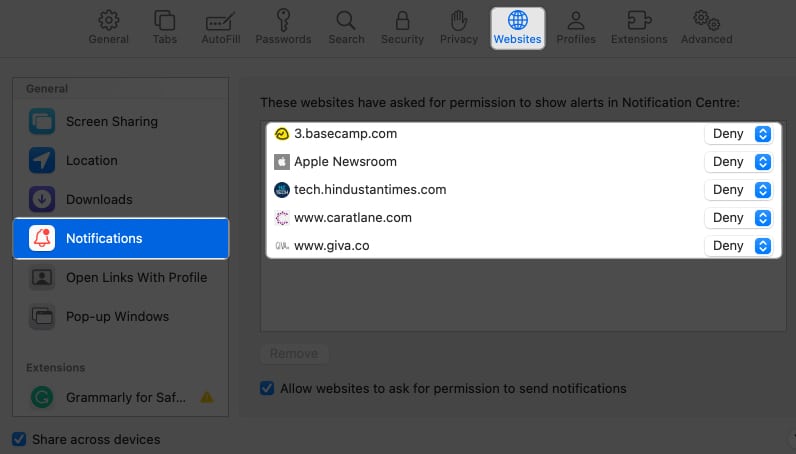
- Head to Websites → Select Notifications from the left pane.
- Set all drop-downs as Deny.


Yes, you can set a specific duration for the Do Not Disturb mode.
You can access the u0022Do Not Disturbu0022 settings directly from the Notification Center.
Wrapping up…
I hope you’re able to understand how you can easily disable notifications on your Mac. If you have any issues following any of the methods mentioned above, drop a comment below, and we’ll be happy to help.
Read more: