


A small group of users recently ended up installing a fake version of WhatsApp, and the situation was serious enough for Meta to intervene directly.
According to Italy’s Agenzia Nazionale Stampa Associata (ANSA), around 200 users were targeted in a social engineering attack that tricked them into downloading an unofficial WhatsApp client designed to mimic the real app.
What makes this case notable is that it did not involve any vulnerability in WhatsApp itself. Instead, the attack relied on manipulating users into installing malicious software, which is often more effective than exploiting technical flaws.
The attack relied on trust, not a security flaw
Once installed, the fake app likely gave attackers access to sensitive data stored on the device or within the app’s environment. Meta identified the affected accounts, logged users out, and issued warnings about potential privacy and security risks (via TechCrunch).
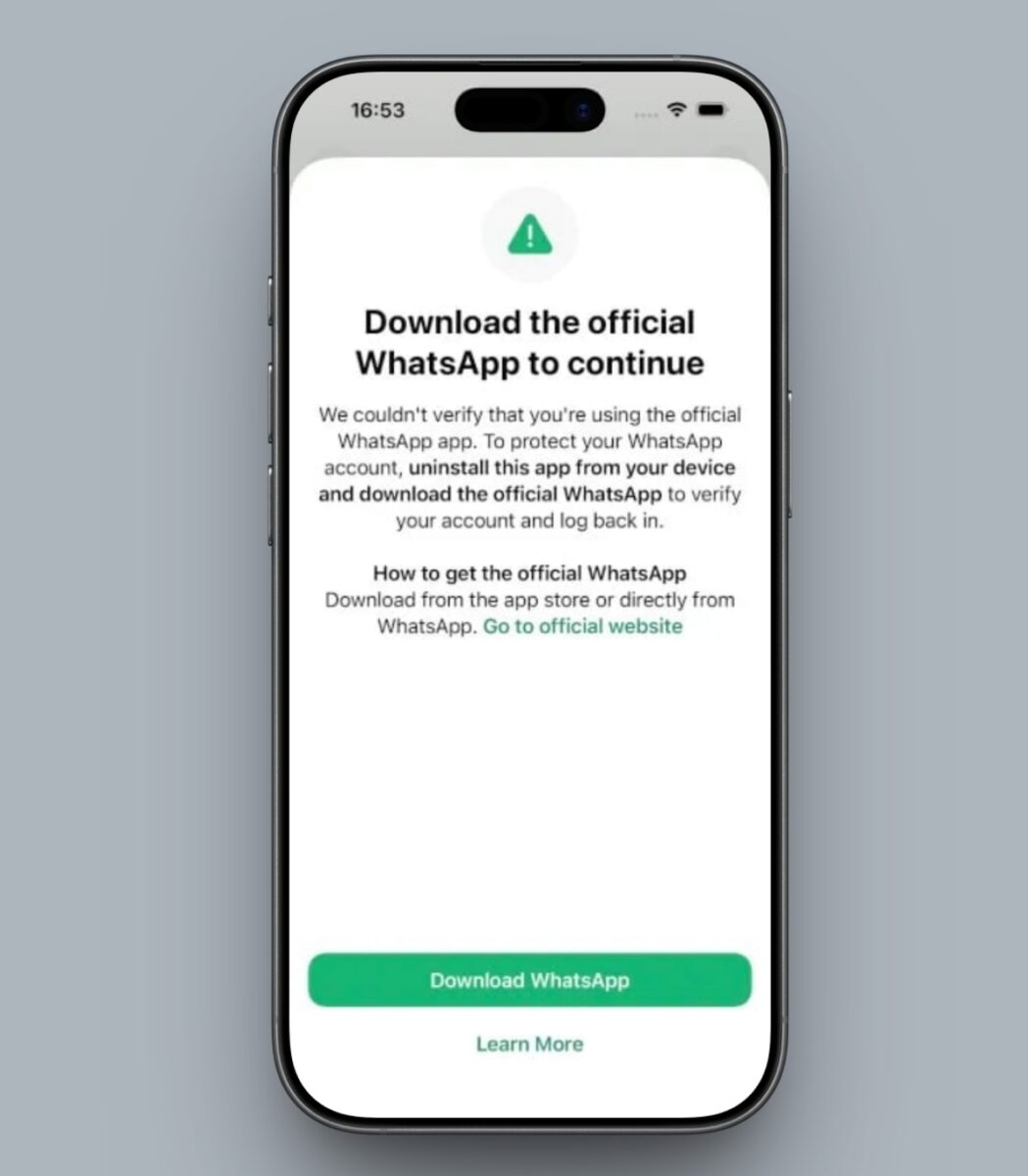
The key detail here is that users were not hacked through WhatsApp. They were misled into trusting an app that appeared legitimate. That distinction matters because it highlights how social engineering can bypass even well-secured platforms.
Most victims were based in Italy
Most of the affected users were reportedly located in Italy, suggesting that the attack was targeted rather than widespread. Meta has also taken action against Asigint, a spyware firm believed to be linked to the campaign and controlled by Sio Spa.
There are still no confirmed details about what data may have been accessed or how deeply devices were compromised. This lack of clarity is typical in cases involving malicious third-party apps, where tracing activity can be difficult.
The app was distributed outside official channels
Another important aspect of this incident is how the app was distributed. According to La Repubblica, the fake version of WhatsApp did not come from official sources like the App Store or Google Play. Instead, it was shared through third-party channels that are far less regulated.
That leaves open multiple possibilities, including direct download links, certificate-based installs, or sideloading methods that have become more accessible in certain regions. Without more details, it is difficult to pinpoint the exact method used, though the common factor remains user trust.
This is a familiar pattern with a growing risk
Incidents like this follow a pattern that has been seen repeatedly. Rather than attacking the platform itself, attackers focus on the user. If someone can be convinced to install something that looks legitimate, many of the usual safeguards become irrelevant.
As alternative app distribution and sideloading gain traction, the risk of similar attacks increases. The more ways there are to install apps, the more opportunities malicious actors have to exploit trust.
What this signals going forward
Meta has described this as a limited and targeted attack, not a widespread issue. That reduces immediate concern, though it does not change the underlying takeaway.
The incident reinforces a simple point: the source of an app matters as much as the app itself. As platforms evolve and allow more flexibility in app distribution, users will increasingly become the first line of defense.
Does this change how you think about sideloading apps, or not really? Drop your take in the comments.


