Key Takeaways
- Facebook introduced in-app sounds in its new version. When you comment on a post or refresh/scroll the news feed on your iPhone, you get a chirping sound.
- You may turn off Facebook in-app sound effects to get rid of annoying chirping sound when scrolling. You can do this for Facebook Messenger if facing the same.
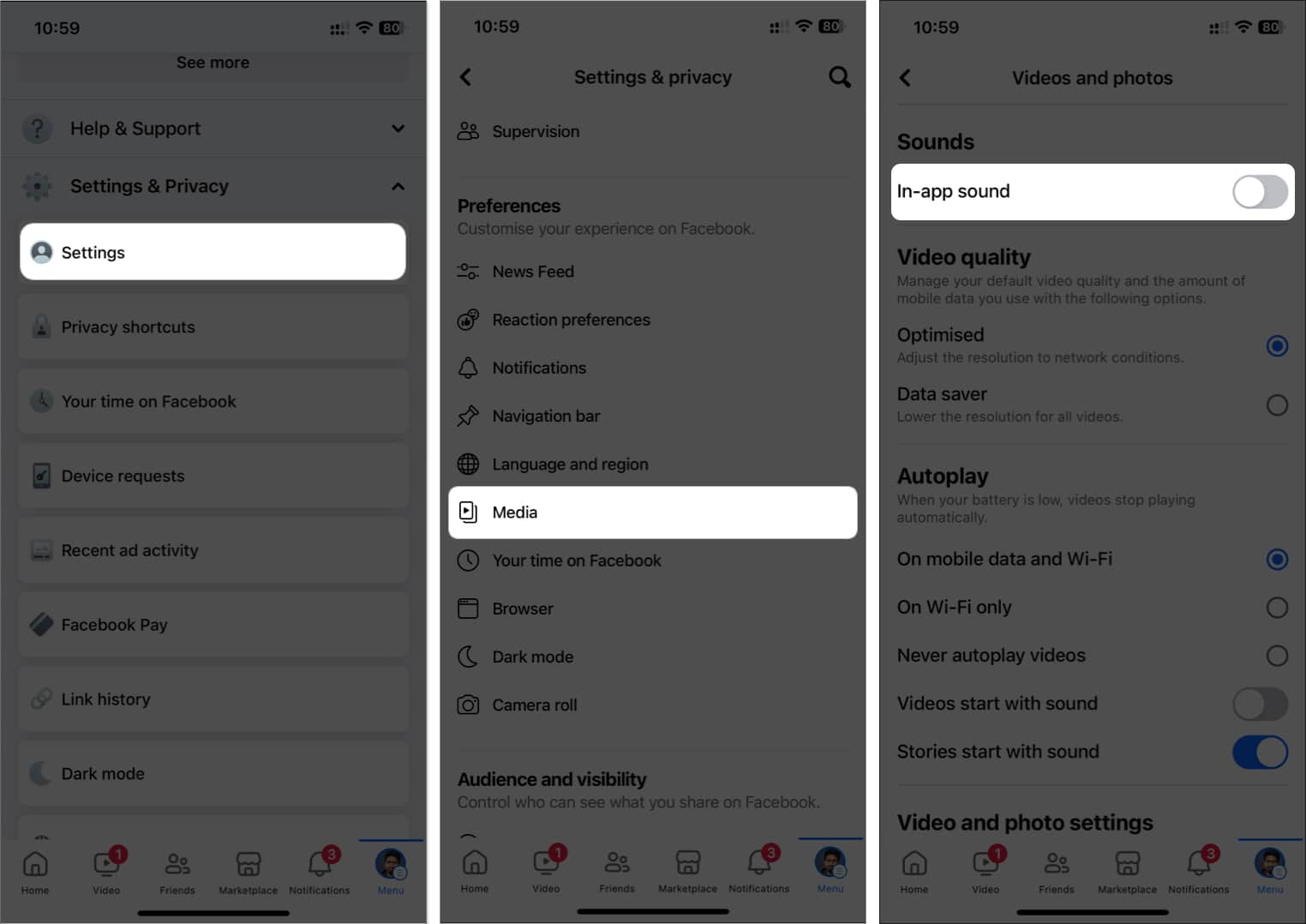
- To turn off Facebook in-app sounds, open Facebook and navigate to the menu → Settings and Privacy → Settings → Media → Toggle off In-app sound.
Are you trying to turn off the annoying chirping sounds on Facebook on your iPhone? I know it might have appeared out of nowhere. Many users on Apple forums and Reddit have reported the same. Facebook added in-app sound effects on Facebook in its new version.
As a result, when you scroll the news feed, comment, post, and refresh the feed, you get a sound. Although you can mute your iPhone, it isn’t an ideal solution. Fortunately, you can disable these sounds. In this guide, I’ll show you how to turn off in-app sounds on Facebook on your iPhone.
How to turn off Facebook’s in-app sound effects on iPhone
- Open Facebook and tap on three vertical lines at the bottom right.
- Scroll down to Settings and Privacy and tap Settings.
- Scroll down to Preferences and tap Media.
- Toggle off the In-App Sound option.
Turn off Facebook Messenger sounds on the iPhone
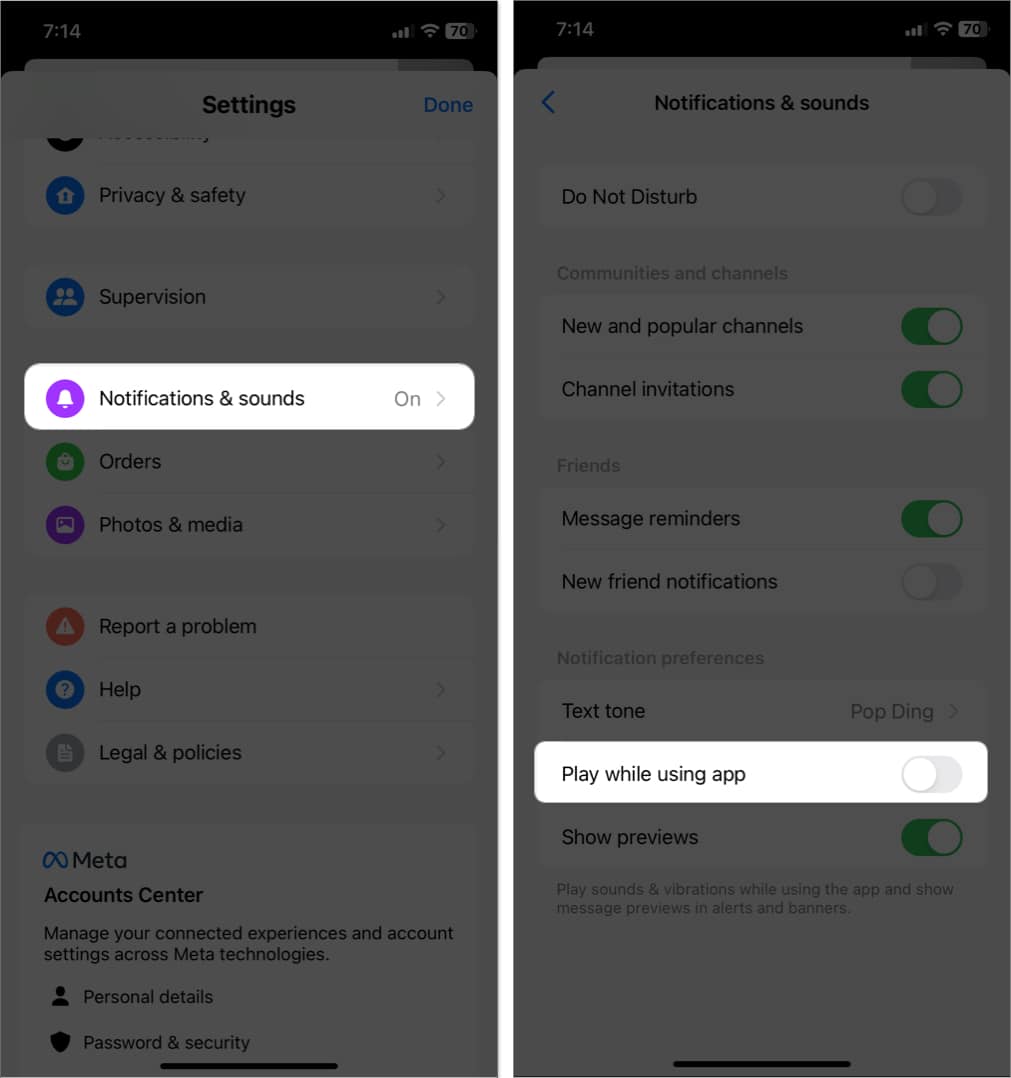
- Open Messenger.
- Tap three vertical bars at the top right corner.
- Select Settings icon.
- Tap Notifications & sound and toggle off Play while using app.
Successfully turned off annoying Facebook sounds on iPhone!
That’s it, people. It was that simple! Turning off the chirping scroll sound is a great help, especially if you are using Facebook in public or listening to music. So, disable the annoying sound, and enjoy browsing the app seamlessly.
Did you find this article helpful? Share your feedback in the comments below.
Read more: