Mac’s default web browser, Safari, comes with many security and privacy features. However, some users prefer a different browser due to its interface or personal preference. Fortunately, Mac not only allows you to install third-party browsers but also lets you set one as your default.
If you want to change your default browser, here are a few ways to do it on Mac.
Why you might want to change your default browser
The default web browser on your Mac determines which browser automatically opens when you click on a link from other apps. By default, Macs come with Safari as the pre-installed browser. However, if you prefer a different browsing experience, such as Chrome, Edge, or Firefox, you might want to change your default browser.
Switching can provide better performance, enhanced compatibility with certain websites, or access to features like cross-device syncing, extensions, and customization options.
How to change your default web browser on Mac
If your Mac is running macOS Sequoia, Sonoma, or Ventura, you can easily change your default browser through System Settings. Here’s how to do it.
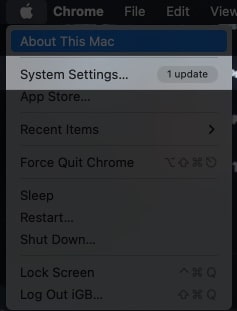
- Click on the () Apple logo from the Mac menu bar.
- Click System Settings.
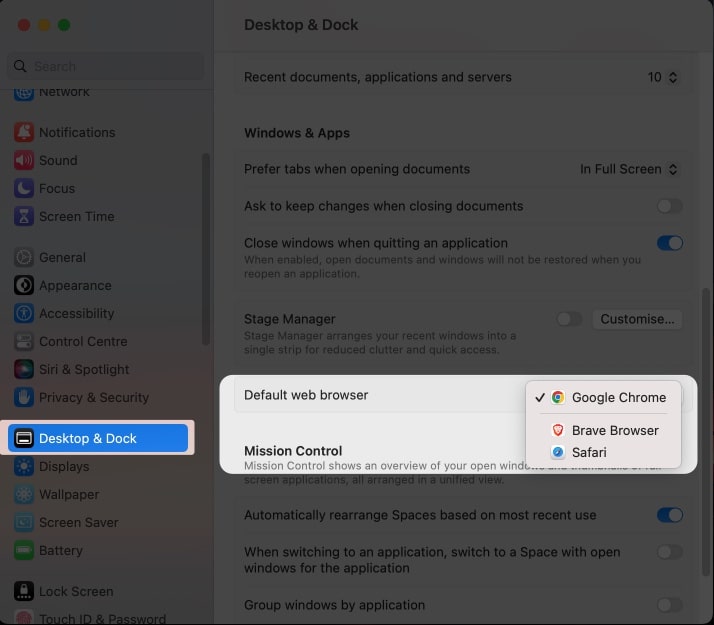
- Head to Desktop and Dock.
- Scroll down to Default web browser → Select a desired browser from the dropdown menu.
If you haven’t yet upgraded to the latest macOS version and are looking forward to changing the default browser in your macOS Monterey, or earlier, follow the steps outlined below.
Set the default browser on older macOS versions
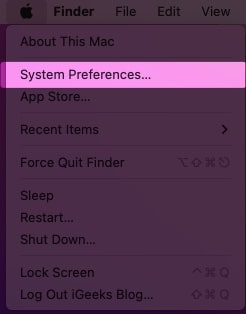
- Head to the () Apple logo at the top left corner of the screen.
- Select System Preferences.
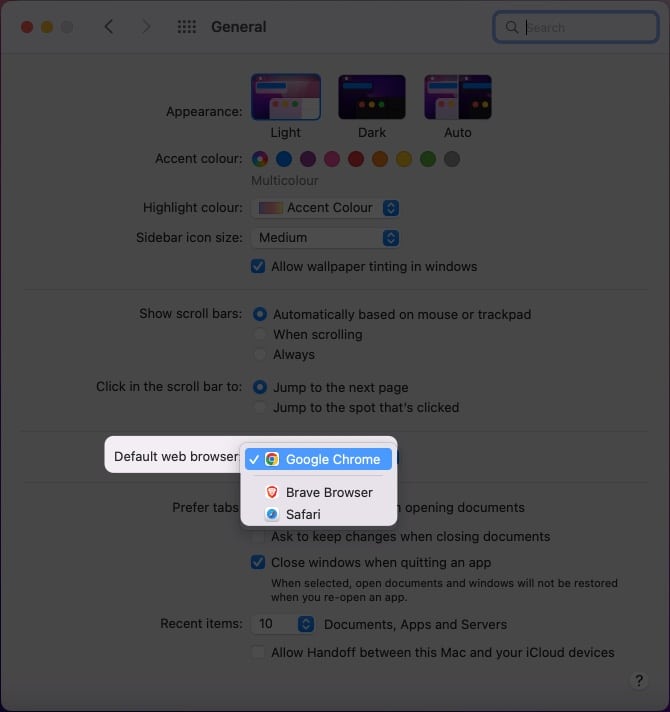
- Click General.
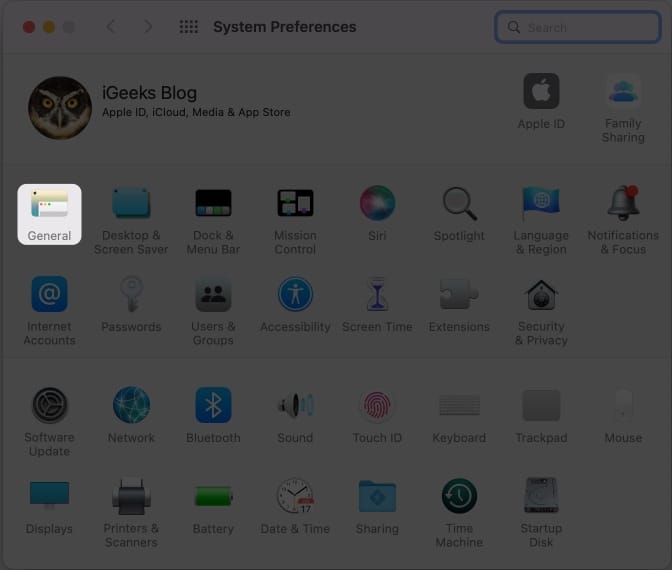
- From the dropdown next to Default web browser, choose a browser to make default.
Signing off…
Even though Apple allows its users to set a third-party browser as default on its devices, I would personally suggest you use Safari, considering its security and privacy features. However, if you still find some other browser-friendly, the mentioned steps should help you find a way through.