

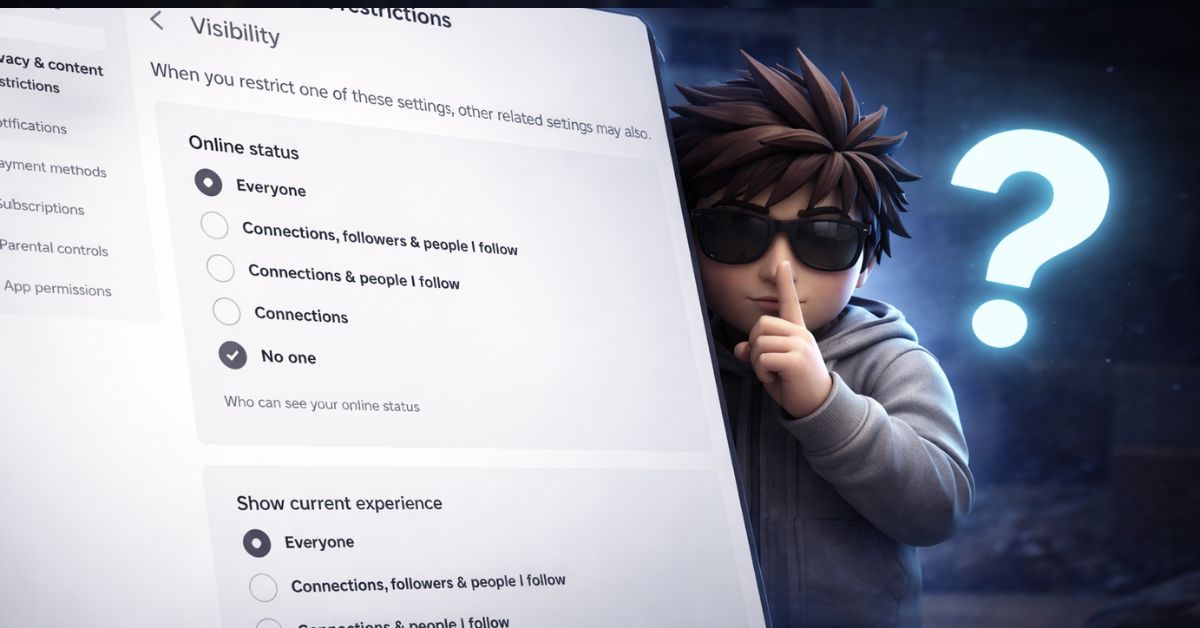
Sometimes you just want to play Roblox without interruptions. No random joins, no messages, no one tracking what you’re doing. The problem is, Roblox quietly removed any real “appear offline” option. So even when you just want some solo time, your activity is still visible in different ways.
I tried this myself, and while it’s not perfect, it gets surprisingly close to making your account invisible. With the right settings, you can stop others from joining or interacting with you entirely.
Why Roblox no longer has an offline mode
Roblox used to show status more clearly, but now it relies on privacy controls instead of a simple toggle.
So when people talk about “appearing offline,” what they actually mean is limiting everything. You’re not truly offline, but you can stop others from seeing your activity or reaching you.
At first, I only changed the online status setting, and it didn’t make much difference. The real change only happens when you lock down all privacy options together.
How to appear offline on Roblox (Mobile and PC)
The steps are the same whether you’re on mobile or desktop. The goal is to lock down visibility, communication, and activity sharing.
Follow these settings carefully:
- Open Roblox and go to More > Settings.
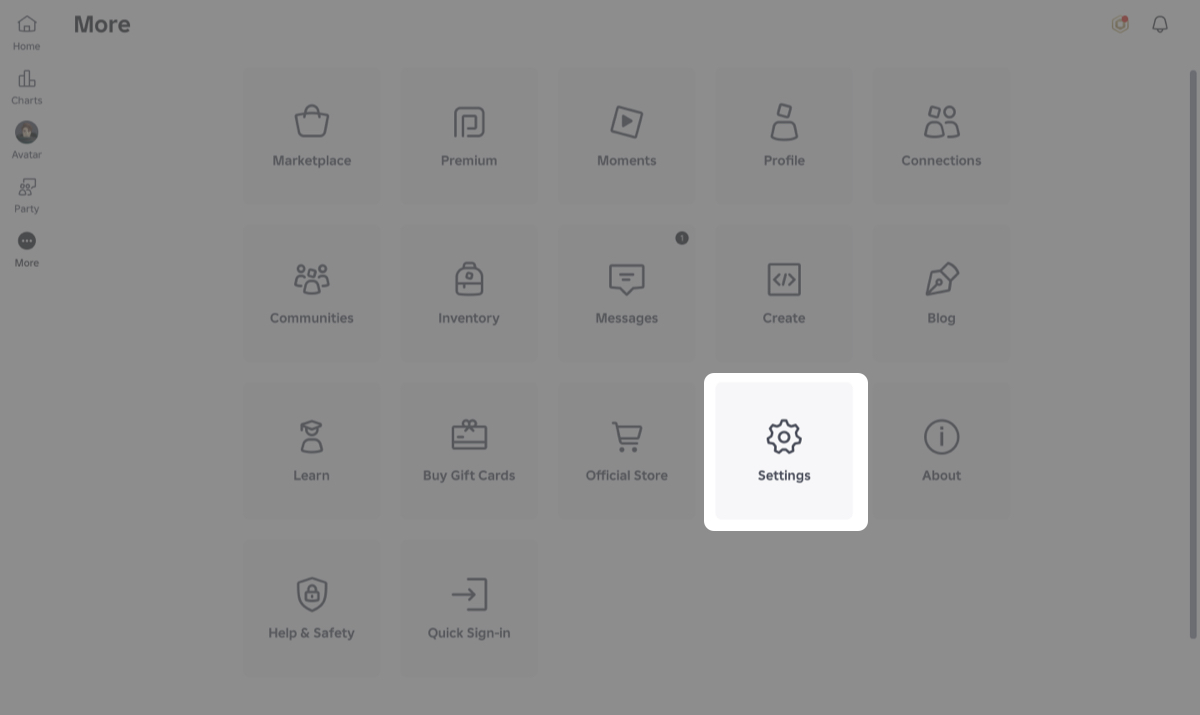
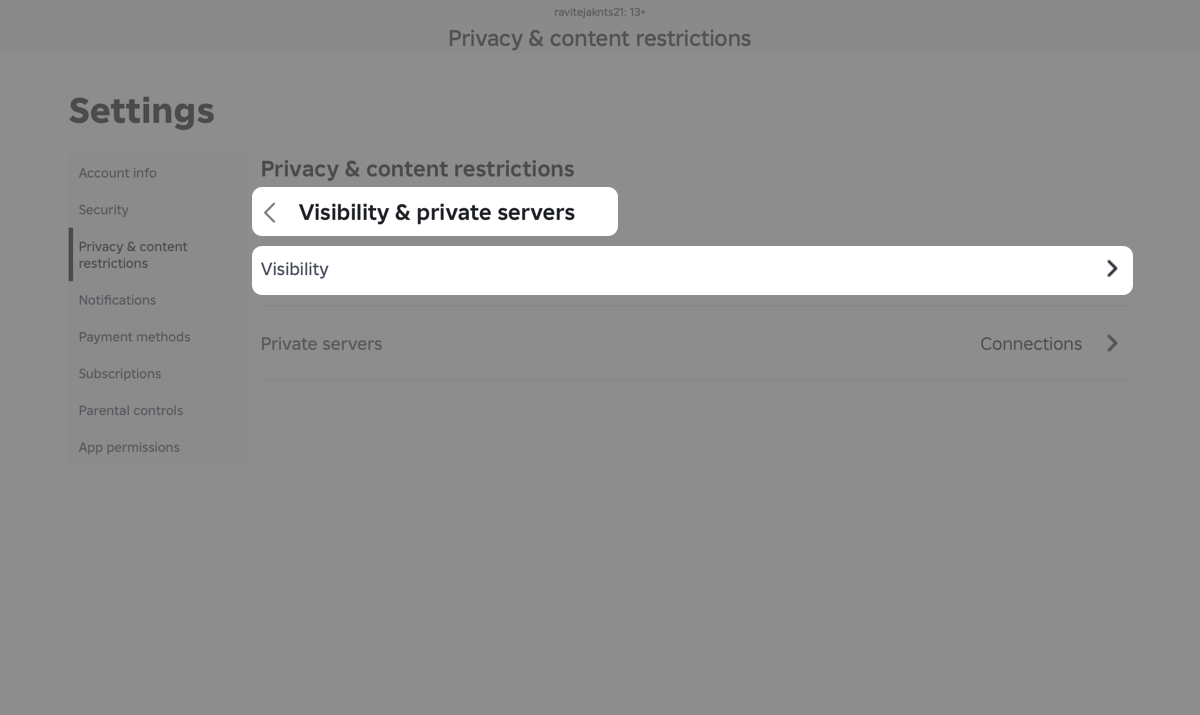
- Tap or click Privacy & content restrictions.
- Go to Visibility & private servers > Visibility.
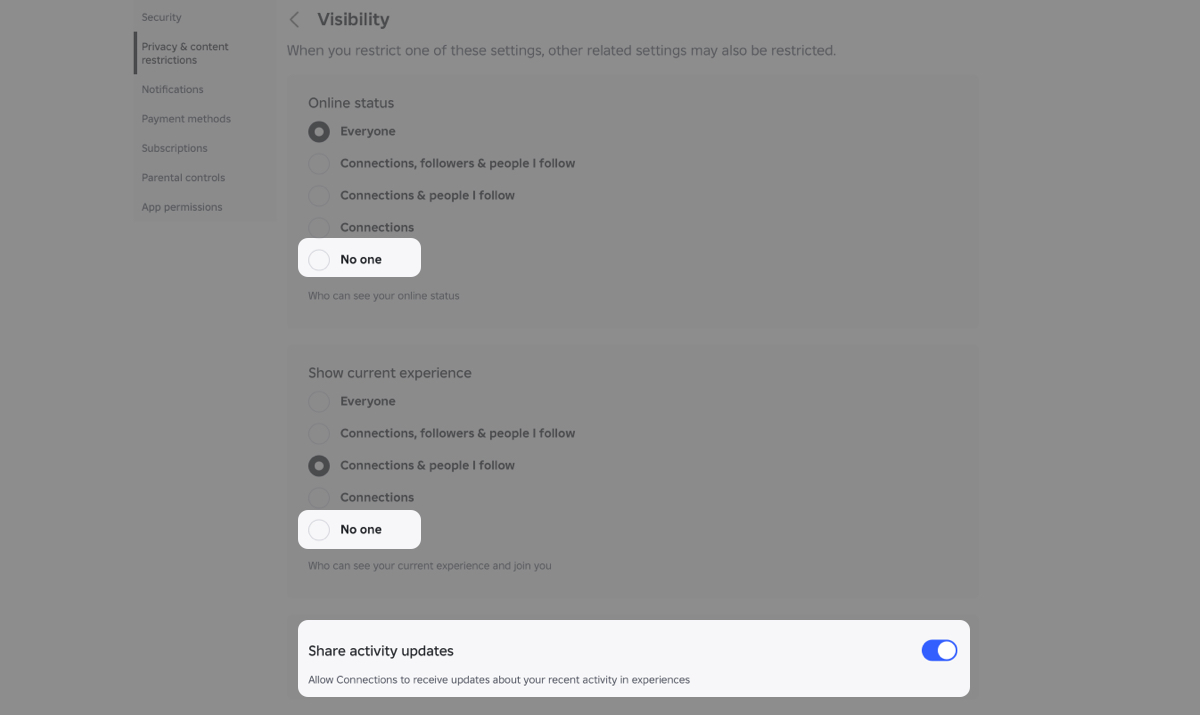
- Set Online status > No one.
- Set Show current experience > No one.
- Turn off Share activity updates.
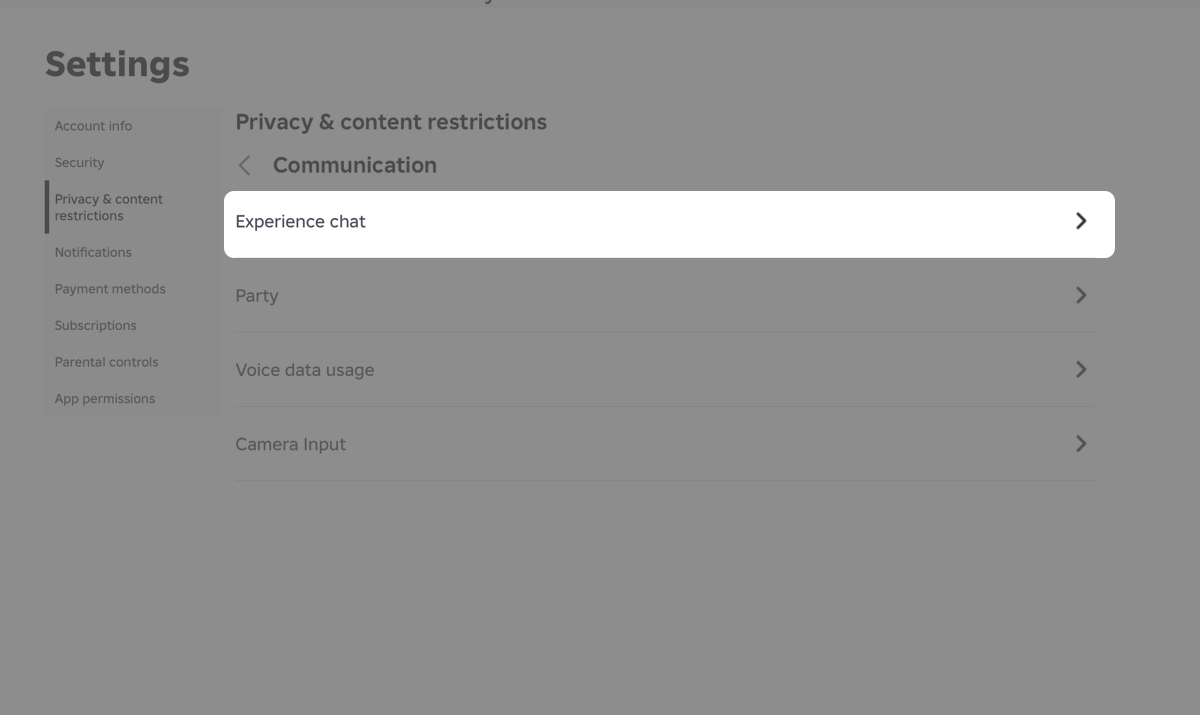
- Go to Communication > Experience chat > turn Off.
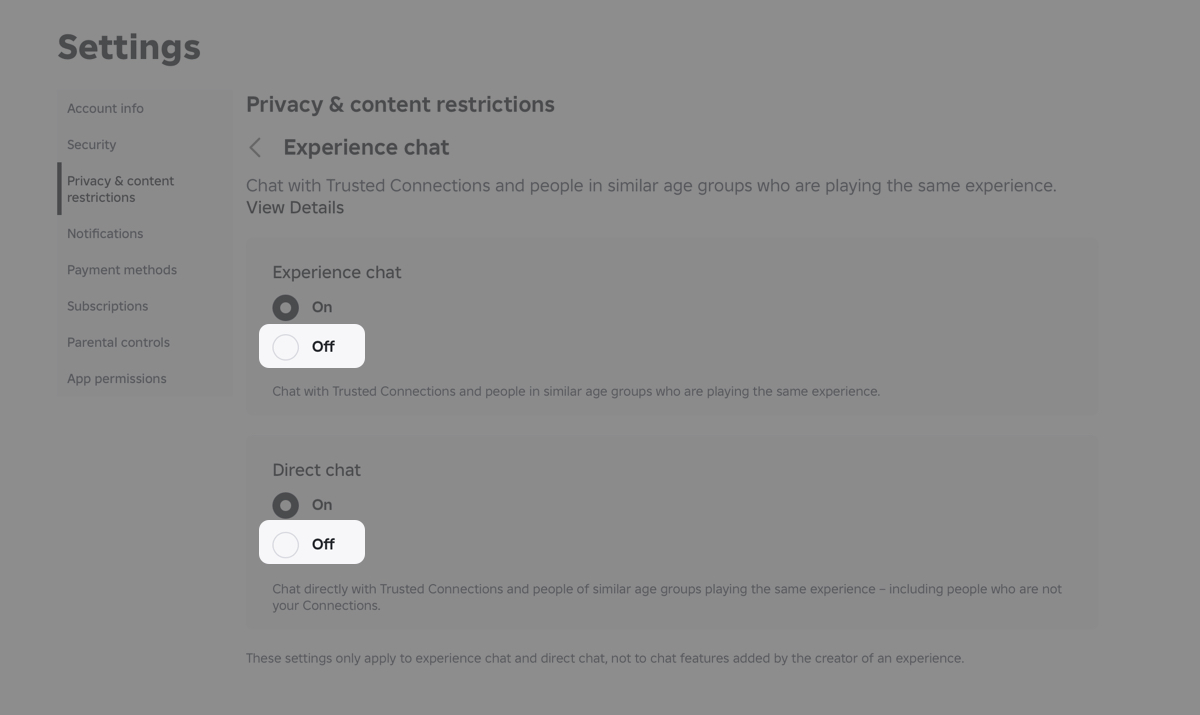
- Turn Direct chat > Off.
- Open Connections & contacts / Trading & inventory (if available).
- Set all options like joins, inventory visibility, and trades to No one.
After applying all of these, the difference is noticeable. Even friends can’t see what you’re playing or jump into your session anymore.
What actually changes after this
Once everything is set properly, your account behaves very differently.
- You won’t show meaningful activity to others
- Players can’t join your game sessions
- Messages and invites are blocked
- Your gameplay becomes private
From testing this, it feels like you’ve gone invisible. You’re still technically online, but for most players, there’s no way to interact with you.
One thing to keep in mind, though: Roblox may still show minimal activity in rare cases, so this isn’t a true offline mode.
How to appear offline on Xbox
If you’re playing on Xbox, there’s an extra step. You can set your Xbox profile to Appear offline, but that only hides you from Xbox friends. Roblox itself will still show activity unless you adjust your in-game settings.
So the correct setup is:
- Set Xbox status to offline
- Then apply the same privacy settings inside Roblox
Skipping either step means you’re still visible somewhere.
Using an alternate account (the cleanest method)
If you want complete isolation, there’s one method that works every time.
Create a second Roblox account and don’t add any friends. This gives you a fully private space where no one knows you’re online.
The downside is obvious. You won’t have access to your main account items or progress. But for distraction-free gameplay, this is the most reliable option.
A few small things most players miss
Even after locking everything down, a few details still matter:
- Some users may still see recent activity hints
- One open setting can expose your presence
- Privacy settings can be adjusted if you only want partial isolation
Most players stop after changing one or two settings, which is why it doesn’t fully work for them. Features like following players on Roblox can still create visibility if not properly restricted.
You’re not really offline, but it’s close enough
Roblox doesn’t offer a true offline switch anymore, and that can be frustrating.
But once you disable activity sharing, restrict visibility, and block communication, the experience changes completely. No joins, no interruptions, no noise.
Just you and the game, exactly how you want it.
You might also like:


