

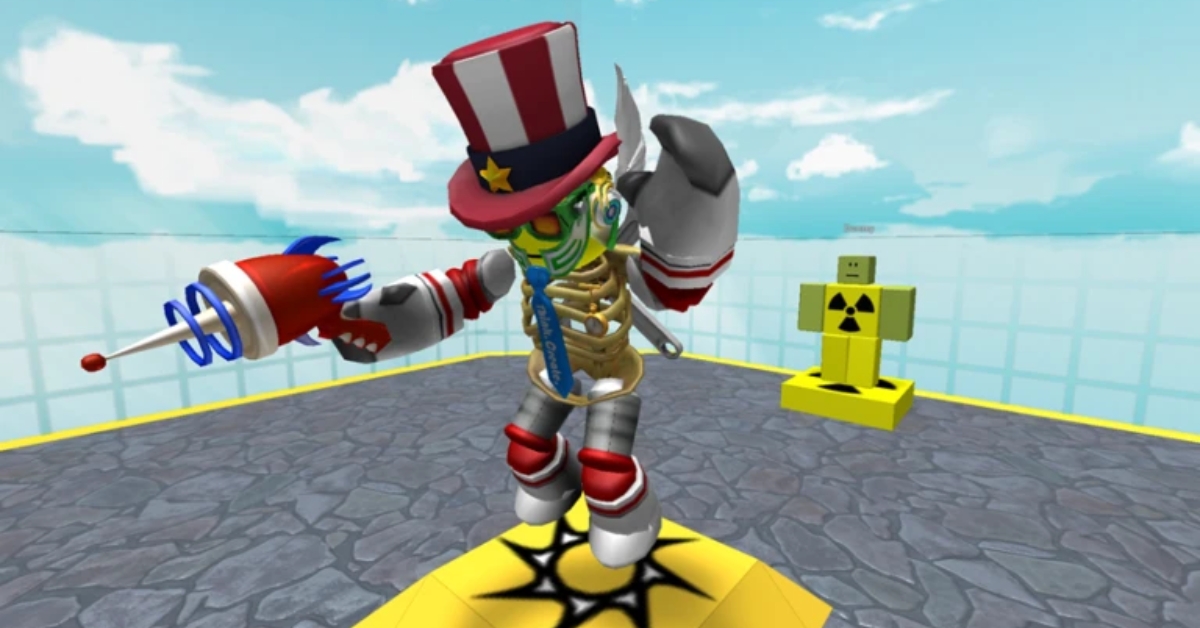
Roblox Music Codes let you play specific audio tracks in supported Roblox experiences using a numeric Song ID. Whether you want background music while building, hype tracks during battles, or short meme sounds for reactions, these codes give you direct control over in-game audio.
This guide explains how Roblox Music Codes work, why some stop working, how to use them correctly, and provides categorized tables of working Song IDs for 2026. Each section is structured so you can quickly scan, understand, and use the information without confusion.
What Are Roblox Music Codes?
Roblox Music Codes, also called Song IDs, are numeric asset IDs linked to audio files uploaded to Roblox. When entered into a supported game’s Boombox or Radio system, the platform retrieves that audio asset and plays it inside the experience. Roblox does not allow universal music playback across all games. The developer must enable audio playback through either a Boombox system or a Radio Game Pass.
Before using codes, it is important to understand the platform rules that affect them:
- Since June 18, 2018, Roblox automatically rejects non-licensed music uploads.
- Many popular songs are shortened clips to reduce copyright risk.
- Full-length uploads are rare and more likely to be removed.
- A working Music ID today may stop working tomorrow due to moderation or asset deletion.
Understanding these limitations explains why some codes disappear and why remixes or independent uploads are more common than original studio tracks.
Trending Roblox Music Codes
The table below lists commonly used and stable Song IDs across different genres. Use the Category column to quickly identify the type of track you want.
| Song | Artist / Source | Category | Music Code |
|---|---|---|---|
| Whatcha Say | Jason Derulo | Pop | 168208965 |
| My Head & My Heart | Ava Max | Pop | 6032653117 |
| God’s Plan | Drake | Hip-Hop | 1665926924 |
| Stronger | Kanye West | Hip-Hop | 136209425 |
| Dynamite | BTS | K-Pop | 6257627378 |
| Butter | BTS | K-Pop | 6844912719 |
| Thunderstruck | AC/DC | Rock | 146961487 |
| Highway to Hell | AC/DC | Rock | 4728058875 |
| Bohemian Rhapsody | Queen | Rock | 4587240503 |
| Smells Like Teen Spirit | Nirvana | Rock | 3495593580 |
| Rasputin | Boney M | Disco | 5512350519 |
| Gangsta’s Paradise | Coolio | Hip-Hop | 6070263388 |
| In The End | Linkin Park | Rock | 3018974408 |
| Industry Baby | Lil Nas X | Hip-Hop | 7253841629 |
| Believer | Imagine Dragons | Alternative | 2389193148 |
| Levitating | Dua Lipa | Pop | 6606223785 |
| Bad Habits | Ed Sheeran | Pop | 7202579511 |
| Smooth Criminal | Michael Jackson | Pop | 4883181281 |
| Baby Shark | Pinkfong | Meme / Kids | 614018503 |
| GTA San Andreas Theme | GTA | Game Theme | 4571975095 |
| Mii Channel Music | Nintendo | Game Theme | 143666548 |
| Pokémon Battle Theme | Pokémon | Game Theme | 1841743899 |
| Squid Game Theme | TV | TV Theme | 7535587224 |
| Better Call Saul Theme | TV | TV Theme | 2801308469 |
Lo-Fi, Classical & Background Music
If you prefer relaxed gameplay, roleplay immersion, or focus music while building, the tracks below are commonly used for calmer environments.
| Track | Composer / Style | Category | Music Code |
|---|---|---|---|
| Lo-Fi Chill A | Lo-Fi | Chill | 9043887091 |
| Studying Alone Lo-Fi | Lo-Fi | Chill | 74137426221090 |
| Fur Elise | Beethoven | Classical | 450051032 |
| Moonlight Sonata | Beethoven | Classical | 445023353 |
| Toccata & Fugue | Bach | Classical | 564238335 |
| Claire De Lune | Debussy | Classical | 1838457617 |
| Soft Jazz | Instrumental | Jazz | 926493242 |
Full-Length Roblox Music Codes (Rare Finds)
Most Roblox uploads are short clips. Full-length tracks are harder to maintain because longer uploads face stricter moderation. The codes below have historically played beyond short hook segments.
| Song | Category | Music Code |
|---|---|---|
| Christmas Rock | Rock | 1839286325 |
| Getting Higher | Electronic | 1840041514 |
| Cybernetic Clash | Electronic | 85364855688963 |
| Moon King | Instrumental | 1842514702 |
| Power is Power | Cinematic | 119783370735647 |
| Young Hearts | Pop | 118581524391150 |
Availability can change at any time due to moderation.
Meme & Sound Effect Codes
If you are looking for quick reactions, elimination sounds, or comedic timing, these short audio clips are commonly used in competitive or casual games.
| Sound | Type | Music Code |
|---|---|---|
| You’ve Been Rick Rolled | Meme | 7363412529 |
| OOF Sound | Roblox SFX | 3060494212 |
| Sad Violin | Meme | 135308045 |
| THIS IS SPARTA | Meme | 130781067 |
| FBI Open Up | Meme | 2276169441 |
| Vine Boom | Meme | 138121130097296 |
| Windows XP Theme | Nostalgia | 1626996526 |
| Elevator Music | Background | 9119119619 |
| Moye Moye | Meme | 18315746510 |
How to Use Roblox Music Codes
Music Codes only function inside experiences that support audio playback. Before entering a Song ID, confirm the game allows Boombox or Radio features.
Requirements Before Using a Song ID
To activate custom audio, you typically need one of the following systems enabled by the developer:
- Boombox gear item that opens a Music ID input field.
- Radio Game Pass that unlocks custom audio (often 100–200 Robux depending on the game).
If the experience does not support either system, Music Codes will not work.
Testing Music Codes for Free
Before spending Robux, you can verify whether a Song ID is active. The experience Catalog Heaven allows temporary Boombox usage for testing.
Steps:
- Launch Catalog Heaven on Roblox.
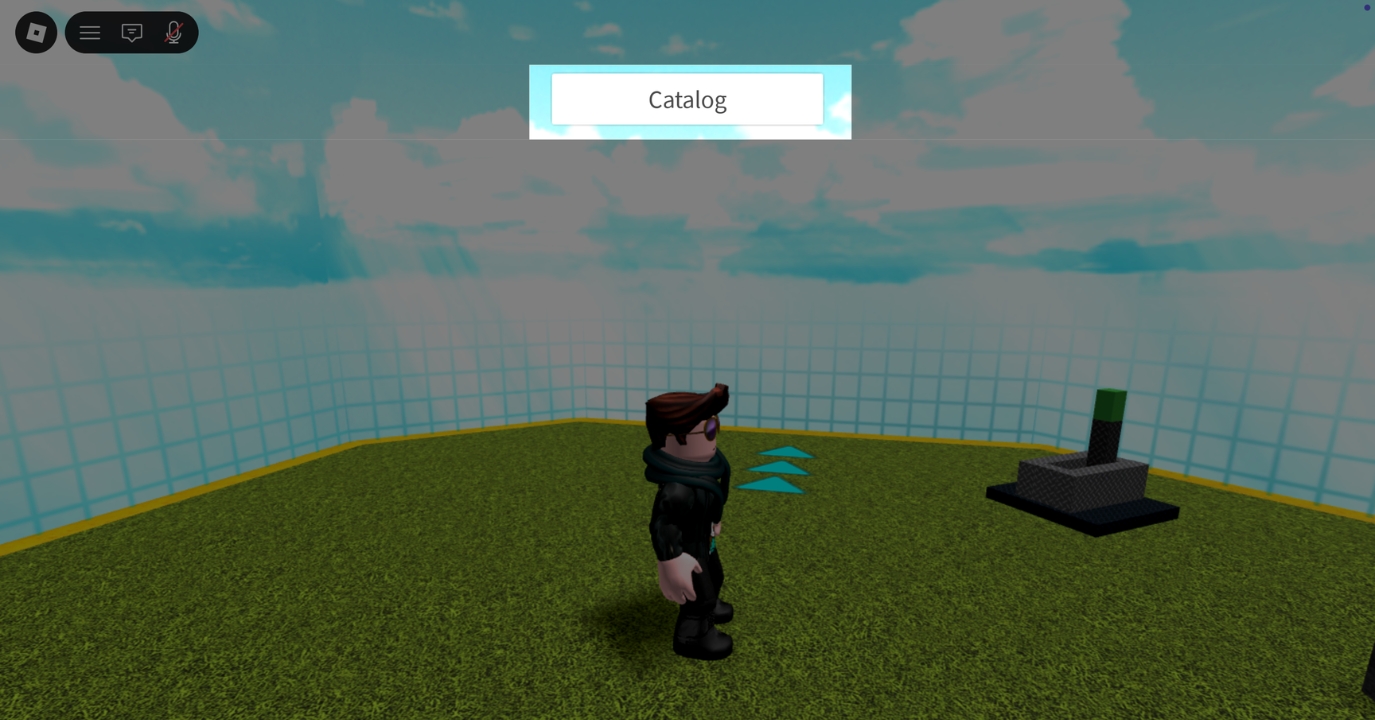
- Click the Catalog button at the top center.
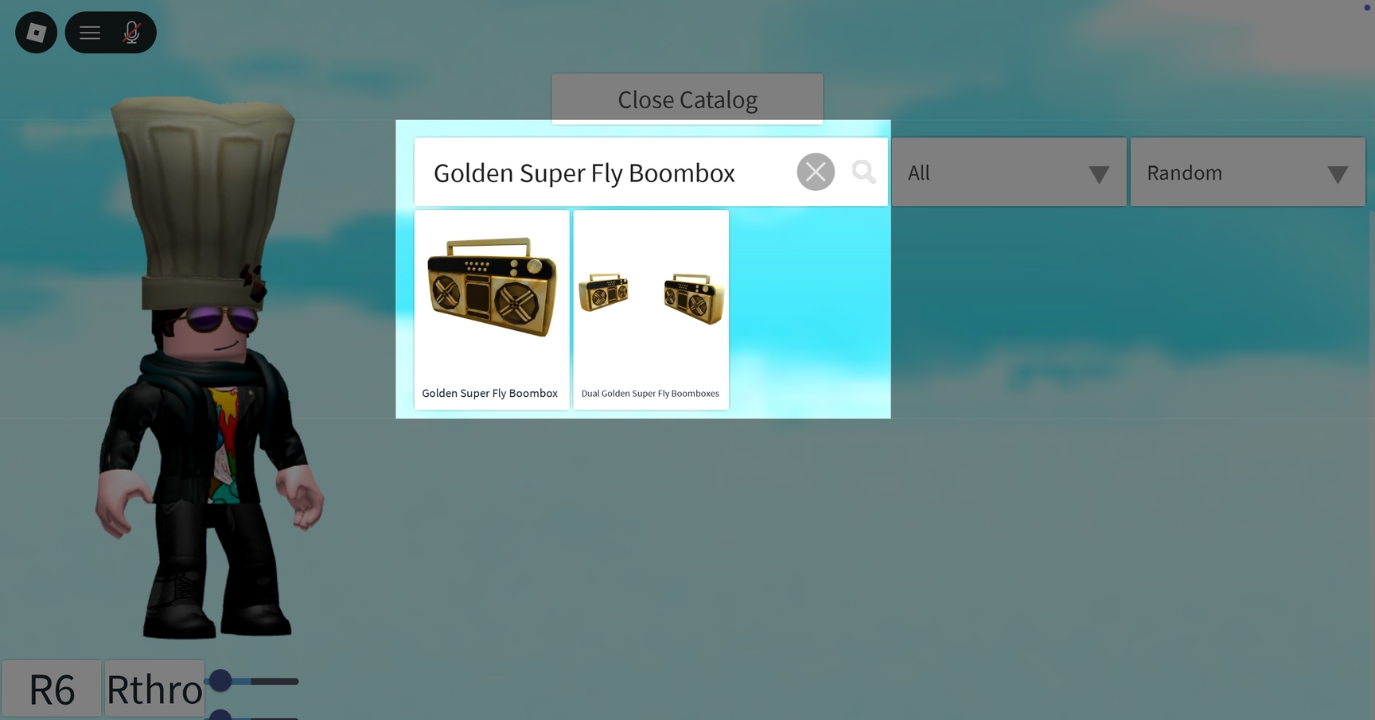
- Search for Golden Super Fly Boombox.
- Equip it (press “1” on PC or tap on mobile).
- Click the Boombox your character is holding.
- Paste the Music Code into the input box.
- Press Play.
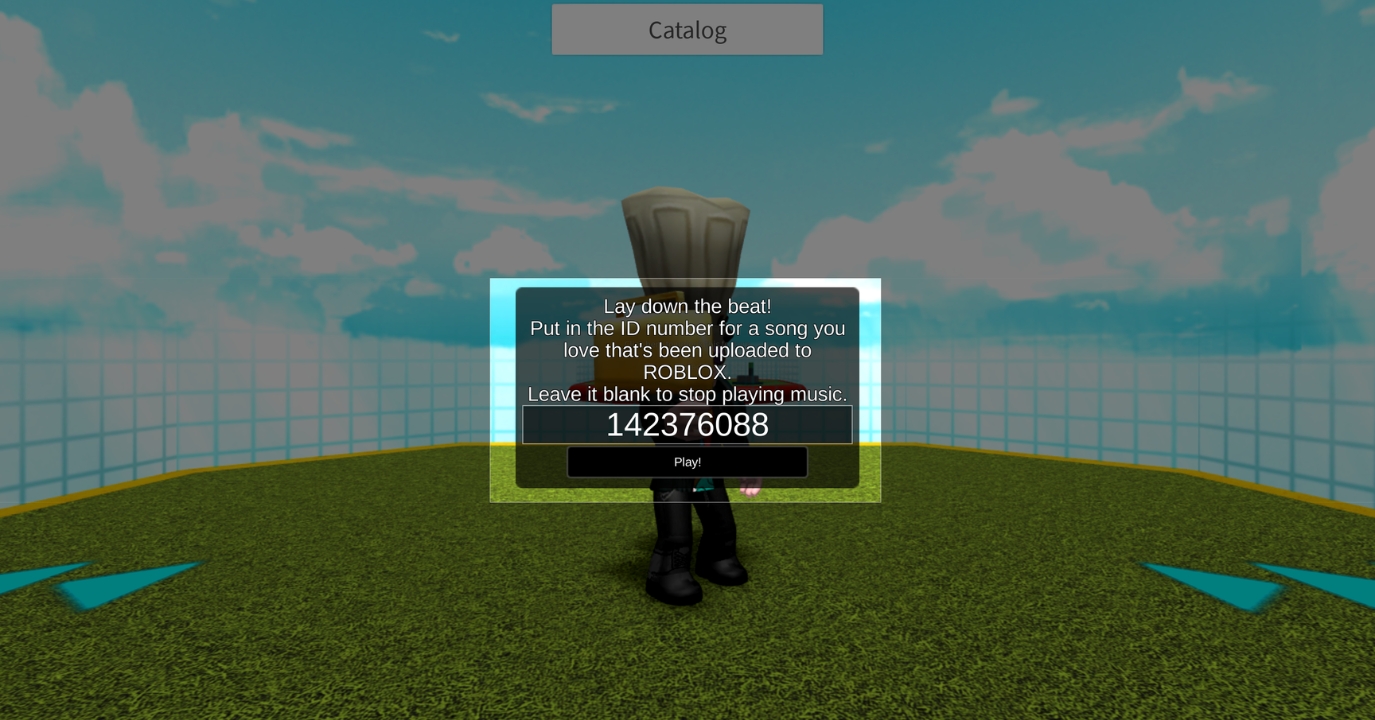


If the audio plays, the asset is active. If nothing happens, the code may have been removed, restricted, or replaced.
Using Song IDs in Other Games
Once inside a supported experience, the process is similar:
- Purchase or equip the Boombox or Radio feature.
- Open the audio interface.
- Paste the Music ID.
- Press Play.
Always copy and paste the code. Even one incorrect digit will cause the ID to fail.
Why Roblox Music Codes Stop Working
Music IDs commonly fail due to platform moderation or technical restrictions. The most frequent causes include:
- The audio asset was removed due to copyright enforcement.
- The uploader deleted or replaced the file.
- The game disabled external audio playback.
- The code was entered incorrectly.
Roblox continuously audits audio assets, which is why remixes and independent uploads are generally more stable than full commercial tracks.
How to Fix a Non-Working Music Code
If a Song ID does not play, use the troubleshooting steps below to isolate the issue:
- Copy and paste the code instead of typing it manually.
- Restart Roblox to refresh assets.
- Check your internet connection.
- Search for an alternative upload of the same song.
If none of these steps resolve the issue, the asset has likely been permanently removed.
Roblox Music IDs vs Kill Sounds: What’s the Difference?
Not all audio codes serve the same purpose. Music IDs are longer tracks used for background atmosphere or roleplay. Kill sounds are 1–3 second audio clips triggered by specific game events. Both use numeric asset IDs but are designed for different gameplay scenarios.
Signing off
Roblox Music Codes are audio asset IDs that only work in supported experiences. They require a Boombox or Radio feature enabled by the developer. Copyright enforcement frequently removes tracks. Full-length songs are rare and less stable. Always copy and paste codes for accuracy. Understanding how the system works helps you quickly identify working audio and avoid common errors.
Related articles worth reading


