Apple’s long-delayed Siri reboot now has a clearer shape. Bloomberg’s Mark Gurman has shared recreated images based on his reporting, showing how Apple’s redesigned Siri app, “Search or Ask” interface, and other iOS 27 AI features may look.
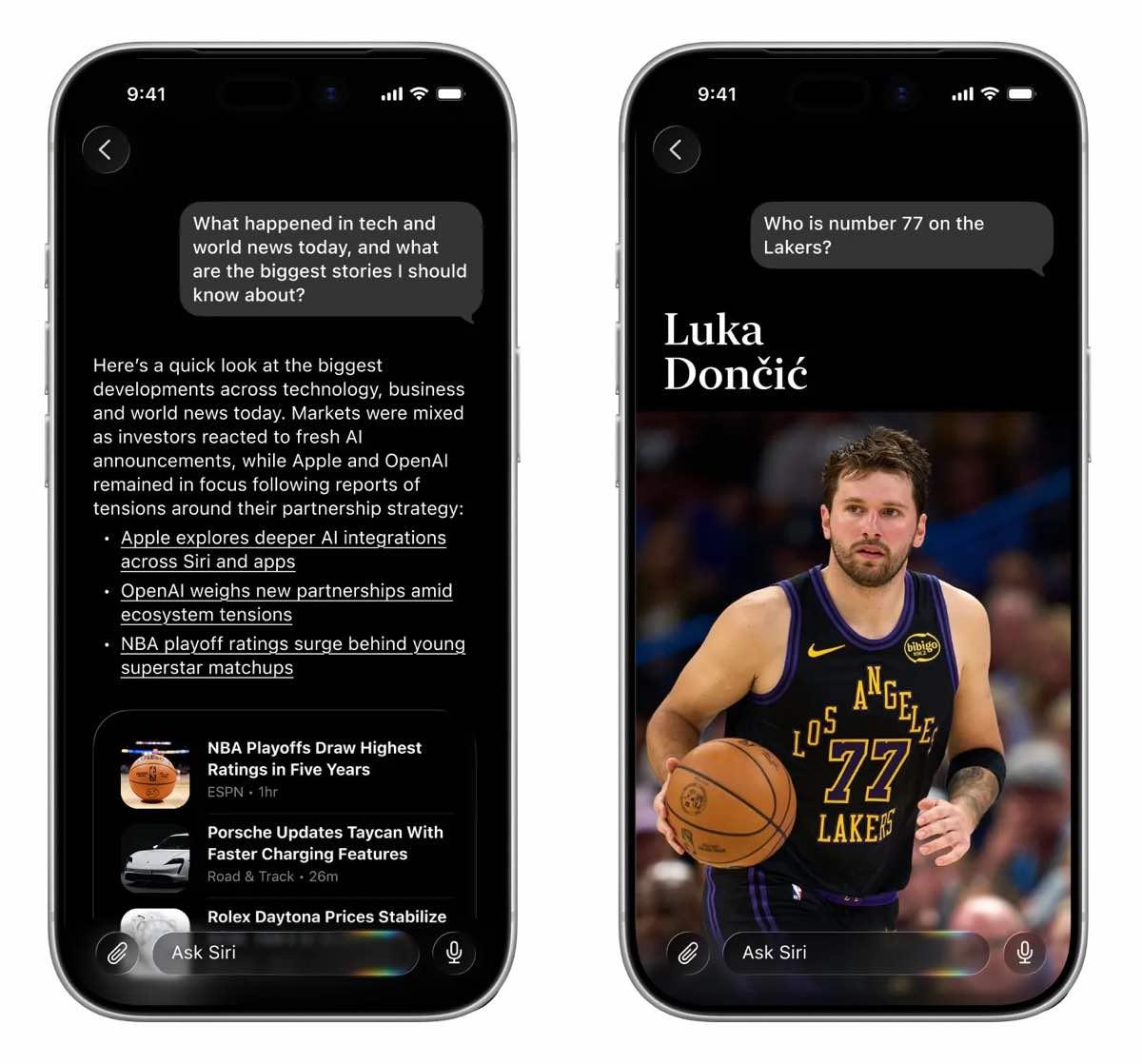
These are not official Apple screenshots. They are Bloomberg-created renders based on information the publication obtained. Still, they give the best visual preview yet of the broader iOS 27 Siri overhaul Apple is expected to show at WWDC26.
Siri looks more like a full chatbot app
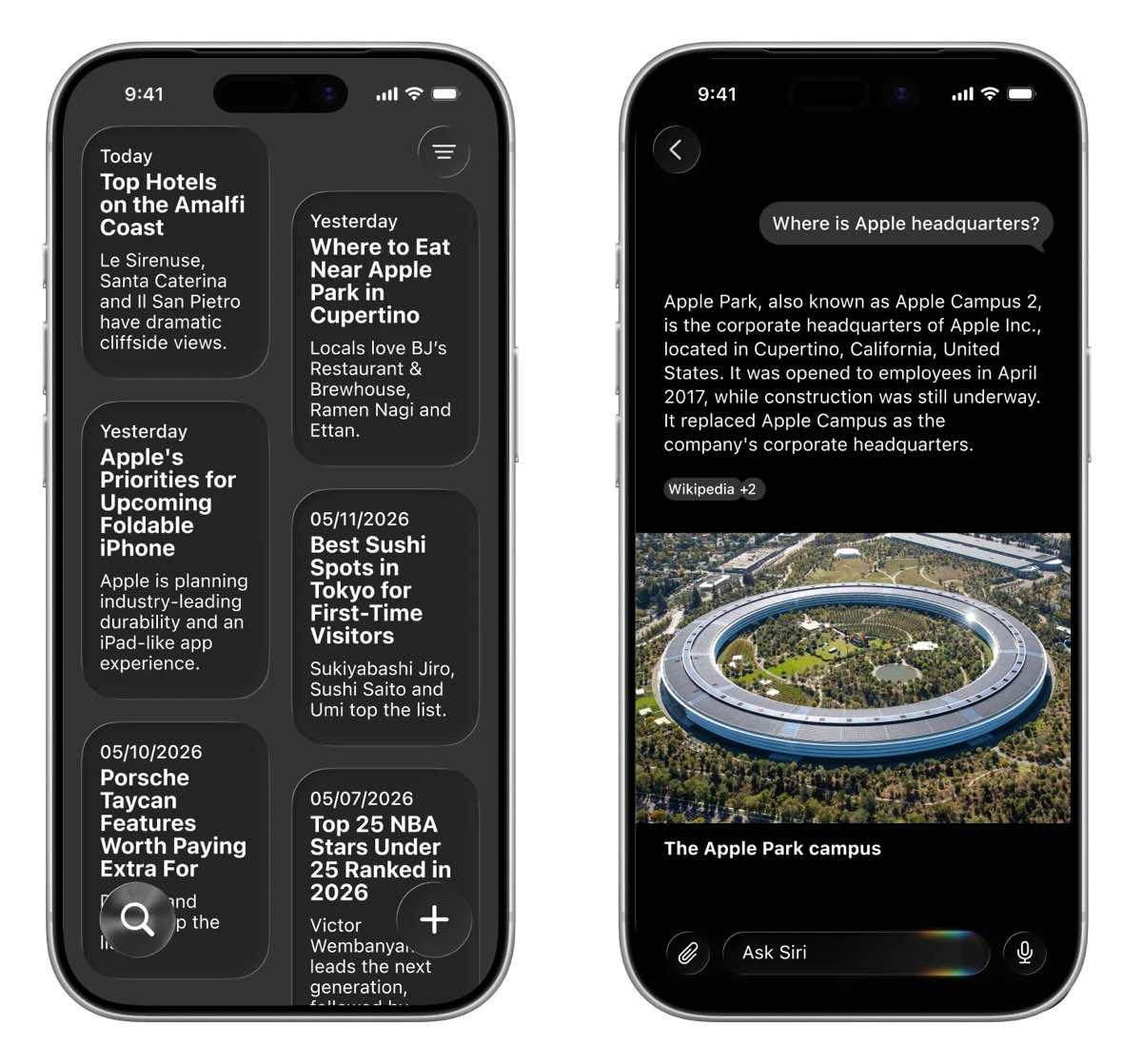
The biggest change is the standalone Siri app. The images reportedly show a dark interface with an “Ask Siri” field at the bottom, a microphone button for voice input, and a paperclip button for attaching images or files.
That is a big shift from today’s Siri, which still feels like a temporary voice layer. The new app is expected to support back-and-forth conversations across iPhone, iPad, and Mac, with a separate history view for past chats.
Bloomberg has previously reported that the standalone Siri app may include auto-deleting chat history, giving users options to remove conversations after a set period instead of keeping everything forever.
Search or Ask could replace basic Spotlight habits
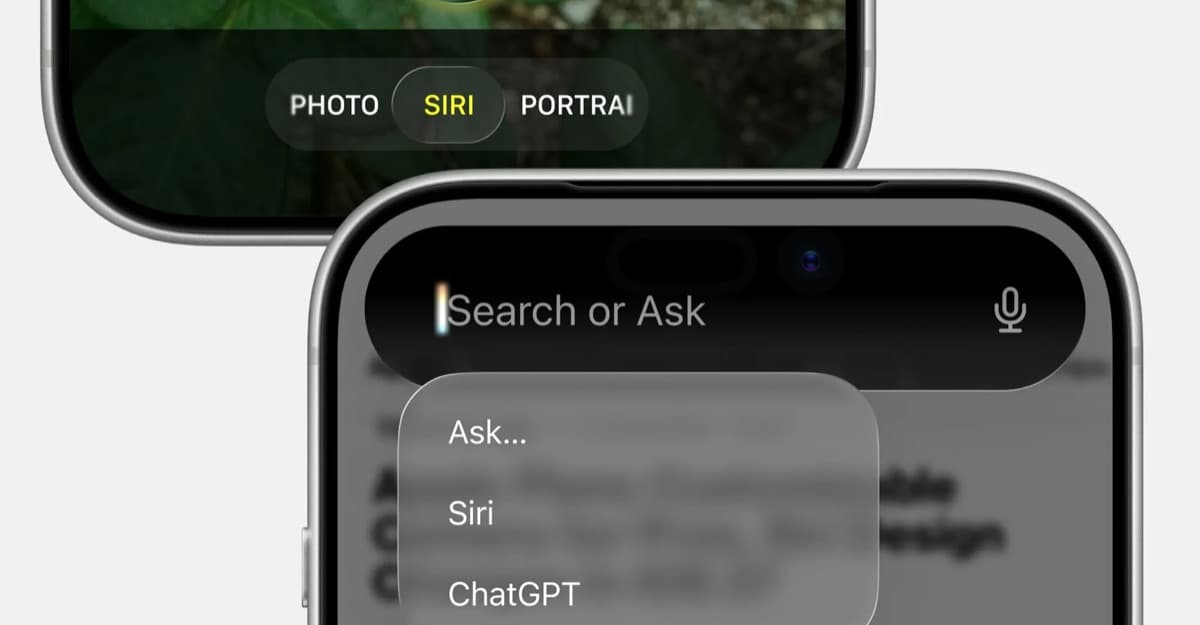
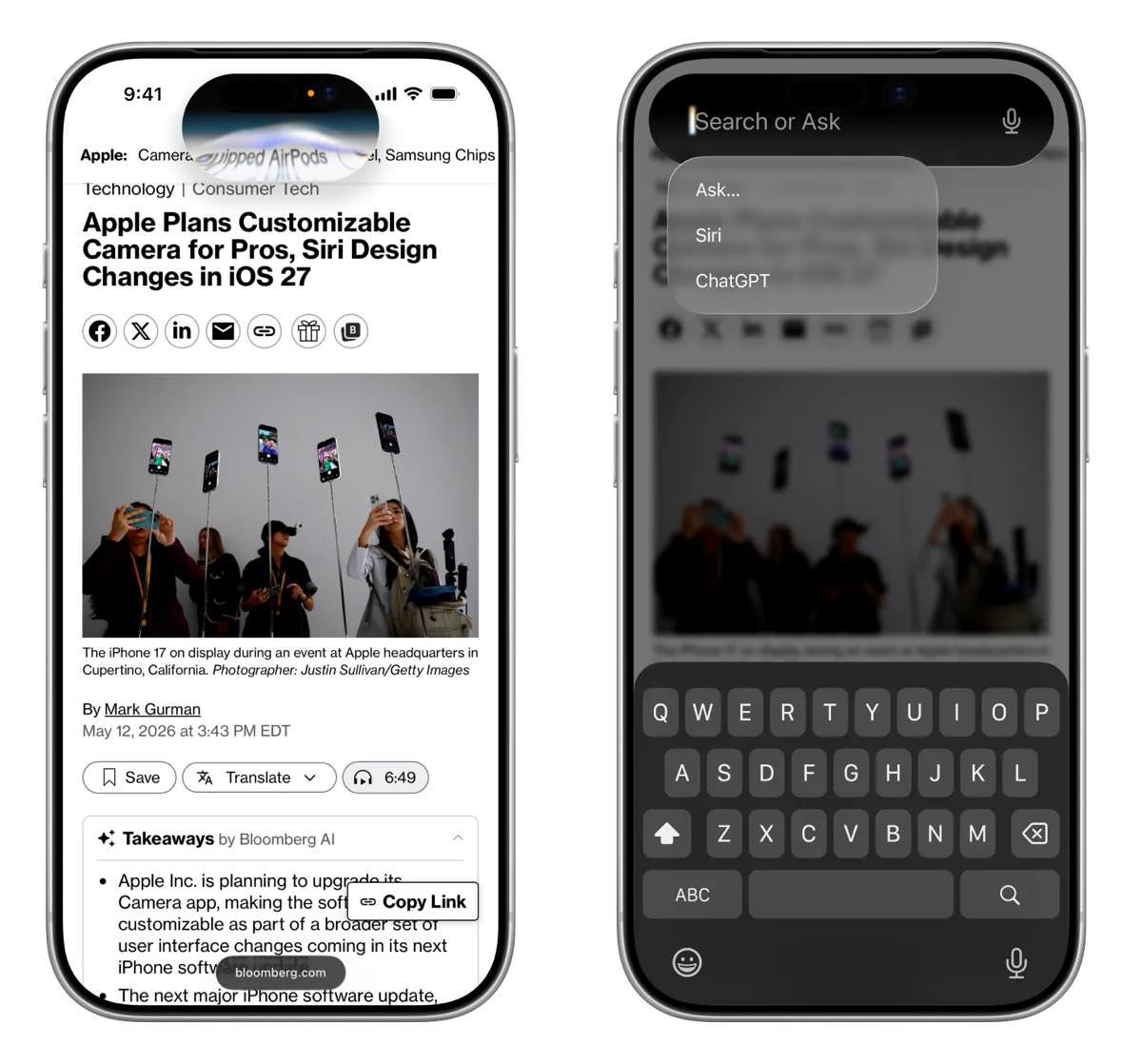
The renders also show Apple’s reported “Search or Ask” experience. It appears to be a system-wide entry point for typing or speaking questions to Siri, while still handling normal device search.
According to the report, users would be able to swipe down from the top center of the iPhone screen to open the interface. Voice activation and the iPhone side button are still expected to work, but Siri’s new visual home would be closer to the Dynamic Island than the old bottom-screen animation.
If Apple gets this right, Search or Ask could become the place where users search apps, files, messages, web answers, and AI responses without thinking about which mode they are in. If it is slow or inconsistent, it risks becoming another Siri shortcut people ignore after the keynote.
iOS 27 may spread AI across more apps
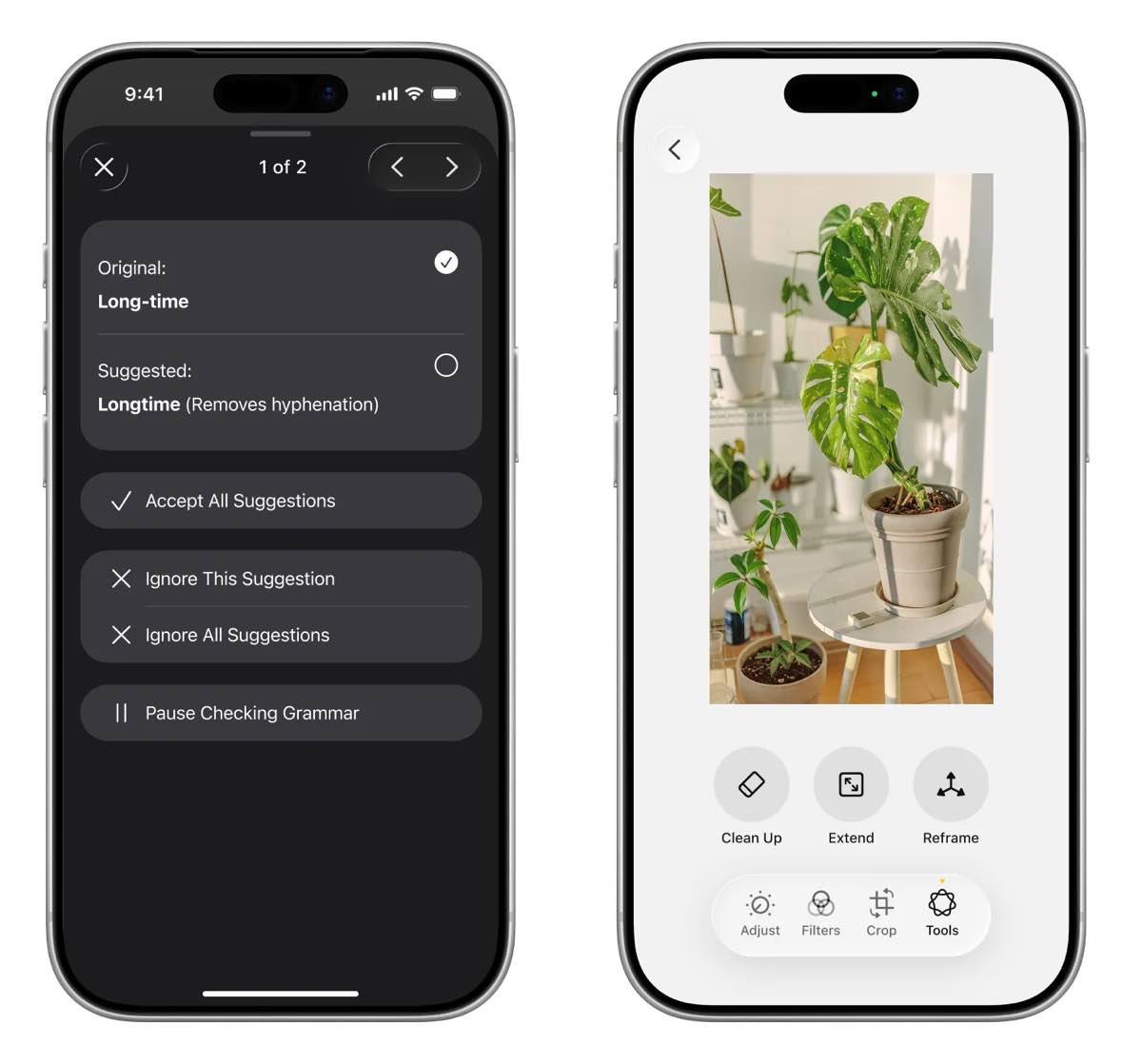
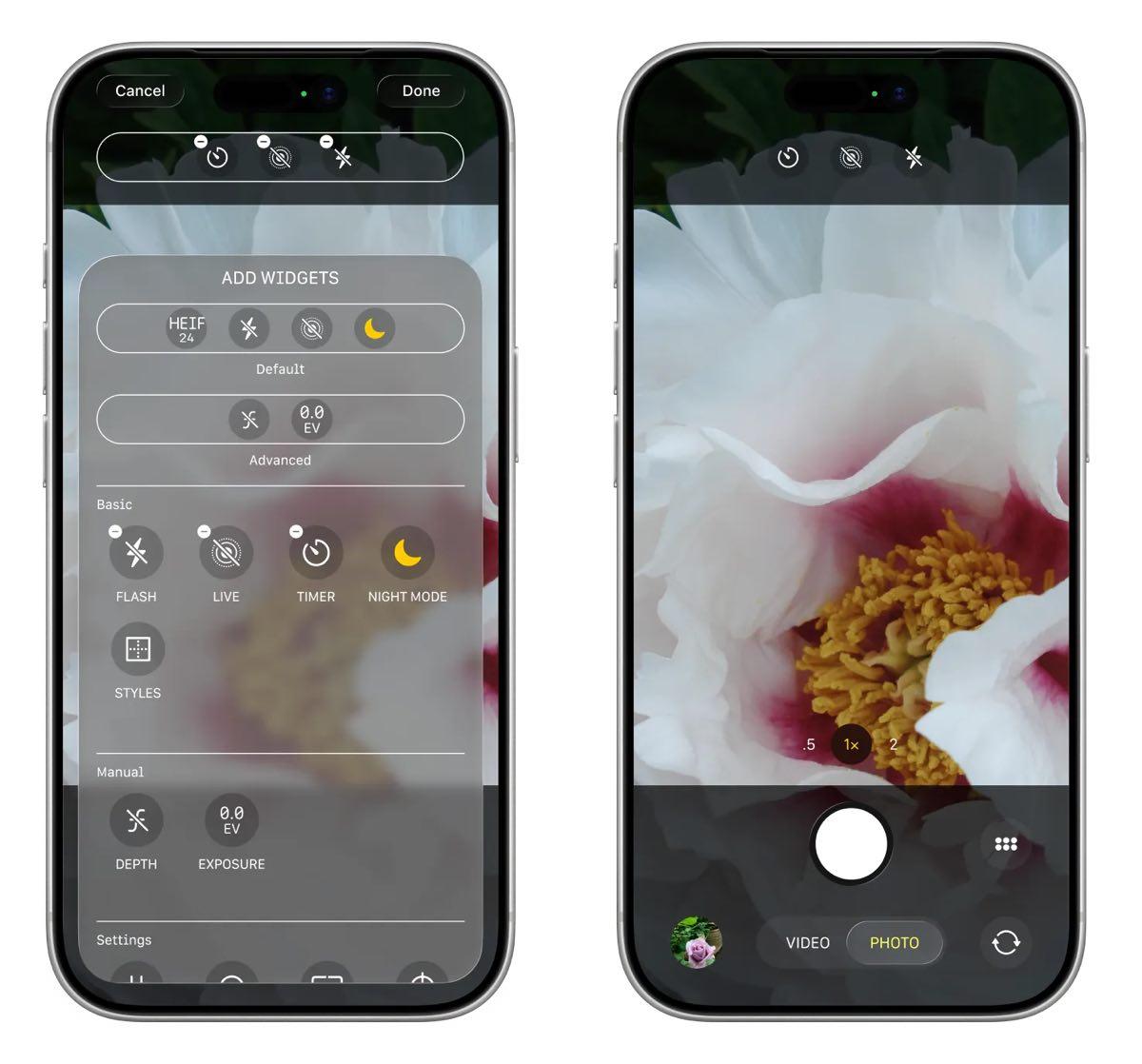
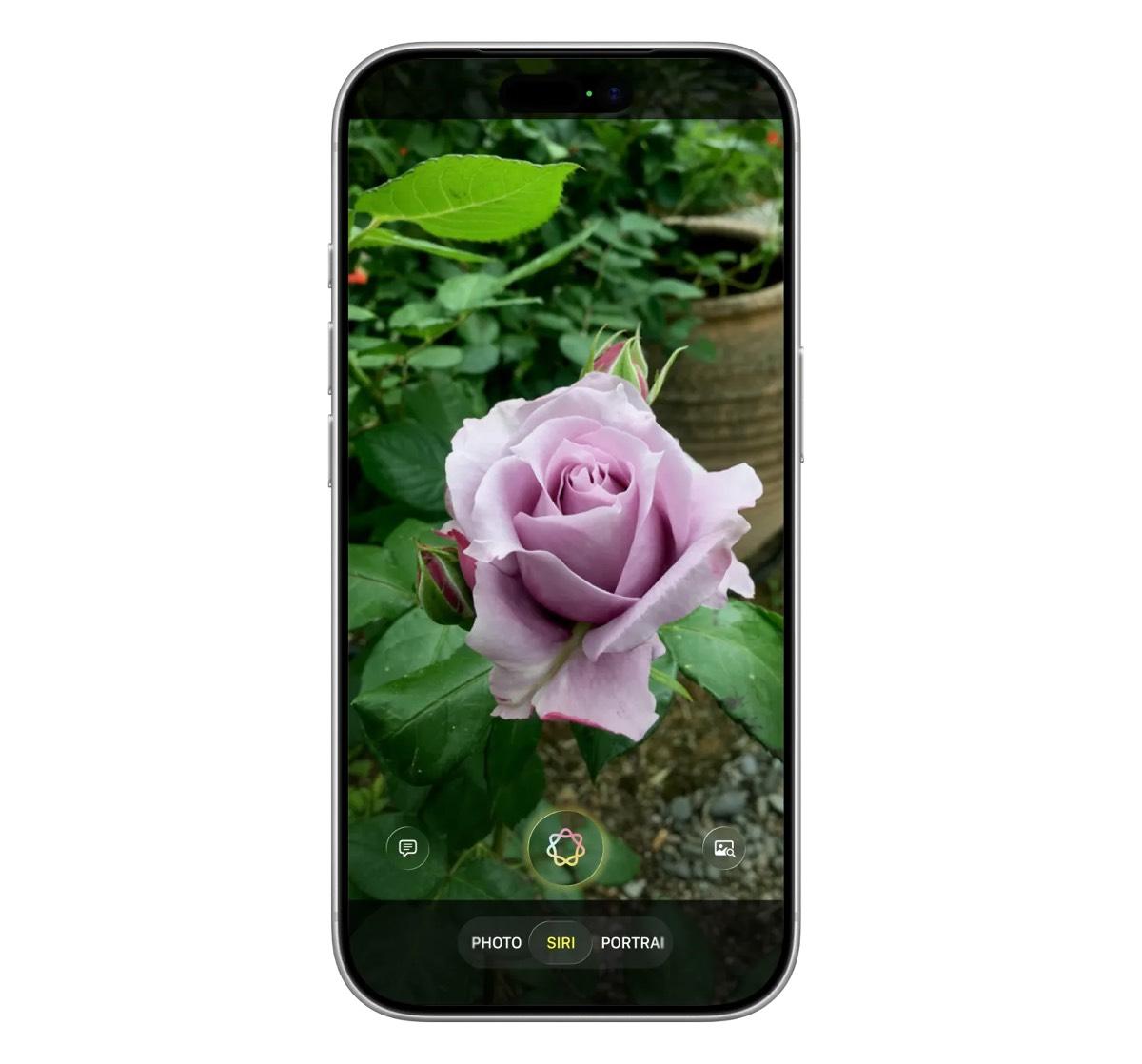
The Siri images fit into a bigger iOS 27 story. Bloomberg has also reported that Apple is preparing a more customizable Camera app with advanced controls, a Siri-powered Visual Intelligence mode, and upgrades to Image Playground.
The Camera changes could matter even for users who do not care about AI chatbots. A dedicated Siri or Visual Intelligence mode would make it easier to point the camera at objects, text, labels, or documents and ask the iPhone what to do with them.
Apple has not confirmed these iOS 27 features yet. The company has only said that WWDC26 runs from June 8 to June 12, with the keynote on June 8 at 10 a.m. PT. Apple’s newsroom post says the event will include AI advancements and new software tools, but the exact feature list is still under wraps.
This is Apple’s chance to reset Siri
The new images arrive after a rough stretch for Apple Intelligence. Apple previewed a more personal Siri at WWDC 2024, then delayed key features after they failed to meet the company’s quality bar.
That delay changed the stakes for iOS 27. Apple does not just need to show a nicer Siri interface; it needs to prove the assistant can understand context, handle follow-up questions, work with files and images, and do useful things across apps.
The rumored device support may also be limited. Since the new Siri is expected to rely heavily on Apple Intelligence, older iPhones may not get every AI feature even if they receive iOS 27.
WWDC26 should make the picture clearer in less than two weeks. For now, Bloomberg’s images suggest Apple is finally ready to move Siri away from a voice command box and toward a full AI interface built into the center of iOS.